IMEI Changer Tool: What It Is, How IMEI Works and Safe Repair Options
An IMEI changer tool is software or mobile-service equipment associated with changing, restoring, checking, or working with the International Mobile Equipment Identity (IMEI) of a mobile device.
The term is widely used in searches for Android IMEI software, IMEI change tools, IMEI repair programs, IMEI write tools, and mobile servicing applications. However, these tools do not all perform the same function, and an IMEI changer tool that works with one phone or chipset may not work with another.
More importantly, changing a device’s IMEI is not the same thing as repairing a missing or invalid IMEI.
If your phone originally had a valid IMEI and now shows Invalid IMEI, Null IMEI, IMEI Unknown, Missing IMEI, or Baseband Unknown, the correct objective is normally to diagnose the underlying problem and restore the device’s legitimate information rather than simply assigning an unrelated identifier.
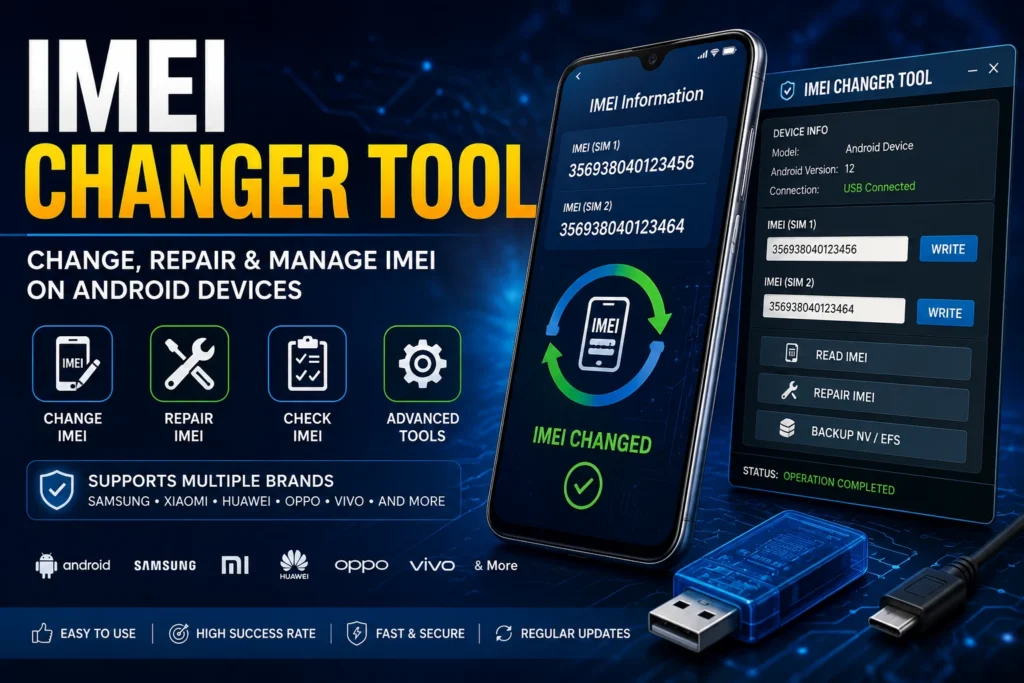
This guide explains what an IMEI changer tool is, what IMEI numbers are used for, how IMEI tools differ from repair and checker tools, why compatibility matters, what can cause IMEI problems, and what to consider before using any IMEI-related software.
What Is an IMEI Changer Tool?
An IMEI changer tool is a term commonly used for software or professional mobile-service equipment that interacts with IMEI-related device information.
Depending on the software and supported device, an IMEI tool may be associated with:
- IMEI identification
- IMEI reading
- IMEI checking
- IMEI repair
- IMEI restoration
- IMEI writing
- Device servicing
- Modem configuration
- Mobile-phone diagnostics
The capabilities are highly dependent on the device.
A program designed for one chipset, manufacturer, or firmware version should not automatically be assumed to work on another.
IMEI Changer Tool vs IMEI Repair Tool
These terms are often used interchangeably online, but they describe different search intents.
| Search term | Typical intent |
|---|---|
| IMEI changer tool | Searching for software associated with IMEI modification or servicing |
| IMEI repair tool | Looking for a solution to a missing, invalid or corrupted IMEI |
| IMEI checker | Checking information associated with a device |
| IMEI lookup | Investigating available device information |
| IMEI write tool | Searching for mobile-service software associated with IMEI writing |
| IMEI rebuilder | Searching for IMEI-related restoration or rebuilding information |
| IMEI blacklist checker | Checking reported or restricted device status |
This distinction is important because the correct solution depends on the actual problem.
What Is an IMEI Number?
IMEI stands for International Mobile Equipment Identity.
It is a device identifier associated with cellular mobile equipment.
A standard IMEI is normally 15 digits long, although phones with multiple cellular connections can have more than one IMEI.
The IMEI is different from:
| Identifier | What it represents |
|---|---|
| IMEI | Mobile equipment identifier |
| Phone number | Mobile service/subscriber number |
| SIM identifier | Subscriber/SIM-related identification |
| Serial number | Manufacturer device identifier |
| Account ID | User account associated with services |
The IMEI is particularly useful when identifying a phone, investigating device information, contacting a carrier, checking a used device, or troubleshooting certain network problems.
How to Find Your IMEI Number
Before using any IMEI-related tool, you should know the correct IMEI associated with your device.
Use *#06#
On many mobile phones, entering:
*#06#
will display the IMEI information.
If the phone supports two cellular connections, you may see IMEI 1 and IMEI 2.
Check Android Settings
On many Android devices, the IMEI can be found under a menu similar to:
Settings → About Phone → Status
The exact location depends on the manufacturer and Android version.
Check the Original Box
The IMEI may also appear on the original retail packaging.
Check Device Documentation
Purchase records, carrier documentation and service records may contain device-identification information.
Keep your IMEI private and avoid posting the complete number publicly.
Why Do People Search for an IMEI Changer Tool?
People searching for IMEI changer tool can have very different intentions.
Some are looking for information about:
- IMEI repair
- Invalid IMEI
- Missing IMEI
- Network problems
- Device identification
- Mobile-phone servicing
- Android repair
- Modem problems
- Firmware-related problems
- IMEI checking
- Used-phone verification
Others are specifically searching for software associated with changing an IMEI.
Because these are different needs, it is important to determine what problem the phone actually has before selecting any tool.
IMEI Changer Tool for Android
Android is not a single hardware platform.
It includes devices from many manufacturers using different chipsets, firmware versions and security architectures.
This means there is no single IMEI changer tool that should automatically be considered compatible with every Android phone.
Compatibility can depend on:
- Manufacturer
- Exact model
- Chipset
- Android version
- Firmware
- Baseband
- Security configuration
- Service mode
- Device generation
A tool that supports one Android phone may be completely unsuitable for another.
Samsung IMEI Tools
Samsung devices have model-specific hardware and software configurations.
If you are working with a Samsung Galaxy phone, identify the exact model number before looking for any IMEI-related software.
For Samsung-specific information, visit our Samsung IMEI resources.
MediaTek IMEI Tools
MediaTek phones can use device-specific areas such as NVRAM and NVDATA for configuration and calibration information.
An IMEI problem on a MediaTek phone can therefore involve more than the number displayed on the screen.
Qualcomm IMEI Tools
Qualcomm-based devices can use different modem and non-volatile configuration systems.
Repair and servicing requirements can vary significantly between Qualcomm models.
For that reason, the chipset and exact model should always be identified before selecting a tool.
Does an IMEI Changer Tool Work on Every Phone?
No.
This is one of the most important things to understand about IMEI software.
Different phones can have completely different:
- Chipsets
- Modems
- Firmware
- Security systems
- Partition structures
- Service interfaces
- Device configuration
- Manufacturer protections
A tool that works on an older MediaTek phone may not work on a modern Qualcomm phone.
A method designed for one Samsung model should not automatically be used on another Samsung model.
The phrase “works on all phones” should therefore be treated with caution unless the developer clearly documents the supported devices.
What Is IMEI Writing?
IMEI writing refers to a servicing operation involving IMEI-related device data on supported hardware.
The exact technology depends on the phone and chipset.
In legitimate repair situations, the objective may be to restore the device’s original IMEI information after it has been damaged or lost.
IMEI writing should not be confused with ordinary phone settings.
A normal Android settings menu does not provide a universal option for replacing a phone’s factory identity.
What Is IMEI Repair?
IMEI repair is focused on restoring proper operation when a device has a legitimate IMEI-related problem.
Common symptoms include:
- Invalid IMEI
- Null IMEI
- IMEI Unknown
- Missing IMEI
- Baseband Unknown
- No cellular registration
- No network after firmware repair
If this describes your problem, our IMEI Repair Tool guide is the better starting point.
IMEI Changer Tool vs IMEI Repair Tool
The difference is important.
IMEI Changer Tool
This phrase is commonly associated with software that can interact with IMEI information.
IMEI Repair Tool
This is more specifically associated with diagnosing and restoring an IMEI-related device problem.
If your phone had a valid IMEI and then lost it, repair and restoration should be your starting point rather than simply searching for a new IMEI.
What Causes IMEI Problems?
A phone can develop IMEI-related problems after several different events.
Firmware Problems
Incorrect or incomplete firmware can affect modem and device configuration.
Failed Flashing
An interrupted or unsuccessful flashing process can cause problems with radio-related software.
NVRAM Problems
On supported MediaTek devices, damaged NVRAM can contribute to network and configuration problems.
NVDATA Problems
NVDATA-related corruption can also affect certain device configurations.
EFS Problems
On certain Samsung and other devices, EFS-related damage can cause serious cellular and device-identification problems.
Hardware Problems
A motherboard, storage, modem or other hardware fault can also cause IMEI-related symptoms.
What Does Invalid IMEI Mean?
An Invalid IMEI message generally means that the phone cannot correctly retrieve, validate or use its device identifier.
It does not automatically tell you why the problem occurred.
Possible causes include:
- Firmware corruption
- Modem problems
- Device configuration problems
- NVRAM/NVDATA issues
- EFS-related problems
- Hardware faults
- Previous unsuccessful servicing
The correct diagnosis depends on the phone.
What Does Null IMEI Mean?
A Null IMEI generally indicates that the expected device identifier is unavailable or cannot be correctly retrieved.
A Null IMEI can occur alongside:
- No network
- Baseband problems
- Firmware problems
- Configuration corruption
- Previous flashing or repair
Do not assume that replacing the number is automatically the correct solution.
What Does IMEI Unknown Mean?
If Android displays IMEI Unknown, the operating system is unable to retrieve the expected IMEI information correctly.
This can indicate a problem involving:
- Modem software
- Firmware
- Protected configuration
- Device-specific data
- Hardware
Check the baseband information as well.
What Does Baseband Unknown Mean?
Baseband Unknown is an important diagnostic symptom.
The baseband is involved in cellular communication.
If the phone reports Baseband Unknown together with a missing IMEI, the problem may involve the modem or firmware rather than the IMEI alone.
Possible causes include:
- Incorrect firmware
- Missing modem software
- Corrupted modem configuration
- Failed flashing
- Hardware damage
Can an IMEI Changer Tool Fix No Signal?
Not necessarily.
No signal can have many causes.
| Possible cause | Could affect network signal? |
|---|---|
| Invalid IMEI | Yes |
| Missing IMEI | Yes |
| Baseband Unknown | Yes |
| SIM card problem | Yes |
| Carrier outage | Yes |
| Antenna damage | Yes |
| Modem failure | Yes |
| Incorrect firmware | Yes |
| Unsupported network bands | Yes |
| Hardware damage | Yes |
This is why replacing or modifying an IMEI should never be treated as the automatic solution to every network problem.
Can an IMEI Changer Tool Repair a Missing IMEI?
Some professional service environments can restore legitimate device information when the original IMEI has been lost because of a software, firmware or hardware-related repair problem.
Whether recovery is possible depends on:
- Exact device
- Chipset
- Firmware
- Security architecture
- Hardware condition
- Cause of the problem
- Availability of original device information
There is no universal guarantee.
What Should You Do If Your IMEI Disappeared?
If the phone originally belonged to you and the IMEI disappeared after a legitimate software or hardware operation, follow a diagnostic process.
Step 1: Record the Exact Model
Find the complete model number.
Step 2: Check the IMEI
Use *#06# and the phone’s settings.
Step 3: Check Baseband
Record whether the baseband is available or shows Unknown.
Step 4: Identify What Happened
Determine whether the problem appeared after:
- Firmware flashing
- Software update
- Factory reset
- Repair
- Motherboard replacement
- Physical damage
Step 5: Find the Original IMEI
Check the original packaging, documentation or legitimate carrier records.
Step 6: Use the Correct Repair Resource
If the problem is genuinely an IMEI issue, start with our IMEI Repair Tool guide.
If the IMEI is not showing specifically on Android, see What To Do If IMEI Is Not Showing On Android.
Can You Use an IMEI Changer Tool to Unlock a Phone?
An IMEI change and a carrier network unlock are different things.
A carrier lock is normally handled through the carrier’s official unlocking process.
Changing an IMEI should not be treated as a substitute for a carrier unlock.
If your phone displays SIM Network Unlock PIN or Network Unlock Code, see our SIM Network Unlock PIN guide.
Can an IMEI Changer Tool Remove a Blacklist?
Changing or modifying an IMEI should not be treated as a legitimate way to remove a blacklist.
A blacklist is a device-status issue.
If a phone has been reported lost, stolen, or otherwise restricted, the appropriate resolution should come from the carrier or organization responsible for the status.
If you are checking a used phone, use our IMEI Blacklist Checker before making a purchase.
Can an IMEI Changer Tool Unlock Any Carrier?
No.
Carrier unlocking and IMEI identification are different systems.
If your phone is carrier locked, check the original carrier’s official unlock requirements.
An IMEI change should not be presented as a universal solution for carrier restrictions.
Is Changing an IMEI Legal?
The legality of IMEI modification varies by country.
An IMEI is a device identifier, so changing it can have legal and technical consequences.
You should never use IMEI modification to:
- Conceal a stolen device
- Bypass a blacklist
- Defeat security controls
- Evade carrier restrictions
- Misrepresent device ownership
- Disguise a device’s history
If your own phone has a damaged or missing IMEI following a legitimate repair, focus on restoring the correct device information through an appropriate repair process.
Why You Should Keep the Original IMEI
The original IMEI is important device information.
Keep it with:
- Purchase documentation
- Original box
- Carrier records
- Repair records
- Insurance information
The original IMEI can be useful when:
- Reporting a stolen phone
- Contacting a carrier
- Checking a used phone
- Verifying device information
- Working with a repair technician
Do not publish your complete IMEI publicly.
IMEI Changer Tool APK vs PC Software
Searches for IMEI changer APK and IMEI changer tool PC can lead to very different types of software.
IMEI Changer APK
An APK is an Android application package.
A normal Android application does not automatically have permission to modify protected device identifiers.
Modern Android security can significantly restrict what ordinary applications can access.
IMEI Changer Tool for PC
PC-based mobile-service software may communicate with supported devices through USB and manufacturer/chipset-specific service interfaces.
However, compatibility varies considerably.
Do not assume that a Windows tool automatically works with every Android phone.
Why Modern Android Phones Are Different
Older mobile-service tutorials often describe procedures that were specific to older Android versions and chipsets.
Modern phones can use stronger security, protected partitions, verified boot, secure hardware components and manufacturer-specific service systems.
This means an old IMEI changer tutorial may no longer apply to a modern phone.
A procedure that worked years ago can be:
- Unsupported
- Incompatible
- Dangerous
- Ineffective
- Restricted by the manufacturer
Always identify the exact device before relying on an old tutorial.
IMEI Changer Tool for Samsung
Samsung is one of the most common manufacturers associated with IMEI-related searches.
However, Samsung devices vary significantly by model, chipset, region and firmware.
Before troubleshooting a Samsung IMEI problem, record:
- Exact model
- Baseband
- Android version
- Firmware version
- IMEI status
- Network status
For additional information, visit our Samsung IMEI resources.
IMEI Changer Tool for iPhone
iPhone IMEI handling is different from many Android devices.
Apple controls the hardware, firmware and security architecture closely, so generic Android IMEI software should not be assumed to work with iPhones.
If you are checking an iPhone, focus first on:
- IMEI identification
- Device status
- Activation status
- Carrier compatibility
- Ownership
- Hardware condition
For iPhone-specific information, explore our iPhone IMEI resources.
IMEI Changer Tool for Huawei
Huawei devices can also have model-specific IMEI and modem configurations.
If you are troubleshooting a Huawei phone, identify the exact model and firmware before using any repair or service software.
For Huawei-related resources, see our Huawei Modem Unlocker guide.
IMEI Changer Tool for Xiaomi
Xiaomi phones use different hardware and firmware configurations depending on the model and chipset.
Do not assume that a tool designed for one Xiaomi device will work on another.
Always identify the exact model before troubleshooting an IMEI problem.
How to Choose an IMEI Tool
If you are searching for IMEI software, start with the problem rather than the tool.
If You Want to Check a Phone
Use an IMEI checker.
If You Want to Investigate a Blacklisted Phone
Use an IMEI blacklist checker.
If Your IMEI Is Missing
Use an IMEI repair or troubleshooting resource.
If You Need to Understand IMEI Rebuilding
See an IMEI rebuilder guide.
If Your Phone Is Carrier Locked
Use the carrier’s official unlock process.
If You Are Researching IMEI Modification
Understand the technical and legal implications before doing anything to the device.
IMEI Changer Tool Quick Comparison
| What you need | Best starting point |
|---|---|
| Check IMEI | IMEI Number Check |
| Check used phone | IMEI Checker |
| Check blacklist | IMEI Blacklist Checker |
| Fix Invalid IMEI | IMEI Repair Tool |
| Fix Null IMEI | IMEI Repair Tool |
| IMEI not showing | Android IMEI troubleshooting |
| Understand IMEI rebuilding | IMEI Rebuilder |
| Network unlock | Original carrier |
| Lost phone | Official device tracking |
| Device identification | IMEI Checker |
Common IMEI Changer Tool Problems
Tool Does Not Detect the Phone
Possible causes include:
- Missing drivers
- Unsupported chipset
- Unsupported model
- Incorrect USB mode
- Incompatible software
- Modern security restrictions
Tool Reports Unsupported Device
The software may not support your exact model or firmware.
Do not force an incompatible procedure.
IMEI Is Still Missing
The underlying problem may involve modem, firmware, NVRAM, NVDATA, EFS or hardware.
Phone Has No Network After Repair
Check:
- IMEI
- Baseband
- SIM
- Carrier compatibility
- Firmware
- Network bands
- Hardware
Tool Works on One Phone but Not Another
This is normal.
IMEI software is often device-specific.
IMEI Changer Tool Safety Checklist
Before using any IMEI-related software:
- Confirm the exact phone model.
- Identify the chipset.
- Record the original IMEI.
- Record the current baseband.
- Understand what caused the problem.
- Verify that the software actually supports your device.
- Keep legitimate device documentation.
- Avoid software from unknown sources.
- Avoid using another device’s IMEI.
- Do not use IMEI modification to bypass a blacklist.
- Do not use it to disguise a stolen device.
- Stop if the tool behaves unexpectedly.
If you are uncertain, professional repair is safer than repeatedly experimenting with low-level device software.
Frequently Asked Questions About IMEI Changer Tools
What Is an IMEI Changer Tool?
An IMEI changer tool is software or service equipment associated with working with IMEI-related device information. The capabilities and compatibility vary significantly between devices.
Does an IMEI Changer Tool Work on Every Android Phone?
No. Android phones use many different chipsets, firmware versions, security systems and manufacturer configurations.
Can an IMEI Changer Tool Fix Invalid IMEI?
Some legitimate repair environments may restore the original device information when the problem is caused by software, firmware or device configuration. The exact solution depends on the phone.
Can an IMEI Changer Tool Fix Null IMEI?
A Null IMEI can be associated with several different problems, including modem, firmware, NVRAM, NVDATA, EFS or hardware issues. Diagnosis should come before selecting software.
Can an IMEI Changer Tool Fix Baseband Unknown?
Not necessarily. Baseband Unknown may indicate a modem, firmware or hardware problem that requires broader diagnosis.
Can an IMEI Changer Tool Remove a Blacklist?
No legitimate IMEI repair process should be used to bypass a blacklist. Contact the relevant carrier or organization instead.
Can an IMEI Changer Tool Unlock a Carrier-Locked Phone?
An IMEI change is not the normal solution to a carrier lock. Use the carrier’s official unlocking process.
Can I Use an IMEI Changer APK?
An APK cannot automatically access or modify protected device identifiers. Modern Android security can restrict these operations considerably.
Is an IMEI Changer Tool the Same as an IMEI Repair Tool?
Not necessarily. The terms are often used together, but an IMEI repair tool is specifically associated with restoring or troubleshooting legitimate IMEI problems.
What Is the Best IMEI Changer Tool?
There is no universal best tool. The correct software depends on the phone, chipset, firmware, security configuration and the actual problem.
Can I Use Another Phone’s IMEI?
A device should retain its legitimate identity. Do not substitute another phone’s IMEI.
What Should I Do If My IMEI Disappeared?
Find the exact model, check the baseband, identify what happened before the IMEI disappeared, locate the original IMEI from legitimate records, and use an appropriate repair process.
Can a Factory Reset Change the IMEI?
A normal factory reset is not designed to change the device’s IMEI.
Can Firmware Flashing Cause IMEI Problems?
Yes. Incorrect or interrupted firmware operations can be associated with IMEI, modem, baseband and network problems.
Where Can I Find My IMEI?
Try *#06#, device settings, the original box, purchase records or carrier documentation.
Should I Publish My IMEI Online?
No. Avoid posting your complete IMEI publicly.
Final Thoughts on IMEI Changer Tools
The phrase IMEI changer tool covers a wide range of software and mobile-service searches, but not every tool performs the same function and not every tool works with every phone.
The most important first step is to identify what you actually need.
If you are checking a phone, use an IMEI checker.
If you are investigating a reported device, use an IMEI blacklist checker.
If your phone has Invalid IMEI, Null IMEI, IMEI Unknown or Baseband Unknown, investigate the underlying problem and use the appropriate repair resource.
If the phone is carrier locked, use the original carrier’s official unlock process.
If you are researching IMEI modification, understand that the legality and technical consequences vary by country and device, and that changing an identifier should never be used to conceal a stolen device, bypass a blacklist or defeat security restrictions.
For legitimate device troubleshooting, start with the information you already have about the phone:
model → chipset → firmware → baseband → IMEI status → network status → repair history.
That information is far more useful than downloading a random “universal” IMEI changer.
For additional resources, visit our IMEI Changer homepage, use the IMEI Number Check Online Tool, investigate device status with the IMEI Blacklist Checker, or troubleshoot a missing identifier with our IMEI Repair Tool guide.
Updated: August 27, 2026