Unlock Verizon Phone: Verizon Unlock Code & Code Generator Guide
If you are searching for an unlock Verizon phone solution, a Verizon unlock code, or a Verizon unlock code generator, this guide explains exactly how Verizon phone unlocking works in 2026.
Verizon has changed its device-locking policies over the years, so many older articles about Verizon unlock codes are now outdated. The traditional idea that every Verizon phone requires a universal unlock code is not correct.
For many modern Verizon devices, unlocking happens automatically when the device becomes eligible. Postpaid devices purchased directly from Verizon are currently locked until they are paid in full, while Verizon Prepaid devices activated on or after January 27, 2026 generally require 365 days of paid and active service before Verizon unlocks them. Older devices activated before that policy change can follow the previous 60-day rules.
This guide covers unlock Verizon phone, Verizon unlock code, Verizon unlock code generator, Verizon SIM unlock, Verizon network unlock, Verizon IMEI unlock, Verizon prepaid unlock, Verizon postpaid unlocking, Verizon unlock eligibility, and what to do when a Verizon phone still displays a SIM or network restriction.
What Does Unlock Verizon Phone Mean?
Unlock Verizon phone means removing the software restriction that prevents a Verizon device from being activated on another compatible mobile carrier.
When a phone is locked to Verizon, inserting another carrier’s SIM card can result in a message such as:
- SIM Not Supported
- Network Locked
- SIM Network Unlock PIN
- Network Unlock Code
- SIM Not Allowed
- Enter Unlock Code
The exact message depends on the phone manufacturer and software.
Verizon defines unlocking as disabling the software restriction that prevents a device designed for one carrier from being activated on another carrier. Verizon also warns that an unlocked device may have limited functionality or may not work on another carrier because cellular technologies and supported bands can differ.
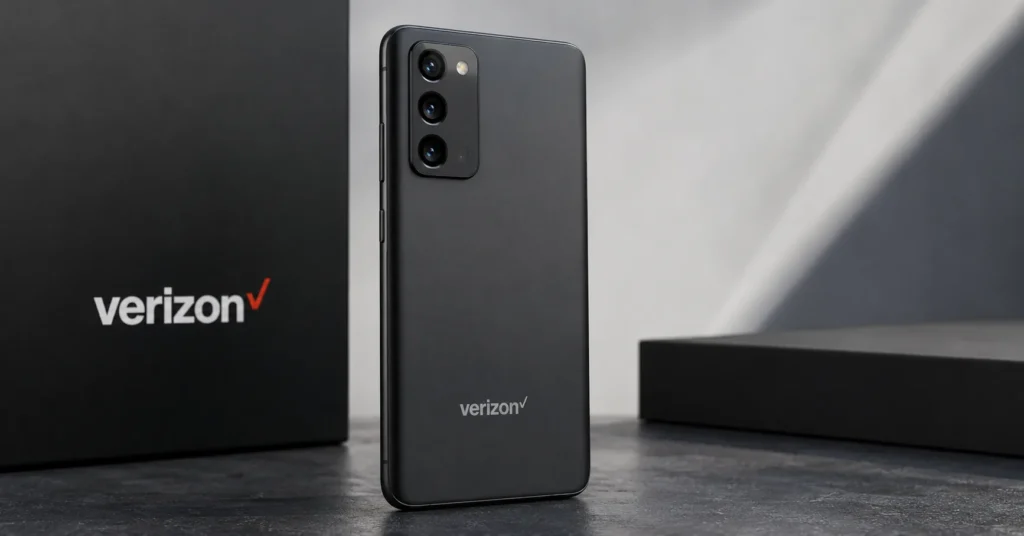
What Is a Verizon Unlock Code?
A Verizon unlock code is generally understood as a code that can remove a carrier restriction from a compatible Verizon device.
However, modern Verizon unlocking does not work like a universal code generator for every phone.
Many current Verizon devices unlock automatically when they become eligible. In other cases, particularly certain prepaid devices or older phones, Verizon can provide an unlocking code or instructions when the device qualifies.
Therefore, if you are searching for a Verizon unlock code, the first question should be:
Does this particular Verizon phone actually require a code?
That is more important than finding a random code generator.
What Is a Verizon Unlock Code Generator?
A Verizon unlock code generator is a tool that claims to calculate or provide a code capable of removing a Verizon network restriction.
Older Verizon phones and some legacy network technologies used programming or subsidy codes, which is why searches for Verizon unlock code generator remain popular.
Modern Verizon smartphones are different.
For current devices, Verizon normally controls the unlocking process through its own eligibility system rather than requiring customers to calculate a universal unlock code from an IMEI.
That means a website claiming that one free generator can calculate a working Verizon unlock code for every iPhone, Samsung, Motorola, Google Pixel, BLU, TCL, LG, or other Verizon device should be treated cautiously.
Does Verizon Still Use Unlock Codes?
Sometimes, depending on the device and unlocking system.
Verizon’s current prepaid policy states that eligible devices can be unlocked remotely or, for phones that are not capable of remote unlocking, Verizon can provide unlocking codes once the device becomes eligible.
For modern smartphones, however, the normal process is increasingly automatic rather than a customer manually calculating a code.
This distinction is extremely important when researching a Verizon unlock code online.
How Verizon Phone Unlocking Works in 2026
Verizon’s current unlocking rules depend primarily on whether the device is postpaid or prepaid, when it was activated or purchased, and whether it meets Verizon’s eligibility requirements.
| Verizon Device Situation | Current General Unlocking Rule |
|---|---|
| Postpaid device purchased from Verizon | Unlocks automatically when purchased at full retail price or when the device financing balance is paid in full. |
| Postpaid device activated before January 27, 2026 | Older devices may have followed the previous 60-day automatic-unlock policy. |
| Prepaid device activated on or after January 27, 2026 | Generally remains locked until 365 days of paid and active service. |
| Prepaid device activated on or before January 26, 2026 | Older 60-day unlocking rules can apply. |
| Reported lost or stolen device | Verizon will not unlock it until the restriction is cleared. |
| Fraud-related device | Verizon may refuse unlocking. |
Verizon’s current Device Unlocking Policy was updated February 18, 2026.
How to Unlock Verizon Phone
The correct method depends on your device and Verizon plan.
Step 1: Determine Whether the Phone Is Locked
Insert a SIM card from another compatible carrier.
If the phone accepts the SIM and connects to the network, it may already be unlocked.
If the phone displays SIM Not Supported, Network Locked, or a similar message, check the device’s unlock status.
Step 2: Identify the Verizon Plan
Determine whether the phone was purchased with:
- Verizon postpaid service.
- Verizon Prepaid service.
- A Verizon financing agreement.
- A full-retail purchase.
Step 3: Check When the Device Was Activated
This is particularly important in 2026 because Verizon changed its unlocking rules on January 27, 2026.
Step 4: Check Whether the Device Is Paid Off
For current postpaid devices, Verizon states that devices purchased directly from Verizon unlock automatically when purchased at full retail price or when the device financing balance is paid in full.
Step 5: Check the IMEI
Dial:
*#06#
On compatible phones, the IMEI should appear.
Step 6: Follow Verizon’s Unlocking Process
If the device is eligible for automatic unlocking, no third-party code generator should be necessary.
If the device requires a manual unlocking code, follow Verizon’s instructions for that specific device.
How to Find the Verizon IMEI
The IMEI is useful when checking a Verizon device’s identity and eligibility.
Use *#06#
Open the phone dialer and enter:
*#06#
Check Android Settings
On many Android phones:
Settings → About phone → IMEI
The exact menu can vary by manufacturer.
Check iPhone Settings
On an iPhone:
Settings → General → About
Look for the IMEI field.
Check the Original Packaging
The IMEI may also be printed on the original device packaging.
Always compare the IMEI with the actual device whenever possible.
Verizon Unlock Code by IMEI
The search phrase Verizon unlock code by IMEI is common because the IMEI uniquely identifies a cellular device.
However, the IMEI does not function as a universal calculator input that automatically generates a Verizon unlock code for every modern phone.
Verizon uses device and account eligibility information to determine whether the phone can be unlocked.
The IMEI can be useful when identifying the device, checking eligibility, or contacting Verizon support, but it should not be confused with a universal mathematical unlock key.
Can You Generate a Verizon Unlock Code From IMEI?
Not as a universal method for modern Verizon smartphones.
Older devices and certain legacy systems may use programming or subsidy codes, but modern Verizon smartphones generally rely on Verizon’s network-based unlocking process.
This is why a website promising an instant universal Verizon unlock code from a 15-digit IMEI should be approached carefully.
The correct question is whether Verizon recognizes the device as eligible for unlocking.
Verizon Postpaid Unlocking
Verizon’s current postpaid policy is substantially different from the old “find an unlock code online” model.
Devices purchased directly from Verizon are locked to the Verizon network until they become eligible for unlocking.
Verizon states that postpaid devices are automatically unlocked when purchased at full retail price or when the device financing agreement balance is paid in full.
If the phone was purchased before the January 27, 2026 policy change, the previous 60-day policy may apply depending on the device and activation date. Verizon’s FAQ specifically distinguishes devices activated before January 27, 2026 from the newer policy.
Verizon Prepaid Unlocking
Verizon Prepaid now has a particularly important distinction between devices activated before and after January 27, 2026.
Verizon Prepaid Devices Activated Before January 27, 2026
Devices activated on Verizon Prepaid before January 27, 2026 can fall under the previous 60-day unlocking policy.
Verizon states that these older prepaid devices were automatically unlocked after 60 days of paid activation and active service.
Verizon Prepaid Devices Activated On or After January 27, 2026
The current policy is significantly different.
For Verizon Prepaid devices activated on or after January 27, 2026, Verizon states that the device is unlocked upon request after 365 days of paid and active service, provided the device meets the applicable conditions.
This is one of the most important updates that older Verizon unlock articles fail to explain.
Verizon 60 Day Unlock Policy
The phrase Verizon 60 day unlock remains extremely popular because Verizon historically unlocked many devices automatically after 60 days.
That information is still relevant to certain older devices, but it should not automatically be applied to every Verizon phone purchased in 2026.
Verizon’s current FAQ says that Verizon-bought devices with standard monthly service activated before January 27, 2026 unlocked automatically after 60 days. It also states that Verizon Prepaid devices activated before that date followed the previous 60-day rule.
For devices activated under the newer policy, different eligibility requirements apply.
Verizon 365 Day Unlock Policy
The Verizon 365 day unlock rule is especially important for newer Verizon Prepaid devices.
For prepaid devices activated on or after January 27, 2026, Verizon states that unlocking occurs upon request after 365 days of paid and active service, assuming the other eligibility conditions are satisfied.
Suspended service can affect the number of qualifying days because Verizon specifies that suspended days do not count toward the 365-day requirement.
Does Verizon Unlock Automatically?
Yes, eligible Verizon devices can unlock automatically.
For current postpaid devices, Verizon states that a device unlocks automatically when it is purchased at full retail price or when its financing balance is paid in full.
For eligible older devices, the previous 60-day automatic-unlock process may apply.
For current prepaid devices, Verizon provides a different 365-day eligibility rule.
Do You Need a Verizon Unlock Code?
Not necessarily.
This is one of the biggest differences between modern Verizon unlocking and older phone-unlock guides.
If your eligible Verizon smartphone unlocks automatically, there is no reason to calculate an unlock code.
For certain prepaid or legacy devices that are not capable of remote unlocking, Verizon may provide an unlocking code when the device becomes eligible.
Free Verizon Unlock Code
If you are searching for a free Verizon unlock code, the safest first option is Verizon itself.
Eligible Verizon customers should not need to purchase a random third-party code simply to unlock a device that qualifies under Verizon’s own policy.
Depending on the device, Verizon may automatically remove the lock or provide the appropriate unlocking process once the device meets the eligibility requirements.
This is much safer than entering random codes from websites claiming to provide free Verizon unlock codes.
Free Verizon Unlock Code Generator
A free Verizon unlock code generator is often advertised as a way to calculate a code from an IMEI.
For modern Verizon smartphones, this is generally not the normal unlocking mechanism.
Verizon controls eligibility through its own systems, and current policy states that eligible devices can unlock automatically or receive an official unlocking code when appropriate.
Therefore, do not assume that a free generator can calculate a legitimate working code for every Verizon device.
Why Old Verizon Unlock Code Generators May Not Work
Many websites still publish Verizon unlocking instructions written years ago.
Those pages may tell users to:
- Download a Verizon code generator.
- Enter the IMEI.
- Select the carrier.
- Generate a code.
- Enter the code into the phone.
That workflow may describe older devices or old unlocking systems, but it is not a universal procedure for modern Verizon smartphones.
The Verizon policy changed in 2026, making the device’s activation date, payment status, and plan type much more important.
Verizon Unlock Code Generator for iPhone
If you have a Verizon iPhone, do not assume that you need an unlock-code generator.
Modern iPhones sold by Verizon follow Verizon’s device-unlocking policy.
If the device is eligible and unlocked, the iPhone can accept a compatible SIM or eSIM from another carrier.
If it is still locked, check the Verizon purchase, payment, activation, and eligibility information first.
How to Check iPhone Carrier Lock
On supported iPhones, open:
Settings → General → About
Look for Carrier Lock.
An iPhone displaying No SIM restrictions is unlocked.
Verizon Unlock Code Generator for Samsung
Samsung phones purchased from Verizon can also be subject to Verizon’s device-locking policies.
If a Samsung phone displays SIM Not Supported after inserting another carrier’s SIM, check the Verizon device’s eligibility before searching for a third-party code generator.
The exact message can vary by Samsung model and software version.
Verizon Unlock Code Generator for Motorola
Motorola devices sold through Verizon can also have carrier restrictions.
If your Motorola requests a network unlock code, identify the exact model and check Verizon’s eligibility rules before using an external code service.
Verizon Unlock Code Generator for Google Pixel
Verizon Pixel devices follow the applicable Verizon unlocking policy.
A Pixel that is eligible for unlocking does not necessarily require a manually calculated unlock code.
Check the device’s current SIM/network status and Verizon eligibility first.
Verizon Unlock Code for Android Phones
The term Verizon unlock code Android can describe several different situations.
A Verizon Android phone may be:
- Carrier locked.
- Already unlocked.
- SIM locked.
- Blocked because of account or device status.
- Incompatible with the new carrier.
- Locked because it has not met Verizon’s eligibility requirements.
Identify the actual problem before searching for an unlock code.
How to Check If Verizon Phone Is Unlocked
The simplest method is to insert another carrier’s SIM card.
If the device connects to the new carrier, it is likely unlocked.
Check an iPhone
Open:
Settings → General → About → Carrier Lock
If it says No SIM restrictions, the iPhone is unlocked.
Check Android
Android menu names vary by manufacturer.
Try inserting another carrier’s SIM and checking whether the device registers on the network.
Verizon Phone Says SIM Not Supported
SIM Not Supported is one of the most important messages to understand when researching how to unlock Verizon phone.
Verizon’s current FAQ specifically states that a locked device can show SIM Not Supported when a non-Verizon SIM is inserted, although the exact message can vary by manufacturer.
If you see this message:
- Confirm the SIM is active.
- Check whether the phone is Verizon locked.
- Check the device’s eligibility.
- Check whether the device has been paid in full if applicable.
- Check the activation date.
- Contact Verizon if the device should already be unlocked.
Verizon Phone Unlocked but No Service
Unlocking does not guarantee that the phone will work perfectly on another carrier.
Verizon specifically warns that differences in network technologies can result in limited functionality or no service after unlocking.
Possible causes include:
- Unsupported LTE bands.
- Unsupported 5G bands.
- VoLTE compatibility.
- Carrier certification.
- APN configuration.
- SIM activation.
- Network coverage.
- IMEI/device restrictions.
Verizon Unlock vs Network Compatibility
| Situation | Meaning |
|---|---|
| Phone is locked | Software prevents activation on another carrier. |
| Phone is unlocked | Carrier restriction has been removed. |
| Phone is unlocked but unsupported | Device may not have the required network bands or technologies. |
| Phone has no service | Could be compatibility, activation, coverage, APN or device-status related. |
Verizon Unlock and IMEI Blacklist
A carrier lock and an IMEI blacklist are completely different.
A Verizon phone can be locked but have a clean IMEI.
A phone can also be unlocked but have an IMEI restriction.
Unlocking the carrier restriction does not remove a blacklist.
If you purchased a used Verizon phone, check its IMEI status before spending money on an unlock service.
Read our IMEI Blacklist Checker guide.
Verizon Unlock and IMEI Repair
If your phone displays:
- Invalid IMEI
- Null IMEI
- Unknown IMEI
- Missing IMEI
- No IMEI
you have an IMEI-related problem rather than a normal Verizon network lock.
A Verizon unlock code does not repair a missing or invalid IMEI.
For that type of problem, see our IMEI Fix Tool guide.
Verizon Unlock vs SIM PIN
A SIM PIN is different from a Verizon network unlock code.
| Code / Status | Purpose |
|---|---|
| Verizon Unlock Code | Removes a compatible carrier/network restriction. |
| SIM PIN | Protects the SIM card. |
| SIM PUK | Recovers a SIM after too many incorrect PIN attempts. |
| Screen PIN | Unlocks access to the phone. |
| Google FRP | Protects an Android device after a reset. |
If the phone is asking for a PUK, contact the SIM carrier instead of searching for a Verizon unlock code.
Verizon Unlock vs Google FRP
Factory Reset Protection is not a carrier lock.
If an Android phone asks for the Google account previously associated with the device after a factory reset, that is an FRP security mechanism.
A Verizon unlock code does not remove Google FRP.
Verizon Unlock vs Screen Lock
If you forgot your Android PIN, pattern, password, or iPhone passcode, you are dealing with a device-access problem rather than a Verizon SIM lock.
A network unlock does not bypass a screen lock.
Can a Verizon Phone Be Unlocked for Free?
Eligible Verizon devices can be unlocked without purchasing a third-party unlock code.
Verizon’s current policy provides automatic unlocking for qualifying postpaid devices when they are purchased at full retail price or paid in full, while eligible prepaid devices follow their applicable service-period requirements.
This is why paying an unknown website for a “free Verizon unlock code generator” is often unnecessary.
Can You Unlock Verizon Phone Without a Code?
Yes.
In fact, this is the normal situation for many current Verizon devices.
If Verizon automatically removes the network restriction after the device becomes eligible, there is no code to enter.
The phone simply becomes unlocked.
Can You Unlock Verizon Phone Without a Computer?
Yes.
Modern Verizon unlocking does not normally require installing a computer program.
If the phone qualifies for automatic unlocking, the process is handled through Verizon’s device and network systems.
If a legacy device requires a manual code, Verizon can provide the applicable instructions or code when the device is eligible.
Can You Unlock Verizon Phone Without Losing Data?
A normal carrier unlock does not require a factory reset.
Unlocking a network restriction is different from resetting or restoring the operating system.
However, if you perform a separate troubleshooting reset for another problem, data loss can occur.
Back up important data before performing any factory reset.
Can Verizon Refuse to Unlock a Phone?
Yes.
Verizon’s current policy includes restrictions for devices reported as lost or stolen and devices associated with fraud.
For postpaid devices, Verizon states that a device reported lost or stolen will not be unlocked until it is cleared from the lost/stolen report.
Verizon Prepaid also requires the device to be in working condition and not reported stolen or lost or associated with fraudulent activity.
What If Verizon Phone Is Paid Off but Still Locked?
If a current postpaid Verizon device has been paid in full but remains locked:
- Restart the phone.
- Insert a compatible non-Verizon SIM.
- Check the phone’s carrier-lock status.
- Verify that the financing agreement has fully closed.
- Check whether the device is reported lost or stolen.
- Contact Verizon support if the lock remains.
Verizon states that qualifying paid-in-full devices should unlock automatically.
What If Verizon Phone Is Not Unlocking After 60 Days?
First determine whether the phone is actually covered by the old 60-day policy.
The 60-day rule is not the universal rule for every Verizon device purchased or activated in 2026.
Verizon’s current policy distinguishes older devices from devices activated under the January 27, 2026 policy change.
If the device was activated before January 27, 2026 and should have unlocked after 60 days, verify the device status with Verizon.
If it was activated under the newer policy, check the applicable postpaid or prepaid requirements instead.
What If Verizon Prepaid Phone Has Not Unlocked After 365 Days?
For devices activated on or after January 27, 2026, Verizon states that eligible prepaid devices are unlocked upon request after 365 days of paid and active service.
Check:
- Activation date.
- Paid service history.
- Whether service was suspended.
- Device status.
- Lost/stolen status.
- Fraud status.
Verizon specifically notes that suspended days do not count toward the 365-day requirement.
Verizon Unlock Code for Older Phones
Older Verizon phones can behave differently from modern 4G and 5G smartphones.
Some legacy devices used programming codes rather than the modern automatic unlocking process.
If you have an older Verizon phone, identify the exact model and network technology before searching for a code.
Do not assume that a code found in an old forum post applies to a modern device.
Verizon Unlock Code for 3G Phones
Older Verizon 3G devices used different programming systems from modern LTE and 5G smartphones.
Historical Verizon documentation described simple programming codes for certain legacy 3G devices, but these instructions should not be applied blindly to modern Verizon phones.
If you have a legacy 3G Verizon device, identify the exact model and consult the manufacturer’s documentation or Verizon support.
Verizon Unlock Code for 4G LTE Phones
Modern 4G LTE devices generally follow Verizon’s current device-locking and automatic-unlocking policies rather than requiring a universal IMEI calculator.
The exact eligibility depends on the device’s purchase and activation circumstances.
Verizon Unlock Code for 5G Phones
5G Verizon phones also follow the applicable Verizon device-locking policy.
Being a 5G phone does not mean that you need a special 5G unlock code.
What matters is whether the device is locked, whether it is eligible for unlocking, and whether it supports the new carrier’s network.
Verizon Unlock Code for iPhone
For a Verizon iPhone, check the Carrier Lock field in Settings before searching for a code.
If the device says No SIM restrictions, the iPhone is already unlocked.
If it remains locked, verify Verizon eligibility rather than using a generic online code generator.
Verizon Unlock Code for Samsung
Samsung phones sold through Verizon can be carrier locked until they meet Verizon’s applicable unlocking requirements.
Insert a non-Verizon SIM and check the message displayed by the phone.
If the phone remains locked after it should have become eligible, contact Verizon rather than repeatedly entering codes from third-party websites.
Verizon Unlock Code for Motorola
Motorola phones purchased through Verizon can also be subject to Verizon’s device-locking policy.
Check the device’s purchase and activation history and verify eligibility before looking for a Motorola-specific Verizon unlock code.
Verizon Unlock Code for Google Pixel
Google Pixel phones purchased through Verizon follow Verizon’s applicable unlocking policy.
If the Pixel is eligible for unlocking, it may unlock automatically without a manually entered code.
How to Unlock Verizon Phone to Use Another Carrier
Once the Verizon lock has been removed, you can attempt to activate the device on another compatible carrier.
However, unlocking is only the first step.
The phone must also support the new carrier’s network.
Step 1: Confirm the Verizon Lock Is Removed
Check the carrier-lock status or insert another carrier’s SIM.
Step 2: Check Compatibility
Verify supported LTE, 5G and voice technologies.
Step 3: Activate the New SIM
Make sure the SIM or eSIM is properly activated by the new carrier.
Step 4: Configure APN if Necessary
Some carriers require specific APN settings for mobile data.
Step 5: Test the Phone
Test calls, SMS, mobile data and network registration.
Verizon Unlock and Other Carriers
An unlocked Verizon device may be usable on another carrier, but compatibility is not guaranteed.
Possible destinations include:
- T-Mobile
- AT&T
- US Mobile
- Visible
- Mint Mobile
- Metro
- Cricket
- Other compatible MVNOs
The exact compatibility depends on the device model and supported network bands.
Why an Unlocked Verizon Phone May Not Work on AT&T
Unlocking only removes the carrier restriction.
It does not add missing LTE or 5G bands, change the phone’s hardware, or guarantee carrier certification.
Before moving a Verizon phone to AT&T, check whether the exact model is supported by AT&T.
Why an Unlocked Verizon Phone May Not Work on T-Mobile
The same principle applies to T-Mobile.
The phone must support the required bands and technologies and be accepted by the carrier’s network.
An unlocked status alone is not enough.
Verizon Unlock Code and IMEI Blacklist
Do not confuse Verizon unlock with Verizon IMEI blacklist removal.
If a device is reported lost, stolen, or associated with fraud, unlocking does not make that restriction disappear.
If you bought a used Verizon phone, check its IMEI status before purchasing an unlock service.
Read our IMEI Blacklist Checker guide.
Verizon Unlock Code and IMEI Check
The IMEI can help identify the device and is useful when communicating with Verizon or checking device information.
For general IMEI information, see our IMEI Search Software guide.
Verizon Unlock Code and IMEI Fix
If the Verizon phone has a missing or invalid IMEI, do not assume that an unlock code will solve the problem.
Network unlocking and IMEI repair are different processes.
For more information, read our IMEI Fix Tool guide.
How to Avoid Fake Verizon Unlock Code Generators
Searches for free Verizon unlock code generator can lead to outdated or misleading websites.
Be cautious when a website:
- Promises to unlock every Verizon phone instantly.
- Claims one code works for all Verizon smartphones.
- Claims every IMEI produces an unlock code.
- Requires unknown executable software.
- Requests unnecessary passwords.
- Asks you to disable antivirus software.
- Promises to remove an IMEI blacklist.
- Claims to unlock a phone that Verizon has reported stolen.
Verizon’s own current policy is the best starting point for determining whether a device is eligible.
Should You Pay for a Verizon Unlock Code?
For an eligible Verizon device, you should first check Verizon’s official unlocking process.
There is often no reason to pay a third party for something Verizon can unlock automatically or provide through its own process.
A paid third-party service may be relevant only in situations where the device has a legitimate unlocking route that requires a supported manual or remote service.
Never pay someone who promises to remove a stolen-device restriction or bypass an IMEI blacklist.
Verizon Unlock Code Generator vs Official Verizon Unlock
| Method | Best Use | Important Point |
|---|---|---|
| Automatic Verizon unlock | Eligible modern Verizon devices. | Usually the preferred method. |
| Official Verizon unlock code | Eligible devices that require manual code-based unlocking. | Obtained through Verizon’s process. |
| Third-party code generator | Some legacy or specialized situations. | Must actually support the exact device. |
| Random free code | Not recommended. | Can be incorrect or outdated. |
Verizon Unlock Code Troubleshooting
My Verizon Phone Is Still Locked After Paying It Off
Verify that the financing agreement has actually closed and that the device is not subject to a lost/stolen or fraud restriction.
My Verizon Phone Says SIM Not Supported
Check whether the device is still locked and whether it has become eligible for unlocking.
My Verizon Phone Was Activated Before January 27, 2026
Check whether the older 60-day policy applies to the device.
My Verizon Prepaid Phone Was Activated After January 27, 2026
Check whether the device has completed the required 365 days of paid and active service.
My Verizon Phone Is Unlocked but Has No Service
Check carrier compatibility, supported bands, APN configuration, SIM activation and device status.
I Found a Verizon Unlock Code Online
Do not enter it automatically. First determine whether your phone actually requires a manual unlock code and whether the source is legitimate.
Frequently Asked Questions About Unlock Verizon Phone
How do I unlock a Verizon phone?
Check whether the phone is eligible under Verizon’s current policy. Eligible postpaid devices can unlock automatically when paid in full, while prepaid devices follow their applicable service-period requirements.
What is a Verizon unlock code?
A Verizon unlock code is a code that can remove a network restriction from certain eligible devices. Modern Verizon smartphones often unlock automatically instead of requiring a manually calculated code.
What is a Verizon unlock code generator?
A Verizon unlock code generator is a tool that claims to calculate or provide an unlock code. However, there is no universal generator that legitimately works with every modern Verizon phone.
Can I unlock Verizon phone for free?
Eligible Verizon devices can generally be unlocked through Verizon’s own policy without paying an unknown third party for a code.
Can I unlock Verizon phone by IMEI?
The IMEI identifies the device and can be used when checking device information and eligibility, but modern Verizon unlocking is not a universal IMEI-to-code calculation process.
Does Verizon unlock phones automatically?
Yes, eligible devices can unlock automatically. Current postpaid devices unlock when purchased at full retail price or when the financing balance is paid in full. Eligible prepaid devices follow their applicable service requirements.
Does Verizon still have a 60-day unlock policy?
The 60-day policy applies to certain devices activated before January 27, 2026. Verizon’s current policy for newer prepaid devices activated on or after that date generally requires 365 days of paid and active service.
What is the Verizon 365-day unlock rule?
For Verizon Prepaid devices activated on or after January 27, 2026, Verizon states that eligible devices are unlocked upon request after 365 days of paid and active service.
What is the Verizon 60-day unlock rule?
Older Verizon devices activated before January 27, 2026 can be subject to the previous 60-day automatic-unlock policy.
Does Verizon need an unlock code?
Not always. Many modern Verizon devices unlock automatically. Certain devices that cannot be remotely unlocked may receive an official code when eligible.
Can I use a free Verizon unlock code generator?
Be cautious. Modern Verizon unlocking is primarily based on device eligibility rather than a universal IMEI calculator.
Can I unlock Verizon iPhone?
Yes, if the device is eligible and the Verizon network restriction has been removed. On iPhone, check Settings → General → About → Carrier Lock.
How do I know if my Verizon iPhone is unlocked?
If Carrier Lock says No SIM restrictions, the iPhone is unlocked.
Can I unlock a Verizon Samsung phone?
Eligible Verizon Samsung devices can be unlocked according to Verizon’s applicable policy. Check the device’s lock status and eligibility before using a third-party code generator.
Can I unlock a Verizon Motorola phone?
Yes, if the device is eligible under Verizon’s unlocking policy. The exact process depends on the device and purchase circumstances.
Can I unlock a Verizon prepaid phone?
Yes, eligible prepaid phones can be unlocked under Verizon’s prepaid unlocking policy. Devices activated on or after January 27, 2026 generally require 365 days of paid and active service.
Can I unlock a Verizon phone before it is paid off?
Under Verizon’s current postpaid policy, devices purchased through financing generally unlock when the financing balance is paid in full.
What if my Verizon phone is reported stolen?
Verizon states that devices reported lost or stolen will not be unlocked until the applicable restriction is cleared.
Does unlocking Verizon remove an IMEI blacklist?
No. Network unlocking and IMEI blacklist status are separate.
Does unlocking Verizon make the phone work on every carrier?
No. The phone must still support the other carrier’s network bands, technologies and compatibility requirements.
Why does my Verizon phone say SIM Not Supported?
The device may still be carrier locked. Verizon specifically identifies “SIM Not Supported” as a possible message when a locked device is used with a non-Verizon SIM.
Can I unlock Verizon without a computer?
Yes. Modern Verizon unlocking normally does not require a computer or special generator software.
Will unlocking Verizon erase my data?
A normal carrier unlock does not normally require a factory reset or data wipe.
What is the difference between Verizon unlock and SIM PUK?
A Verizon unlock removes a carrier restriction. A PUK unlocks a blocked SIM card and must normally be obtained from the SIM carrier.
Final Thoughts
The search for unlock Verizon phone, Verizon unlock code, and Verizon unlock code generator has changed significantly over the years.
Older Verizon phones and historical unlocking systems can involve programming or unlock codes, but modern Verizon unlocking is primarily controlled by device eligibility and Verizon’s current policy.
If you have a current Verizon postpaid phone, first check whether it has been paid in full. Eligible devices can unlock automatically.
If you have a Verizon Prepaid phone, check the activation date. Devices activated on or after January 27, 2026 generally follow the new 365-day paid-service requirement, while eligible older devices can fall under the previous 60-day rules.
If your device requires a manual unlock code, use the official Verizon process rather than entering random codes from an online generator.
Most importantly, remember that unlocking a Verizon phone does not guarantee compatibility with another carrier. The phone must still support the new network’s bands and technologies.
If you are checking an IMEI blacklist, visit our IMEI Blacklist Checker guide.
If you need to search IMEI information, see our IMEI Search Software guide.
If your device has an invalid or missing IMEI, read our IMEI Fix Tool guide.
If your phone displays a SIM Network Unlock PIN, read our SIM Network Unlock PIN guide.
The best way to unlock Verizon phone in 2026 is to identify the exact device, determine whether it is postpaid or prepaid, check when it was activated, verify its eligibility, and use Verizon’s official unlocking process whenever possible.
Updated: August 30, 2026