IMEI Number Check Online Tool: Check IMEI Number Online
Looking for an IMEI number check online before buying a used phone, checking a device, or investigating a mobile network problem?
An IMEI number can help identify a mobile device and investigate information associated with it. Using an IMEI check online can be a useful first step when you want to learn more about a smartphone before buying it or when you need to investigate an existing device.
This guide explains what an IMEI number is, how to find it, how an online IMEI check works, what information may be available, what an IMEI blacklist means, and what you should check before buying a used phone.
What Is an IMEI Number?
IMEI stands for International Mobile Equipment Identity.
An IMEI is a device identifier associated with a mobile phone and used by cellular networks and other systems to distinguish mobile equipment.
A standard IMEI is normally 15 digits long. Some modern phones can display more than one IMEI because they support multiple cellular connections.
The IMEI is different from your:
- Phone number
- SIM card number
- Serial number
- Google account
- Apple Account
- Carrier account
Understanding this difference is important when performing an IMEI number check online.
What Is an IMEI Number Check Online?
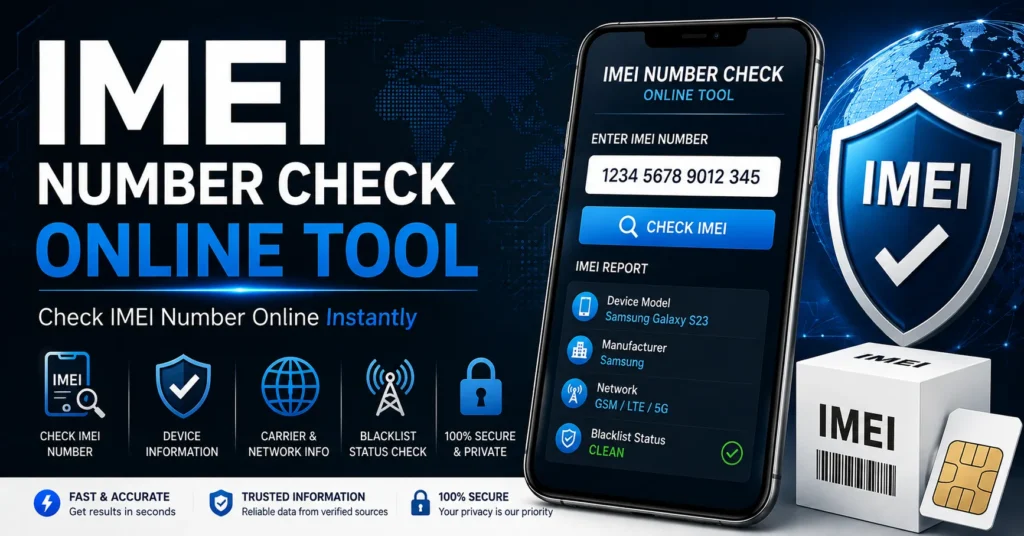
An IMEI number check online is a process of entering a phone’s IMEI into an online IMEI checking service to investigate information associated with that device identifier.
Depending on the service, country, carrier and available databases, an online IMEI check may provide different types of information.
Possible information can include:
- Device identification
- Phone model information
- Manufacturer information
- Device status
- Carrier-related information
- Reported or restricted status
- Blacklist-related information
- Other information available from the checking database
Not every IMEI checker provides the same information. Results depend on the database and service being used.
How to Check IMEI Number Online
If you want to check IMEI number online, the first step is to locate the correct IMEI on your phone.
On many mobile phones, you can enter:
*#06#
The device may then display one or more IMEI numbers.
Copy the IMEI carefully and make sure you do not accidentally enter a serial number, phone number or SIM identifier instead.
Step 1: Find Your IMEI
Locate the IMEI using the phone’s dialer, settings, original packaging or manufacturer-supported device information.
Step 2: Verify the IMEI
Make sure the number is entered correctly. A single incorrect digit can produce incorrect or incomplete results.
Step 3: Enter the IMEI Into the Online Checker
Enter the IMEI into the appropriate IMEI checking field.
Step 4: Review the Available Information
Review the information returned by the service and compare it with the phone you are checking.
Step 5: Investigate Any Warning
If the result indicates a reported, restricted or inconsistent device status, investigate the situation before purchasing or using the phone.
How to Find Your IMEI Number
There are several ways to find an IMEI depending on your device.
Find IMEI With *#06#
On many compatible mobile phones, dial:
*#06#
The phone should display the available IMEI information.
Find IMEI on Android
On many Android phones, the IMEI can be found under a menu similar to:
Settings → About Phone → Status → IMEI
The exact menu can vary depending on the manufacturer, Android version and model.
Find IMEI on Samsung Galaxy
Samsung Galaxy devices provide IMEI information through their device-information settings and other manufacturer-supported locations.
The exact menu can differ between Galaxy models and software versions.
Find IMEI on iPhone
On an iPhone, IMEI information can normally be found through the device’s information settings.
Depending on the model, you may also find device identification information on the original packaging or through Apple-supported device information.
Find IMEI on the Phone Box
Many phones have the IMEI printed on the original packaging.
If you are buying a used phone, compare the IMEI shown by the device with the IMEI on the packaging when possible.
Why Should You Check an IMEI Number?
There are several good reasons to perform an IMEI check online.
Buying a Used Phone
This is one of the most useful situations for an IMEI check.
Before paying for a second-hand phone, you can investigate the device identifier and look for potential status problems.
Checking a Phone Before Selling It
An IMEI check can help you document the device information before transferring ownership.
Investigating Network Problems
If a phone suddenly stops connecting to a mobile network, checking the IMEI can be one part of the troubleshooting process.
Checking Device Information
An IMEI can help confirm information about the mobile device you are investigating.
Investigating a Reported Device
If a phone may have been reported lost, stolen or otherwise restricted, an appropriate status check can help determine what additional information you need.
IMEI Checker vs IMEI Number Check Online
The terms IMEI checker, IMEI check, IMEI number check and IMEI lookup are often used interchangeably.
For this page, the main focus is the specific search intent behind IMEI number check online.
| Search Term | Typical Intent |
|---|---|
| IMEI number check online | Check information associated with an IMEI |
| IMEI checker | General device/IMEI checking |
| Check IMEI number | Find information about a specific device |
| IMEI lookup | Investigate available IMEI information |
| IMEI blacklist check | Investigate reported or restricted status |
| IMEI repair | Troubleshoot a missing or invalid IMEI |
These are related searches, but they do not always represent the same problem.
IMEI Number Check for a Used Phone
If you are buying a used smartphone, performing an IMEI number check online before handing over your money can be a valuable precaution.
An IMEI check should be part of a larger inspection rather than the only test you perform.
Before buying, check:
- IMEI number
- Device model
- Serial number
- Blacklist or reported status
- Carrier compatibility
- Activation status
- Ownership information
- Physical condition
- Battery condition
- Camera operation
- Charging port
- SIM detection
- Mobile network connection
- Wi-Fi and Bluetooth
Why Check IMEI Before Buying a Used Phone?
A used phone can look completely normal while still having a device-status problem.
For example, the phone may turn on, connect to Wi-Fi and appear to work correctly while having a reported or restricted status that becomes important when connecting to a cellular network.
An IMEI check gives you another piece of information to consider before purchasing.
If a seller refuses to provide the IMEI or refuses to let you inspect the phone before purchase, consider that a warning sign.
IMEI Blacklist Check
One of the most common reasons people search for an IMEI checker online is to investigate whether a phone may have a blacklist or reported-device problem.
A blacklist status can indicate that the device identifier has been reported or restricted in a relevant carrier or device-status system.
However, an IMEI blacklist result does not necessarily explain why the device was reported.
The reason can depend on the carrier, country, seller, insurance provider and circumstances surrounding the device.
For a dedicated guide to this topic, see our IMEI Blacklist Checker.
What Does a Blacklisted IMEI Mean?
A blacklisted IMEI generally means that the device identifier has been reported or restricted in a relevant device-status or carrier database.
Possible reasons can include:
- Device reported lost
- Device reported stolen
- Insurance-related report
- Unresolved carrier or account issue
- Other device-status restrictions
The exact reason cannot always be determined from an online IMEI result alone.
If your device appears to have a blacklist issue, contact the relevant carrier, seller, manufacturer or organization responsible for the status.
Clean IMEI vs Blacklisted IMEI
People often search for whether an IMEI is clean or blacklisted.
In general terms:
- Clean: No relevant blacklist restriction is reported by the database being checked.
- Blacklisted: The IMEI has been reported or restricted in the relevant database.
- Unknown: The service may not have enough information to provide a definitive result.
Different databases can have different coverage, so a result should be interpreted in the context of the specific checking service.
Does an IMEI Check Tell You Everything About a Phone?
No.
An IMEI check is useful, but it does not replace a complete inspection of the phone.
An online IMEI service may not know:
- Whether the phone has physical damage
- Whether the battery is degraded
- Whether the screen has been replaced
- Whether the device has water damage
- Whether all cameras work
- Whether the charging port works correctly
- Whether the seller actually owns the device
- Whether the device has been repaired internally
Always combine an IMEI check with a physical, software and ownership inspection.
Can an IMEI Check Identify a Phone Model?
An IMEI can be associated with information about the device, and some IMEI databases can return manufacturer or model information.
However, the amount of information available depends on the service and database.
If the returned model does not match the phone you are holding, investigate the discrepancy before buying or selling the device.
What If the IMEI Does Not Match the Phone?
If the IMEI displayed by the phone does not match the original packaging or legitimate documentation, do not automatically assume that the device needs an IMEI change.
Possible explanations include:
- Motherboard replacement
- Previous repair
- Incorrect packaging
- Device replacement
- Documentation error
- Device configuration problem
Document the discrepancy and investigate it before purchasing the device.
What If My Phone Has No IMEI?
If your phone does not display an IMEI, this is a different problem from simply checking an IMEI.
Possible causes can include:
- Firmware problems
- Modem problems
- Device configuration issues
- Unsuccessful firmware flashing
- Previous repair
- Hardware problems
Do not immediately try to replace the device identifier.
Instead, identify the exact phone model and determine what happened before the IMEI disappeared.
For detailed troubleshooting, see our IMEI Repair Tool guide.
What If My IMEI Says Invalid?
Invalid IMEI generally means that the phone cannot correctly read, validate or use the device identifier.
This can occur after software changes, firmware operations, repairs or other device problems.
If your phone originally had a legitimate IMEI, preserve that information and investigate restoration rather than attempting to assign an unrelated identifier.
Our IMEI Repair Tool guide covers Invalid, Null and missing IMEI problems in more detail.
What If My IMEI Says Null?
A Null IMEI can indicate that the operating system is not correctly retrieving the phone’s device-identification information.
Possible causes can involve firmware, modem configuration, protected device data or previous repair activity.
The exact cause depends on the phone model and software environment.
What If My IMEI Says Unknown?
IMEI Unknown can indicate that the device is unable to retrieve its expected IMEI information.
Check the baseband status and determine whether the problem started after a firmware update, reset, flashing operation or repair.
If the baseband is also unknown, the problem may involve the modem or firmware rather than the IMEI display alone.
IMEI Number Check on Android
Android includes phones from many manufacturers, so the exact procedure for locating and checking an IMEI can vary.
Common Android manufacturers include:
- Samsung
- Motorola
- OnePlus
- Xiaomi
- Huawei
- Honor
- Nokia
- Sony
- LG
- Oppo
- Vivo
- Realme
- ZTE
- Asus
On many Android phones, the IMEI can be found under the About Phone or device-status menus.
IMEI Number Check on Samsung
Samsung Galaxy devices normally provide IMEI information through their settings and other manufacturer-supported locations.
If you are buying a used Samsung phone, compare the IMEI shown on the device with the information on the original packaging when available.
Also check the exact Galaxy model, serial number, activation status, carrier compatibility and physical condition.
IMEI Number Check on iPhone
iPhone users can find IMEI information through the device information settings and, depending on the model, other Apple-supported locations.
Before buying a used iPhone, combine the IMEI check with:
- Model verification
- Serial number verification
- Activation status
- Carrier compatibility
- Ownership verification
- Physical inspection
IMEI Number Check for Huawei
Huawei phones use IMEI information as part of their cellular device identification.
If you are checking a used Huawei phone, locate the IMEI on the device and compare the returned information with the actual phone.
Do not assume that every online IMEI service provides the same Huawei-specific information.
IMEI Number Check for LG
Older LG smartphones can also be checked using their IMEI number.
This can be particularly useful when purchasing an older or discontinued LG model from the second-hand market.
Always verify the physical device and network functionality in addition to the IMEI.
IMEI Number Check for Older Phones
An IMEI check can be particularly useful for older smartphones because many discontinued devices are now sold through second-hand marketplaces.
Before purchasing an older phone, verify:
- IMEI
- Blacklist status
- Network compatibility
- Battery condition
- Software support
- Physical condition
- Charging functionality
- SIM functionality
An old phone may have a clean IMEI but still be a poor purchase if it no longer supports the networks or software you need.
IMEI Lookup vs IMEI Number Check
IMEI lookup is another common term used when searching for information about a phone using its IMEI.
The exact meaning varies between services.
Some IMEI lookup services focus on basic device identification, while others may provide additional status information.
Always check what information the specific service actually provides rather than assuming that every IMEI lookup returns the same report.
Is an IMEI Check Free?
Some IMEI checking services offer basic checks for free, while others charge for detailed reports.
The available information depends on the service, database and type of report.
A free IMEI check may provide less information than a paid report.
Before paying for an IMEI report, check exactly what information is included.
Can I Check an IMEI Without a SIM Card?
In many cases, you can find an IMEI without an active SIM card because the IMEI identifies the device rather than the SIM subscription.
You may be able to retrieve it through:
- *#06#
- Device settings
- Original packaging
- Manufacturer documentation
The exact options depend on the phone.
Can I Check an IMEI Before Buying a Phone?
Yes, and this is one of the best reasons to perform an IMEI number check online.
Ask the seller for the IMEI and verify it before completing the purchase.
Whenever possible, check the IMEI directly on the phone rather than relying only on a number provided by the seller.
What Should I Do If an IMEI Check Shows a Problem?
Do not immediately attempt to change the IMEI.
First determine exactly what the result means.
If the device is reported or blacklisted, contact the carrier, seller or organization responsible for the status.
If the IMEI is missing, invalid or unknown on your own device, investigate the technical cause and use an appropriate repair process.
If the device belongs to somebody else or its ownership is unclear, do not attempt to alter the device identity.
IMEI Check vs IMEI Repair
| Problem | Best Starting Point |
|---|---|
| I want to identify a phone | IMEI number check |
| I am buying a used phone | IMEI check + full device inspection |
| I want to investigate blacklist status | IMEI Blacklist Checker |
| My IMEI is Invalid | IMEI Repair Tool |
| My IMEI is Null | IMEI Repair Tool |
| My IMEI disappeared after flashing | IMEI repair and firmware troubleshooting |
| I want general IMEI changer information | IMEI Changer Tool |
Why an IMEI Check Is Not the Same as an IMEI Changer
An IMEI checker investigates information about a device.
An IMEI changer refers to a completely different category of IMEI-related software or information.
These topics should not be confused.
If you are looking for general information about IMEI changer terminology, use our main IMEI Changer Tool resource.
This page remains focused on checking an IMEI number online.
Important Things to Remember About IMEI Checks
- Always enter the correct IMEI.
- Check the device directly whenever possible.
- Do not confuse IMEI with the serial number.
- Do not confuse IMEI with the phone number.
- Different services have different databases.
- A blacklist result may require additional investigation.
- An IMEI check does not replace a physical phone inspection.
- An IMEI check does not prove ownership.
- A clean IMEI does not guarantee that every feature of the phone works.
- Check carrier compatibility before buying a used device.
Frequently Asked Questions About IMEI Number Check Online
What is an IMEI number check online?
An IMEI number check online is a process of using an online service to investigate information associated with a mobile device’s IMEI.
How do I check my IMEI number online?
First find the IMEI on your phone, usually through *#06#, device settings or the original packaging. Then enter the correct IMEI into an appropriate online checking service.
How can I find my IMEI number?
On many phones, dial *#06# or look under the device’s About Phone or device-information settings. The original packaging may also contain the IMEI.
How many digits are in an IMEI?
A standard IMEI normally contains 15 digits. Phones with multiple cellular connections can display more than one IMEI.
Can I check an IMEI for free?
Some services provide free IMEI checks, while detailed reports may require payment. Always verify what information is included before paying for a report.
What does a blacklisted IMEI mean?
It generally means that the IMEI has been reported or restricted in a relevant carrier or device-status database. The exact reason depends on the circumstances and the organization maintaining the status.
Can a blacklisted IMEI be repaired?
A blacklist is a device-status issue rather than a normal technical IMEI repair problem. If the status is incorrect, contact the relevant carrier, seller or organization responsible for the report.
Can an IMEI check tell me if a phone is stolen?
An IMEI service may report a lost, stolen or restricted status when that information is available in its database. However, no online result should be treated as a complete substitute for verifying ownership.
Can I check an IMEI before buying a used phone?
Yes. Checking the IMEI before purchasing a used phone is a useful precaution and should be combined with a full device and ownership inspection.
What if the IMEI does not match the phone?
Investigate the discrepancy before buying the device. It can have several possible explanations, including previous repairs, motherboard replacement or incorrect documentation.
What if my IMEI is missing?
Missing IMEI information can indicate a software, firmware, modem, configuration or hardware problem. See our IMEI Repair Tool guide.
What if my IMEI says Invalid?
Investigate the cause instead of immediately attempting to change the device identifier. Firmware, modem and configuration problems can cause an Invalid IMEI.
What if my IMEI says Null?
A Null IMEI can indicate that the phone is not correctly retrieving its device-identification information. The exact cause depends on the device and software environment.
Can an IMEI check unlock my phone?
No. An IMEI check provides device information. Carrier or SIM unlocking is a separate process.
Can an IMEI check remove a blacklist?
No. An IMEI check only investigates available information. If a device has a reported status, contact the organization responsible for that status.
Is IMEI the same as a serial number?
No. An IMEI is a cellular-device identifier, while a serial number is a manufacturer-assigned identifier used for device and service purposes.
Is IMEI the same as a phone number?
No. The IMEI identifies the mobile device, while the phone number identifies the subscriber’s mobile service.
Does every IMEI checker provide the same information?
No. Results depend on the service, database, country, carrier and device information available to the provider.
Related IMEI Resources
If your search has led you to a different IMEI problem, use the resource that matches your intent:
- IMEI Blacklist Checker — for investigating reported or restricted device status.
- IMEI Repair Tool — for Invalid, Null, Unknown or missing IMEI problems.
- How to Change IMEI Number — for educational information about IMEI modification versus legitimate repair.
- IMEI Changer Tool — for the broader IMEI changer topic.
- IMEI Rebuilder — for additional IMEI repair and troubleshooting information.
- SIM Unlock Guide — for SIM and carrier unlocking questions.
Final Thoughts on IMEI Number Check Online
An IMEI number check online is a useful starting point when you want to investigate a mobile phone, especially before buying a used device.
First locate the correct IMEI, enter it carefully, review the information returned by the checking service and investigate anything that does not match the phone.
Remember that an IMEI check is only one part of a complete device inspection. Check the phone’s physical condition, ownership information, activation status, carrier compatibility, network functionality and other important features before purchasing a used smartphone.
If the result indicates a blacklist or reported-device issue, use our IMEI Blacklist Checker resource for more information.
If the phone itself has a missing, Invalid or Null IMEI, use our IMEI Repair Tool guide instead of treating the problem as a simple online check.
And if you are researching IMEI changer terminology, visit the main IMEI Changer Tool resource.
This page is specifically dedicated to the IMEI number check online search intent, making it easier for visitors to find the right IMEI resource without mixing checking, blacklist, repair and modification topics.
Updated: August 30, 2026