Apple TV 3 Jailbreak: Software, Tools & Complete Guide
Looking for an Apple TV 3 jailbreak, Apple TV 3 jailbreak software, or an Apple TV 3 jailbreak tool? The most important thing to understand before starting is that Apple TV 3 jailbreak support depends on the exact Apple TV Software version installed on your device.
Unlike newer Apple TV models, the third-generation Apple TV uses an older platform with a very different jailbreak history. Some firmware versions have working jailbreak methods, while others do not have a currently supported jailbreak.
That means you should check your Apple TV 3 software version before downloading or attempting any jailbreak tool.
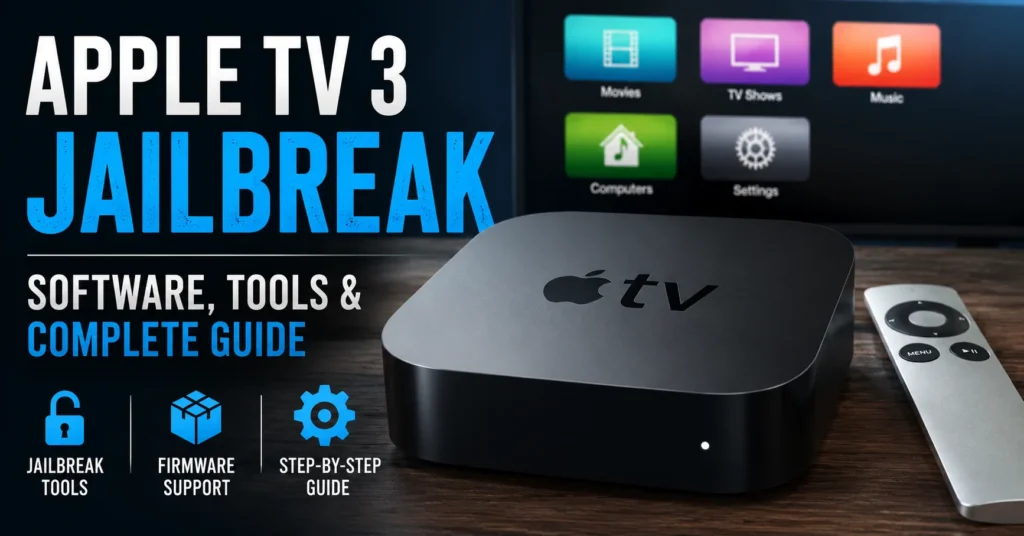
This guide explains Apple TV 3 jailbreak compatibility, supported software versions, available jailbreak tools, Blackb0x, EtasonATV, older jailbreak methods, tethered and untethered jailbreaks, firmware identification, preparation, troubleshooting, and what to expect after jailbreaking an Apple TV 3.
Can You Jailbreak Apple TV 3?
Yes, but it depends on the software version.
This is the most important answer to the question “Can I jailbreak Apple TV 3?”
There is no single Apple TV 3 jailbreak tool that works with every software version.
Current Apple TV jailbreak documentation lists supported methods for several Apple TV 3 software ranges, while other versions are marked as having no jailbreak available.
Therefore, the first step is not downloading a random Apple TV 3 jailbreak software package.
The first step is checking the firmware version installed on your Apple TV.
Apple TV 3 Jailbreak Compatibility
The Apple TV 3 jailbreak situation can be summarized by software version.
| Apple TV 3 Software Version | Current Jailbreak Status | Known Tool / Method |
|---|---|---|
| 5.0 – 5.3 | No current jailbreak listed | None |
| 6.0 – 6.2 | Supported | Blackb0x |
| 7.0 – 7.2 | No current jailbreak listed | None |
| 7.2.1 – 7.3.1 | Supported | Blackb0x |
| 7.4 – 7.5 | Supported | EtasonATV |
| 7.6 – 7.9 | Supported | Blackb0x |
Current Apple TV jailbreak documentation specifically identifies these firmware ranges and tools, while marking unsupported ranges as N/A.
Do not assume that your Apple TV 3 can be jailbroken simply because another Apple TV 3 can. The software version is critical.
How to Check Apple TV 3 Software Version
Before selecting an Apple TV 3 jailbreak tool, find the software version currently installed on the device.
Open Settings
From the Apple TV home screen, open:
Settings → General → About
Find the Software Version
Look for the Apple TV software version shown in the About section.
Write down the exact version before continuing.
Check the Model
You should also identify the Apple TV model number.
The third-generation Apple TV belongs to the AppleTV3,x family, and identifying the exact hardware is useful when checking jailbreak compatibility.
What Is Apple TV 3 Jailbreak?
An Apple TV 3 jailbreak modifies the software environment of the device to provide functionality that is not available through Apple’s standard software configuration.
Jailbreaking can allow developers and experienced users to run software and modifications that Apple does not normally permit through the standard Apple TV interface.
However, jailbreaking does not magically turn an Apple TV 3 into a completely different device.
The available features depend on the jailbreak method, firmware version, available packages, and the software that can actually run on that particular Apple TV.
What Is Apple TV 3 Jailbreak Software?
Apple TV 3 jailbreak software refers to the applications, scripts, firmware tools, or jailbreak packages used to exploit a compatible Apple TV 3 software version.
Different firmware versions can require different tools.
This is why older articles that simply recommend downloading one universal “Apple TV 3 jailbreak software” package can be misleading.
Apple TV 3 Jailbreak Tools
Several tools and projects have been associated with Apple TV jailbreak research over the years.
The tools relevant to current Apple TV 3 firmware documentation include:
- Blackb0x
- EtasonATV
- Older historical jailbreak tools
The correct tool depends on the Apple TV 3 software version.
Blackb0x Apple TV 3 Jailbreak
Blackb0x is one of the tools associated with modern Apple TV 3 jailbreak documentation.
Current firmware-selection documentation lists Blackb0x for Apple TV 3 versions in the 6.0–6.2, 7.2.1–7.3.1, and 7.6–7.9 ranges.
This is significantly different from saying that Blackb0x works on every Apple TV 3.
Always select the method according to the exact software version installed on your device.
EtasonATV Apple TV 3 Jailbreak
EtasonATV is another jailbreak method associated with the third-generation Apple TV.
Current firmware documentation lists EtasonATV for Apple TV 3 software versions in the 7.4–7.5 range.
If your Apple TV 3 is running one of those versions, EtasonATV is the relevant jailbreak project to investigate rather than using a generic Apple TV 3 jailbreak download.
Apple TV 3 Jailbreak Software 6.0 – 6.2
Apple TV 3 software versions from 6.0 through 6.2 are listed as compatible with Blackb0x in current jailbreak documentation.
If your Apple TV 3 is running a version in this range, check the corresponding Blackb0x procedure and requirements.
Apple TV 3 Jailbreak Software 7.0 – 7.2
This range requires special attention.
Current Apple TV 3 firmware documentation marks 7.0 through 7.2 as having no jailbreak listed.
Do not assume that a jailbreak designed for 7.2.1 will work on 7.2 or that a tool supporting 7.3.x will automatically support 7.0.
Apple TV 3 Jailbreak Software 7.2.1 – 7.3.1
Apple TV 3 versions from 7.2.1 through 7.3.1 are listed with Blackb0x support.
If your device falls inside this range, verify the exact version and follow the instructions for that firmware rather than using an older generic jailbreak package.
Apple TV 3 Jailbreak Software 7.4 – 7.5
Current documentation identifies EtasonATV as the jailbreak method for Apple TV 3 software versions from 7.4 through 7.5.
This is another example of why the exact firmware version matters.
Apple TV 3 Jailbreak Software 7.6 – 7.9
Apple TV 3 versions from 7.6 through 7.9 are currently listed with Blackb0x support.
If you have one of these versions, use the current Blackb0x-specific instructions rather than an old Seas0nPass guide.
Is Seas0nPass Compatible With Apple TV 3?
No. This is an important correction to many old Apple TV jailbreak articles.
Firecore’s current Seas0nPass documentation explicitly states that Seas0nPass supports the second-generation Apple TV and that the third-generation Apple TV is not supported.
Seas0nPass is therefore not the correct universal answer for someone searching for an Apple TV 3 jailbreak.
If you have an Apple TV 2, our Apple TV jailbreak information is different from the Apple TV 3 process.
Apple TV 3 Jailbreak vs Apple TV 2 Jailbreak
| Feature | Apple TV 2 | Apple TV 3 |
|---|---|---|
| Seas0nPass | Supported | Not supported |
| Jailbreak availability | Several established methods | Firmware dependent |
| Hardware generation | 2nd generation | 3rd generation |
| Firmware compatibility | Depends on version | Very important |
Firecore identifies Seas0nPass as a legacy Apple TV 2 product and explicitly excludes Apple TV 3.
Apple TV 3 Jailbreak vs Apple TV 4 Jailbreak
Apple TV 3 and Apple TV 4 are completely different jailbreak targets.
Do not download an Apple TV 4 jailbreak tool simply because your search results show a newer Apple TV jailbreak.
Our site also has a separate guide for the Apple TV 4 Jailbreak Tool.
The procedures, hardware, operating systems and jailbreak tools can be completely different.
Why Apple TV 3 Jailbreak Is Complicated
The Apple TV 3 is unusual because jailbreak availability is strongly tied to firmware.
Two Apple TV 3 devices can look almost identical externally while having completely different jailbreak possibilities because they are running different software versions.
This creates three important categories:
- Supported firmware: a compatible jailbreak method exists.
- Unsupported firmware: no currently listed jailbreak method exists.
- Historical firmware: older tools may have existed, but modern support can be limited.
Should You Update Apple TV 3 Before Jailbreaking?
Do not update blindly.
If your Apple TV 3 is running a firmware version that has a known jailbreak, updating can potentially move the device to a version without the same jailbreak support.
Always check the current firmware compatibility before installing an Apple software update.
The correct jailbreak decision should be based on the exact software version, not simply the fact that a newer version is available.
Should You Restore Apple TV 3 Before Jailbreaking?
A restore should not be performed simply because a jailbreak guide recommends it.
First determine:
- Current software version.
- Exact Apple TV model.
- Available jailbreak method.
- Whether the required firmware is still usable.
- Whether a restore is actually necessary for that method.
Restoring or updating without checking compatibility can create unnecessary problems.
What You Need Before Jailbreaking Apple TV 3
Requirements vary by jailbreak method, but you should generally prepare:
- Apple TV 3.
- Correctly identified software version.
- Compatible computer.
- USB cable if required by the selected method.
- Stable internet connection for required downloads.
- Backup or record of important configuration information.
- The exact jailbreak software appropriate for your firmware.
Apple TV 3 Jailbreak Preparation
Check the Firmware
Open Settings → General → About and record the software version.
Identify the Model
Confirm that you actually own a third-generation Apple TV.
Check Jailbreak Compatibility
Compare your software version with the compatibility table above.
Use the Correct Tool
Do not substitute Seas0nPass, an Apple TV 4 tool, or an unrelated iOS jailbreak utility simply because it appears in search results.
Keep Your Computer Ready
Some Apple TV jailbreak methods require a computer and USB connection during the procedure.
Apple TV 3 Jailbreak Step-by-Step Overview
Because the procedure differs between jailbreak tools and firmware versions, there is no single safe set of instructions that applies to every Apple TV 3.
The general workflow is:
- Identify the Apple TV 3 model.
- Check the software version.
- Confirm that the version has a supported jailbreak.
- Identify the correct jailbreak project.
- Read the tool’s firmware-specific requirements.
- Prepare the computer and required cable.
- Back up important settings where possible.
- Follow the instructions for that exact jailbreak.
- Allow the process to complete without disconnecting required hardware.
- Restart the Apple TV when instructed.
- Verify the jailbreak installation.
The important point is that the tool must match the firmware.
What Happens During an Apple TV 3 Jailbreak?
A jailbreak uses a software vulnerability or exploit chain to modify the device’s normal software environment.
Depending on the tool, the process can involve:
- Preparing jailbreak files.
- Connecting the Apple TV to a computer.
- Entering a special device mode.
- Installing or booting modified software.
- Installing jailbreak components.
- Restarting the Apple TV.
The exact process depends on the jailbreak project.
What Can You Do With a Jailbroken Apple TV 3?
The capabilities of a jailbroken Apple TV depend heavily on the firmware, jailbreak method and available software.
Historically, Apple TV jailbreaks have been used to expand customization and enable software that is not available through Apple’s standard environment.
Potential uses can include:
- System customization.
- Additional media software.
- Alternative interfaces.
- Network-based media playback.
- Developer experimentation.
- Legacy software projects.
- Additional configuration options.
However, a jailbreak does not automatically provide access to copyrighted movies, television programs or paid services for free.
Use only legitimate content and software.
Can Jailbroken Apple TV 3 Play MKV Files?
Support for additional media formats has historically been one reason enthusiasts experimented with Apple TV jailbreaks.
However, compatibility depends on the media software installed and the limitations of the Apple TV hardware and firmware.
Do not assume that every modern media application can be installed on an Apple TV 3 simply because the device is jailbroken.
Can Jailbroken Apple TV 3 Browse the Internet?
Jailbreaking can expand what developers can install and experiment with, but it does not guarantee that a modern web browser will work properly on the Apple TV 3.
The hardware and software are now legacy platforms, and many modern websites require technologies unavailable on older Apple TV software.
Can You Install Apps on Jailbroken Apple TV 3?
Potentially, depending on the jailbreak and software ecosystem available for your firmware.
However, the Apple TV 3 is a legacy device, so many modern applications designed for newer Apple TV models cannot simply be installed on it.
Is Apple TV 3 Jailbreak Permanent?
That depends on the jailbreak method and firmware.
Some jailbreak methods can provide a persistent jailbreak, while others can require additional steps after reboot.
Always check the documentation for the exact tool you are using.
What Is a Tethered Jailbreak?
A tethered jailbreak requires a computer-assisted process when the device starts again after a reboot.
This can be inconvenient because the jailbreak environment may not be available until the required boot procedure is completed.
What Is an Untethered Jailbreak?
An untethered jailbreak can remain active through normal device restarts without requiring the same computer-assisted boot process.
The distinction is important when choosing an Apple TV jailbreak method.
What Is a Semi-Tethered Jailbreak?
A semi-tethered approach allows the device to boot normally but may require a computer or another activation process to restore the jailbreak functionality after a restart.
The exact behavior depends on the jailbreak implementation.
Apple TV 3 Jailbreak Problems
Jailbreak Tool Does Not Recognize Apple TV
Check the USB connection, cable, computer drivers, device mode and tool requirements.
Wrong Firmware Version
The tool may reject the Apple TV because your software version is outside its supported range.
Apple TV 3 Keeps Restarting
This can indicate an incomplete jailbreak process, incompatible software, or another system problem.
Jailbreak Tool Fails During Installation
Verify the exact firmware, tool version, computer requirements and cable connection.
Apple TV 3 Works Normally but Nothing Changed
Verify that the jailbreak actually completed and that the required jailbreak software or package was installed.
Apple TV 3 Jailbreak Not Working
If your Apple TV 3 jailbreak is not working, do not immediately try another random tool.
Instead, check these items:
- Exact Apple TV model.
- Exact software version.
- Supported jailbreak range.
- Correct jailbreak tool.
- Correct computer operating system.
- USB cable and connection.
- Device mode requirements.
- Whether the firmware is actually jailbreakable.
If the software version is outside the supported ranges, changing cables or reinstalling the same tool will not solve the underlying compatibility problem.
Apple TV 3 Jailbreak Tool Not Working on Windows
Some older jailbreak tools were designed for older Windows environments.
Modern Windows versions can introduce compatibility problems with legacy drivers and software.
If a tool requires an older operating environment, use only a legitimate and documented setup rather than downloading modified executables from unknown websites.
Apple TV 3 Jailbreak Tool Not Working on Mac
The same issue can occur on modern macOS.
Older jailbreak tools may have been created for versions of macOS that are no longer supported.
Check the jailbreak project’s documented system requirements before assuming the Apple TV itself is the problem.
Is Apple TV 3 Jailbreak Safe?
Jailbreaking always involves modifying the normal software environment of a device.
That means there are risks.
- Software instability.
- Boot problems.
- Failed restores.
- Loss of configuration.
- Compatibility problems.
- Security risks from unsupported software.
Only use tools from sources that you can verify and avoid modified downloads from unknown websites.
Can Apple TV 3 Be Bricked By Jailbreaking?
An interrupted or incorrect firmware operation can cause serious software problems.
Before beginning, make sure you understand the recovery procedure for the specific jailbreak and firmware version.
Never disconnect the Apple TV during a critical installation or restore step unless the instructions explicitly tell you to do so.
Apple TV 3 Jailbreak and Software Updates
Do not assume that installing the newest Apple TV software is always the best choice for a jailbreak enthusiast.
Jailbreak compatibility can disappear when firmware changes.
Before updating an Apple TV 3, check whether the new version has a known jailbreak.
Apple TV 3 Jailbreak and Firmware Downgrade
Downgrading an Apple TV 3 is not necessarily possible simply because you have an older firmware file.
Apple’s signing system and available firmware signatures can determine whether a restore to a particular version is possible.
Never assume that downloading an old IPSW file means you can install it.
Why Apple TV 3 Jailbreak Guides Become Outdated
Many Apple TV 3 jailbreak pages were written years ago and never updated.
That is why you may find instructions recommending:
- Old Seas0nPass versions.
- Old iTunes versions.
- Unsupported firmware.
- Broken download links.
- Tools designed for Apple TV 2.
- Tools designed for Apple TV 4.
For example, Firecore now classifies Seas0nPass as a legacy product and explicitly says Apple TV 3 is not supported.
Apple TV 3 Jailbreak Software Download: What to Check
If you are looking for an Apple TV 3 jailbreak software download, verify the following before downloading anything:
- Exact Apple TV generation.
- Exact software version.
- Tool compatibility.
- Developer or project source.
- Operating system requirements.
- Whether the project is still maintained.
- Whether the download is an original release.
Do not download a random executable simply because its filename contains “Apple TV 3 jailbreak.”
Apple TV 3 Jailbreak Software vs Apple TV 4 Jailbreak Software
| Apple TV | Jailbreak Approach | Important Point |
|---|---|---|
| Apple TV 2 | Legacy tools such as Seas0nPass | Different hardware and software. |
| Apple TV 3 | Firmware-specific tools | Check exact software version. |
| Apple TV 4 | Different jailbreak ecosystem | Do not use Apple TV 3 tools. |
For information about the fourth-generation device, see our Apple TV 4 Jailbreak Tool article.
Apple TV 3 Jailbreak Frequently Asked Questions
Can you jailbreak Apple TV 3?
Yes, certain Apple TV 3 software versions currently have documented jailbreak methods. Other versions do not.
What is the best Apple TV 3 jailbreak tool?
There is no single best tool for every Apple TV 3. The correct tool depends on your exact software version.
Does Blackb0x work on Apple TV 3?
Current documentation lists Blackb0x for Apple TV 3 software versions 6.0–6.2, 7.2.1–7.3.1 and 7.6–7.9.
Does EtasonATV work on Apple TV 3?
Current firmware documentation lists EtasonATV for Apple TV 3 software versions 7.4–7.5.
Does Seas0nPass work on Apple TV 3?
No. Firecore’s current documentation says Seas0nPass supports Apple TV 2 and does not support Apple TV 3.
Can Apple TV 3 on 7.2 be jailbroken?
Current firmware documentation lists 7.0–7.2 as unsupported, while 7.2.1–7.3.1 are listed with Blackb0x support.
Can Apple TV 3 on 7.4 be jailbroken?
Yes. Current documentation lists EtasonATV for versions 7.4–7.5.
Can Apple TV 3 on 7.6 be jailbroken?
Yes. Current documentation lists Blackb0x for versions 7.6–7.9.
Can Apple TV 3 on 5.3 be jailbroken?
Current firmware documentation lists versions 5.0–5.3 as having no current jailbreak method.
Should I update my Apple TV 3 before jailbreaking?
Do not update blindly. First check whether the current and target software versions have jailbreak support.
Do I need a computer to jailbreak Apple TV 3?
Depending on the jailbreak method, a computer may be required for preparing files, connecting to the device, or completing the installation.
Can I jailbreak Apple TV 3 with a USB cable?
Some jailbreak methods use a USB connection during the process. The exact cable and connection requirements depend on the tool.
Is Apple TV 3 jailbreak permanent?
That depends on the specific jailbreak and firmware. Some methods can persist through reboot while others require additional steps.
Is Apple TV 3 jailbreak free?
Many jailbreak projects have been released without a purchase price, but you should never assume that every website offering an “Apple TV 3 jailbreak download” is legitimate.
Can jailbreak make Apple TV 3 play any video format?
Jailbreaking can expand software possibilities, but format support depends on the media software installed and the limitations of the Apple TV 3 hardware.
Can jailbreaking Apple TV 3 provide free movies?
Jailbreaking itself does not legally provide free access to copyrighted movies or paid streaming services. Use legitimate media sources and software.
Can I use Apple TV 4 jailbreak software on Apple TV 3?
No. Apple TV 3 and Apple TV 4 use different hardware and jailbreak ecosystems.
Can I use Seas0nPass on Apple TV 3?
No. Seas0nPass documentation explicitly states that Apple TV 3 is not supported.
Why can’t my Apple TV 3 jailbreak tool find the device?
Check the USB connection, cable, computer compatibility, device mode and whether the selected tool actually supports your Apple TV software version.
Why did my Apple TV 3 jailbreak fail?
The most common reason is a mismatch between the jailbreak tool and the installed software version. Always check compatibility before troubleshooting hardware.
Should I use an old Apple TV 3 jailbreak tool from a random website?
No. Old jailbreak tools can be incompatible, modified, incomplete or unsafe. Prefer the original project or a well-established archive with verifiable releases.
Final Thoughts: Apple TV 3 Jailbreak
The biggest mistake when searching for an Apple TV 3 jailbreak software tool is assuming that one download works for every Apple TV 3.
The reality is much more specific.
Your Apple TV 3 software version determines which jailbreak possibilities you have.
Current documentation lists Blackb0x for several 6.x and 7.x ranges, EtasonATV for 7.4–7.5, and no current jailbreak for several other versions.
It is also important not to confuse Apple TV 3 with Apple TV 2. Firecore’s Seas0nPass is a legacy Apple TV 2 jailbreak tool and explicitly does not support Apple TV 3.
Before doing anything to your device, open Settings → General → About, identify the exact software version, and then select the jailbreak method that actually supports that version.
If you are interested in the fourth-generation Apple TV, read our Apple TV 4 Jailbreak Tool guide.
You can also explore our Jailbreak category for additional Apple and device-jailbreak information.
Apple TV 3 jailbreak is still possible on supported firmware, but there is no universal jailbreak tool. Check the firmware first, use the correct tool, and avoid outdated guides that claim every Apple TV 3 can be jailbroken with the same software.
Updated: August 30, 2026