Huawei Modem Unlocker: How to Unlock a Huawei Modem or Router
If your Huawei modem or mobile router is locked to a specific network, you may be looking for a Huawei Modem Unlocker that allows the device to accept a SIM card from another compatible carrier.
A network-locked Huawei modem can be frustrating, especially when the device is otherwise working correctly but refuses to connect to a different carrier. Depending on the model, firmware, carrier, and country, Huawei devices can use different unlocking methods, and not every unlocker works with every modem.
This guide explains how Huawei modem unlocking works, how to determine whether your device is actually network locked, how the IMEI is used during the process, what an unlock code means, and which options are safest when you want to use another compatible SIM card.
If you are looking for information about a general network unlock PIN, read our SIM Network Unlock PIN guide.
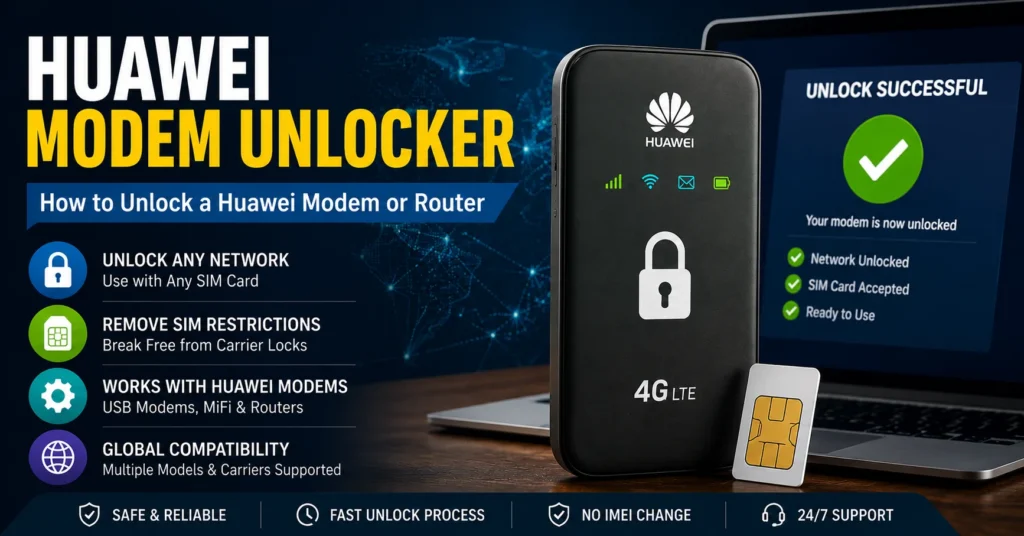
What Is a Huawei Modem Unlocker?
A Huawei Modem Unlocker is software, a service, or a device-specific method designed to help remove a SIM or network restriction from a compatible Huawei modem, mobile broadband device, or router.
The purpose of a network unlock is different from changing or repairing an IMEI.
A SIM unlock allows a compatible device to work with another carrier’s SIM card when the original carrier restriction has been removed. The device’s original IMEI should remain unchanged.
This distinction is important because websites often mix together several completely different processes:
- SIM unlocking
- Network unlocking
- Carrier unlocking
- IMEI repair
- IMEI checking
- Firmware repair
These are not interchangeable procedures. Identifying the actual problem before choosing a solution can prevent unnecessary software changes and failed unlock attempts.
How Huawei Modem Unlocking Works
Huawei modem unlocking generally begins by identifying the device and determining what type of network restriction is present.
Depending on the model and generation of the modem, an unlocking process may involve the following:
| Step | What It Does |
|---|---|
| Identify the modem | Confirms the exact Huawei model and hardware version. |
| Check the IMEI | Provides the device identifier that may be required by an unlock service. |
| Identify the original carrier | Determines which network originally supplied or restricted the device. |
| Determine the unlock method | Establishes whether an official carrier unlock, code, software tool, or professional service is appropriate. |
| Apply the unlock | Uses the supported procedure to remove the applicable network restriction. |
| Test another SIM | Confirms whether the modem can connect to another compatible network. |
There is no single Huawei modem unlocker that should automatically be considered compatible with every Huawei modem or router.
The exact procedure can depend on the modem model, firmware version, original carrier, country, and type of network restriction.
How to Tell If Your Huawei Modem Is Network Locked
Before searching for an unlocker, confirm that the modem is actually locked.
The simplest test is to insert a compatible SIM card from a different carrier.
If the device accepts the SIM and connects normally, it may already be unlocked.
If the modem displays a message such as the following, a network restriction may be present:
- Invalid SIM
- SIM not supported
- Network locked
- SIM lock
- Enter unlock code
- Network unlock code required
However, a Huawei modem failing to connect to a network does not automatically mean that it is SIM locked.
No service can also be caused by:
- Unsupported network bands
- Weak cellular coverage
- Incorrect APN settings
- SIM card problems
- Inactive cellular service
- Damaged modem hardware
- Incorrect firmware
- Carrier compatibility limitations
Correct diagnosis is therefore important before attempting an unlock.
How to Find the Huawei Modem IMEI
The IMEI is one of the most important pieces of information when researching a Huawei modem unlock.
IMEI stands for International Mobile Equipment Identity. It is a unique identifier associated with the cellular device.
You can usually find the IMEI in one of several places:
| Location | What to Look For |
|---|---|
| Device label | The IMEI may be printed on the modem or its label. |
| Original packaging | The IMEI may be printed on the product box. |
| Web administration panel | Some Huawei routers display the IMEI in the device information section. |
| Device settings | Some models show hardware information in their configuration interface. |
| Carrier documentation | The original network provider may have recorded the device identifier. |
Always enter the IMEI carefully when a legitimate unlock service requires it. One incorrect digit can cause an unlock request to fail.
If you want to check an IMEI before using it with an unlock service, use our IMEI Number Check Online Tool.
Huawei Modem Unlock Code vs Huawei Modem Unlocker
These terms are often confused, but they can refer to different things.
A Huawei modem unlock code is generally a code that a compatible device may request to remove a network restriction.
A Huawei modem unlocker may refer to software, an online service, a code-based service, or another method used to obtain or apply an unlock.
| Term | Meaning |
|---|---|
| Huawei Modem Unlocker | A tool or service intended to assist with network unlocking. |
| Huawei Unlock Code | A code that may be entered into a compatible locked device. |
| Network Unlock Code | A code associated with removing a carrier or SIM restriction. |
| IMEI | The unique identifier associated with the cellular device. |
| APN | Network configuration used for cellular data connectivity. |
Understanding these differences can prevent you from using an IMEI repair tool when the actual problem is a network lock, or changing network settings when the real problem is carrier compatibility.
Can You Unlock a Huawei Modem With the IMEI?
In some unlocking systems, the IMEI is required to identify the exact device and determine the appropriate unlock information.
However, an IMEI by itself does not guarantee that an unlock code can be generated.
The availability of an unlock can depend on:
- Huawei model
- Original carrier
- Country
- Device generation
- Firmware version
- Carrier unlocking policy
- Whether the device supports code-based unlocking
This is why websites claiming that every Huawei modem can be unlocked instantly from its IMEI should be treated cautiously.
How to Unlock a Huawei Modem
The correct unlocking process depends on the specific Huawei model and the type of network restriction.
Method 1: Request an Official Carrier Unlock
The safest option is often to contact the carrier that originally supplied the Huawei modem.
Many carriers have their own eligibility requirements for unlocking devices.
The carrier may ask for:
- IMEI
- Account information
- Proof of ownership
- Device model
- Contract or payment information
If the modem is eligible, the carrier may provide an official unlocking procedure or code.
This method has an important advantage: the carrier can confirm whether the device is eligible before you attempt a technical unlocking procedure.
Method 2: Use a Compatible Huawei Unlock Service
If an official carrier unlock is unavailable, some specialized services may support particular Huawei modem models.
Before using one, verify all of the following:
- The exact Huawei model is supported.
- The original carrier is supported.
- Your country is supported.
- The service clearly explains the expected procedure.
- The service does not require you to change the device’s IMEI.
- The service provides clear terms and conditions.
Do not assume that a service advertised as a “universal Huawei modem unlocker” will work with every device.
Method 3: Use a Device-Specific Software Tool
Some older Huawei modems were compatible with dedicated software tools.
These tools could communicate with the modem through USB and identify the connected device before performing an unlocking procedure.
Compatibility is critical.
A tool designed for one Huawei modem family may not work with another model, firmware version, or hardware generation.
Before using older unlocking software, verify the exact model and software requirements.
Huawei Modem Unlocker USB Method
Many Huawei USB modems were designed to communicate with a Windows computer through USB. This made software-based configuration and unlocking possible on certain older models.
A typical workflow may look like this:
- Identify the exact Huawei modem model.
- Record the original IMEI.
- Install the appropriate device drivers if required.
- Connect the modem to the computer.
- Confirm that the computer recognizes the device.
- Determine whether the modem is network locked.
- Use a compatible unlocking method.
- Restart the modem.
- Insert a compatible SIM from another carrier.
- Test the connection.
The exact interface and procedure vary between Huawei devices.
Do not follow instructions written for another model simply because the modem looks similar.
How to Unlock a Huawei Mobile Router
Huawei mobile routers and pocket Wi-Fi devices can also be network locked.
The process is similar to modem unlocking, but the user interface may be different.
First identify the model printed on the device.
Then connect to the router’s administration interface and check the device information.
Look for:
- Model number
- IMEI
- Firmware version
- Network status
- SIM status
- Signal information
If another carrier’s SIM is rejected, determine whether the problem is actually a SIM lock or a compatibility issue.
A successful SIM unlock does not automatically mean that the router will support every network frequency used by another carrier.
Huawei Modem Unlocking and Network Compatibility
Unlocking a Huawei modem does not change the modem’s physical radio hardware.
This is one of the most important things to understand before switching carriers.
A modem can be successfully unlocked and still fail to connect to another carrier if the carrier uses network bands that the Huawei device does not support.
| Situation | Likely Result |
|---|---|
| Device is locked but supports the new carrier’s bands | Unlocking may allow the new SIM to work. |
| Device is unlocked and supports the new carrier | The SIM may work normally after any required APN configuration. |
| Device is unlocked but lacks required network bands | The device may still have limited or no service. |
| SIM is inactive | The modem may not connect even after unlocking. |
| APN is incorrect | The device may connect to the network but fail to provide mobile data. |
Always check network compatibility before buying or unlocking an older Huawei modem.
Huawei Modem Unlocking vs APN Configuration
A network lock and an APN problem are completely different.
An unlock concerns the device’s carrier restriction.
An APN configuration controls how the device connects to a carrier’s mobile data service.
If your Huawei modem accepts the SIM but does not provide internet access, the problem may be APN configuration rather than a SIM lock.
Check the carrier’s official APN settings and enter them exactly as provided.
Do not assume that unlocking the modem automatically configures the new carrier’s internet settings.
What If the Huawei Modem Still Does Not Work After Unlocking?
If the device appears unlocked but does not connect to the new network, work through the following checklist:
| Check | Question |
|---|---|
| SIM card | Is the SIM active and working in another compatible device? |
| Network bands | Does the Huawei modem support the carrier’s frequencies? |
| APN | Are the carrier’s data settings correct? |
| Signal | Is adequate network coverage available? |
| Firmware | Is the device running compatible firmware? |
| SIM lock | Is the device actually unlocked? |
| Hardware | Could the modem or SIM slot be damaged? |
This diagnostic approach is usually more useful than repeatedly trying different unlock tools.
Can Every Huawei Modem Be Unlocked?
No.
Huawei produced a large range of USB modems, mobile hotspots, routers, and carrier-specific devices. Unlocking support can vary significantly between models.
Older devices may have unlocking methods that are no longer appropriate for newer hardware, while some carrier-specific models can have additional restrictions.
The exact model number is therefore much more important than simply knowing that the device was manufactured by Huawei.
Huawei Modem Unlocker for Older USB Modems
Many people searching for a Huawei Modem Unlocker are using older USB broadband modems.
These devices were particularly common when mobile broadband was provided through USB dongles.
Older Huawei USB modems may use different device families and may originally have been sold by a specific carrier.
If your modem is several years old, identify the exact model before downloading any software.
Do not install a random executable simply because its filename contains “Huawei Unlocker.”
Older software can also come from unofficial sources and may contain unwanted programs or malware.
Is a Free Huawei Modem Unlocker Safe?
“Free” does not automatically mean safe.
A legitimate unlocking tool should have a clear purpose and identifiable compatibility requirements.
Be particularly cautious with downloads that:
- Claim to unlock every Huawei device.
- Require unnecessary personal information.
- Ask you to permanently disable security software.
- Come from unknown file-hosting websites.
- Contain modified or cracked executables.
- Promise guaranteed results for every carrier.
- Ask you to change the IMEI.
If an application asks you to modify the device’s IMEI as part of a SIM unlock, stop and reassess the process.
A normal network unlock should not require you to replace the device’s original IMEI.
Does Unlocking a Huawei Modem Change the IMEI?
No. A normal SIM or network unlock should not require changing the modem’s IMEI.
The IMEI identifies the cellular device, while the network lock is a separate restriction.
This distinction is particularly important because modifying an IMEI can create legal, technical, warranty, and network-registration problems depending on the jurisdiction and circumstances.
If you are dealing with an IMEI that has disappeared or become invalid after a legitimate software or hardware problem, read our IMEI Fix Tool guide to understand the difference between IMEI repair and network unlocking.
Huawei Modem Unlocker and IMEI Checking
Because many unlock services request the IMEI, it is important to enter the correct number.
If you want to verify the IMEI before submitting it to an unlock service, use our IMEI Number Check Online Tool.
You can also learn more about device-status checking with our IMEI Blacklist Checker.
Remember that an IMEI check does not unlock a modem. It provides information associated with the device identifier, depending on the available service and databases.
Huawei Modem Unlocker for Huawei Phones
The phrase “Huawei modem unlocker” is sometimes used to describe Huawei phone unlocking as well as Huawei USB modem and router unlocking.
These are related but not identical.
A Huawei smartphone and a Huawei USB modem can use different hardware, firmware, and unlocking procedures.
If you have a Huawei smartphone, use a model-specific guide whenever possible.
For example, our site has dedicated resources for:
A model-specific article is generally more useful than a generic unlocker guide because it can focus on the exact device.
Huawei Modem Unlocker Troubleshooting
The New SIM Is Not Recognized
First test the SIM card in another compatible phone or modem.
If the SIM itself does not work, contact the carrier.
If the SIM works elsewhere but not in the Huawei modem, continue troubleshooting the modem and check whether the device is actually locked.
The Modem Accepts the SIM but Has No Internet
Check the APN settings.
The device may be unlocked while still requiring the correct APN configuration for the new carrier.
The Modem Requests an Unlock Code
This is a stronger indication that the device has a network or SIM restriction.
Record the exact model and IMEI and check whether the original carrier provides an official unlock procedure.
The Unlock Tool Does Not Detect the Modem
Check the USB connection, drivers, device recognition, and software compatibility.
A tool designed for a different Huawei model may not detect your modem correctly.
The Device Worked With One Carrier but Not Another
Check both the SIM lock and network-band compatibility.
Unlocking removes a network restriction; it does not add unsupported radio bands to the hardware.
Frequently Asked Questions About Huawei Modem Unlocker
What is a Huawei Modem Unlocker?
A Huawei Modem Unlocker is a tool, service, or procedure intended to help remove a network or SIM restriction from a compatible Huawei modem, router, or mobile broadband device.
Can I unlock a Huawei modem for free?
Some Huawei models may be eligible for a free carrier unlock or may support free device-specific unlocking methods. Availability depends on the model, carrier, country, and unlocking method.
Do I need the IMEI to unlock a Huawei modem?
Some unlocking services require the modem’s IMEI to identify the device and determine the appropriate unlock information. Other methods may work differently.
Can I unlock a Huawei modem with software?
Some Huawei devices have supported software-based unlocking methods, particularly older models. Compatibility must be checked for the exact modem.
Will unlocking a Huawei modem make it work with every SIM?
Not necessarily. The modem must also support the network bands and technologies used by the new carrier.
Does Huawei modem unlocking change the IMEI?
A normal SIM or network unlock should not change the device’s original IMEI.
What is the difference between an unlock code and an unlocker?
An unlock code is information entered into a compatible device to remove a network restriction. An unlocker may refer to software or a service used to obtain or apply the unlock.
Can a Huawei modem be unlocked if it is blacklisted?
Unlocking and blacklist status are separate issues. If a device has been reported or restricted, resolve the status with the relevant carrier or provider rather than attempting to disguise the device’s identity.
Why does my unlocked Huawei modem have no internet?
The most common possibilities include incorrect APN settings, unsupported network bands, an inactive SIM, poor coverage, firmware problems, or hardware issues.
Can I use a Huawei modem from another country?
Possibly. However, you should check SIM compatibility, supported network bands, carrier requirements, and whether the device is network locked before relying on it.
Final Thoughts
A Huawei Modem Unlocker can be useful when a compatible Huawei modem, hotspot, or router is restricted to a particular carrier, but the correct solution depends heavily on the exact device.
Before attempting an unlock, identify the model, record the original IMEI, determine whether the device is actually SIM locked, and check whether the new carrier is compatible with the modem’s supported network bands.
Do not confuse a network unlock with an IMEI repair, IMEI check, or APN configuration.
If you need to check an IMEI, use our IMEI Number Check Online Tool.
If you are checking the status of a used device, visit our IMEI Blacklist Checker.
If your phone has an invalid or missing IMEI, read our IMEI Fix Tool guide.
For Huawei phone-specific unlocking information, you can also explore our Huawei P9 unlock guide and Huawei P10 unlock guide.
The most reliable approach is always to match the unlocking method to the exact Huawei model, original carrier, firmware, and network requirements rather than relying on a supposedly universal unlocker.
Updated: August 29, 2026