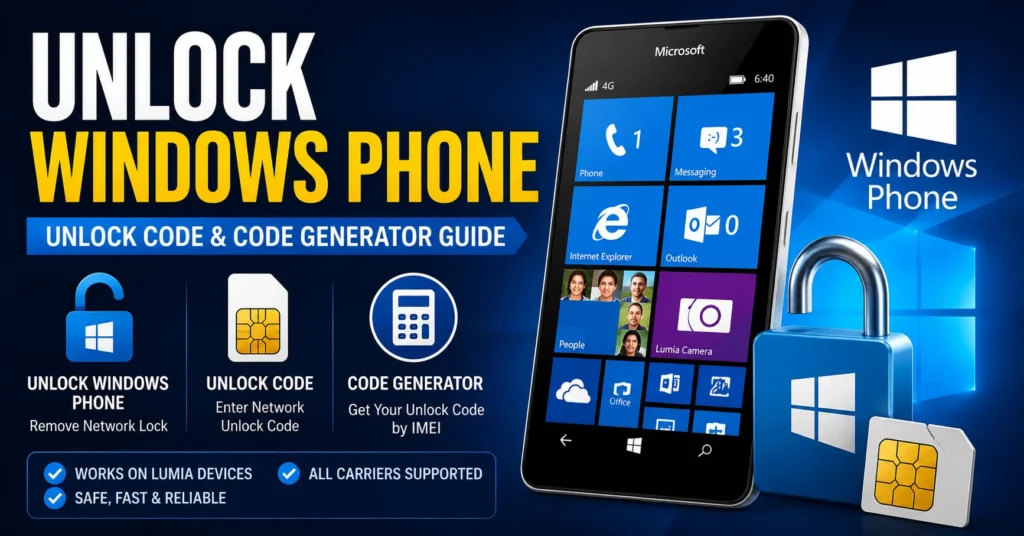
Unlock Windows Phone: Windows Phone Unlock Code & Code Generator Guide
Looking for a way to unlock Windows phone, find an unlock Windows phone code, or use a Windows phone code generator? This complete guide explains how Windows Phone and Microsoft Lumia devices were carrier locked, how network unlock codes work, how to identify the correct carrier, how the IMEI is used, and what options are available for older Windows Phone devices today.
Windows Phone is now a legacy mobile platform, so many old unlocking guides found online contain outdated information. Microsoft ended support for Windows Phone 8.1 on July 11, 2017, and Windows 10 Mobile support also ended in 2019. That does not mean every old Lumia phone is useless, but it does mean that modern carrier support and old unlock tools must be treated differently from current Android and iPhone unlocking systems.
If your Lumia or other Windows Phone displays Enter unlock code, Network unlock code, SIM unlock, or a similar message after inserting another carrier’s SIM, the device may still have a carrier restriction.
This guide covers unlock Windows phone, Windows Phone unlock code, Windows Phone code generator, Lumia unlock codes, SIM network unlocking, IMEI-based unlock requests, carrier unlocking, PUK codes, SIM PINs, common Lumia models, troubleshooting, and the difference between an old code generator and an official carrier unlock.
Can You Unlock a Windows Phone?
Yes, some Windows Phone devices can still be unlocked from their original carrier.
The important point is that Windows Phone unlocking is generally a carrier/device-specific process. There is no universal code that can unlock every Lumia or every Windows Phone.
Microsoft support responses to Lumia owners seeking network unlock codes have historically directed users to the carrier from which the phone was purchased. Recent Microsoft Q&A discussions about Lumia unlocking continue to point users toward the original mobile carrier because Microsoft does not provide carrier unlock codes.
Therefore, the first step is to identify the exact phone and the carrier to which it is locked.
What Does Unlock Windows Phone Mean?
Unlock Windows phone normally means removing a mobile-network restriction that prevents the phone from accepting a SIM card from another carrier.
A carrier-locked Windows Phone can work normally with its original SIM while rejecting a SIM from another network.
The restriction may be described as:
- SIM lock
- Network lock
- Carrier lock
- Network restriction
- SIM network lock
- Network unlock requirement
Unlocking the phone from its carrier does not remove every other type of security restriction. A SIM PIN, PUK lock, screen password, Microsoft account issue, or IMEI blacklist is a separate matter.
What Is a Windows Phone Unlock Code?
A Windows Phone unlock code is a carrier-specific code that can be used on supported devices to remove a network restriction.
Depending on the manufacturer, model and carrier, the phone may request an unlock code after a SIM from another network is inserted.
The code is normally associated with the specific device and its network-lock status.
This is why entering a random code or a code belonging to another Lumia is unlikely to work.
What Is a Windows Phone Code Generator?
A Windows Phone code generator is a tool or service that claims to calculate or provide an unlock code for a carrier-locked Windows Phone.
Older Windows Phone unlocking articles frequently promoted downloadable “universal” generators. However, those claims should not be treated as universally valid today.
A legitimate unlock depends on factors such as:
- Exact phone model
- IMEI
- Original carrier
- Country
- Network-lock status
- Carrier eligibility
- Availability of an appropriate unlock method
For this reason, there is no reliable universal Windows Phone code generator that can generate a valid code for every Lumia and every carrier.
Is There a Universal Windows Phone Unlock Code?
No.
There is no single Windows Phone unlock code that works with every Lumia or every carrier.
A code that works for one Nokia Lumia model and carrier can be invalid for another model, even when both phones use Windows Phone.
The original carrier is particularly important because the carrier normally controls the network restriction.
How to Unlock Windows Phone
If you want to unlock Windows phone, start by identifying exactly what type of lock you have.
Step 1: Insert a Different SIM
Insert a working SIM card from another carrier.
If the phone accepts the SIM and connects to the network, it may already be unlocked.
If it asks for an unlock code, the device may still be carrier locked.
Step 2: Identify the Exact Model
Find the model number of your Windows Phone.
This is particularly important with Microsoft Lumia devices because different Lumia models were sold by different carriers and can have different unlocking requirements.
Step 3: Find the IMEI
On many phones, the IMEI can be displayed by entering:
*#06#
On devices with removable batteries, the IMEI may also be printed on a label underneath the battery.
The IMEI identifies the individual phone and can be requested by the original carrier when checking unlock eligibility.
Step 4: Identify the Original Carrier
Try to determine which carrier originally sold or activated the phone.
For example, a Lumia could have originally been sold through T-Mobile, AT&T, Vodafone, O2, EE, Orange, Telia, or another carrier depending on the country and model.
Step 5: Request the Unlock
Contact the original carrier and ask whether the phone is eligible for a network unlock.
For older Lumia phones, the carrier may still be the most appropriate source for an unlock code.
Step 6: Enter the Unlock Code
If the carrier supplies a valid network unlock code, follow the carrier’s instructions for entering it into the phone.
Do not repeatedly guess codes.
Windows Phone Unlock Code by IMEI
Windows Phone unlock code by IMEI is a common search because the IMEI identifies the individual device.
The IMEI can be used by a carrier to locate the device in its records and determine its network-lock status.
However, an IMEI should not be considered a universal mathematical input that automatically produces a working unlock code for every Windows Phone.
Microsoft Q&A guidance for Lumia unlock questions has specifically advised users to obtain the unlock code from the carrier where the phone was originally purchased.
How to Find the IMEI on Windows Phone
Use *#06#
Open the phone dialer and enter:
*#06#
If supported, the IMEI will be displayed on the screen.
Check the Battery Compartment
Older Lumia phones with removable batteries may have the IMEI printed on a label underneath the battery.
Check the Original Box
The IMEI can also be printed on the original packaging.
Always make sure the IMEI corresponds to the physical phone you are trying to unlock.
Windows Phone Network Unlock
Windows Phone network unlock means removing the carrier restriction that prevents the phone from connecting to another compatible mobile network.
This is the type of unlocking most people mean when searching for unlock Windows phone code.
After the network lock is removed, the phone may be able to use a SIM from another compatible carrier.
However, unlocking does not guarantee compatibility with every modern network.
Windows Phone SIM Unlock
SIM unlock and network unlock are often used interchangeably when discussing carrier restrictions.
If your Lumia accepts only the original carrier’s SIM, it may be SIM locked.
If another SIM produces an unlock-code request, identify the original carrier before searching for a code generator.
Windows Phone Network Unlock Code
A Windows Phone network unlock code is normally associated with the carrier restriction placed on the device.
The correct code, where code-based unlocking is supported, is dependent on the phone and carrier.
There is no universal network unlock code for all Lumia phones.
Windows Phone SIM Network Unlock PIN
Some devices may use terminology such as SIM Network Unlock PIN or Network Unlock PIN.
This should not be confused with a normal SIM PIN.
If your phone specifically displays a network-unlock message, you are generally dealing with a carrier restriction rather than SIM-card security.
For a broader explanation of these messages, see our SIM Network Unlock PIN guide.
Windows Phone SIM PIN vs Unlock Code
| Code / Message | Purpose | Typical Source |
|---|---|---|
| Network Unlock Code | Removes carrier/network restriction | Original carrier |
| Network Unlock PIN | Removes carrier/network restriction | Original carrier |
| SIM PIN | Protects the SIM card | SIM carrier |
| PUK | Recovers a SIM after incorrect PIN attempts | SIM carrier |
| Screen PIN | Protects access to the phone | Device owner |
Knowing which code the phone is requesting prevents you from using the wrong type of unlock information.
Free Windows Phone Unlock Code
Many users search for a free Windows Phone unlock code.
For an eligible carrier-locked phone, the original carrier may provide the network unlock without requiring you to purchase an unofficial code generator.
The availability of a free unlock depends on the carrier, country, account and device.
Because Windows Phone is now a legacy platform, policies that applied when the phone was originally sold may also have changed.
Free Windows Phone Code Generator
A free Windows Phone code generator may sound like the easiest solution, but there is an important distinction between an old downloadable tool and a verified carrier unlock.
Do not assume that a program advertised as “universal” can generate a valid code for every Lumia.
Before using any generator, verify:
- Whether it supports your exact Lumia model.
- Whether it supports the original carrier.
- Whether the software is from a trustworthy source.
- Whether the claimed unlocking method is appropriate for the phone.
- Whether the phone is actually carrier locked.
Windows Phone Code Generator Online
Searches for Windows Phone code generator online are common because users want an instant unlock code without contacting the carrier.
The problem is that online generators cannot universally replace the carrier’s device records.
The IMEI can identify the phone, but the carrier still needs to determine the network-lock status and eligibility.
Be especially careful with websites promising a guaranteed unlock code for every Lumia model after entering only an IMEI.
Can a Windows Phone Unlock Code Be Generated From IMEI?
Some older code-based unlocking systems associate the unlock credential with the phone’s IMEI.
That is why the phrase Windows Phone unlock code by IMEI remains popular.
However, there is no single formula that can generate every Windows Phone unlock code from every IMEI.
The carrier’s own records and unlocking system remain important.
Unlock Nokia Lumia Phone
Many Windows Phones were Nokia Lumia devices.
Common Lumia models include:
- Nokia Lumia 520
- Nokia Lumia 521
- Nokia Lumia 525
- Nokia Lumia 530
- Nokia Lumia 535
- Nokia Lumia 540
- Nokia Lumia 550
- Nokia Lumia 620
- Nokia Lumia 625
- Nokia Lumia 630
- Nokia Lumia 635
- Nokia Lumia 640
- Nokia Lumia 650
- Nokia Lumia 710
- Nokia Lumia 720
- Nokia Lumia 800
- Nokia Lumia 820
- Nokia Lumia 830
- Nokia Lumia 920
- Nokia Lumia 930
- Nokia Lumia 950
- Nokia Lumia 950 XL
Not every model was sold by the same carrier, and unlocking requirements can vary between versions.
Unlock Lumia 520
The Lumia 520 is one of the most frequently encountered older Windows Phone devices.
If a Lumia 520 requests an unlock code after inserting another carrier’s SIM, identify the original carrier and obtain the appropriate network unlock information.
Recent Microsoft Q&A discussions show that Lumia 520 owners still ask about SIM unlock codes, with Microsoft support directing users toward the carrier from which the phone was purchased.
Unlock Lumia 521
The Lumia 521 was sold in carrier-specific versions, making the original network particularly important.
If you have a T-Mobile Lumia 521, for example, the correct unlocking path can be different from another Lumia model sold in another market.
Always identify the carrier before searching for an unlock Windows phone code.
Unlock Lumia 535
The Lumia 535 was sold in multiple markets and carrier configurations.
Older Microsoft Q&A discussions about Lumia 535 carrier unlocking also emphasize the importance of the IMEI and original carrier when obtaining an unlock code.
Unlock Lumia 540
If your Lumia 540 is network locked, determine the original carrier and check whether the carrier can still provide an unlock.
Because Windows Phone is a legacy platform, an old unlock procedure may not work exactly as described in older articles.
Unlock Lumia 550
The Lumia 550 was one of Microsoft’s Windows 10 Mobile-era phones.
If it is carrier locked, check the original provider’s unlock options and identify the exact model and IMEI before attempting any third-party solution.
Unlock Lumia 640
The Lumia 640 is another important model for Windows Phone unlocking searches.
IMEIChanger also has a dedicated Microsoft Lumia 640 unlock guide.
If your device is specifically a Lumia 640, use the model-specific information rather than relying only on a generic Windows Phone code generator.
Unlock Lumia 650
The Lumia 650 was designed for Windows 10 Mobile and was sold in different markets and carrier configurations.
As with other Lumia phones, the exact carrier and IMEI are important when investigating a network lock.
Unlock Lumia 950
The Lumia 950 was one of Microsoft’s flagship Windows 10 Mobile smartphones.
If a Lumia 950 is carrier locked, determine the original carrier before looking for an unlock Windows phone code.
Windows 10 Mobile itself reached the end of its support lifecycle in December 2019.
Unlock Lumia 950 XL
The Lumia 950 XL is another legacy Windows 10 Mobile device that can still be encountered on the used-phone market.
If you are attempting to use another carrier’s SIM, check whether the phone is already unlocked before searching for an unlock code.
Microsoft Lumia Unlock Code
The phrase Microsoft Lumia unlock code covers many different devices.
There is no single Microsoft Lumia code because Lumia phones were produced in multiple generations and sold through different carriers.
The correct process depends on the exact model and network.
Nokia Lumia Unlock Code
Older Nokia Lumia phones are frequently searched using terms such as:
- Nokia Lumia unlock code
- Lumia unlock code
- Lumia SIM unlock code
- Lumia network unlock code
- Lumia unlock by IMEI
- Lumia code generator
- Free Lumia unlock code
These searches generally refer to carrier/network unlocking rather than unlocking the Windows Phone operating system itself.
Windows Phone Unlock Code for T-Mobile
If your Windows Phone was originally sold through T-Mobile, identify the exact model and IMEI before requesting an unlock.
The carrier is the appropriate place to determine whether the device can still be unlocked.
This is particularly important for legacy Lumia devices because Microsoft’s mobile support has ended.
Windows Phone Unlock Code for AT&T
AT&T sold several Windows Phone and Lumia models in the United States.
If your device was originally purchased through AT&T, check the carrier’s current device-unlock process and provide the correct IMEI when requested.
Do not use an unlock code intended for another carrier.
Windows Phone Unlock Code for Verizon
Verizon also carried selected Windows Phone models.
If your Lumia was originally sold through Verizon, check the carrier’s current device-unlock policy and determine whether the phone remains locked.
Carrier policies can change long after the original device was sold.
Windows Phone Unlock Code for Vodafone
Vodafone operated Windows Phone and Lumia devices in multiple markets.
If your device is Vodafone-branded or was originally purchased from Vodafone, identify the country and exact model before requesting an unlock.
Windows Phone Unlock Code for Other Carriers
Older Lumia phones were sold through numerous carriers worldwide.
The original carrier can be particularly important when dealing with an old device because the manufacturer may no longer provide mobile-phone support.
If you do not know the original carrier, check:
- Original packaging
- Purchase receipt
- Carrier branding
- SIM information
- Device model variant
- Previous owner’s information
How to Know If Windows Phone Is Already Unlocked
The simplest test is to insert a SIM card from another carrier.
If the phone connects to the new network, it may already be unlocked.
If the phone displays an unlock-code request, it is likely still network restricted.
Remember that an unlocked phone can still fail to connect to a modern network because of network compatibility, frequency bands, shutdown of legacy network technologies, or carrier requirements.
Windows Phone Unlocked but No Service
Unlocking and network compatibility are two different things.
A Lumia can be successfully carrier unlocked and still fail to obtain service on a modern network.
Possible reasons include:
- Unsupported frequency bands
- Carrier network changes
- Legacy 3G shutdowns
- VoLTE requirements
- Carrier compatibility restrictions
- SIM activation problems
- Device age
This is especially important in 2026 because Windows Phone devices are now many years old.
Can Old Windows Phones Still Work Today?
Some old Windows Phones can still power on and perform local functions, but their usefulness as everyday mobile phones depends heavily on the carrier and network available in the user’s country.
Microsoft’s Windows Phone software support ended years ago, and Microsoft support staff now describe the platform as unsupported.
Therefore, unlocking an old Lumia does not guarantee that it can connect to a modern cellular network.
Windows Phone 8.1 End of Support
Microsoft’s official lifecycle information states that Windows Phone 8.1 reached the end of support on July 11, 2017.
This is important when reading old Windows Phone unlock guides because many articles were written when the platform was still actively supported.
Windows 10 Mobile End of Support
Windows 10 Mobile also reached the end of its support lifecycle, with the final Windows 10 Mobile version reaching end of support in December 2019.
This means that today’s Windows Phone unlocking problem is primarily a legacy-device and carrier issue, rather than a modern Microsoft software-support issue.
Does Microsoft Provide Windows Phone Unlock Codes?
Microsoft is not the normal source of carrier network unlock codes.
Microsoft Q&A responses to Lumia owners seeking carrier unlock codes have directed users to the original carrier, explaining that Microsoft does not supply those codes.
Therefore, if your Lumia asks for a network unlock code, the original carrier is generally the first place to check.
Can a Windows Phone Unlock Code Generator Unlock Every Lumia?
No.
A universal generator cannot legitimately be assumed to work with every Lumia.
Different devices can have different:
- Carrier restrictions
- Model variants
- Firmware versions
- Network configurations
- Unlocking requirements
A website claiming that one program can unlock every Windows Phone worldwide should therefore be approached carefully.
Why Old Windows Phone Unlock Generators May Not Work
Many old unlocking tools were created when Windows Phone devices were still actively sold and supported.
Today, a tool may fail because:
- The original service has disappeared.
- The carrier no longer supports the old device.
- The server used by the software is offline.
- The tool only supported certain models.
- The tool only supported certain carriers.
- The software requires an obsolete computer environment.
- The phone’s network is no longer compatible.
This is one of the biggest differences between an old Windows Phone unlock article and a current Android unlock guide.
Windows Phone Unlock Code Generator Download
If you are searching for a Windows Phone unlock code generator download, verify the source carefully.
Do not download random executable files simply because they contain the words “Lumia unlock,” “Windows Phone unlock,” or “code generator.”
Before using any old software, determine whether it actually supports:
- Your Lumia model
- Your carrier
- Your country
- Your Windows Phone version
- Your specific unlocking method
Windows Phone Unlock Code Generator Online vs Carrier Unlock
| Method | Advantages | Limitations |
|---|---|---|
| Original carrier | Official device information and eligibility | Legacy devices may no longer be actively supported |
| Official unlock code | Designed for the specific device/network | Availability depends on carrier |
| Old code generator | May apply to certain legacy devices | Compatibility and service availability can be uncertain |
| Online generator | Convenient | No universal compatibility |
Windows Phone Unlock Troubleshooting
Phone Says Enter Unlock Code
Insert the SIM from another carrier and note the exact message.
Identify the original carrier and exact model before requesting a code.
Unlock Code Is Rejected
Confirm that the code belongs to the correct phone and carrier.
Do not continue entering random codes.
Phone Says SIM Not Supported
The device may still be carrier locked, although network compatibility can also be an issue.
Phone Says Network Locked
This normally indicates that the carrier restriction remains active.
Unlock Code Worked but There Is No Signal
The phone may be unlocked but incompatible with the modern network.
Windows Phone Does Not Recognize the SIM
Check whether the SIM is active and whether the device supports the network technology used by the carrier.
Old Unlock Software Does Nothing
The service behind the software may no longer operate, or the tool may not support your exact model.
Windows Phone Unlock vs SIM PIN
Do not confuse a carrier unlock code with a SIM PIN.
A SIM PIN protects the SIM card.
A network unlock code removes a carrier restriction from the phone.
If your phone is asking for a PUK, you are dealing with a SIM-card lock rather than a carrier unlock.
Windows Phone Unlock vs PUK Code
A PUK is a SIM recovery code.
It is not a Windows Phone network unlock code.
If your SIM has been blocked because of repeated incorrect PIN attempts, contact the mobile carrier for the correct PUK.
Windows Phone Unlock vs IMEI Blacklist
A carrier unlock does not automatically remove an IMEI blacklist.
A phone can be:
- Carrier locked and IMEI clean.
- Carrier unlocked and IMEI restricted.
- Carrier locked and IMEI restricted.
- Carrier unlocked and IMEI clean.
If you need to check an IMEI restriction, read our IMEI Blacklist Checker guide.
Windows Phone Unlock vs IMEI Problem
An invalid, null or missing IMEI is a separate technical problem.
If your phone displays:
- Invalid IMEI
- Null IMEI
- Unknown IMEI
- Missing IMEI
a network unlock code is not the solution to the underlying IMEI problem.
See our IMEI Fix Tool guide for information about IMEI-related problems.
Windows Phone Unlock Frequently Asked Questions
Can I unlock a Windows Phone?
Some Windows Phone and Lumia devices can still be carrier unlocked, depending on the device, original carrier and available unlocking options.
What is a Windows Phone unlock code?
It is a carrier-specific code used by supported devices to remove a network restriction.
What is a Windows Phone code generator?
It is a tool that claims to calculate or provide an unlock code. There is no universal generator that works with every Windows Phone.
Can I unlock a Lumia by IMEI?
The IMEI can be used by the original carrier to identify the device and determine its unlock status or eligibility. It does not guarantee that an online generator can calculate a valid code.
Is there a universal Windows Phone unlock code?
No. Unlock codes are associated with specific devices, carriers and unlocking systems.
Can I get a free Windows Phone unlock code?
Possibly. An eligible phone may be unlocked by the original carrier without purchasing an unofficial generator or code.
Does Microsoft provide Lumia unlock codes?
Microsoft support guidance directs carrier-unlock questions to the original carrier rather than providing carrier unlock codes itself.
Can I unlock a Nokia Lumia 520?
It depends on the original carrier and the device’s network-lock status. Lumia 520 owners have historically been directed to the carrier for the correct unlock code.
Can I unlock a Lumia 535?
Potentially, depending on the carrier and device. The IMEI and original network are important when requesting an unlock.
Can I unlock a Lumia 640?
The Lumia 640 can have carrier-specific unlocking requirements. See our dedicated Lumia 640 unlock guide.
Can I unlock a Lumia 950?
If the device is carrier locked, identify the original carrier and check whether an unlock is still available.
Can I use one unlock code on different Lumia phones?
No. Unlock credentials are generally specific to the device and carrier.
Why doesn’t my Windows Phone code generator work?
The generator may not support your model or carrier, or the old service behind it may no longer operate.
Why does my Lumia ask for an unlock code?
The device may be carrier locked and requesting a network unlock code after a SIM from another network has been inserted.
Does unlocking Windows Phone make it compatible with every carrier?
No. The phone must also support the carrier’s network technology and frequencies.
Can an unlock code fix a blacklisted IMEI?
No. Carrier unlocking and IMEI blacklist status are separate issues.
Can an unlock code fix an invalid IMEI?
No. An invalid or missing IMEI is a different technical problem.
Can I still use a Windows Phone in 2026?
Some devices can still function for certain purposes, but cellular usability depends on the carrier, network technology and country. Windows Phone software support ended years ago.
Is Windows Phone still supported by Microsoft?
No. Windows Phone 8.1 reached end of support in July 2017, and Windows 10 Mobile reached the end of its support lifecycle in 2019.
Final Thoughts: Unlock Windows Phone
If you are searching for unlock Windows phone, unlock Windows phone code, or a Windows phone code generator, the most important thing is to identify the exact device and original carrier before attempting an unlock.
Windows Phone and Lumia devices are now legacy products, so many old unlocking articles contain claims that are no longer reliable. Microsoft officially ended Windows Phone 8.1 support in 2017, while Windows 10 Mobile support ended in 2019.
For a carrier-locked Lumia, the original carrier remains the most important source of information about the device’s unlock status and any available unlock code. Microsoft support responses to Lumia unlocking questions have directed users to the carrier rather than providing the unlock code themselves.
There is therefore no universal Windows Phone code generator that can legitimately unlock every Lumia. A valid unlock depends on the model, IMEI, carrier and available unlocking system.
If your phone displays SIM Network Unlock PIN or Network Unlock Code, see our SIM Network Unlock PIN guide.
If you are specifically working with a Lumia 640, see our Microsoft Lumia 640 unlock guide.
For IMEI-related problems, see our IMEI Blacklist Checker and IMEI Fix Tool guides.
Updated: August 30, 2026