iCloud Unlocker: iCloud Unlock, Free iCloud Unlock & Unlock iCloud Guide
Looking for an iCloud unlocker, an iCloud unlock service, a free iCloud unlock, or information about how to unlock iCloud on an iPhone or iPad?
This complete guide explains what iCloud unlock actually means, how Activation Lock works, how to unlock your own Apple device, how to remove a device from Find My, what to do if you forgot your Apple Account password, and what to do when you purchase a used iPhone that is still connected to another person’s account.
The term iCloud unlocker is widely used online, but it can describe several completely different things. Removing your own device from your Apple Account is not the same as bypassing Activation Lock on a device belonging to someone else.
Apple’s current support documentation explains that Activation Lock is linked to Find My and is designed to prevent unauthorized use of an iPhone or iPad. Legitimate removal can be performed with the associated Apple Account credentials, the previously used device passcode where supported, through Find My, or through Apple’s Activation Lock support process when proof of purchase is available.
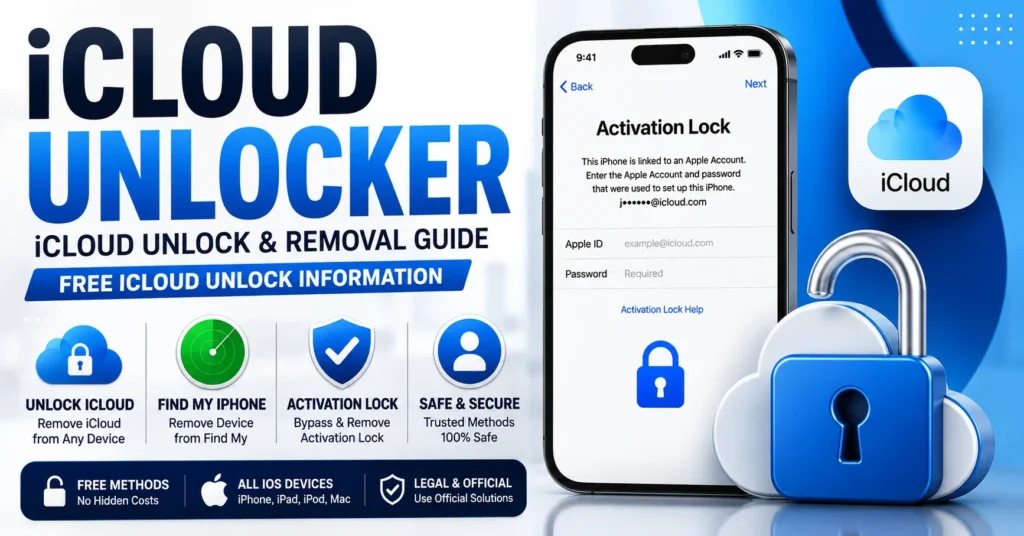
What Is an iCloud Unlocker?
An iCloud unlocker is a general term used for a tool, service or method that claims to remove an iCloud-related restriction from an Apple device.
However, the phrase can refer to two very different situations:
- Legitimate iCloud unlock: Removing your own iPhone, iPad or Mac from your Apple Account and Find My.
- Activation Lock bypass: Attempting to circumvent Apple’s security on a device without the credentials or authorization associated with it.
The first is a normal device-management process. The second is not something a legitimate universal software tool should promise.
What Does iCloud Unlock Mean?
iCloud unlock usually means removing an Apple device from the Apple Account and Find My relationship that is preventing activation.
Depending on the situation, people may use the term iCloud unlock to describe:
- Removing Activation Lock.
- Removing an iPhone from Find My.
- Signing out of an Apple Account.
- Preparing an iPhone for a new owner.
- Recovering access to your own Apple Account.
- Removing a used device from a previous owner’s account.
These situations have different solutions.
What Is Activation Lock?
Activation Lock is an Apple security feature connected to Find My.
When Find My is enabled, Apple associates the device with the owner’s Apple Account. Apple explains that the Apple Account password is required before someone can turn off Find My, erase the device or reactivate and use it.
This protection is intended to make lost and stolen devices much harder for another person to reactivate or sell.
Activation Lock can remain active even after a device has been erased.
iCloud Unlock vs Activation Lock Removal
| Term | What It Usually Means | Correct Approach |
|---|---|---|
| iCloud unlock | Removing an Apple Account/Find My restriction | Use Apple’s supported account or Find My process |
| iCloud unlocker | Tool or service advertised for iCloud unlocking | Verify ownership and use legitimate removal methods |
| Activation Lock | Apple’s anti-theft activation protection | Associated account, device passcode or Apple support |
| Carrier unlock | Removing a mobile-network restriction | Original carrier unlock process |
| SIM unlock | Removing a SIM/network restriction | Carrier or supported network unlock method |
An iPhone can therefore be carrier unlocked and still have Activation Lock enabled.
How to Unlock iCloud on Your Own iPhone
If the iPhone belongs to you and you know the Apple Account information associated with it, the normal unlock iCloud process is straightforward.
Method 1: Unlock iCloud Directly on the iPhone
When the Activation Lock screen appears, follow the instructions displayed on the device.
Apple says you can enter the Apple Account and password used to set up the device or, where supported, the previously used device passcode.
Method 2: Recover Your Apple Account
If you own the device but have forgotten your Apple Account credentials, recover the account rather than searching for an unofficial unlocker.
Apple provides account-recovery options for users who cannot remember their Apple Account or password.
Method 3: Remove the Device Through Find My
If you no longer have the device, you can use Find My on the web to remove it from your account.
Apple’s current instructions allow you to sign in to Find Devices, select the device and choose Remove This Device.
How to Unlock iCloud Without the iPhone
If you sold, traded or gave away your iPhone but forgot to remove it from your Apple Account, you may still be able to remove it remotely.
- Open Find Devices through iCloud.com.
- Sign in with the Apple Account associated with the device.
- Select the iPhone or iPad.
- Erase the device if necessary.
- Select Remove This Device.
After the device has been properly removed, the next owner can activate it with their own Apple Account.
Free iCloud Unlock
The phrase free iCloud unlock is one of the most common searches associated with Activation Lock.
If the device belongs to you, you generally do not need to pay a third-party company simply to remove your own device from your Apple Account.
Apple provides official methods for removing Activation Lock through the device, Find My and, in qualifying ownership situations, an Activation Lock support request.
Therefore, the safest interpretation of free iCloud unlock is an official account-based removal process rather than a random online bypass service.
Is There a Free iCloud Unlocker?
There are websites and programs advertised as free iCloud unlockers, but users should be extremely cautious about claims that one free program can permanently unlock every iPhone.
Activation Lock is enforced through Apple’s activation system, so an ordinary downloadable program cannot legitimately be assumed to have universal authority to remove Apple’s account association.
If you own the device, use Apple’s official removal options instead.
Free iCloud Unlock Without Software
You do not necessarily need an iCloud unlocker program.
If you own the device, Apple’s supported methods can be completed directly through the iPhone, iPad or Find My on the web.
This is particularly useful when you simply forgot to remove a device before selling it.
How to Unlock iCloud From Find My
Find My is one of the most important parts of legitimate iCloud removal.
When the device is associated with your Apple Account, you can use Find My to manage the device and remove it from your account when appropriate.
Apple’s current instructions for an offline device are:
- Go to iCloud.com/find.
- Sign in to your Apple Account.
- Select the device.
- Choose Remove This Device.
Apple also notes that iPhone users may be able to remove Activation Lock from the web even when the iPhone is not offline.
iCloud Unlock for a Used iPhone
One of the most common reasons people search for an iCloud unlocker is buying a used iPhone that remains linked to the previous owner’s account.
If the device displays an Activation Lock screen or asks for the previous owner’s Apple Account information during setup, the previous owner needs to remove it from their account.
Apple specifically advises buyers not to take ownership of a used iPhone or iPad that is still protected by Activation Lock.
Ask the Previous Owner to Remove It
The previous owner can sign in to their Apple Account and remove the device through Find My.
This is the correct solution when buying a second-hand device.
If the Seller Is Not Available
Contact the seller or marketplace immediately.
Request that the device be removed from the seller’s Apple Account or request a refund if that cannot be done.
iCloud Unlock With Proof of Purchase
If the device genuinely belongs to you and you have proof of purchase but cannot complete the normal Activation Lock removal process, Apple provides an Activation Lock support request.
This is particularly important for people who bought a device legitimately but no longer have access to the associated Apple Account.
Keep your purchase documentation available because Apple specifically identifies proof of purchase as part of this support process.
Can Apple Unlock iCloud?
Apple provides official support for eligible Activation Lock situations.
If you have proof of purchase documentation, Apple says you can start an Activation Lock support request.
This is very different from a third-party website claiming that an IMEI alone can permanently remove Activation Lock.
Can You Unlock iCloud With IMEI?
The IMEI identifies the physical device, but it is not a universal key for removing Activation Lock.
Searching for iCloud unlock by IMEI can lead to websites promising instant results, but an IMEI by itself does not establish ownership of the Apple Account associated with a device.
Apple’s supported Activation Lock process is based on account credentials, the device passcode where supported, Find My removal, or an ownership-based support request.
iCloud Unlock by IMEI
iCloud unlock by IMEI is therefore not a universal unlocking method.
The IMEI can be useful when identifying a device or communicating with a carrier or support organization, but it should not be presented as an Activation Lock bypass code.
Can an iCloud Unlocker Generate a Code?
Activation Lock does not work like a traditional carrier unlock where a phone may request a network unlock code.
Apple’s security architecture associates the device with an Apple Account and checks Activation Lock during activation.
Consequently, there is no universal “iCloud unlock code” that can legitimately activate every locked iPhone.
iCloud Unlock Code vs Carrier Unlock Code
| Type | Purpose |
|---|---|
| iCloud / Activation Lock | Protects the device from unauthorized reactivation. |
| Carrier unlock code | Removes a mobile-network restriction. |
| SIM PIN | Protects the SIM card. |
| PUK | Unlocks a SIM after too many incorrect PIN attempts. |
| Screen passcode | Protects access to the device. |
Understanding this distinction is important because an iPhone can be network unlocked while still being protected by Activation Lock.
iCloud Unlock vs SIM Unlock
iCloud unlock and SIM unlock solve completely different problems.
iCloud/Activation Lock is associated with the Apple Account and Find My.
SIM or carrier unlocking concerns the mobile network that the phone is allowed to use.
If your iPhone says iPhone Locked to Owner, a carrier SIM unlock will not solve the problem.
iCloud Unlock vs iPhone Passcode
An iPhone screen passcode is another separate security mechanism.
For certain Activation Lock situations, Apple supports using the previously used device passcode as an alternative to the Apple Account credentials.
However, forgetting the normal screen passcode is not the same as having an iCloud or Activation Lock problem.
iCloud Unlock for iPhone
When searching for unlock iCloud iPhone, identify the exact message on the device.
If it says:
- iPhone Locked to Owner
- Activation Lock
- Enter Apple Account
- Sign in with the Apple Account used to set up this iPhone
you are dealing with Activation Lock.
If it says SIM Not Supported or Network Locked, you are dealing with a carrier restriction instead.
iCloud Unlock for iPad
The same general Activation Lock principles apply to iPad.
Find My can associate an iPad with an Apple Account, and the associated credentials can be required for reactivation.
If you buy a used iPad, make sure it has been erased and removed from the previous owner’s account before completing the purchase.
iCloud Unlock for Mac
Activation Lock also applies to supported Mac computers.
Apple explains that supported Macs can use Activation Lock through Find My and that the owner can disable it by turning off Find My and authenticating with the Apple Account password.
If an eligible Mac is offline, Apple also provides a web-based removal method through Find My.
iCloud Unlock for Apple Watch
Apple Watch can also be protected by Activation Lock.
If you are selling or transferring an Apple Watch, make sure Activation Lock is removed before giving it to another person.
iCloud Unlock for Business Devices
Company-owned Apple devices can have additional management options.
Apple Business and Apple School Manager can allow organizations to manage Activation Lock for organization-owned devices through device-management systems.
If the device belongs to a company or school, contact the organization’s IT administrator rather than attempting to use an unofficial iCloud unlocker.
iCloud Unlock and Managed Devices
Organization-managed Apple devices can use administrative Activation Lock management and bypass codes controlled by the organization’s device-management system.
These mechanisms are designed for authorized administrators managing organization-owned devices.
This is different from a consumer iPhone linked to a personal Apple Account.
Why iCloud Unlocker Websites Make Different Claims
The iCloud unlocker market contains many different claims because older iOS versions, older device models and different security mechanisms have changed over time.
An article written years ago may describe a method that no longer applies to current Apple devices.
For this reason, users should distinguish between:
- Historical information about older iOS devices.
- Current Apple-supported account recovery.
- Find My device removal.
- Activation Lock support requests.
- Unauthorized bypass claims.
Why an iCloud Unlocker May Not Work
If a third-party iCloud unlocker claims to work but does not, several explanations are possible:
- The service only supported particular older devices.
- The service depended on an obsolete iOS version.
- The advertised server is no longer available.
- The device is still linked to another Apple Account.
- The service never had the claimed capability.
- The device has an ownership or management restriction.
Do not assume that paying another service will solve the problem.
How to Check an iPhone Before Buying It
One of the best ways to avoid needing an iCloud unlocker is to check Activation Lock before buying a used iPhone.
Look for the Hello Screen
A properly prepared iPhone should reach the normal setup process.
Check for “iPhone Locked to Owner”
If you see the iPhone Locked to Owner screen, the device is still protected by Activation Lock.
Ask the Seller to Remove It
If the seller is legitimate, ask them to enter their Apple Account information and remove the device properly.
Do Not Take Ownership Until It Is Removed
Apple explicitly recommends not taking ownership of a used iPhone or iPad that is still protected by Activation Lock.
What If I Bought an iPhone With iCloud Lock?
If you purchased an iPhone and discovered that it is still linked to another person’s Apple Account, contact the seller immediately.
Ask the seller to remove the device through Find My.
If the seller refuses, cannot be contacted, or cannot remove the device, pursue a refund or marketplace dispute.
If you have valid proof of purchase, you can also investigate Apple’s Activation Lock support request.
Can Factory Reset Remove iCloud Lock?
No, not by itself.
Erasing an iPhone does not automatically remove Activation Lock.
Apple’s security documentation explains that Activation Lock can remain active even after the device has been erased.
The device must be properly removed from the associated Apple Account and Find My.
Can DFU Restore Remove iCloud Lock?
A restore or recovery procedure does not provide a legitimate way to remove another person’s Activation Lock.
After restoration, the device can still contact Apple’s activation servers and determine whether Activation Lock remains enabled.
Can an iCloud Unlocker Remove a Blacklisted iPhone?
No.
An IMEI blacklist and Activation Lock are different issues.
If you need information about an IMEI blacklist, use our IMEI Blacklist Checker guide.
Can iCloud Unlock Fix an Invalid IMEI?
No.
An invalid, missing or null IMEI is a separate device/network problem.
If you are dealing with an IMEI problem, see our IMEI Fix Tool guide.
iCloud Unlock Safety
Be very careful with websites advertising an instant iCloud unlock.
Avoid services that:
- Promise to unlock every iPhone.
- Claim an IMEI alone can remove Activation Lock.
- Ask for your Apple Account password.
- Request remote access to your computer.
- Require disabling antivirus software.
- Promise a universal iCloud unlock code.
- Claim to remove Activation Lock from a device without proof of ownership.
Your Apple Account password should never be entered into an unknown third-party unlocker.
Can You Get a Free iCloud Unlock?
Yes, legitimate iCloud removal can often be completed without paying an unlock service.
If the device belongs to you, Apple provides account-based removal and Find My tools.
If you have proof of purchase but cannot complete the process, Apple provides an Activation Lock support-request option.
Therefore, a “free iCloud unlock” does not need to mean a third-party bypass tool.
Free iCloud Unlock Without a Third-Party Tool
If you own the device, you can use Apple’s own services.
Depending on your situation, you may be able to:
- Enter your Apple Account credentials.
- Use your previous device passcode where supported.
- Recover your Apple Account.
- Remove the device through Find My.
- Submit an Activation Lock support request with proof of purchase.
These are substantially safer than downloading an unknown iCloud unlocker.
Frequently Asked Questions About iCloud Unlock
What is an iCloud unlocker?
An iCloud unlocker is a term used for software or services advertised as removing iCloud or Activation Lock. For your own device, Apple’s official account, Find My and support procedures are the appropriate solutions.
What does iCloud unlock mean?
It generally means removing the Apple Account/Find My association that prevents an Apple device from being activated by another user.
Can I unlock iCloud on my own iPhone?
Yes. Use the Apple Account credentials associated with the device, the device passcode where supported, Find My, or Apple’s support process if you have proof of purchase.
Is there a free iCloud unlock?
Yes. Legitimate removal of your own device can be completed through Apple’s official tools without paying a third-party unlock service.
Is there a free iCloud unlocker?
Third-party websites may advertise free unlockers, but there is no legitimate universal tool that should be trusted to bypass Activation Lock on every iPhone.
Can I unlock iCloud with an IMEI?
The IMEI identifies the device but is not a universal Activation Lock removal key.
Can I unlock iCloud without a password?
If you own the device but forgot the password, recover your Apple Account. If you have proof of purchase and cannot remove Activation Lock yourself, Apple provides a support-request process.
Can I unlock iCloud without a computer?
Yes. Depending on the situation, you can remove Activation Lock directly from the device or use Find My from another device.
Can I unlock iCloud from iCloud.com?
Yes. If you own the account associated with the device, Apple provides Find Devices on iCloud.com for removing devices from the account.
Can a factory reset remove iCloud?
No. Erasing the device alone does not necessarily remove Activation Lock.
Can DFU mode remove Activation Lock?
No. Restoring the device does not provide a legitimate way to remove another person’s Activation Lock.
Can an iCloud unlocker remove Activation Lock from a stolen phone?
A legitimate guide should not recommend bypassing Activation Lock on a device without authorization or proof of ownership.
Can Apple remove Activation Lock?
Apple provides an Activation Lock support request for eligible cases where the owner has proof of purchase documentation.
What if I bought an iPhone that is iCloud locked?
Ask the previous owner to remove it from their Apple Account. If they cannot, contact the seller or marketplace for a refund. If you have proof of purchase, you can also investigate Apple’s support process.
How do I know whether an iPhone is iCloud locked?
During setup, if the device displays “iPhone Locked to Owner” or requests the previous owner’s Apple Account information, Activation Lock is still active.
Can an iCloud unlock fix a carrier lock?
No. iCloud/Activation Lock and carrier unlocking are separate restrictions.
Can an iCloud unlock remove an IMEI blacklist?
No. Activation Lock and IMEI blacklist status are separate systems.
Final Thoughts: iCloud Unlocker and Free iCloud Unlock
The terms iCloud unlocker, iCloud unlock, free iCloud unlock and unlock iCloud are often used interchangeably online, but the underlying problem can be very different.
If you own the device, the safest solution is to use Apple’s official account and Find My tools.
If you forgot your Apple Account password, recover the account.
If you purchased a used iPhone that is still linked to another person’s account, ask the previous owner to remove it.
If you have proof of purchase but cannot remove Activation Lock yourself, Apple provides an Activation Lock support request.
Apple’s current security documentation confirms that Activation Lock is specifically designed to prevent unauthorized reactivation and remains effective even after a device is erased.
For that reason, there is no universal iCloud unlocker that should be presented as a guaranteed solution for every iPhone. The legitimate path depends on device ownership, the associated Apple Account, Find My status and, when necessary, proof of purchase.
For related IMEI information, see our IMEI Blacklist Checker.
For iPhone-specific IMEI information, see our iPhone IMEI Check Service.
For broader iCloud removal information, see our iCloud Remover Tool & iCloud Remove guide.
Updated: August 30, 2026