IMEI Unlock: Free IMEI Unlocker Guide for Phones and SIM Locks
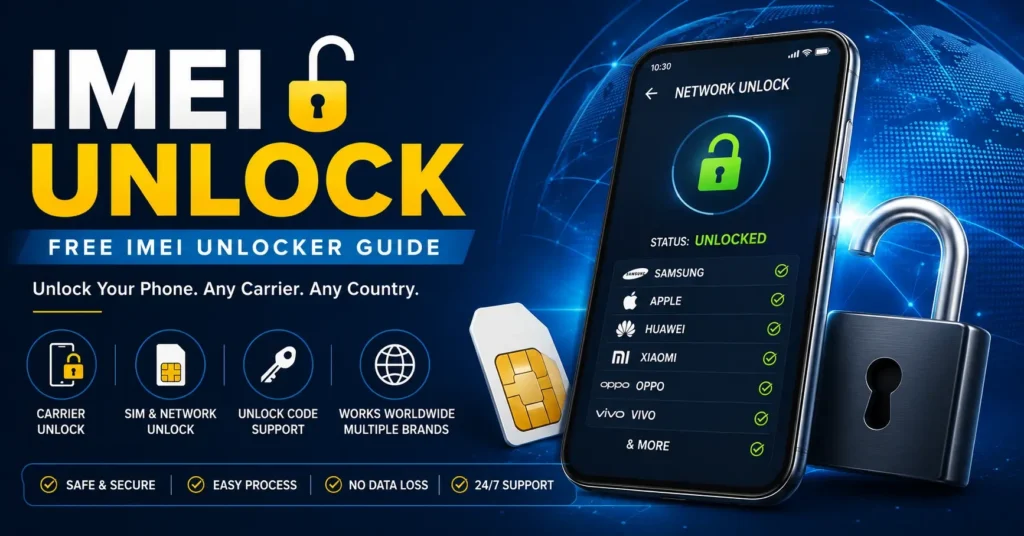
An IMEI unlock is commonly searched for when a mobile phone is locked to a particular carrier and the owner wants to use a different SIM card or mobile network.
The term IMEI unlocker is also used for websites, software, services and tools that claim to unlock a phone using its IMEI number.
However, an important distinction needs to be made between an IMEI number, IMEI unlock, SIM unlock, network unlock code and IMEI repair.
The IMEI identifies the mobile device. A carrier or network lock determines whether that device can be used with another mobile network. In many cases, the original carrier must authorize the unlock.
This guide explains what an IMEI unlocker is, whether a free IMEI unlock is possible, how carrier unlocking works, how to check whether a phone is locked, how IMEI numbers are used during unlocking, what a Network Unlock Code means, and what to do when a phone displays a SIM Network Unlock PIN.
What Is an IMEI Unlock?
An IMEI unlock generally refers to unlocking a mobile phone so it can be used with another carrier or network.
The IMEI itself is not normally the actual lock.
Instead, the IMEI is a unique device identifier that can be used by a carrier or unlocking service to identify the phone.
This distinction is important.
| Term | Meaning |
|---|---|
| IMEI | Identifies the mobile device |
| SIM lock | Restricts the device to a carrier or network |
| IMEI unlock | Common search term for carrier or device unlocking |
| Network unlock | Removes a carrier network restriction |
| IMEI repair | Addresses missing, invalid or corrupted IMEI information |
| IMEI checker | Investigates information associated with a device |
If your phone has Invalid IMEI, Null IMEI or IMEI Unknown, you are probably dealing with an IMEI problem rather than a carrier unlock problem. In that situation, see our IMEI Repair Tool guide.
What Is an IMEI Unlocker?
An IMEI unlocker is a term commonly used for software or an online service that claims to unlock a phone using information such as its IMEI.
The actual unlocking method depends on the phone, carrier, country and technology involved.
Some legitimate services process carrier-approved unlock requests. Some phones use an unlock code. Other modern devices can be unlocked remotely through carrier systems.
There is no universal IMEI unlocker that legitimately unlocks every phone, every carrier and every network worldwide.
Can You Unlock a Phone With an IMEI Number?
An IMEI can be required to identify a phone during an unlocking request, but simply entering an IMEI into a random website does not automatically unlock the device.
The original carrier normally determines whether the device is eligible.
The process can depend on:
- Original carrier
- Country
- Phone model
- Device status
- Account status
- Payment or contract status
- Network technology
The IMEI identifies the device; it is not itself a universal unlock key.
If you first need to find or check your IMEI, visit our IMEI Number Check Online resource.
Is There a Free IMEI Unlocker?
The phrase free IMEI unlocker is still commonly searched, but users should be careful with websites promising a universal free unlock for every phone.
A carrier may provide a free unlock when a device meets its requirements.
However, eligibility and procedures vary between carriers and countries.
A website claiming that one free application can unlock every phone worldwide should be treated cautiously.
Before downloading software or submitting personal information, determine:
- Whether your phone is actually carrier locked.
- Which carrier originally locked it.
- Whether the device is eligible for unlocking.
- Whether the carrier offers an official unlock.
- Whether the service actually supports your exact model.
How Does IMEI Unlocking Work?
A legitimate carrier unlock can involve several steps.
Step 1: Identify the Phone
The phone’s model and IMEI are identified.
Step 2: Identify the Original Carrier
The carrier that originally sold or activated the device must be determined.
Step 3: Check Eligibility
The carrier checks whether the device meets its unlocking requirements.
Step 4: Submit the Unlock Request
The carrier or authorized service processes the request.
Step 5: Apply the Unlock
Depending on the device, the unlock may be applied remotely or through an unlock code.
Step 6: Test Another SIM
After unlocking, insert a compatible SIM or activate another supported network.
The exact procedure varies by phone and carrier.
How to Check if Your Phone Is SIM Locked
Before searching for an IMEI unlocker, check whether the phone is actually locked.
Test With Another SIM Card
Insert a compatible SIM card from another carrier.
If the phone connects normally, it may already be unlocked.
If you receive messages such as:
- SIM Not Supported
- SIM Not Allowed
- Network Locked
- Network Unlock Code
- SIM Network Unlock PIN
the phone may still be carrier locked.
Check an iPhone
On supported iPhones, open:
Settings → General → About
Look for Carrier Lock or Network Provider Lock.
If the phone displays No SIM restrictions, it is unlocked.
If it remains locked, contact the current carrier.
How to Find Your IMEI Number
Your IMEI may be required during an unlock request.
Use *#06#
On many phones, enter:
*#06#
The phone should display its IMEI.
Check Android Settings
On many Android phones, go to:
Settings → About Phone → Status
The exact menu depends on the manufacturer and Android version.
Check the Original Box
The IMEI is often printed on the original packaging.
Check Carrier Records
Your carrier account or original purchase documentation may also contain the IMEI.
Keep your IMEI private and avoid posting the complete number publicly.
What Is an IMEI Unlock Code?
An IMEI unlock code is a code that may be provided for certain carrier-locked phones as part of an authorized unlocking process.
The exact format depends on the phone and carrier.
Some older or specific devices may request a code directly. Other modern devices can receive an unlock remotely through the carrier.
This means that not every phone has an unlock code that can simply be generated from its IMEI.
What Is a Network Unlock Code?
A Network Unlock Code is a term associated with removing a carrier or network restriction from a phone.
If your phone displays Network Unlock Code, it may be restricted to its original carrier.
The correct code or unlocking process depends on the phone and carrier.
Do not repeatedly enter random codes because some devices may limit the number of unsuccessful attempts.
What Is a SIM Network Unlock PIN?
A SIM Network Unlock PIN can appear when a phone is locked to a particular carrier and a different SIM card is inserted.
This is different from a normal SIM PIN.
If your phone specifically asks for a SIM Network Unlock PIN, read our detailed SIM Network Unlock PIN guide to understand the difference between network unlocking and other SIM security codes.
SIM PIN vs Network Unlock PIN
| Code | Purpose |
|---|---|
| SIM PIN | Protects the SIM card |
| SIM PUK | Unlocks a SIM after too many incorrect SIM PIN attempts |
| Network Unlock Code | Used for certain carrier or network unlock processes |
| SIM Network Unlock PIN | May be requested by a network-locked phone |
| Screen PIN | Unlocks the phone |
| Apple Account password | Protects an Apple Account |
| Google Account password | Protects a Google Account |
Using the wrong type of code will not unlock a carrier restriction.
Can an IMEI Unlocker Unlock Any Phone?
No.
Compatibility depends on:
- Manufacturer
- Exact model
- Original carrier
- Country
- Network technology
- Firmware
- Device status
- Unlock eligibility
A service supporting one Samsung model may not support another. An iPhone uses a different unlocking system from many Android devices.
Older phones may use code-based unlocking while newer phones may rely on carrier-side authorization.
IMEI Unlock for Android Phones
Android phones come from many manufacturers and use different hardware and software platforms.
The unlocking process can therefore vary considerably.
If you have an Android phone, first identify:
- Manufacturer
- Exact model
- Original carrier
- Country of purchase
- Current SIM
- Error message
Do not confuse a carrier lock with an Android screen lock, Google Account protection or an IMEI problem.
If the IMEI itself is missing, read our What To Do If IMEI Is Not Showing On Android guide.
IMEI Unlock for Samsung Phones
Samsung phones can be carrier locked depending on the market and carrier.
Before looking for an IMEI unlocker, determine:
- Exact Samsung model
- Original carrier
- Country
- Current SIM
- Error message
- Device payment status
- Unlock eligibility
A carrier lock does not normally require an IMEI change.
For broader Samsung-related IMEI information, see our Samsung IMEI resources.
IMEI Unlock for iPhone
iPhone carrier unlocking works differently from many Android phones.
The current carrier is responsible for unlocking an iPhone for use with another carrier.
To check your iPhone:
Settings → General → About → Carrier Lock
If it says:
No SIM restrictions
the iPhone is unlocked.
If it remains carrier locked, contact the current carrier.
Changing an IMEI is not the normal solution for an iPhone carrier lock.
IMEI Unlock for Huawei
Huawei phones can have carrier-specific unlocking requirements depending on the model, market and original network.
If a Huawei device requests a network unlock code, identify the original carrier and exact model before choosing an unlocking service.
Do not assume that a service supporting one Huawei model supports every Huawei phone.
For additional Huawei-related unlocking information, see our Huawei Modem Unlocker resource.
IMEI Unlock for Xiaomi
Xiaomi devices can also have different carrier configurations depending on model and market.
Before using an unlocking service, identify:
- Exact Xiaomi model
- Original carrier
- Country
- SIM type
- Error message
A carrier lock is different from Xiaomi account protection or bootloader restrictions.
IMEI Unlock vs IMEI Repair
These are completely different problems.
Use an IMEI Unlock Solution When:
The phone works normally but is restricted to a particular carrier and rejects another carrier’s SIM.
Use an IMEI Repair Solution When:
The phone has:
- Invalid IMEI
- Null IMEI
- IMEI Unknown
- Missing IMEI
- Baseband Unknown
If your IMEI disappeared after firmware flashing, an update or repair, start with our IMEI Repair Tool resource instead of looking for an unlock code.
IMEI Unlock vs IMEI Changer
An IMEI changer and an IMEI unlocker are not the same thing.
An IMEI changer is associated with modifying device-identification information.
An IMEI unlock is associated with removing a carrier or network restriction.
| Problem | Correct Starting Point |
|---|---|
| Phone is carrier locked | Network or SIM unlock |
| Network Unlock Code appears | Carrier unlock |
| SIM Network Unlock PIN appears | Network unlock |
| IMEI is missing | IMEI repair |
| IMEI is Invalid | IMEI repair |
| Want to check a phone | IMEI checker |
| Want to check blacklist status | IMEI blacklist checker |
| Researching IMEI modification | IMEI changer information |
For information about the broader IMEI changer topic, visit the IMEI Changer homepage or read our dedicated IMEI Changer Tool guide.
Can You Unlock a Phone for Free?
Sometimes.
A carrier may provide a free unlock if the phone meets its eligibility requirements.
Common requirements can include:
- Device is paid off
- Account is in good standing
- Contract requirements are fulfilled
- Device is not reported lost or stolen
- Device meets the carrier’s unlocking policy
Requirements vary by carrier and country.
If the original carrier provides an official free unlock, that is generally the safest option.
What Information Is Needed for an IMEI Unlock?
An unlocking request may require:
- IMEI
- Phone model
- Original carrier
- Country
- Account information
- Proof of purchase or ownership
An unlocking service should not need your Apple Account password or Google Account password simply to identify the device.
Never provide unrelated account credentials to a questionable unlocking website.
Can an IMEI Unlocker Remove a Blacklist?
An IMEI unlock and an IMEI blacklist are different things.
A carrier unlock does not automatically remove a blacklist.
If a phone has been reported lost, stolen or otherwise restricted, the appropriate resolution must come from the relevant carrier or organization.
If you are purchasing a used phone, check the device before buying it with our IMEI Blacklist Checker.
This is especially important because a phone can appear to work normally while still having a reported device status.
Can an IMEI Unlocker Unlock a Blacklisted Phone?
A carrier unlock should not be confused with removing a blacklist.
If the IMEI has been reported or restricted, changing the device identifier is not a legitimate substitute for resolving the underlying status.
If you believe a device has been incorrectly reported, contact the relevant carrier, seller, insurer or authorized organization.
Can an IMEI Unlocker Unlock a Stolen Phone?
You should not attempt to bypass restrictions on a stolen device.
If you legitimately own the phone and believe its status is incorrect, contact the carrier or organization responsible for the report and provide proof of ownership where required.
An unlock is intended to remove a carrier restriction, not to conceal a device’s history.
Can IMEI Unlocking Remove Activation Lock?
No.
Carrier unlocking and Apple Activation Lock are different systems.
Activation Lock is associated with Apple’s security and Apple Account system.
If an iPhone displays an Activation Lock screen, the legitimate owner must resolve it through the appropriate Apple Account or support process.
An IMEI unlock does not remove Activation Lock.
Can IMEI Unlocking Remove Google Account Protection?
No.
A carrier unlock is completely different from Google Account protection.
If an Android phone requests the previous owner’s Google Account after a reset, this is not a SIM or carrier lock.
The legitimate account owner must complete the appropriate account-recovery or ownership process.
Why Does My Phone Say SIM Not Supported?
A SIM Not Supported message can indicate a carrier lock, although other SIM and network problems can produce similar messages.
Check:
- SIM compatibility
- Carrier lock status
- Device model
- Network compatibility
- Carrier activation
- Whether the carrier has completed the unlock
For iPhone, check:
Settings → General → About → Carrier Lock
Why Does My Phone Say Network Locked?
A Network Locked message generally means the phone is restricted to a particular carrier or network.
The normal solution is an authorized network unlock.
It should not be confused with:
- Screen lock
- SIM PIN
- SIM PUK
- Activation Lock
- Google Account protection
Why Does My Phone Ask for a Network Unlock Code?
The phone may be carrier locked and requesting authorization to use another network.
The correct code, if the device uses one, should come from the appropriate carrier or authorized unlocking process.
Do not repeatedly enter random codes.
What Happens After a Carrier Unlock?
After the carrier confirms the unlock, you may need to:
- Insert the new SIM.
- Restart the phone.
- Connect to Wi-Fi if required.
- Complete activation.
- Wait for network registration.
- Test calls.
- Test SMS.
- Test mobile data.
If the phone still does not work, contact the carrier and verify that the IMEI has actually been unlocked in its system.
What If the Phone Is Still Locked After the Carrier Approved the Unlock?
First restart the phone.
Then:
- Reinsert the SIM.
- Check the carrier-lock status.
- Check network compatibility.
- Confirm the IMEI is correct.
- Contact the carrier again.
On supported iPhones, check:
Settings → General → About → Carrier Lock
If the carrier says the unlock is complete but the phone still reports a network restriction, the carrier should verify the unlock status associated with the device’s IMEI.
What If an IMEI Unlock Code Does Not Work?
Do not continue entering random codes.
Verify:
- Exact model
- Original carrier
- Country
- IMEI
- Unlock-code type
- Number of attempts remaining
If the code was provided by the carrier and does not work, contact the carrier before trying anything else.
Is a Free IMEI Unlock Website Safe?
Not automatically.
Be particularly careful if a website:
- Promises to unlock every phone worldwide
- Promises an instant unlock
- Requests your Google password
- Requests your Apple Account password
- Requests unnecessary banking information
- Requires unknown software
- Claims to remove blacklists
- Claims to bypass Activation Lock
- Claims to unlock stolen phones
- Requires suspicious applications
A legitimate service should clearly explain what device and carrier it supports and what information it needs.
Why Old IMEI Unlocker Tools May Not Work Today
Many older unlocking programs were designed for specific generations of phones.
Modern smartphones can use:
- Carrier-side authorization
- Secure hardware
- Protected firmware
- eSIM
- Manufacturer-specific security
- Stronger application restrictions
An old “free IMEI unlocker” that worked with an older phone may not work with a modern device.
This is particularly important when downloading software from old articles.
IMEI Unlocker Download: What Should You Check?
Before downloading any IMEI unlock software, verify the following.
Device Compatibility
Does it explicitly support your exact model?
Carrier Compatibility
Does it support the original carrier?
Operating System
Does it support your current Android or firmware version?
Source
Is the software available from a trustworthy source?
Purpose
Is it actually a carrier unlock tool, or is it an IMEI repair or modification program?
Security
Does it request unnecessary personal information or account credentials?
If these questions cannot be answered, do not install the software.
IMEI Unlock Tools and Computer Software
Some mobile-service tools operate through a PC.
Depending on the device, professional software may communicate with a phone through USB or a manufacturer-specific service interface.
However, PC-based software is not automatically universal.
Compatibility can depend on:
- Manufacturer
- Model
- Chipset
- Firmware
- Carrier
- Service mode
- Security configuration
IMEI Unlock and eSIM
Modern phones increasingly support eSIM.
However, eSIM capability does not automatically mean that a phone is carrier unlocked.
An eSIM can still be subject to carrier restrictions.
If the phone is locked, the original carrier may need to authorize the device for another network.
How to Unlock a Phone Safely
The safest general process is straightforward.
Step 1: Identify the Phone
Find the exact model and IMEI.
Step 2: Identify the Original Carrier
Determine which carrier originally sold or activated the device.
Step 3: Check the Lock
Insert another SIM or check the carrier-lock information in the device settings.
Step 4: Check Eligibility
Ask the original carrier whether the phone qualifies for unlocking.
Step 5: Request the Unlock
Use the carrier’s official process.
Step 6: Complete the Unlock
Follow the carrier’s instructions.
Step 7: Test the New SIM
Confirm that calls, SMS and mobile data work.
IMEI Unlock Quick Reference
| Situation | Best Starting Point |
|---|---|
| Phone is SIM locked | Original carrier |
| Network Unlock Code appears | Carrier unlock |
| SIM Network Unlock PIN appears | Network unlock |
| iPhone shows Carrier Lock | Current carrier |
| IMEI is Invalid | IMEI repair |
| IMEI is Null | IMEI repair |
| Baseband Unknown | Modem or firmware diagnosis |
| Phone is blacklisted | Carrier or device-status investigation |
| Activation Lock appears | Apple Account or ownership process |
| Google Account verification appears | Google Account recovery |
| Buying a used phone | IMEI and blacklist check |
Frequently Asked Questions About IMEI Unlockers
What Is an IMEI Unlocker?
An IMEI unlocker is a term used for software or services associated with unlocking mobile phones using information such as the device’s IMEI.
Is There a Free IMEI Unlocker?
Some carriers provide free unlocking for eligible devices. Be cautious with websites promising universal free unlocking for every phone.
Can I Unlock My Phone With the IMEI Number?
The IMEI can be required to identify the phone during an unlock request, but the IMEI itself does not automatically unlock the device.
What Is an IMEI Unlock Code?
It is a code that may be supplied for certain carrier-locked devices as part of an authorized unlocking process.
What Is a Network Unlock Code?
A Network Unlock Code is associated with removing a carrier or network restriction on supported phones.
What Is a SIM Network Unlock PIN?
It is a network-unlock credential that may be requested by a carrier-locked phone. It is different from a SIM PIN and screen PIN.
Can an IMEI Unlocker Unlock Every Phone?
No. Compatibility depends on the manufacturer, model, carrier, country and unlocking system.
Can an IMEI Unlocker Unlock an iPhone?
An iPhone can be carrier unlocked, but the current carrier is responsible for performing the carrier unlock.
Can an IMEI Unlocker Unlock a Samsung?
It depends on the exact Samsung model and original carrier. Check the carrier’s official unlocking requirements first.
Can an IMEI Unlocker Remove a Blacklist?
No legitimate carrier unlock should be treated as a blacklist-removal method.
Can an IMEI Unlock Remove Activation Lock?
No. Carrier unlocking and Activation Lock are separate systems.
Can an IMEI Unlock Remove Google Account Protection?
No. Carrier unlocking and Google Account protection are separate.
Can I Unlock a Stolen Phone?
You should not attempt to bypass security or device restrictions on a stolen phone. Legitimate owners should contact the appropriate carrier or organization.
Does Unlocking Change the IMEI?
A normal carrier unlock does not require changing the phone’s IMEI.
Will a Factory Reset Unlock a Phone?
A factory reset does not normally remove a carrier network lock.
Does Changing the IMEI Unlock a Phone?
Changing an IMEI should not be treated as the normal solution to a carrier lock. Carrier unlocking and IMEI modification are different processes.
Why Does My Phone Say SIM Not Supported?
It may indicate a carrier lock, although SIM compatibility and network problems can produce similar messages.
Why Does My Phone Ask for a Network Unlock Code?
The device may be restricted to a particular carrier and require an authorized network unlock.
What Should I Do If My Unlock Code Fails?
Stop entering random codes. Verify the phone model and carrier with the organization that provided the code.
Is an IMEI Unlocker APK Safe?
Do not assume an APK advertised as an IMEI unlocker is safe or compatible. Verify the source, purpose and supported device before installing anything.
Should I Give My IMEI to an Unlocking Service?
An IMEI may legitimately be required because it identifies the device. However, avoid giving unnecessary passwords or account credentials.
Final Thoughts: Do You Really Need an IMEI Unlocker?
If your phone is carrier locked, you may not need an “IMEI changer” or complicated software.
The first step is to determine what type of restriction you actually have.
If the phone is locked to a carrier, start with the original carrier’s unlocking process.
If the phone asks for a Network Unlock Code or SIM Network Unlock PIN, investigate the carrier or network lock.
If the phone has Invalid IMEI, Null IMEI, IMEI Unknown or Baseband Unknown, you are dealing with a different problem and should investigate IMEI repair.
If an iPhone shows Carrier Lock, check the status under Settings → General → About and contact the current carrier if necessary.
If you are buying a used phone, check both the IMEI and device status before completing the purchase. Our IMEI Blacklist Checker can help you understand the importance of checking a device before buying it.
If you need to understand IMEI-related software, our IMEI Changer Tool guide covers the difference between IMEI modification terminology and legitimate device troubleshooting.
For missing or invalid IMEI problems, use our IMEI Repair Tool resource.
For Android phones that no longer display their IMEI, read What To Do If IMEI Is Not Showing On Android.
If your phone specifically displays a SIM Network Unlock PIN, read our SIM Network Unlock PIN guide.
And if you simply need to identify or investigate a device, start with the IMEI Number Check Online resource.
An IMEI is primarily a device identifier. It can be important during a carrier unlock request, but it is not a universal unlock key.
The safest approach is to identify the phone, identify the original carrier, determine the exact type of lock, and use the appropriate authorized unlocking process.
Updated: August 27, 2026