Free Unlock Codes: Free Unlock Codes Generator for Cell Phones
Looking for free unlock codes for your phone or a free unlock codes generator? This complete guide explains how cell phone unlock codes work, how to unlock a carrier-locked phone, when a free unlock is available, how IMEI numbers are used, and how to check your phone before trying an unlocking service.
A locked phone is usually restricted to the mobile carrier that originally sold or activated it. When the device is eligible for unlocking, the carrier may remove the network restriction automatically, provide an unlock code, or provide instructions for completing the unlock.
The important thing to understand is that there is no single universal code that works on every phone. Unlocking depends on the phone model, original carrier, country, device status and the carrier’s eligibility requirements.
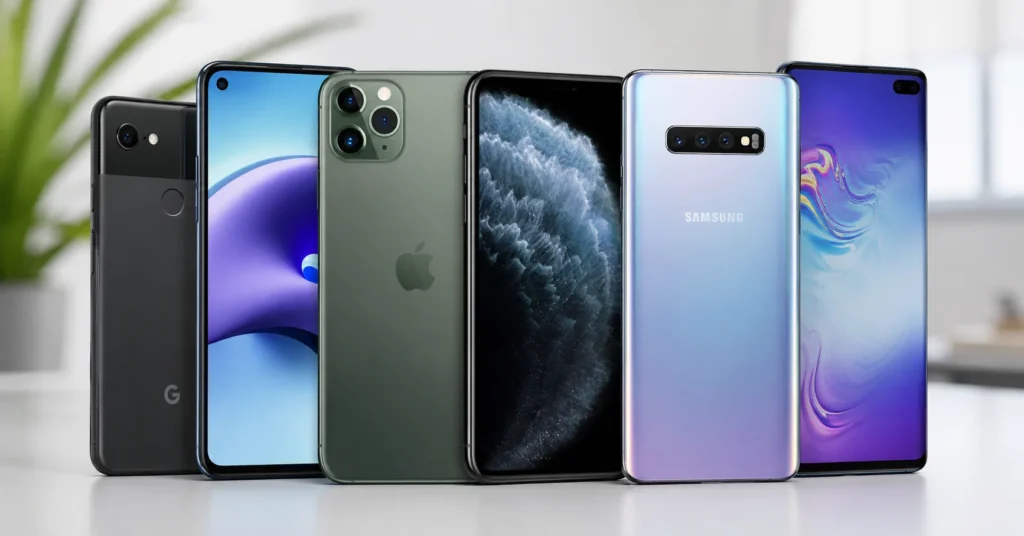
This guide covers free unlock codes, free unlock codes generator, phone unlock codes, SIM unlock codes, network unlock codes, IMEI unlocking, carrier unlocking, Android phones, older cell phones and the major U.S. carriers.
What Are Free Unlock Codes?
Free unlock codes are codes or unlocking methods provided without an additional unlocking charge for an eligible carrier-locked phone.
Depending on the phone and carrier, an unlock may happen in several ways:
- The carrier automatically unlocks the phone.
- The carrier provides an unlock code.
- The carrier provides an unlocking application or procedure.
- The carrier processes an IMEI-based unlock request.
- The phone is already unlocked.
For eligible devices, carriers may provide unlocking without an additional fee under their published policies. CTIA’s Consumer Code states that participating carriers will unlock eligible devices according to their postpaid and prepaid unlocking policies and will not charge additional fees when an eligible device reaches the applicable unlocking point.
What Is a Free Unlock Codes Generator?
A free unlock codes generator is a tool advertised as software or an online service that calculates or provides a phone unlock code.
Older mobile phones sometimes used code-based network unlocking systems where a specific unlock code could be entered directly into the handset.
Modern smartphones increasingly use carrier-controlled or remote unlocking systems instead.
Therefore, a free unlock codes generator should not be described as a universal tool capable of generating a valid code for every phone.
Is There a Universal Free Unlock Code?
No.
There is no universal free unlock code that works on every cell phone.
An unlock code may depend on:
- Phone manufacturer
- Exact model
- IMEI
- Original carrier
- Country
- Network technology
- Prepaid or postpaid status
- Account status
- Payment or financing status
- Whether the device has been reported lost or stolen
For example, Motorola’s support documentation explains that carrier-locked phones can request a subsidy password or unlock code, but that the original carrier is the party responsible for unlocking the phone.
How Do Free Phone Unlock Codes Work?
Older phones may request a network unlock code when a SIM card from another carrier is inserted.
A typical process looks like this:
- Insert a SIM card from another carrier.
- Check whether the phone displays an unlock request.
- Identify the original carrier.
- Find the phone’s IMEI.
- Check the carrier’s unlock eligibility.
- Request the unlock from the carrier.
- Enter the supplied code if the device requires one.
Not every modern smartphone uses a manually entered code. Some carriers can unlock eligible devices remotely or automatically.
How to Find Your Phone’s IMEI
The IMEI is a unique identifier associated with a cellular device.
On many phones, you can display it by entering:
*#06#
The IMEI may also be printed on the original packaging, SIM tray or device label, depending on the model.
Keep your IMEI private and provide it only to a trusted carrier or legitimate service.
Can You Get Free Unlock Codes by IMEI?
In some unlocking systems, the IMEI is used by the carrier to identify the exact device and determine whether it qualifies for unlocking.
However, entering an IMEI into a random online generator does not guarantee a valid unlock code.
The IMEI identifies the device; it does not automatically prove account ownership or eligibility.
Free Unlock Codes by IMEI
The search phrase free unlock codes by IMEI is popular because many older phones used IMEI-associated unlock systems.
For legitimate carrier unlocking, the IMEI can be used to locate the device in the carrier’s system.
For example, AT&T’s official device-unlock portal asks users for their mobile number or IMEI when submitting an unlock request.
This demonstrates why the IMEI is useful for unlocking, but it does not mean that every IMEI can be converted into a universal unlock code by an independent generator.
How to Unlock a Phone for Free
If your goal is a free phone unlock, start with the original carrier.
Step 1: Check Whether the Phone Is Already Unlocked
Insert a working SIM from another carrier.
If the phone connects normally, it may already be unlocked.
If it displays a network unlock message or refuses the SIM, continue checking.
Step 2: Identify the Original Carrier
Find out which carrier originally sold or activated the device.
Step 3: Find the IMEI
Dial *#06# or check the device packaging or settings.
Step 4: Check Unlock Eligibility
Use the carrier’s official unlocking process.
Step 5: Request the Unlock
If the phone qualifies, the carrier may unlock it automatically, provide a code, or give you instructions.
Step 6: Test Another SIM
After unlocking, insert another carrier’s SIM and confirm that the phone connects to the network.
Free Unlock Codes for Android Phones
Android phones use different unlocking systems depending on the manufacturer, model and carrier.
Some older Android devices may display an unlock-code request after inserting another SIM.
Newer Android phones may instead use carrier-controlled remote unlocking.
This means that a free unlock codes generator for Android cannot be expected to work universally.
Free Unlock Codes for Samsung Phones
Samsung phones sold through carriers can be subject to network restrictions.
If your Samsung phone is locked, identify the original carrier and check its current unlocking policy.
Some Samsung devices can be unlocked automatically after meeting the carrier’s requirements.
Free Unlock Codes for Motorola Phones
Motorola’s support documentation explains that if a phone requests a subsidy password when another SIM is inserted, the device may be locked to a particular carrier. Motorola directs users toward the original carrier for unlocking.
Therefore, the carrier is usually more important than finding a generic free code generator.
Free Unlock Codes for LG Phones
Older LG phones frequently used carrier-specific network unlocking systems.
Some models may request an unlock code after inserting another carrier’s SIM.
If you have an older LG device, identify the exact model and original carrier before searching for a free unlock code.
Free Unlock Codes for Nokia Phones
Older Nokia phones are among the devices most commonly associated with manually entered network unlock codes.
Some legacy Nokia models used code-based unlocking systems that are very different from modern smartphone unlocking.
This makes Nokia a particularly important category when researching free unlock codes.
Free Unlock Codes for Windows Phones
Older Windows Phone and Lumia devices can also be associated with carrier-specific unlock codes.
If you have a Lumia that displays a network unlock request, identify the exact model and original carrier.
See our Windows Phone unlock code guide for more information.
Free Unlock Codes for ZTE Phones
ZTE phones sold through carriers can use network-specific unlocking procedures.
If your ZTE asks for a network unlock code, check the original carrier and exact model.
Our ZTE unlock code guide provides additional information about ZTE unlocking.
Free Unlock Codes for Huawei Phones
Older Huawei devices can also appear in searches for unlock codes and unlock-code generators.
The exact method depends on the model, carrier and network-lock system.
See our Huawei unlock code guide for more information.
Free Unlock Codes for BLU Phones
BLU phones have also been sold in carrier-specific configurations.
If a BLU phone requests a network unlock code, identify the original carrier and exact model before looking for a generator.
See our BLU phone unlock code guide.
Free Unlock Codes for iPhones
Modern iPhones generally do not use the same type of manually entered carrier unlock code as many older feature phones.
Carrier unlocking is normally handled by the carrier and can be completed remotely when the device qualifies.
Do not confuse a carrier unlock with iCloud Activation Lock.
For iCloud-related restrictions, see our iCloud unlocker guide.
Free Unlock Codes for Feature Phones
Older feature phones are particularly relevant to searches for free unlock codes generator.
Many older GSM phones used a numeric network unlock code that could be entered directly into the handset.
These devices can include older Nokia, Motorola, Samsung, LG, Alcatel and other models.
Because each manufacturer and carrier can use different systems, the exact model remains important.
Free SIM Unlock Codes
Free SIM unlock codes generally refer to codes that remove a carrier or network restriction so that the phone can accept another compatible SIM.
SIM unlocking should not be confused with:
- SIM PIN
- PUK code
- Screen lock
- Apple Activation Lock
- Google account protection
A network unlock changes which carrier’s SIM can be used. It does not remove a phone’s other security protections.
Free Network Unlock Codes
Free network unlock codes are another common search term for carrier unlocking.
In the United States, participating carriers publish unlocking policies under the CTIA Consumer Code. The code states that postpaid devices can be unlocked after applicable contract or financing requirements are fulfilled, while prepaid devices have separate unlocking provisions.
Individual carrier requirements can differ, so always check the carrier associated with the phone.
Free Carrier Unlock Codes
A carrier unlock code is normally associated with the mobile network that originally locked the device.
The original carrier may provide the unlock code or perform the unlock remotely.
For example, historical AT&T documentation describes providing an unlock code to eligible customers for certain SIM-locked phones.
Modern carrier systems can work differently, so older code-based instructions should not automatically be applied to new smartphones.
Free Unlock Codes for AT&T Phones
AT&T provides an official device-unlock process that uses information such as the phone’s IMEI and associated account details.
Eligibility depends on the device and account circumstances. The official AT&T unlock portal should be used rather than an unknown generator.
Free Unlock Codes for T-Mobile Phones
T-Mobile devices have carrier-specific eligibility requirements.
The FCC’s materials describe T-Mobile requirements including conditions related to activation time, account standing and whether the device is lost, stolen or blocked.
Check T-Mobile’s current device-unlock policy before attempting to use a third-party generator.
Free Unlock Codes for Verizon Phones
Verizon’s unlocking policies have changed over time, and current requirements should always be checked before relying on an old unlock-code article.
The FCC has also recently reviewed Verizon’s device-unlocking rules, following concerns about fraud associated with unlocking policies.
This is another reason not to present old carrier unlocking rules as permanent.
Free Unlock Codes for Cricket Phones
Cricket Wireless has its own device-unlocking requirements.
If your Cricket phone is locked, use Cricket’s current official policy to determine whether the device qualifies.
Do not assume that a free unlock codes generator designed for another carrier will work.
Free Unlock Codes for Metro Phones
Metro by T-Mobile has separate unlocking requirements from T-Mobile’s main postpaid service.
The FCC has documented Metro’s historical prepaid unlocking requirements and noted that its waiting period has changed over time.
Always verify the current requirements before attempting an unlock.
Free Unlock Codes for Boost Mobile Phones
Boost Mobile devices can have their own unlocking requirements.
Check the carrier’s current eligibility rules, especially for prepaid devices.
Free Unlock Codes for Straight Talk Phones
Older Straight Talk phones may be carrier locked depending on how and when they were activated.
The correct unlocking process depends on the device and service history.
Free Unlock Codes for Tracfone Phones
Tracfone and its associated brands can use different unlocking requirements depending on the device and activation history.
If your phone is locked, identify the exact brand and carrier before searching for a generic free unlock code.
Free Unlock Codes for US Cellular Phones
If a US Cellular phone is locked to its original network, check the carrier’s current unlocking policy and device eligibility.
Free Unlock Codes for International Phones
Unlocking requirements differ significantly between countries.
A phone purchased in one country may have different carrier restrictions from the same model sold elsewhere.
When researching an international phone, identify:
- Country of purchase
- Original carrier
- Exact model number
- IMEI
- SIM type
- Current network
Free Unlock Codes and Network Compatibility
Unlocking a phone does not guarantee that it will work perfectly on another carrier.
CTIA specifically explains that unlocking only removes the software restriction preventing activation on another network; it does not automatically make the hardware technologically compatible with every network.
Compatibility can depend on:
- LTE bands
- 5G bands
- 3G support
- VoLTE
- Carrier technology
- Network certification
- eSIM support
Free Unlock Code vs IMEI Check
An IMEI check and a phone unlock are two different things.
An IMEI check can help identify information about a device, while an unlock removes a carrier restriction.
You may want to check the phone before requesting an unlock, especially when purchasing a used device.
See our iPhone IMEI Check Service and IMEI Blacklist Checker guides.
Free Unlock Codes vs IMEI Blacklist
A phone can be carrier locked without being blacklisted.
It can also be unlocked and still have a separate blacklist problem.
An unlock code does not remove an IMEI blacklist.
Always check these issues separately.
Can a Free Unlock Codes Generator Remove a Blacklist?
No.
Network unlocking and IMEI blacklist status are separate systems.
If a website promises to both generate an unlock code and remove a blacklist, verify exactly what service it is providing.
Can a Free Unlock Code Remove Google Lock?
No.
A carrier unlock code does not remove Google account protection or Factory Reset Protection.
These are different security systems.
Can a Free Unlock Code Remove iCloud Activation Lock?
No.
A carrier network unlock code does not remove Apple’s Activation Lock.
For iCloud-related problems, read our iCloud Activation Lock guide.
Free Unlock Codes for Used Phones
Used phones require additional checks before you spend money on an unlocking service.
Before buying a used phone, check:
- Whether it is carrier locked.
- Whether the IMEI is clean.
- Whether the phone is reported lost or stolen.
- Whether an Apple Activation Lock is present.
- Whether Google account protection is active.
- Whether the model supports your network.
A cheap phone is not necessarily a good deal if it cannot be activated on your carrier.
How to Check If Your Phone Is Locked
The easiest test is often to insert a SIM from another carrier.
If the phone connects normally, it may already be unlocked.
If it displays a message such as:
- SIM not supported
- Network locked
- Enter unlock code
- Enter network unlock PIN
- Subsidy password
the phone may still be carrier locked.
What Does “Enter Unlock Code” Mean?
If your phone says Enter unlock code after another SIM is inserted, the device may be requesting a network unlock credential.
This is particularly common with older GSM phones.
Do not guess random codes because some phones limit the number of unsuccessful attempts.
What Is a Network Unlock PIN?
A Network Unlock PIN is a term used by some phones to describe the credential required to remove a carrier restriction.
It is different from:
- SIM PIN
- PUK code
- Screen PIN
- Apple Account password
- Google account password
Understanding the exact message on the phone can help you identify the correct solution.
Free Unlock Codes Generator Online
Searches for free unlock codes generator online are popular because users want an immediate result.
However, an online generator cannot universally know whether a device is eligible for unlocking.
The carrier may need to verify:
- Account status
- Payment status
- Activation history
- IMEI status
- Fraud or theft reports
- Device model
For that reason, the carrier’s official unlock system is generally more reliable than an anonymous online generator.
Free Unlock Codes Generator Download
Be careful when downloading old unlock-code-generator software.
Older programs can be outdated, unsupported or incompatible with modern phones.
Never install an unknown executable simply because it promises a free unlock.
Before using any software, verify:
- Exact supported models
- Supported carriers
- Supported operating systems
- Whether the service is still active
- Whether the source is trustworthy
Why Free Unlock Code Generators May Not Work
A generator may fail for several reasons:
- The phone is not supported.
- The carrier is not supported.
- The phone uses remote unlocking instead of a code.
- The IMEI is not eligible.
- The device has an outstanding balance.
- The device was reported lost or stolen.
- The software is obsolete.
- The generator was never legitimate.
Do Not Guess Unlock Codes
If a phone requests an unlock code, do not repeatedly enter random numbers.
Some devices limit the number of attempts, and repeated incorrect entries can create additional problems.
Obtain the correct unlocking information from the carrier or a trusted source that legitimately supports your exact device.
Free Unlock Codes and Carrier Eligibility
Eligibility is one of the most important parts of phone unlocking.
CTIA’s Consumer Code states that participating carriers generally unlock eligible postpaid devices after applicable contractual or financing requirements are fulfilled, while prepaid devices have separate provisions. It also allows carriers to decline requests when they have a reasonable basis to believe the request is fraudulent or the device is stolen.
This means that an unlock code cannot simply be generated for every IMEI without considering the carrier’s eligibility system.
Why a Paid Unlock May Not Be Necessary
Many people search for a paid unlocking service before checking whether the carrier will unlock the phone for free.
That can be unnecessary.
Always check the original carrier first.
If the device meets the carrier’s requirements, the carrier may unlock it without an additional unlocking charge.
Free Phone Unlock in the USA
For U.S. consumers, carrier unlocking policies vary between networks and can change over time.
The FCC has continued examining mobile-device unlocking requirements, including proposals intended to make unlocking policies more consistent.
The major carriers have their own eligibility rules, so a phone that qualifies for one network may not qualify under another network’s policy.
Free Phone Unlock in Canada
Canada has different rules from the United States.
The CRTC’s current Wireless Code requires devices provided by service providers to customers to be unlocked, and if a device becomes locked, the provider must unlock it or provide the means to unlock it upon request at no charge.
This is another reason why the correct unlocking advice depends on the country where the phone was sold and activated.
Free Unlock Codes for International Travelers
If you are traveling and want to use a local SIM, check whether your phone is carrier unlocked before leaving your home country.
An unlocked phone can make it easier to use another compatible carrier, but compatibility still depends on the device’s supported bands and network technology.
Free Unlock Codes for Dual-SIM Phones
Dual-SIM capability does not automatically mean that every SIM slot is unlocked.
Some devices can support multiple SIMs while remaining carrier restricted.
Test the device with a SIM from another network before assuming it is unlocked.
Free Unlock Codes for eSIM Phones
eSIM phones can also be carrier locked.
The absence of a physical SIM card does not mean that the device is automatically unlocked.
Check the phone’s carrier-lock status and the carrier’s unlocking requirements.
Free Unlock Codes Frequently Asked Questions
What are free unlock codes?
They are unlock credentials or carrier-provided unlocking methods available without an additional unlocking charge when a device qualifies.
What is a free unlock codes generator?
It is a tool advertised as generating phone unlock codes. There is no universal generator that works with every phone and carrier.
Can I unlock my phone for free?
Often, yes, if the phone meets the original carrier’s unlocking requirements.
Can I unlock my phone with the IMEI?
The IMEI can be used by the carrier to identify the device and process an unlock request, but it is not a universal unlock-code generator input.
Is there one free unlock code for all phones?
No. Unlocking depends on the phone, carrier and eligibility.
What is a network unlock code?
It is a credential used by some phones to remove a carrier/network restriction.
What is a Network Unlock PIN?
It is another term some phones use for the credential required to remove a carrier network restriction.
Is a SIM PIN the same as an unlock code?
No. A SIM PIN protects the SIM card, while a network unlock code removes a carrier restriction from the phone.
Is a PUK code an unlock code?
No. A PUK is used to recover a SIM after too many incorrect SIM PIN attempts.
Can an unlock code remove an IMEI blacklist?
No. Carrier unlocking and IMEI blacklist status are separate issues.
Can a phone unlock code remove iCloud Activation Lock?
No. Carrier unlocking and Apple’s Activation Lock are completely different security systems.
Can I use a free unlock generator for an iPhone?
Modern iPhone carrier unlocking is generally handled by the carrier rather than through a universal manually entered code.
Can I use a free unlock generator for Android?
It depends on the model and carrier. Some older Android devices use unlock codes, while newer devices may use remote carrier unlocking.
Can a free unlock generator unlock every Nokia?
No. Older Nokia phones can use different code systems depending on the exact model and network.
Can I unlock a phone that is not paid off?
Usually, carrier eligibility rules must be satisfied first. Financing and outstanding balances can prevent unlocking.
Can a stolen phone be unlocked?
Carriers can refuse unlock requests when there is a reasonable basis to believe the device is stolen or the request is fraudulent.
Does unlocking make my phone compatible with every network?
No. Unlocking removes a carrier restriction but does not automatically add missing network bands or technologies.
Why does my phone still say SIM not supported after unlocking?
The device may still be locked, or it may lack compatibility with the new carrier’s network.
Final Thoughts on Free Unlock Codes
The search terms free unlock codes and free unlock codes generator cover a huge range of phones, from older feature phones that use manually entered codes to modern smartphones that are unlocked remotely by their carrier.
The most important thing is to identify the exact phone, original carrier and unlocking system before trying a code.
A universal generator cannot reliably unlock every phone because carriers use different eligibility rules and unlocking technologies.
If your phone is eligible, the best first option is usually the original carrier. Participating carriers have published unlocking commitments for eligible devices, while individual requirements vary by carrier and device type.
For U.S. phones, check the current carrier policy rather than relying on old unlocking instructions because policies can change. The FCC has continued reviewing handset-unlocking requirements and carrier practices.
For related information, see our Android unlock code guide, Windows Phone unlock code guide, ZTE unlock code guide, Huawei unlock code guide, and BLU phone unlock code guide.
For IMEI information, see our IMEI Blacklist Checker and iPhone IMEI Check Service.
Updated: August 30, 2026