IMEI Blacklist Checker: Check If a Phone Is Blacklisted
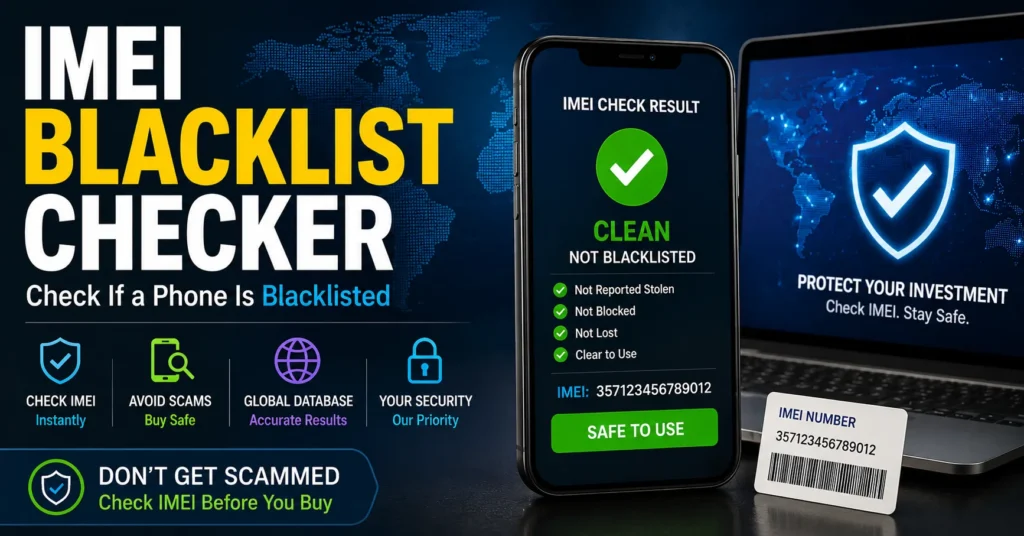
An IMEI Blacklist Checker can help you investigate whether a mobile phone has been reported or restricted by a carrier or device-status system. Checking the IMEI is especially important when buying a used iPhone, Samsung Galaxy, Android phone, or other second-hand mobile device.
A phone can look completely normal and still have a reported or restricted IMEI. It may turn on, connect to Wi-Fi, run apps, and appear to work perfectly while having a problem with cellular network access.
That is why an IMEI blacklist check should be one of the first checks you perform before buying an expensive used smartphone.
In this guide, you will learn what an IMEI blacklist is, how to check an IMEI, what a blacklisted result means, why phones become blacklisted, what to do if your phone is reported, and what you should check before buying a second-hand device.
If you are looking for a broader device check, you can also use our IMEI Number Check Online Tool.
What Is an IMEI Blacklist?
An IMEI blacklist is a device-status system or database used by participating carriers, network operators, and industry organizations to identify mobile devices that have been reported or restricted.
The IMEI is the identifier associated with the mobile device itself. It is different from your phone number, SIM card number, account number, or manufacturer serial number.
When a device is reported under circumstances such as loss, theft, fraud, or certain carrier-related issues, its IMEI may be flagged or restricted in relevant systems.
The exact effect of a blacklist can vary depending on the country, carrier, network, and database being used.
What Is an IMEI Blacklist Checker?
An IMEI Blacklist Checker is an online service or database-based checking system that uses a device’s IMEI to investigate whether the identifier has a reported, blocked, or restricted status.
A blacklist checker is primarily a checking tool. It does not automatically repair the phone, unlock the carrier, or change the IMEI.
This distinction is extremely important.
| Tool or Service | Main Purpose |
|---|---|
| IMEI Blacklist Checker | Investigates whether an IMEI may have a reported or restricted status. |
| IMEI Number Check | Investigates information associated with an IMEI and the device. |
| IMEI Repair Tool | Provides information about legitimate IMEI-related software or firmware problems. |
| Network Unlock Tool | Deals with certain carrier or SIM restrictions. |
| APN Configuration | Configures mobile-data connectivity for a carrier. |
Using the correct tool for the actual problem can save you considerable time when troubleshooting a phone.
Why Should You Check an IMEI Before Buying a Used Phone?
Buying a used smartphone without checking its IMEI can expose you to problems that may not be visible during a quick inspection.
A phone may have a working screen, good battery life, functioning cameras, and a clean-looking body while still having a reported device status.
An IMEI blacklist check gives you another important piece of information before you hand money to the seller.
This is particularly important when buying expensive smartphones such as:
- Apple iPhone
- Samsung Galaxy
- Google Pixel
- Huawei
- Xiaomi
- OnePlus
- Motorola
- Nokia
- Sony Xperia
- Other Android smartphones
How to Find Your IMEI Number
Before you can perform an IMEI blacklist check, you need the correct IMEI number.
On many mobile phones, the quickest method is to open the phone application and enter:
*#06#
On supported devices, the phone should display its IMEI information.
You may also find the IMEI in the phone’s settings or on the original packaging.
| Device | Common IMEI Location |
|---|---|
| Android | Settings → About Phone → IMEI or Device Information |
| Samsung Galaxy | Settings → About Phone |
| iPhone | Settings → General → About |
| Older phones | Device label, battery compartment, or original packaging |
| Dual-SIM phones | The device may display two IMEI numbers |
If your phone has two IMEI numbers, make sure you know which one you are checking.
How to Check If an IMEI Is Blacklisted
The basic process is straightforward, but the quality of the result depends on the database and service performing the check.
Step 1: Find the IMEI
Use *#06#, the device settings, the original packaging, or another manufacturer-supported method to locate the IMEI.
Step 2: Enter the IMEI Carefully
Enter the IMEI exactly as it appears on the device.
An incorrect digit can produce an incorrect or unusable result.
Step 3: Run the IMEI Blacklist Check
Submit the IMEI through the checking service you are using.
Depending on the service and database, the result may include information about reported or restricted status.
Step 4: Understand the Result
Do not assume that every “clean” or “blacklisted” message means exactly the same thing across every service.
Blacklist databases can differ in coverage, participating carriers, countries, update frequency, and the information they provide.
Step 5: Confirm Important Results
If you are buying an expensive used phone and a blacklist result raises concerns, verify the status with the relevant carrier or seller before completing the purchase.
What Does a Clean IMEI Mean?
A clean IMEI generally means that the checking service did not find the device identifier in the relevant blacklist or reported-device database at the time of the check.
However, “clean” should not be interpreted as a guarantee that the phone has no other problems.
A clean IMEI does not automatically prove that:
- The phone is not carrier locked.
- The phone has no activation lock.
- The phone is fully paid off.
- The phone has no hardware damage.
- The phone has never been repaired.
- The phone is compatible with your carrier.
- The seller is the legitimate owner.
An IMEI blacklist check is therefore one part of a complete used-phone inspection.
What Does a Blacklisted IMEI Mean?
A blacklisted IMEI generally means that the device identifier has been reported or restricted in a relevant device-status or carrier database.
Possible reasons can include:
- The phone was reported lost.
- The phone was reported stolen.
- The device was associated with fraud.
- The carrier placed a restriction on the device.
- A financial or account-related issue resulted in a restriction.
- The device was reported through a participating network or organization.
The exact reason cannot always be determined from a third-party blacklist result alone.
If you receive a blacklisted result, contact the relevant carrier, seller, manufacturer, or authorized service provider to determine why the device has been reported.
Can a Blacklisted Phone Still Work?
Yes, a blacklisted phone can still appear to work normally in some situations.
For example, a phone may:
- Turn on normally.
- Connect to Wi-Fi.
- Open applications.
- Take photographs.
- Play videos.
- Use Bluetooth.
- Access the internet over Wi-Fi.
At the same time, the device may have problems connecting to cellular networks where the IMEI restriction is recognized.
This is one reason a visual inspection alone is not enough when purchasing a used smartphone.
What Happens When an IMEI Is Blacklisted?
The effect of a blacklist depends on the carrier, country, network, and the specific restriction.
Possible symptoms include:
| Symptom | Possible Explanation |
|---|---|
| No cellular service | The network may be refusing the device identifier. |
| Emergency calls only | The device may not be permitted normal network registration. |
| SIM works in another phone | The problem may be associated with the device rather than the SIM. |
| Wi-Fi works but mobile data does not | The phone may have a cellular-network or compatibility problem. |
| Calls fail | The device may not be permitted to register normally with the network. |
These symptoms can also be caused by other problems, so they should not be treated as proof of a blacklist by themselves.
Why Is My IMEI Blacklisted?
There are several possible reasons why a device identifier may appear as reported or restricted.
Lost or Stolen Phone
One of the most common reasons for an IMEI-related restriction is that the device was reported lost or stolen.
When a legitimate owner reports a device, the carrier or relevant organization may add the device identifier to a blacklist or another restriction system.
Fraud or Suspicious Activity
Some devices can become associated with fraud or other account-related problems.
The exact reason depends on the carrier and circumstances.
Financial or Contract-Related Problems
Some carrier policies can result in restrictions related to unpaid balances, financing, or other account issues.
Because policies differ, the carrier is the best source for determining the reason for a specific restriction.
Incorrect or Conflicting Device Information
In some cases, an IMEI problem can be related to software, firmware, device repair, or incorrect device information rather than an actual theft report.
If your phone suddenly displays an invalid, unknown, or missing IMEI, read our IMEI Fix Tool guide before assuming that the phone has been blacklisted.
Can an IMEI Blacklist Checker Remove a Blacklist?
No. An IMEI blacklist checker is designed to check device status, not remove a legitimate blacklist.
This distinction is extremely important.
A website or application claiming that you can simply enter a blacklisted IMEI into a checker and receive a “new clean IMEI” should be treated with extreme caution.
A legitimate blacklist check does not require you to replace the phone’s original IMEI.
If your device has been legitimately reported or restricted, the appropriate solution is to contact the carrier, seller, manufacturer, or other relevant party and resolve the underlying issue.
Can You Change a Blacklisted IMEI?
Changing an IMEI is not the same thing as resolving a blacklist report.
An IMEI is a device identifier, and attempting to modify it to conceal the identity of a reported device, bypass a blacklist, defeat a carrier restriction, or evade security controls can create legal and technical problems depending on your country and circumstances.
If your phone has an incorrect or missing IMEI because of a legitimate software or hardware repair problem, the appropriate objective is to restore the device’s original identification information through an authorized or professional repair process.
For more information about legitimate IMEI-related troubleshooting, see our IMEI Fix Tool guide.
IMEI Blacklist Checker vs IMEI Checker
An IMEI blacklist checker and a general IMEI checker are related but are not necessarily the same service.
| Check Type | What It Is Used For |
|---|---|
| IMEI Blacklist Check | Investigating reported or restricted device status. |
| IMEI Number Check | Investigating information associated with the device identifier. |
| IMEI Lookup | Looking up available information associated with an IMEI. |
| Carrier Check | Investigating carrier-related information or restrictions. |
| Warranty Check | Investigating manufacturer warranty information where available. |
If you want broader IMEI information rather than specifically checking blacklist status, visit our IMEI Number Check Online Tool.
Does a Blacklist Check Work Worldwide?
Not every IMEI blacklist checker has worldwide coverage.
This is an important limitation that many generic websites fail to explain.
Blacklist information can depend on:
- Country
- Carrier
- Network operator
- Database coverage
- Reporting organization
- Database update frequency
- Device type
A phone can therefore produce different results from different services.
If the phone is expensive or you are uncertain about the result, use the IMEI check as an initial screening step and confirm important information with the relevant carrier.
How Accurate Is an IMEI Blacklist Check?
An IMEI blacklist check can be very useful, but no third-party checker should be presented as an absolute guarantee for every country and carrier.
The accuracy depends on the database being queried and how frequently the information is updated.
For this reason, consider the following result categories carefully:
| Result | What You Should Do |
|---|---|
| Clean | Continue checking the phone’s other important features. |
| Blacklisted | Do not purchase until the reason is investigated and resolved. |
| Unknown | Try another reputable check or contact the carrier. |
| Inconclusive | Verify the device directly with the relevant network provider. |
Should You Buy a Phone With a Blacklisted IMEI?
In most cases, you should avoid purchasing a phone with a blacklisted IMEI unless the seller can resolve and verify the issue before you pay.
A very low price does not necessarily make a blacklisted phone a good deal.
Before buying, ask the seller to demonstrate:
- The phone’s IMEI.
- The current network status.
- That the SIM card works.
- That calls work where applicable.
- That mobile data works.
- That the device is not activation locked.
- That the seller can provide legitimate ownership information.
Never rely solely on screenshots provided by the seller.
How to Check a Used Phone Before Buying
An IMEI blacklist check should be part of a larger inspection.
Check the IMEI
Confirm that the IMEI shown by the phone matches the IMEI on the box or other original documentation where applicable.
Check the Blacklist Status
Use an appropriate IMEI blacklist checking service and investigate any negative or inconclusive result.
Check the SIM and Network
Insert a working SIM and confirm that the phone can connect to the appropriate network.
Check Activation or Account Locks
Make sure the previous owner’s account has been properly removed from the device before purchasing it.
Check the Hardware
Inspect the display, cameras, speakers, microphones, charging port, buttons, battery condition, and physical frame.
Check Carrier Compatibility
Even a clean IMEI does not guarantee compatibility with every carrier.
Check the phone’s supported network bands and the requirements of your carrier.
What If You Bought a Phone With a Blacklisted IMEI?
If you discover that a phone you purchased has a blacklisted IMEI, do not immediately attempt to change the device identifier.
Instead:
- Save your purchase receipt and communication with the seller.
- Confirm the IMEI displayed by the device.
- Run the check again using a reputable service.
- Contact the seller and request an explanation.
- Ask the original carrier whether they can explain the restriction.
- Request a refund if the seller misrepresented the device.
- Use the appropriate marketplace or payment-provider dispute process if necessary.
If the phone was reported lost or stolen, do not attempt to conceal its identity. Resolve the matter through the appropriate carrier, seller, manufacturer, or legal channel.
What If My IMEI Is Clean but I Still Have No Service?
A clean IMEI does not guarantee that your phone will connect to a mobile network.
If the IMEI is clean but you have no service, investigate other possible causes.
| Possible Cause | What to Check |
|---|---|
| SIM problem | Test the SIM in another compatible phone. |
| Carrier lock | Check whether the phone is locked to another carrier. |
| Network compatibility | Check supported frequencies and network technologies. |
| APN settings | Verify the carrier’s official APN configuration. |
| Coverage | Test the phone in an area with known network coverage. |
| Software problem | Check whether the problem began after an update or firmware change. |
| Hardware problem | Professional diagnosis may be necessary. |
If the IMEI itself is missing or invalid, read our IMEI Fix Tool guide for information about diagnosing IMEI-related problems.
IMEI Blacklist Check for Android Phones
Android phones from Samsung, Xiaomi, Huawei, Motorola, OnePlus, Google, Nokia, Sony, and other manufacturers can be checked using their IMEI information.
The exact location of the IMEI can differ between manufacturers and Android versions.
On many Android devices, you can find it under:
Settings → About Phone → IMEI
You can also try *#06# on supported devices.
If your Android phone does not display an IMEI, do not automatically assume it is blacklisted. A missing IMEI is a different problem and can be related to software, firmware, configuration, hardware, or repair history.
Read our detailed guide to what to do if an IMEI is not showing on Android.
IMEI Blacklist Check for iPhone
The IMEI is also useful when checking a used iPhone.
On an iPhone, you can normally find the IMEI under:
Settings → General → About
When purchasing a second-hand iPhone, do not rely on the IMEI blacklist result alone.
Also check:
- Activation status
- Apple account status
- Carrier compatibility
- Physical condition
- Battery condition
- Camera functionality
- Face ID or Touch ID
- Charging
- SIM functionality
IMEI Blacklist vs Carrier Lock
A blacklist and a carrier lock are not the same thing.
A carrier lock restricts a phone to a particular network or carrier.
An IMEI blacklist is a device-status restriction that can prevent a device from being accepted by participating networks.
| Restriction | Meaning |
|---|---|
| Carrier/SIM Lock | The phone may be restricted to a particular carrier. |
| IMEI Blacklist | The device identifier may be reported or restricted. |
| Activation Lock | The device may remain associated with a previous owner’s account. |
| Network Compatibility | The device may not support the carrier’s required network bands. |
One restriction cannot automatically be solved by a tool designed for another.
Can an IMEI Blacklist Be Removed?
A blacklist status is normally resolved through the organization that placed or manages the restriction, rather than by changing the phone’s IMEI.
For example, if a device was reported lost or stolen, the legitimate owner or carrier may need to resolve the report.
If the restriction is related to an account, financing, or carrier matter, the relevant carrier may need to address it.
If you purchased a blacklisted phone from someone else, your first step should generally be to contact the seller and request a refund or resolution.
Do not treat IMEI modification as a legitimate blacklist-removal method.
How to Avoid Buying a Blacklisted Phone
The easiest blacklist problem to solve is the one you avoid before purchasing the phone.
Before paying for a used smartphone:
- Ask for the IMEI.
- Verify that the IMEI displayed by the device matches the seller’s information.
- Run an IMEI check.
- Check blacklist status.
- Test a working SIM.
- Check mobile data.
- Check activation/account status.
- Inspect the hardware.
- Verify ownership information.
- Keep proof of purchase.
If the seller refuses to let you check the IMEI before purchase, consider walking away from the transaction.
Frequently Asked Questions About IMEI Blacklist Checkers
What is an IMEI blacklist checker?
An IMEI blacklist checker is a service used to investigate whether a mobile device’s IMEI has been reported or restricted in a relevant blacklist or device-status database.
How do I check if my IMEI is blacklisted?
Find your IMEI using *#06# or your phone’s settings and submit the number to a reputable IMEI blacklist checking service. If the result is important, confirm it with the relevant carrier.
Is an IMEI blacklist check free?
Some IMEI checking services offer free checks, while others charge for additional information. The information and database coverage can vary significantly between services.
What does a blacklisted IMEI mean?
It generally means that the device identifier has been reported or restricted in a relevant carrier or device-status database. The exact reason should be confirmed with the appropriate carrier or organization.
Can a blacklisted phone use Wi-Fi?
Yes. A blacklist-related cellular restriction does not necessarily prevent the phone from connecting to Wi-Fi or using applications that do not require cellular service.
Can a blacklisted phone make calls?
It may not be able to make normal cellular calls on networks that enforce the relevant restriction. The exact behavior depends on the carrier and country.
Can a blacklist checker remove a blacklisted IMEI?
No. A blacklist checker is used to investigate device status. It should not be presented as a tool for replacing or disguising a device’s original IMEI.
Does a clean IMEI mean the phone is safe to buy?
Not necessarily. A clean IMEI is useful information, but you should also check activation status, carrier compatibility, ownership, hardware condition, battery health, and other important factors.
Can an IMEI blacklist result be wrong?
Results can vary because different services may use different databases, carriers, countries, and update schedules. Important results should be confirmed with the relevant carrier.
Why is my phone blacklisted even though I bought it legally?
The device may have been reported by a previous owner, seller, carrier, or another party. Contact the seller and the relevant carrier to determine the reason for the restriction.
Can I remove a blacklist by changing the IMEI?
Changing an IMEI is not the legitimate way to resolve a blacklist report. If a device has been incorrectly reported or has an issue following legitimate repair, resolve the matter with the appropriate carrier, seller, manufacturer, or authorized service provider.
Is IMEI the same as a phone number?
No. The IMEI identifies the mobile device, while the phone number identifies the mobile service or subscriber.
Is IMEI the same as a serial number?
No. The IMEI is a cellular-device identifier, while the manufacturer assigns the serial number for product identification and service purposes.
What should I do if my IMEI is not showing?
First identify your exact phone model and determine when the IMEI disappeared. Software, firmware, configuration, hardware, and repair problems can all cause IMEI-related issues. Read our IMEI Fix Tool guide and our Android IMEI troubleshooting guide for more information.
Final Thoughts
An IMEI Blacklist Checker is one of the most useful tools to consider when researching a used smartphone or investigating unexpected cellular-network problems.
The IMEI can help you investigate whether a device may have a reported or restricted status, but the result should always be interpreted in context.
Remember that a blacklist check is not the same as an IMEI repair, carrier unlock, activation-lock check, or general phone inspection.
If you are buying a used phone, check the IMEI before paying, test the SIM and network connection, verify ownership and activation status, inspect the hardware, and keep proof of purchase.
If you want to perform a broader IMEI check, visit our IMEI Number Check Online Tool.
If your phone has a missing or invalid IMEI, read our IMEI Fix Tool guide.
If your Android phone does not display its IMEI, see our guide to fixing an IMEI that is not showing on Android.
The most important rule is simple: check the device before you buy it, investigate a negative result before spending money, and resolve legitimate blacklist problems through the appropriate carrier or seller rather than attempting to change the device’s identity.
Updated: August 29, 2026