IMEI Repair Tool: How to Fix Invalid, Null or Missing IMEI
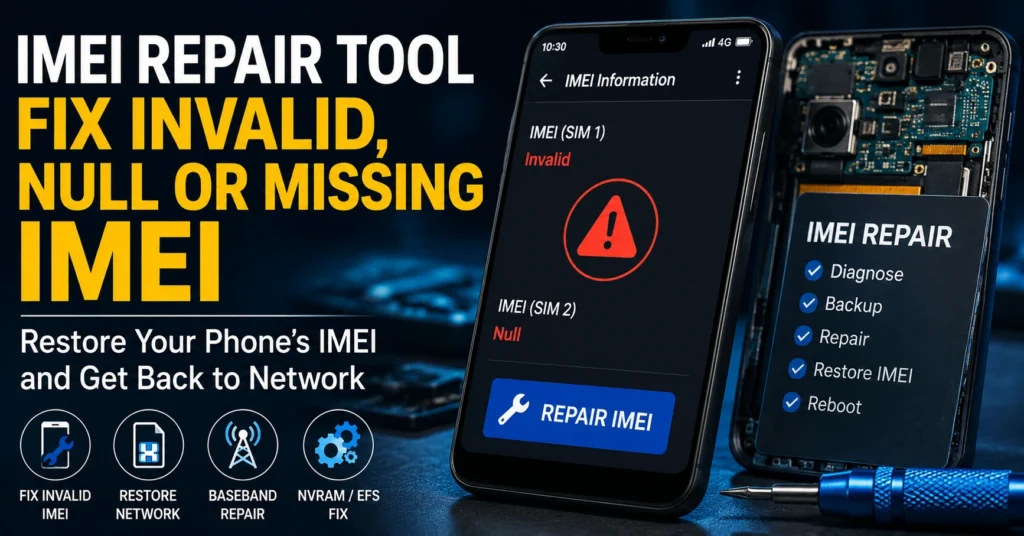
An IMEI repair tool is software or a professional mobile-service solution designed to diagnose or restore problems involving a phone’s IMEI and related radio or device-identification data.
If your Android phone suddenly shows “Invalid IMEI,” “IMEI Unknown,” “Null IMEI,” “No IMEI,” or the IMEI disappears after a firmware update, software repair, factory reset, or unsuccessful flashing operation, the problem may be related to the phone’s modem, firmware, calibration data, or protected device partitions.
The correct repair method depends heavily on the exact phone model, chipset, firmware version, and cause of the problem.
One important point should be made clear from the beginning:
IMEI repair should mean restoring the device’s legitimate original IMEI or correcting a genuine device-identification problem. It should not mean creating an unrelated IMEI, cloning another phone’s IMEI, bypassing a blacklist, or disguising a stolen or restricted device.
This guide explains what an IMEI repair tool does, why an IMEI can disappear, how to diagnose the problem, which types of Android devices can be affected, what NVRAM, NVDATA and EFS have to do with IMEI problems, and when professional repair is the safest option.
What Is an IMEI Repair Tool?
An IMEI repair tool is a mobile-service utility used to diagnose or restore certain IMEI-related problems.
Depending on the software and device, an IMEI repair environment may interact with areas of the phone associated with:
- Modem configuration
- Radio calibration
- NVRAM
- NVDATA
- EFS
- NV/QCN data
- Firmware
- Baseband configuration
- Device-identification information
The exact technology differs between manufacturers and chipsets.
A tool designed for one Android platform should not automatically be assumed to work with another.
For example, Qualcomm-based phones and MediaTek-based phones can use very different service architectures, while Samsung devices may rely on protected EFS-related information.
What Does IMEI Repair Actually Mean?
The phrase IMEI repair can mean different things depending on the problem.
A legitimate repair can involve restoring the device’s original identity information after it was damaged or lost during an authorized repair, firmware operation, or software failure.
It can also involve diagnosing a related baseband or modem problem when the IMEI is missing because the phone can no longer correctly access its radio configuration.
It does not simply mean replacing one IMEI with any number you choose.
| Problem | What it may indicate |
|---|---|
| Invalid IMEI | The phone cannot correctly read or validate its device identifier |
| Null IMEI | IMEI information may be missing or inaccessible |
| IMEI Unknown | The operating system cannot properly retrieve the IMEI |
| No IMEI | Device software or protected data may be damaged |
| Baseband Unknown | Possible modem/firmware or hardware-related problem |
| No signal after flashing | Could involve modem, firmware, configuration, or hardware |
| IMEI disappears after repair | Possible software, firmware, or protected-data issue |
The exact cause must be identified before choosing a repair method.
Why Does an Android Phone Lose Its IMEI?
An IMEI normally does not simply disappear for no reason.
Common situations associated with IMEI problems include:
Failed Firmware Flash
Installing incorrect, incomplete, or incompatible firmware can cause problems with modem-related software and device configuration.
This is especially important when firmware from a different model, region, or hardware variant is used.
Interrupted Software Repair
An interrupted flashing or servicing process can leave the device in an inconsistent state.
The phone may still boot normally while important radio functions stop working.
Corrupted NVRAM or NVDATA
On some MediaTek devices, important network and calibration information is associated with areas such as NVRAM and NVDATA.
Damage to these areas can contribute to network or IMEI-related problems.
Damaged EFS Data
Samsung and some other Android devices use protected areas such as EFS for important device and radio information.
Damage to EFS can cause serious connectivity and device-identification problems.
Modem or Baseband Problems
If the baseband software or related hardware is not functioning correctly, the operating system may fail to display the IMEI.
Previous Unauthorized Modification
Previous attempts to modify system or radio information can leave a phone in an unstable state.
If the problem appeared after an earlier modification, identify that history before attempting another repair.
How to Check Whether Your IMEI Is Missing
Before using any repair software, confirm that there really is an IMEI problem.
Use the IMEI Code
On many mobile phones, entering:
*#06#
will display the device’s IMEI information.
If the phone displays a valid IMEI, record it securely.
If it displays:
- Null
- Unknown
- Invalid
- Blank
- 0
- No information
there may be an IMEI-related problem.
Check the Phone Settings
On Android, the IMEI can often be found under a menu similar to:
Settings → About Phone → Status → IMEI
The exact location varies between manufacturers and Android versions.
If the IMEI shown by the dialer and the settings are both missing, the problem may be deeper than a simple settings issue.
For a detailed troubleshooting guide, see:
What To Do If IMEI Is Not Showing On Android
IMEI Repair Tool vs IMEI Checker
These two types of tools have completely different purposes.
An IMEI checker investigates information associated with an IMEI.
An IMEI repair tool is intended for troubleshooting or restoring an IMEI-related device problem.
| Tool | Main purpose |
|---|---|
| IMEI Checker | Check available information about a device |
| IMEI Number Check | Investigate device information |
| IMEI Blacklist Checker | Investigate reported/restricted device status |
| IMEI Repair Tool | Diagnose or restore legitimate IMEI-related problems |
| IMEI Rebuilder | Work with certain IMEI-related repair data |
| Firmware Tool | Install or restore device firmware |
If you simply want to investigate a phone before buying it, you probably do not need an IMEI repair tool.
Start with our IMEI Number Check Online Tool instead.
When Should You Use an IMEI Repair Tool?
An IMEI repair tool is most relevant when you have a genuine device-repair problem.
Examples include:
- IMEI disappeared after a firmware operation
- Phone displays “Invalid IMEI”
- Phone displays “Null IMEI”
- Phone reports “IMEI Unknown”
- Baseband information is missing
- Network connectivity stopped after an authorized repair
- Device radio configuration became corrupted
- A professional technician needs to restore original device information
However, the tool must match the phone.
There is no single repair application that should automatically be considered compatible with every Android device.
Can One IMEI Repair Tool Work on Every Phone?
No.
This is one of the most important corrections to the old version of this page.
Different phones use different:
- Chipsets
- Modem architectures
- Firmware
- Partition structures
- Security mechanisms
- Service modes
- Calibration systems
- Manufacturer-specific protections
A repair method that works on a Qualcomm device may not apply to a MediaTek device.
A method used for one Samsung model should not automatically be used on another Samsung model.
A tool advertised as working with “all devices” should therefore be treated with caution unless its actual supported models and functions are clearly documented.
IMEI Repair on Qualcomm Android Phones
Qualcomm-powered Android phones can have IMEI-related problems involving NV data, QCN-related information, modem configuration, or other device-specific service data.
Professional repair tools may provide functions for reading, backing up, restoring, or repairing supported Qualcomm device data.
However, the exact procedure depends on:
- Qualcomm chipset
- Phone model
- Firmware
- Security level
- Diagnostic/service access
- Original device data
- Repair environment
QCN and IMEI Repair
QCN files are associated with Qualcomm device configuration and calibration data.
Some repair environments use QCN-related information when troubleshooting supported Qualcomm phones.
The most important principle is that any restoration should use the correct original device information.
Do not use another person’s device identity or a random QCN simply because it appears to belong to the same phone model.
IMEI Repair on MediaTek Android Phones
MediaTek devices use a different architecture from Qualcomm phones.
Depending on the device and firmware, IMEI and network-related information may involve areas such as:
- NVRAM
- NVDATA
- Modem configuration
- Calibration information
- Firmware components
A damaged NVRAM/NVDATA configuration can contribute to network and IMEI problems.
MediaTek IMEI Problems After Flashing
If your MediaTek phone lost its IMEI after flashing firmware, first determine whether the correct firmware was installed.
Check:
- Exact model number
- Hardware variant
- Region
- Firmware version
- Baseband status
- IMEI display
- Network behavior
Do not immediately assume that the IMEI itself is the only problem.
A firmware or modem issue may be causing the IMEI display failure.
IMEI Repair on Samsung Phones
Samsung devices can require particularly careful handling because important device and radio information can be associated with protected EFS data.
If a Samsung phone has an IMEI problem after flashing, repairing the wrong partition or using incompatible firmware can make the situation worse.
Before attempting advanced repair, identify:
- Exact Samsung model
- Model variant
- Region/CSC
- Android version
- Firmware version
- Baseband version
- IMEI status
- Whether EFS information is available
- What happened immediately before the problem appeared
If you have a Samsung device, our Samsung IMEI resources can provide additional model-specific information.
What Is EFS and Why Is It Important?
EFS is a protected area used on certain mobile devices to store important device and radio-related information.
Depending on the device, EFS can contain information required for proper cellular operation.
Because of this, professional technicians generally treat EFS operations very carefully.
Why Should EFS Be Backed Up?
If a legitimate repair workflow provides an appropriate backup mechanism, preserving the original device data before making changes can be extremely valuable.
A valid backup can potentially help a technician restore the device if a repair operation fails.
Never assume that an EFS backup from another phone can safely be used on your device.
What Is NVRAM?
NVRAM is non-volatile memory used on some device platforms to retain configuration and calibration information.
On supported MediaTek devices, problems involving NVRAM can contribute to network-related errors.
A phone may therefore have an IMEI-related problem that is actually connected to damaged or missing configuration data.
This is why diagnosing the entire radio subsystem is often more useful than simply focusing on the number displayed by *#06#.
What Is NVDATA?
NVDATA is another area associated with device configuration and network-related information on certain Android platforms.
The exact implementation varies between devices and firmware.
If NVDATA or related modem information becomes corrupted, the phone can experience:
- Network problems
- Missing device information
- Baseband errors
- Invalid IMEI symptoms
- Connectivity failures
The appropriate repair depends on the exact model and firmware.
What Is Baseband Unknown?
Baseband Unknown is a particularly important symptom.
The baseband component is involved in the phone’s cellular communications.
If Android displays “Baseband Unknown,” the problem may involve:
- Modem firmware
- Firmware mismatch
- Corrupted system components
- Radio configuration
- Hardware failure
- Previous unsuccessful flashing
If Baseband Unknown appears together with a missing IMEI and no cellular signal, treat the problem as a broader modem or firmware issue rather than simply trying to write an IMEI.
IMEI Repair Tool Troubleshooting Checklist
Before attempting any advanced repair, record the current condition of the phone.
| Check | What to record |
|---|---|
| Model | Exact model number |
| IMEI | Current IMEI status |
| Baseband | Version or “Unknown” |
| Android | Android version |
| Firmware | Current firmware/build |
| Network | Signal/no signal |
| SIM | Detected/not detected |
| Wi-Fi | Working/not working |
| Bluetooth | Working/not working |
| Recent changes | Update, flashing, repair, reset |
| Original IMEI | Available from box/documentation? |
This information can dramatically improve the chances of identifying the real problem.
How to Approach a Missing IMEI Safely
If the phone originally belonged to you and its IMEI disappeared after a legitimate software or hardware repair, the safest approach is to restore the original device identity through an appropriate repair process.
Step 1: Record the Original IMEI
If the original IMEI is printed on the retail box, receipt, service documentation, or another legitimate record, keep it available.
Step 2: Identify the Exact Device
Record the complete model number rather than just the commercial name.
For example, “Galaxy S-series” is not enough information for an advanced repair.
The exact model and regional variant matter.
Step 3: Determine What Changed
Ask what happened immediately before the IMEI disappeared.
Was there:
- Firmware flashing?
- A software update?
- A failed repair?
- Motherboard replacement?
- Factory reset?
- Custom ROM installation?
- Water or physical damage?
- Modem/baseband failure?
This history can point toward the actual cause.
Step 4: Check Baseband Information
Look at the phone’s baseband information.
If it is also missing or displays “Unknown,” the problem may be broader than the IMEI.
Step 5: Use Appropriate Manufacturer or Professional Repair Procedures
If the device requires protected radio-data repair, use an authorized service center or a professional technician familiar with the exact model.
This is safer than applying a generic tool designed for a different platform.
Can an IMEI Repair Tool Restore the Original IMEI?
In some legitimate repair situations, appropriate service software or professional equipment can restore the device’s original IMEI-related information.
Whether that is possible depends on:
- Device model
- Chipset
- Firmware
- Hardware condition
- Availability of original device information
- Damage to protected partitions
- Manufacturer/service restrictions
A generic download cannot guarantee successful restoration on every phone.
Can an IMEI Repair Tool Fix No Signal?
Sometimes an IMEI problem and a no-signal problem occur together.
However, no signal does not automatically mean that the IMEI needs repair.
Other causes include:
- SIM card problems
- Carrier outage
- Antenna damage
- Modem failure
- Baseband failure
- Incorrect firmware
- Network compatibility
- Hardware damage
- Carrier restrictions
If the IMEI is valid but the phone still has no signal, investigate the other possible causes.
IMEI Repair Tool vs Firmware Repair
These should not be treated as the same operation.
Firmware Repair
Firmware repair restores or replaces software components required for the phone to operate.
IMEI Repair
IMEI repair addresses problems involving the device’s legitimate identifier and related configuration.
Modem Repair
Modem repair addresses cellular-radio software or configuration.
Hardware Repair
Hardware repair addresses physical components such as the motherboard, modem, antenna, or related circuitry.
A phone can require one of these solutions or a combination of them.
Can Factory Reset Fix an Invalid IMEI?
A factory reset normally does not provide a reliable solution for a missing or invalid IMEI.
If the problem is caused by damaged firmware, modem configuration, protected device data, or hardware, resetting user data is unlikely to restore the missing information.
A factory reset should therefore not be your first response to an IMEI problem.
Should You Flash Firmware to Fix IMEI?
Firmware restoration can sometimes be part of a legitimate repair, particularly when the problem started after a failed or incorrect firmware operation.
However, flashing firmware carries risks.
The firmware must match the exact device and variant.
Incorrect firmware can result in:
- Boot loops
- No network
- Baseband problems
- Additional software corruption
- Loss of device functionality
If you do not know the exact cause of the problem, professional diagnosis is safer than repeatedly flashing different firmware packages.
What Information Should You Have Before Repair?
Before taking the phone to a technician, gather as much legitimate device information as possible.
Keep:
- Exact model number
- Original IMEI
- Serial number
- Original box
- Purchase receipt
- Firmware version
- Android version
- Baseband version
- Error messages
- Description of what happened before the problem
- Previous repair information
This information can help the technician determine whether the issue is software, firmware, configuration, or hardware related.
Is IMEI Repair Legal?
IMEI-related laws vary by country.
The important distinction is between restoring a device’s legitimate original identity after a genuine repair problem and changing an IMEI to disguise a device or bypass restrictions.
Do not use IMEI repair or modification tools to:
- Hide a stolen phone
- Bypass an IMEI blacklist
- Conceal device ownership
- Clone another device’s IMEI
- Evade carrier restrictions
- Defeat law-enforcement or security controls
If a phone is legitimately yours and its IMEI was damaged or lost during repair, use an authorized repair process whenever possible.
Can IMEI Repair Remove a Blacklist?
An IMEI repair tool should not be treated as a legitimate blacklist-removal tool.
A blacklist is a device-status restriction.
If a phone was incorrectly reported or the status needs to be corrected, the appropriate organization—normally the carrier, seller, manufacturer, insurer, or relevant authority—should handle the status.
Changing an IMEI does not legitimately prove ownership or resolve the underlying reason for a blacklist.
For more information, see our IMEI Blacklist Checker guide.
Can IMEI Repair Remove a Stolen-Phone Status?
No legitimate repair process should be used to disguise a stolen or unauthorized device.
If a device has been reported stolen, the appropriate resolution must come from the legitimate owner and the organization that recorded the report.
An IMEI is intended to identify the device, not provide a way to bypass its history.
Common IMEI Repair Tool Mistakes
Using the Wrong Tool for the Chipset
A Qualcomm tool should not automatically be used on a MediaTek phone, and vice versa.
Using Firmware From Another Model
Similar-looking phones can have completely different hardware configurations.
Using Another Phone’s IMEI
Do not replace your device’s identity with another person’s device identifier.
Using Another Phone’s Backup
EFS, QCN, NVRAM, NVDATA, and similar data can be device-specific.
Ignoring Baseband Problems
If the baseband is unknown, investigate the modem/firmware system instead of focusing only on the IMEI.
Repeating Failed Repairs
Every additional modification can make diagnosis harder.
If the first repair attempt failed, stop and identify the cause rather than repeatedly trying unrelated tools.
Trusting “Works on All Devices” Claims
There is no good reason to assume that one generic IMEI repair program will safely support every Android device.
IMEI Repair Tool Quick Reference
| Situation | Recommended starting point |
|---|---|
| IMEI is visible and valid | No IMEI repair may be necessary |
| IMEI says Invalid | Diagnose software, firmware and device configuration |
| IMEI says Null | Check modem/device data and repair history |
| IMEI says Unknown | Check baseband and firmware status |
| Baseband says Unknown | Investigate modem/firmware/hardware |
| No signal but IMEI is valid | Check SIM, network, modem, antenna and compatibility |
| IMEI disappeared after flashing | Investigate firmware and protected device data |
| Samsung EFS problem suspected | Use model-specific professional repair |
| Qualcomm device has NV/QCN issue | Use appropriate Qualcomm service workflow |
| MediaTek device has NVRAM/NVDATA issue | Use model-specific service procedures |
| Phone is blacklisted | Contact the relevant carrier/organization |
| Phone is stolen | Report it; do not attempt to alter its identity |
| Buying a used phone | Check IMEI and device status before purchasing |
Frequently Asked Questions About IMEI Repair Tools
What Is an IMEI Repair Tool?
An IMEI repair tool is software or service equipment used to diagnose or restore certain IMEI-related problems on supported mobile devices.
Can an IMEI Repair Tool Fix Invalid IMEI?
It can sometimes help with legitimate restoration when the problem is caused by software, firmware, or damaged device configuration. The correct solution depends on the exact phone and cause.
What Causes a Null IMEI?
A Null IMEI can be associated with corrupted firmware, modem configuration, protected device data, unsuccessful flashing, or other software or hardware problems.
What Does Invalid IMEI Mean?
Invalid IMEI generally means that the phone cannot correctly read, validate, or use the device identifier.
Why Does My Phone Show IMEI Unknown?
IMEI Unknown can occur when the operating system cannot retrieve the device’s IMEI information correctly. Possible causes include firmware, modem, configuration, or hardware problems.
Can a Factory Reset Restore an IMEI?
A factory reset normally does not restore a missing IMEI because it primarily resets user data and settings rather than repairing damaged modem or protected device information.
Can Firmware Flashing Cause IMEI Problems?
Yes. Incorrect, incomplete, interrupted, or incompatible firmware operations can be associated with IMEI, modem, baseband, or network problems.
What Is NVRAM in IMEI Repair?
NVRAM is non-volatile storage used on some devices for configuration and calibration information. Problems involving NVRAM can contribute to network-related symptoms on supported platforms.
What Is NVDATA?
NVDATA is a device data area used on certain Android platforms for configuration and network-related information. Damage can contribute to IMEI or connectivity problems.
What Is EFS?
EFS is a protected area used on certain mobile devices for important device and radio-related information. Damage to EFS can cause serious cellular and device-identification problems.
Can an IMEI Repair Tool Fix Baseband Unknown?
It depends on the cause. Baseband Unknown can be caused by firmware, modem configuration, software corruption, or hardware problems. An IMEI tool alone may not solve the underlying issue.
Can IMEI Repair Fix No Signal?
Only if the missing or invalid IMEI is actually the cause of the network problem. No signal can have many other causes.
Does Every IMEI Repair Tool Work on Samsung?
No. Compatibility depends on the exact Samsung model, chipset, firmware, security state, and supported service operations.
Does Every IMEI Repair Tool Work on MediaTek?
No. MediaTek devices vary significantly by model, chipset, firmware and security configuration.
Does Every IMEI Repair Tool Work on Qualcomm?
No. Qualcomm devices can have different service requirements depending on model, chipset, firmware, diagnostic access and security configuration.
Can I Use Another Phone’s IMEI?
No. A device should retain its legitimate identity. Do not substitute another phone’s IMEI.
Can I Use Another Phone’s EFS or QCN Backup?
You should not assume that another phone’s device-specific data can safely be used on yours. Device-specific information should be handled by an appropriate professional repair workflow.
Can IMEI Repair Remove a Blacklist?
No legitimate IMEI repair process should be used to bypass a blacklist. If a device is incorrectly reported or its status needs to be corrected, contact the relevant carrier or organization.
Is IMEI Repair Legal?
Laws vary by country. Restoring a device’s legitimate original IMEI after a genuine repair problem is fundamentally different from changing an IMEI to disguise a stolen device or bypass restrictions.
Should I Use a Free IMEI Repair Tool?
Free does not necessarily mean safe or compatible. Before using any tool, verify its source, supported models, purpose, and whether it is appropriate for your exact repair problem.
Should I Repair the IMEI Myself?
If the problem involves protected modem, EFS, NVRAM, NVDATA, or other low-level device data, professional repair is often the safer option—especially when the original device information is available.
What To Do If Your IMEI Is Still Missing
If you have checked *#06# and the phone still shows no valid IMEI, do not immediately install another random repair tool.
Instead:
- Record the exact phone model.
- Check the baseband version.
- Determine what happened immediately before the IMEI disappeared.
- Find the original IMEI from legitimate documentation.
- Check whether the device still has network service.
- Identify whether the problem started after firmware flashing or repair.
- Use an appropriate manufacturer-supported or professional service procedure.
For Android-specific troubleshooting, read:
What To Do If IMEI Is Not Showing On Android
If you are dealing with a Qualcomm device, our IMEI Rebuilder guide may also help you understand the type of problem you are dealing with.
When Professional IMEI Repair Is the Better Choice
Professional repair is strongly worth considering when:
- The phone has no baseband
- EFS may be damaged
- NVRAM/NVDATA may be corrupted
- The motherboard was repaired
- Firmware flashing failed
- The phone is stuck in a service mode
- Multiple repair tools have already been tried
- The original IMEI is available but cannot be restored
- The phone is required for work or important communication
- You are unsure which chipset or firmware the phone uses
A technician can diagnose the device before making additional changes.
That can be much safer than repeatedly experimenting with unrelated software.
Final Thoughts on IMEI Repair Tools
An IMEI repair tool can be useful when a legitimate mobile device develops an IMEI-related problem, but there is no universal solution that safely repairs every phone.
The strongest approach is to diagnose the actual problem first.
If your phone shows Invalid IMEI, Null IMEI, IMEI Unknown, Baseband Unknown, or no network, determine whether the cause is firmware, modem configuration, NVRAM, NVDATA, EFS, hardware, or another device-specific issue.
Keep the original IMEI and device information available, use the correct repair environment for the exact model, and avoid tools that promise to work on every phone or remove blacklists and stolen-device restrictions.
If you are checking a phone rather than repairing it, use our IMEI Number Check Online Tool.
If you are investigating whether a device has a reported status, use our IMEI Blacklist Checker.
If your Android phone has lost its IMEI, read What To Do If IMEI Is Not Showing On Android.
If you are dealing with a supported Qualcomm-related IMEI problem, see our IMEI Rebuilder resource.
The goal of legitimate IMEI repair is simple:
restore the correct device information and return the phone to proper operation—not create a different identity for the device.
Updated: August 27, 2026