IMEI Rebuilder: QCN, Qualcomm IMEI Restoration and Repair Explained
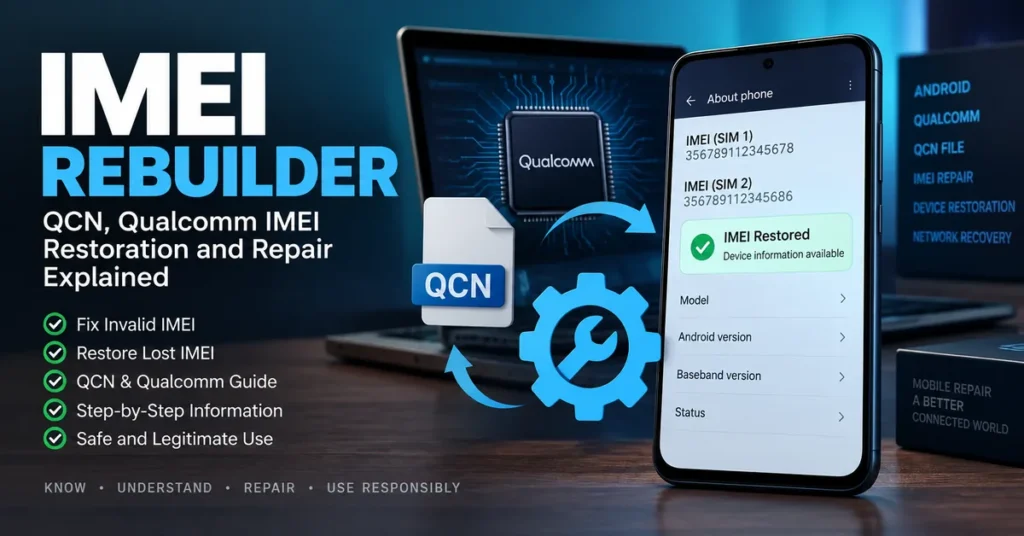
An IMEI rebuilder is a type of mobile-service software or utility associated with rebuilding device configuration data used during legitimate IMEI restoration, particularly on certain Qualcomm-based Android phones. Unlike a general IMEI checker, an IMEI rebuilder is normally discussed in the context of repairing a phone that has lost, corrupted, or no longer correctly reports its original device identity after firmware work, failed flashing, storage problems, or other servicing.
The important distinction is that rebuilding an IMEI-related configuration is not the same as inventing a new identity for a phone. If your device originally had a valid IMEI and that information was damaged during a legitimate repair, the goal should be to restore the device’s original information using the correct service procedure for that exact model.
What Is an IMEI Rebuilder?
The term IMEI rebuilder is most commonly associated with tools used by Android technicians to work with device configuration data when an IMEI-related problem has occurred.
Older utilities in this category were particularly associated with Qualcomm devices and QCN files. QCN files can contain important modem and radio configuration information, which is why they appear frequently in discussions about Qualcomm IMEI restoration.
However, there is no universal IMEI rebuilder that works on every Android phone.
A device’s chipset, model, firmware version, modem configuration, security implementation and previous repair history can all affect what is possible.
This is why downloading a random “universal IMEI rebuilder” is usually a poor starting point.
IMEI Rebuilder vs IMEI Repair Tool
These two terms are closely related, but they should not be treated as identical.
An IMEI rebuilder generally refers to rebuilding or reconstructing relevant device configuration data.
An IMEI repair tool is a broader term covering troubleshooting and restoration of IMEI-related problems.
For example:
| Search term | Main purpose |
|---|---|
| IMEI rebuilder | Rebuilding device configuration associated with IMEI restoration |
| IMEI repair tool | Troubleshooting and restoring IMEI-related problems |
| IMEI checker | Checking an existing IMEI |
| IMEI lookup | Investigating information associated with an IMEI |
| IMEI blacklist checker | Checking reported or restricted device status |
| IMEI changer | Information about IMEI modification and related software |
If your phone currently shows Invalid IMEI, Null IMEI, IMEI Unknown, or a missing IMEI, our IMEI Repair Tool guide is the better general starting point.
If you are researching Qualcomm/QCN rebuilding specifically, this page is the more relevant resource.
Why Would an IMEI Need to Be Rebuilt?
An IMEI problem often appears after something has gone wrong with the phone’s software or radio configuration.
Common situations include:
- Failed firmware installation
- Incorrect firmware flashing
- Damaged modem configuration
- Corrupted device configuration data
- Problems following motherboard or storage repair
- Failed servicing procedures
- Software errors affecting cellular configuration
- A phone that suddenly reports an unknown or missing IMEI
The symptoms can be confusing because the phone may still boot normally.
You may be able to open applications, connect to Wi-Fi and use the camera while cellular functions are unavailable.
A device can therefore look healthy from the outside while having a serious modem or configuration problem underneath.
What Is a QCN File?
QCN is a file format commonly encountered in Qualcomm device servicing.
In technical repair environments, QCN files can contain configuration information associated with the Qualcomm modem and radio subsystem.
This is why QCN files frequently appear alongside searches for:
- Qualcomm IMEI repair
- Qualcomm IMEI rebuilder
- QCN repair
- QCN backup
- QCN restore
- Qualcomm modem configuration
- Android network repair
The exact contents and role of a QCN file can vary according to the device and platform.
A QCN file from one phone should therefore never automatically be treated as a universal configuration file for another phone.
Model compatibility matters.
Why Qualcomm Matters
The original IMEI Rebuilder article on this website focused heavily on Qualcomm devices because QCN-based servicing is associated with Qualcomm platforms. That remains an important part of the subject, but modern Android devices are far too diverse for one utility to be presented as a universal solution.
Different manufacturers can use different:
- Chipsets
- Firmware packages
- Partition layouts
- Modem implementations
- Security mechanisms
- Calibration systems
- Service procedures
A Qualcomm-based phone is not automatically compatible with every Qualcomm service utility.
Even two phones using related Qualcomm hardware may require different firmware or service procedures.
What Happens When an IMEI Becomes Invalid?
An invalid or missing IMEI can affect the phone’s ability to register with a cellular network.
Depending on the device and the underlying problem, you might see messages or symptoms such as:
- Invalid IMEI
- Null IMEI
- IMEI Unknown
- IMEI not available
- No service
- Emergency calls only
- SIM detected but no network
- Cellular network unavailable
- Baseband Unknown
These symptoms do not all have the same cause.
For example, an IMEI problem can exist alongside a baseband problem, but seeing “No Service” does not automatically prove that the IMEI is the cause.
The correct diagnosis should come before attempting advanced repair.
Check the IMEI Before Assuming It Needs Rebuilding
Before looking for an IMEI rebuilder, confirm what the phone actually reports.
On many Android devices, dialing:
*#06#
can display the device’s IMEI information.
You can also look under the phone’s About or device-information settings, although the exact location depends on the manufacturer and Android version.
If the IMEI is displayed normally, there may be no reason to rebuild anything.
You can use our IMEI Number Check Online resource to learn more about checking an existing IMEI.
For broader device information, our IMEI Lookup guide explains how lookup services can be used to investigate a device.
Updated: September 8, 2026
This IMEI Rebuilder guide has been updated to distinguish IMEI restoration and QCN-related troubleshooting from IMEI checking, blacklist checking, carrier unlocking and IMEI modification. The goal is to provide more accurate information for modern Android devices and avoid presenting old QCN utilities as universal solutions.
Can an IMEI Rebuilder Work on Any Android Phone?
No.
This is one of the most important points to understand.
An IMEI rebuilder that was designed for a particular Qualcomm platform should not be assumed to work with:
- MediaTek devices
- Unisoc devices
- Unsupported Qualcomm models
- Different firmware versions
- Different regional variants
- Devices with different modem configurations
The chipset is only one part of compatibility.
The exact model and firmware are equally important.
Before using any servicing software, identify the phone precisely.
Useful information includes:
Manufacturer → model → model number → chipset → Android version → firmware/build → baseband status → current IMEI status
That information can prevent you from applying the wrong repair method.
Qualcomm QCN and IMEI Restoration
QCN-related procedures are generally discussed when a Qualcomm Android device has suffered a configuration problem affecting cellular functionality.
The important concept is restoration of the device’s legitimate configuration rather than assigning an unrelated identity.
If you have a legitimate backup created from the same device before the problem occurred, that can be especially valuable in a professional repair environment.
However, configuration files are not interchangeable simply because two phones have the same brand or similar specifications.
A file belonging to another device can contain device-specific information and should not be treated as a universal repair package.
For that reason, this site does not recommend downloading random QCN files and applying them blindly.
IMEI Rebuilder vs IMEI Changer
The terminology can be confusing because older websites frequently used these terms interchangeably.
They are not necessarily describing the same objective.
An IMEI rebuilder is generally associated with reconstructing or restoring device configuration after an IMEI-related failure.
An IMEI changer is associated with changing or modifying the identifier.
Those are different concepts.
If your phone originally had a valid IMEI and lost it after a firmware problem or legitimate repair, restoring the original device information is a very different situation from attempting to assign a different identifier.
Our IMEI Changer Tool guide explains the broader IMEI changer terminology and why IMEI changing, IMEI checking and IMEI repair should not be treated as the same task.
IMEI Rebuilder vs IMEI Blacklist Checker
An IMEI rebuilder does not tell you whether a phone is blacklisted.
These are completely different questions.
An IMEI rebuilder relates to device configuration and restoration.
An IMEI Blacklist Checker is used to investigate whether an IMEI may have been reported or restricted in a relevant device-status or carrier database.
A phone can have:
- A valid IMEI and a clean status
- A valid IMEI and a reported status
- A missing IMEI
- An invalid IMEI
- A valid IMEI but a separate carrier lock
Fixing one of these conditions does not automatically fix the others.
Can Rebuilding an IMEI Remove a Blacklist?
No.
An IMEI rebuilder should not be treated as a blacklist-removal tool.
A blacklist is a device-status issue maintained by relevant carriers, organizations or reporting systems.
If a phone has been reported lost or stolen, the appropriate resolution should come from the organization responsible for the report.
Changing or attempting to disguise a device identifier is not a legitimate method for clearing a stolen-device report.
If you are buying a used phone, check its status before completing the purchase rather than assuming an IMEI tool can solve the problem later.
Can an IMEI Rebuilder Unlock a Carrier-Locked Phone?
No.
IMEI restoration and carrier unlocking are separate processes.
If a phone displays a message such as:
- SIM Network Unlock PIN
- Network Unlock Code
- SIM locked
- Network locked
- Carrier locked
the appropriate solution is to investigate the original carrier’s official unlocking requirements.
Our SIM Network Unlock PIN guide covers the distinction between network unlocking and IMEI-related problems.
An IMEI repair does not automatically remove a carrier restriction.
What If the Phone Still Has No Network After IMEI Repair?
If the IMEI appears normal but the phone still cannot connect to a cellular network, the IMEI may not be the actual cause.
Check the wider picture.
Possible causes include:
Baseband Problems
A damaged or incorrectly installed modem component can prevent cellular communication even when other parts of the phone work.
SIM Problems
A defective SIM, incorrectly seated SIM, inactive account or damaged SIM tray can produce similar symptoms.
Carrier Restrictions
The phone may be locked to a different carrier or may not be compatible with the network.
Network Band Compatibility
A phone imported from another market may support different frequency bands.
Firmware Problems
Incorrect firmware can affect radio functionality.
Hardware Damage
A motherboard, modem, antenna or related component can fail independently of the IMEI.
This is why replacing or rebuilding an IMEI should never be the first response to every “No Service” message.
A Better Diagnostic Order
If an Android phone suddenly loses cellular service, work through the problem logically.
1. Identify the exact device
Record the manufacturer, model number and regional variant.
2. Check the IMEI
Use *#06# or the device settings.
3. Check the baseband information
If the phone reports an unknown baseband, investigate that problem separately.
4. Check the SIM
Test the SIM in another compatible phone if possible.
5. Check network compatibility
Make sure the device supports the carrier’s network bands and technology.
6. Review what happened immediately before the failure
Did the problem begin after:
- A firmware update?
- Factory reset?
- Flashing?
- Motherboard repair?
- Storage repair?
- Software modification?
The timing can provide an important clue.
7. Only then investigate advanced repair
If the evidence points toward damaged device configuration, an appropriate IMEI repair or rebuilding procedure may be relevant.
When an IMEI Rebuilder Is the Wrong Tool
There are many situations where an IMEI rebuilder is not what you need.
You only want to check an IMEI
Use an IMEI checker.
You want device information
Use an IMEI lookup.
You want to check blacklist status
Use an IMEI blacklist checker.
Your phone has a missing or invalid IMEI
Start with IMEI troubleshooting and repair information.
Your phone is carrier locked
Use the carrier’s official unlock process.
Your phone is lost
Use the operating system’s official device-location and security tools and contact your carrier as appropriate.
You are buying a used phone
Check the IMEI, blacklist status, device identity, ownership information and physical condition before purchasing.
Why Old IMEI Rebuilder Downloads Can Be Risky
Many pages advertising IMEI rebuilder software are several years old.
The software may have been created for:
- Older Android releases
- Older Qualcomm platforms
- Specific firmware
- Specific service environments
- Older versions of QPST/QFIL
- Specific phone models
A tool being described as the “latest” version on an old page does not mean it is current today.
There is also a security concern with downloading unknown Windows utilities from file-sharing websites.
Before running any old servicing application, consider:
- Who published it?
- Is the source trustworthy?
- Does it support your exact model?
- Is the software still maintained?
- Does your security software flag it?
- Does it require access to sensitive device information?
- Do you have a legitimate backup?
- Can the device be recovered if the procedure fails?
A tool that promises to repair “every Android phone” should be treated with particular caution.
What Information Should You Have Before IMEI Troubleshooting?
If you are investigating a real device problem, collect as much information as possible before changing anything.
Record:
- Phone manufacturer
- Exact model number
- IMEI or IMEI2, if available
- Android version
- Build number
- Baseband version
- Current network status
- SIM status
- Whether Wi-Fi works
- What happened before the failure
- Whether the phone was recently flashed or repaired
- Whether the motherboard was replaced
- Whether a legitimate device backup exists
This information is often more useful than simply searching for the newest IMEI rebuilder download.
Frequently Asked Questions
What is an IMEI rebuilder?
An IMEI rebuilder is a software or servicing utility associated with rebuilding device configuration relevant to IMEI restoration, particularly on certain Android and Qualcomm platforms.
Is an IMEI rebuilder the same as an IMEI repair tool?
Not exactly. IMEI repair is the broader concept. An IMEI rebuilder generally refers to rebuilding relevant configuration as part of a restoration process.
What is QCN?
QCN is a Qualcomm configuration file format commonly encountered in Qualcomm device servicing and modem-related repair discussions.
Does QCN work on every Android phone?
No. QCN-related tools and procedures are generally associated with compatible Qualcomm devices and cannot be assumed to work on every Android chipset or model.
Can an IMEI rebuilder fix Null IMEI?
It may be relevant to some supported devices, but Null IMEI can have several causes. The exact model, chipset, firmware and underlying problem should be identified first.
Can an IMEI rebuilder fix Invalid IMEI?
It may be part of a legitimate restoration process on supported hardware, but there is no universal procedure that applies to every Android phone.
Can an IMEI rebuilder remove an IMEI blacklist?
No. Blacklist status is separate from IMEI configuration and should be addressed through the relevant carrier or reporting organization.
Can an IMEI rebuilder unlock a carrier?
No. Carrier unlocking is separate from IMEI restoration.
Can an IMEI rebuilder track a phone?
No. IMEI rebuilding is not a location-tracking function.
Should I use a QCN file from another phone?
You should not assume that a QCN file from another device is safe or appropriate. Device-specific configuration can contain information that should not simply be transferred between unrelated phones.
What should I do if my IMEI disappeared after flashing?
First identify the exact model, firmware, chipset and baseband status and determine what changed during the flashing process. Then use an appropriate IMEI repair or professional service procedure rather than experimenting with unrelated tools.
What if the IMEI is correct but there is still no service?
Investigate the SIM, carrier lock, network compatibility, baseband, firmware and hardware. A correct IMEI does not guarantee that every other cellular component is functioning correctly.
Final Thoughts
An IMEI rebuilder belongs to a much narrower part of the mobile-repair world than the phrase “IMEI tool” might suggest.
The most important distinction is between checking an IMEI, looking up an IMEI, repairing a damaged IMEI-related configuration, rebuilding device data, unlocking a carrier, and changing an IMEI. These are different tasks, and using the wrong type of software can make an already difficult device problem worse.
For Qualcomm Android phones, QCN-related terminology remains particularly relevant when discussing modem configuration and legitimate restoration. But compatibility should always be verified against the exact device, chipset and firmware rather than assumed from the brand alone.
If you are diagnosing a phone with an IMEI problem, start with the basics: identify the device, record its current IMEI status, check the baseband, determine what happened before the failure and preserve any legitimate backup you have.
For broader IMEI troubleshooting, see our IMEI Repair Tool.
For checking an existing identifier, use our IMEI Number Check Online.
For investigating device information, see our IMEI Lookup.
For reported or restricted device status, use the IMEI Blacklist Checker.
And for the broader topic of IMEI-related modification software, see our IMEI Changer Tool.
The right repair path starts with the actual problem — not with downloading the first “IMEI rebuilder” that appears in a search result.