IMEI Lookup: IMEI Lookup Tool for Android and iPhone
Looking for an IMEI lookup tool to identify a smartphone, find device information, or investigate a phone before buying it?
An IMEI lookup can help you research information associated with a mobile device using its IMEI number. This can be useful when checking a used smartphone, confirming device information, troubleshooting a phone, or researching an unfamiliar device.
This guide explains what an IMEI lookup is, how to find your IMEI, how IMEI lookup works on Android and iPhone, what information may be available, and how an IMEI lookup differs from an IMEI check, blacklist check and IMEI repair.
What Is an IMEI Lookup?
IMEI lookup means using an IMEI number to retrieve or investigate information associated with a mobile device.
IMEI stands for International Mobile Equipment Identity. It is a device identifier used by cellular networks and other systems to distinguish mobile equipment.
A standard IMEI normally contains 15 digits. Phones supporting multiple cellular connections may display more than one IMEI.
An IMEI lookup does not create a new IMEI. It is primarily an information and identification process.
What Is an IMEI Lookup Tool?
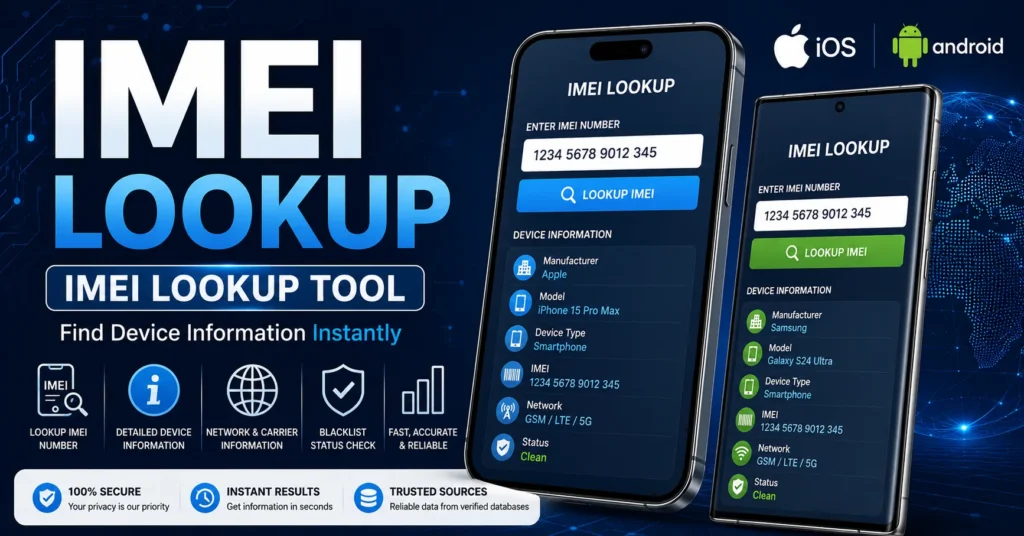
An IMEI lookup tool is a service or application that allows you to enter an IMEI and investigate information associated with that device identifier.
Depending on the service and its available databases, an IMEI lookup may provide information such as:
- Device manufacturer
- Device model
- Device type
- Basic device specifications
- Network-related information
- Device status information
- Carrier-related information
- Blacklist-related information
- Other information available from the specific database
Not every IMEI lookup service provides the same information. Results can vary according to the device, country, carrier, database and service being used.
IMEI Lookup Online
An IMEI lookup online allows you to investigate a device without necessarily connecting the phone directly to a computer.
The usual process is simple:
- Find the IMEI on the phone.
- Enter the IMEI into the appropriate lookup service.
- Submit the number.
- Review the available device information.
- Investigate any information that does not match the phone.
The exact information returned depends on the lookup service.
How to Find an IMEI Number
Before performing an IMEI lookup, you need the correct IMEI number.
There are several ways to find it.
Find IMEI With *#06#
On many compatible phones, opening the phone dialer and entering:
*#06#
will display the device’s IMEI information.
This is one of the quickest ways to locate the IMEI. The exact result can vary depending on the device and cellular configuration.
Find IMEI in Android Settings
On many Android phones, you can find the IMEI under a menu similar to:
Settings → About Phone → Status → IMEI
The exact menu can vary by manufacturer and Android version.
Find IMEI on iPhone
On an iPhone, IMEI information can normally be found under:
Settings → General → About
The exact information displayed can vary by iPhone model and cellular configuration.
Find IMEI on the Original Box
The IMEI may also be printed on the original phone packaging, normally near a barcode or device-information label.
If you are buying a used phone, compare the IMEI shown by the phone with the information on the original packaging whenever possible.
IMEI Lookup for Android
IMEI lookup Android searches generally refer to using an IMEI to identify or investigate an Android smartphone.
Android covers a very large number of manufacturers, including:
- Samsung
- Motorola
- Xiaomi
- OnePlus
- Huawei
- Honor
- Oppo
- Vivo
- Realme
- Nokia
- Sony
- LG
- ZTE
- Asus
The procedure for locating the IMEI can differ between these manufacturers, but the basic purpose of the IMEI remains the same: identifying the cellular device.
IMEI Lookup for iPhone
IMEI lookup iPhone searches are commonly used when identifying an iPhone or researching a used Apple device.
Before buying a used iPhone, an IMEI lookup can be combined with other checks, including:
- Exact iPhone model
- Serial number
- Activation status
- Carrier compatibility
- Ownership information
- Physical condition
- Battery condition
- Blacklist status
An IMEI lookup should be considered one part of the overall inspection rather than a complete ownership or condition check.
What Information Can an IMEI Lookup Provide?
The information available from an IMEI lookup depends on the specific service.
A lookup may provide some combination of:
Manufacturer
The lookup may identify the manufacturer associated with the IMEI.
Model
Some databases can associate an IMEI with a specific phone model or device family.
Device Type
The result may identify the general type of cellular device.
Network Information
Some services may provide information related to network or carrier compatibility.
Device Status
Some services provide additional information about the device’s reported status.
Blacklist Information
Some IMEI services can provide information about reported or restricted device status.
For a dedicated blacklist search, use our IMEI Blacklist Checker.
IMEI Lookup vs IMEI Check
The terms IMEI lookup and IMEI check are often used interchangeably, but they can represent slightly different search intentions.
| Search | Main Intent |
|---|---|
| IMEI lookup | Find or investigate information associated with an IMEI. |
| IMEI check | Verify information or investigate device status. |
| IMEI blacklist check | Investigate whether an IMEI has a reported or restricted status. |
| IMEI repair | Troubleshoot a missing, invalid or incorrect IMEI. |
| IMEI changer | Information about IMEI modification and related tools. |
If you specifically want to check an IMEI number online, visit our IMEI Number Check Online Tool.
IMEI Lookup vs IMEI Number Check Online
These two topics are closely related, but we are keeping them separate on IMEIChanger.net to make each page more useful.
This page focuses on the broader IMEI lookup intent: understanding what an IMEI lookup is, how to find the IMEI, and what information may be associated with it.
Our IMEI Number Check Online page focuses more specifically on checking an IMEI and investigating device information and status.
This separation also makes it easier for visitors to find the resource that matches their exact question.
IMEI Lookup Before Buying a Used Phone
One of the most useful applications of an IMEI lookup is checking a used smartphone before purchasing it.
A phone can look perfectly normal while still having a device-status, carrier or ownership issue.
Before buying a used phone, consider checking:
- IMEI number
- Device model
- Serial number
- Blacklist status
- Carrier compatibility
- Activation status
- Ownership information
- Warranty information
- Physical condition
- Battery condition
- Network functionality
Do not rely on an IMEI lookup alone. A complete used-phone inspection is much more useful.
Why Perform an IMEI Lookup Before Buying?
An IMEI lookup can help you compare the information associated with the device with the phone that the seller is offering.
For example, if a lookup identifies a completely different manufacturer or model from the device you are holding, investigate the discrepancy before purchasing the phone.
If possible, retrieve the IMEI directly from the phone instead of relying only on a number provided by the seller.
What If the IMEI Does Not Match the Phone?
If the IMEI information does not appear to match the device, do not immediately assume that you should change the IMEI.
There can be legitimate explanations, including:
- Previous motherboard replacement
- Previous repair
- Incorrect packaging
- Incorrect documentation
- Device replacement
- Software or configuration problems
Investigate the discrepancy before buying, selling or attempting any advanced repair.
IMEI Lookup and Blacklist Status
Many people perform an IMEI lookup because they want to know whether a used phone may have been reported or restricted.
Blacklist information is separate from basic device identification.
A phone may have recognizable manufacturer and model information while also having a reported or restricted status.
If blacklist status is your main concern, use our dedicated IMEI Blacklist Checker.
What Does a Blacklisted IMEI Mean?
A blacklisted IMEI generally means that the device identifier has been reported or restricted in a relevant carrier or device-status database.
The reason for the status can vary.
Possible circumstances may include:
- Lost device report
- Stolen device report
- Insurance-related report
- Carrier-related restriction
- Other device-status issues
An online lookup does not necessarily explain the complete history behind a reported IMEI.
Can an IMEI Lookup Tell if a Phone Is Stolen?
An IMEI service may return a reported or restricted status when that information is available in its database.
However, an IMEI lookup should not be treated as absolute proof of ownership or as a complete substitute for verifying the seller and the device’s history.
If a used phone appears suspicious, ask for proof of ownership and investigate the device with the relevant carrier or manufacturer.
Can an IMEI Lookup Track a Phone’s Location?
No, an ordinary IMEI lookup does not provide a consumer with the live GPS location of a phone.
The IMEI is a device identifier, not a public location-tracking system.
If your phone is lost or stolen, use the appropriate device-location service provided by your phone’s operating system, contact your carrier and report the loss when appropriate.
Do not rely on websites claiming that entering an IMEI into a public form will reveal the phone’s live location.
IMEI Lookup Does Not Unlock a Phone
An IMEI lookup is an information service. It does not automatically unlock a carrier-locked phone.
If your phone displays a network or SIM lock message, investigate the carrier unlocking process instead.
For SIM-related information, see our SIM Unlock guide.
IMEI Lookup Does Not Remove a Blacklist
An IMEI lookup can help you investigate a blacklist status, but it does not remove that status.
If a device has been reported or restricted, contact the relevant carrier, seller, manufacturer or organization responsible for the report.
Do not treat an IMEI lookup as a blacklist-removal service.
IMEI Lookup Does Not Change an IMEI
This distinction is especially important.
Looking up an IMEI does not create, generate or replace an IMEI.
The purpose of a lookup is to investigate information associated with an existing device identifier.
If you are researching IMEI modification terminology, visit our main IMEI Changer Tool resource.
What If My Phone Has No IMEI?
If the phone does not display an IMEI, you have a different problem from an ordinary IMEI lookup.
A missing IMEI can sometimes be associated with:
- Firmware problems
- Modem problems
- Device configuration problems
- Unsuccessful software modification
- Previous repair
- Hardware problems
If your phone originally had a legitimate IMEI and it disappeared, investigate the cause rather than attempting to replace it with an unrelated identifier.
For this type of problem, read our IMEI Repair Tool guide.
What If My IMEI Is Invalid?
An Invalid IMEI can indicate that the device is not correctly reading or using its expected device identifier.
The problem can have several possible causes, so the exact phone model, firmware and repair history are important.
Do not assume that an IMEI lookup tool can repair the problem.
Use our IMEI Repair Tool guide for more information about Invalid, Null and missing IMEI problems.
What If My IMEI Is Null?
A Null IMEI can indicate that the phone is not correctly retrieving the device-identification information expected by the operating system.
If the problem appeared after flashing, updating or repairing the phone, record what happened before the problem occurred.
This information can help determine whether the issue is software-related, firmware-related or hardware-related.
IMEI Lookup for Samsung
Samsung Galaxy phones are among the most common devices for which users search for IMEI information.
To investigate a Samsung device, first locate its IMEI through the phone’s supported device-information menus or by using *#06# on compatible models.
When buying a used Samsung phone, compare the IMEI with the model, serial number, packaging and other device information.
For Samsung-specific IMEI resources, explore our Samsung IMEI guide.
IMEI Lookup for iPhone
An iPhone IMEI lookup can be useful when checking a used Apple device or investigating information about an existing iPhone.
Find the IMEI through the iPhone’s device information settings and compare it with the device documentation when available.
Before purchasing a used iPhone, also check activation status, ownership, carrier compatibility and physical condition.
IMEI Lookup for Android
An Android IMEI lookup can be useful for identifying and investigating a wide range of smartphones.
Because Android manufacturers use different interfaces and device architectures, the exact location of the IMEI can vary.
Once you have the correct IMEI, you can use an appropriate lookup or checking service to investigate the available information.
IMEI Lookup for Older Phones
IMEI lookup can be particularly useful when buying older smartphones.
Older phones are frequently sold through used-device marketplaces, and an IMEI lookup can provide additional information before purchasing.
However, also check whether the phone still supports the cellular networks you intend to use.
A clean IMEI does not guarantee that an old phone will work with every modern network.
IMEI Lookup for Dual-SIM Phones
Many modern smartphones support two cellular connections and can therefore display more than one IMEI.
If your phone displays IMEI 1 and IMEI 2, make sure you know which cellular connection you are investigating.
When checking a dual-SIM device before purchase, it can be useful to record both IMEI values.
IMEI Lookup and eSIM Phones
Phones supporting eSIM can also display multiple device identifiers depending on the device and cellular configuration.
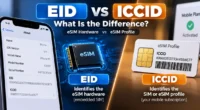
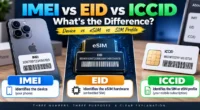
Do not confuse an IMEI with an EID.
The IMEI identifies cellular equipment, while an EID is associated with the eSIM environment.
When checking an eSIM-capable phone, use the correct identifier for the information you are trying to investigate.
IMEI Lookup vs Serial Number Lookup
An IMEI and a serial number are different identifiers.
| Identifier | Purpose |
|---|---|
| IMEI | Identifies cellular mobile equipment. |
| Serial number | Manufacturer-assigned device identifier used for service and device management. |
| Phone number | Identifies the subscriber’s mobile service. |
| SIM identifier | Identifies the SIM or subscription environment. |
| EID | Identifies an eSIM environment on supported devices. |
Always use the correct identifier when performing a lookup.
Is IMEI Lookup Free?
Some IMEI lookup services provide basic information for free, while others may charge for more detailed reports.
The amount of information available depends on the provider and its databases.
Before paying for an IMEI report, check exactly what information is included and whether the service covers your device and country.
Is an IMEI Lookup Safe?
Using an IMEI for legitimate device research is generally different from installing unknown IMEI-related software.
If an online service asks you to download an unfamiliar application simply to perform a basic lookup, use caution.
Also avoid entering unnecessary personal information into an IMEI lookup service.
The IMEI itself is a device identifier, so treat it as device information rather than something that should be posted publicly without a reason.
How to Choose an IMEI Lookup Tool
When comparing IMEI lookup services, consider:
- What information the service actually provides.
- Whether the service supports your country.
- Whether it supports your device type.
- Whether it explains its data sources.
- Whether pricing is clearly displayed.
- Whether unnecessary software downloads are required.
- Whether the service has clear privacy information.
A good lookup service should clearly explain what its results mean rather than making unrealistic promises.
Common IMEI Lookup Mistakes
Using the Wrong Number
Do not accidentally enter a serial number, phone number, SIM identifier or EID when an IMEI is required.
Entering Only Part of the IMEI
Make sure the complete IMEI is entered correctly.
Checking a Seller-Provided IMEI Only
Whenever possible, compare the number provided by the seller with the IMEI displayed by the actual device.
Assuming Every Lookup Gives the Same Results
Different databases can contain different information.
Confusing Lookup With Repair
An IMEI lookup investigates information. It does not automatically repair a missing or invalid IMEI.
Confusing Lookup With Unlocking
An IMEI lookup does not remove a SIM or carrier lock.
Frequently Asked Questions About IMEI Lookup
What is IMEI lookup?
IMEI lookup is the process of using a device’s IMEI number to investigate information associated with that mobile device.
What is an IMEI lookup tool?
An IMEI lookup tool is an online service or application that accepts an IMEI and returns available information associated with that device identifier.
Can I perform an IMEI lookup online?
Yes. Online IMEI lookup services can provide different types of device information depending on their databases and coverage.
How do I find my IMEI?
On many compatible phones, dial *#06#. You can also find the IMEI in device settings or on the original phone packaging.
Can I use IMEI lookup on Android?
Yes. Android phones have IMEI information that can be used with compatible lookup services.
Can I use IMEI lookup on iPhone?
Yes. iPhones have IMEI information that can be used to investigate device information.
Can an IMEI lookup show the phone model?
Some lookup services can associate an IMEI with manufacturer and model information. The exact information depends on the database.
Can an IMEI lookup show if a phone is blacklisted?
Some services provide blacklist-related information. For dedicated blacklist research, use our IMEI Blacklist Checker.
Can an IMEI lookup track a phone?
No. An ordinary public IMEI lookup does not provide the phone’s live GPS location.
Can an IMEI lookup unlock a phone?
No. IMEI lookup and carrier/SIM unlocking are different functions.
Can an IMEI lookup change an IMEI?
No. A lookup investigates an existing IMEI; it does not create or replace the device identifier.
What if my IMEI is missing?
If the phone no longer displays an IMEI, investigate the underlying software, firmware, modem, configuration or hardware problem. See our IMEI Repair Tool guide.
What if my IMEI is invalid?
An Invalid IMEI can indicate a device configuration, firmware, modem or hardware problem. It should be investigated separately from an ordinary IMEI lookup.
Can I check an IMEI before buying a used phone?
Yes. An IMEI lookup can be a useful part of a used-phone inspection, especially when combined with blacklist, ownership, activation and physical checks.
Is IMEI lookup free?
Some services provide basic lookup information for free, while others charge for detailed reports.
Does every phone have an IMEI?
Cellular mobile devices generally have device-identification information such as an IMEI, although the exact identifier can vary depending on the cellular technology and device.
Related IMEI Resources
Use the resource that best matches what you are trying to do:
- IMEI Number Check Online — for checking an IMEI and investigating available device information.
- IMEI Blacklist Checker — for investigating reported or restricted device status.
- IMEI Repair Tool — for Invalid, Null, Unknown or missing IMEI problems.
- IMEI Changer Tool — for the broader IMEI changer topic.
- How to Change IMEI Number — for information about IMEI modification versus legitimate repair.
- IMEI Rebuilder — for additional IMEI troubleshooting information.
- SIM Unlock Guide — for carrier and SIM unlocking questions.
Final Thoughts on IMEI Lookup
An IMEI lookup is a useful way to investigate information associated with a mobile device.
It can be particularly helpful when identifying an unfamiliar phone, researching a used smartphone, comparing device information, or investigating a potential device-status problem.
Start by finding the correct IMEI using *#06#, the phone’s settings, or the original packaging. Then use an appropriate lookup service and carefully compare the available information with the actual device.
Remember that an IMEI lookup is not the same as an IMEI repair, blacklist removal, SIM unlock, phone-location service or IMEI changer.
If you specifically want to check an IMEI number online, visit our IMEI Number Check Online Tool.
If you want to investigate a potentially blacklisted phone, use our IMEI Blacklist Checker.
If your phone has a missing or Invalid IMEI, use our IMEI Repair Tool resource.
And if you are researching the broader IMEI changer topic, visit our main IMEI Changer Tool.
This page is specifically focused on the IMEI lookup search intent, keeping it separate from your checking, blacklist, repair and IMEI changer resources.
Updated: August 30, 2026