Samsung USB Driver For Windows 7-64 Bit Using Guide
Samsung USB Driver for Windows 10, Windows 8.1, Windows 8, Windows 7, and Windows Vista are available for download. Samsung USB Drivers is a piece of software that allows your computer’s operating system to communicate with your Samsung Android phone.
The Samsung USB Drivers are a necessary component. If you don’t do that, your phone’s connection won’t work properly when you’re building it.
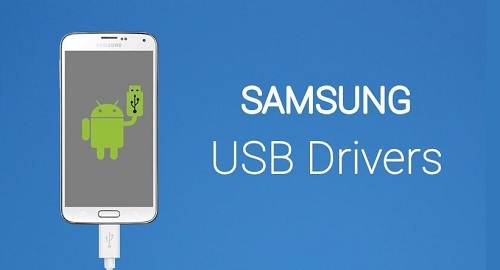
If you want to use your PC or laptop to develop your Samsung Android smartphone, the first thing you’ll need are Samsung’s official USB drivers. The Samsung USB Drivers for Windows 7/8/10 are available here, along with an installation tutorial. The Samsung USB drivers are easy to obtain. Simply click the “Download Link” button below.
Samsung USB Driver For Windows
You can execute a variety of sophisticated features on your device with Samsung USB drivers installed on a Windows PC. Including firmware upgrades, firmware downgrades, and flashing stock ROMs (also known as reinstalling) on your Samsung Android smartphone. Meanwhile, you simply need the Official Samsung ADB Drivers if you merely wish to connect the phone to use the Official Samsung PC Suite.
Compatibility Of Samsung USB Driver With Different Operating Systems
Samsung PC Suite Software works with a variety of Windows versions. Windows 10 (32-bit), Windows 10 (64-bit), Windows 8.1 (32-bit), Windows 8.1 (64-bit), Windows 8 (32-bit), Windows 8 (64-bit), Windows 7 (32-bit), Windows 7 (64-bit), Windows Vista (32-bit), Windows Vista (64-bit), and Windows XP are just some of the operating systems available (32-bit).
Installation Instructions For Samsung USB Driver For Windows 10, 8, and 7
Do the following to install the Samsung USB Drivers for Windows for the first time:
- First, download the Samsung smartphone USB drivers from the download link section and place them in a folder where you can easily find them.
- Find the file and select it from your driver file.
- Unzip the file you just downloaded.
- Wait for the extraction process to finish.
- Double-click the.exe file to run it.
- Download and install the driver.
- If a security warning displays on your laptop / PC’s screen, select Run and click Yes.
- You will then be prompted to choose a language, select English, and then click Next.
- Wait for the installation to complete.
Samsung USB drivers for Windows 10, Windows 8.1, Windows 8, and Windows 7 were correctly installed.
After you’ve loaded the necessary Samsung USB drivers, you may use Android tools and utilities like the Samsung PC Suite software (link in the third paragraph) or the Moborobo Android PC Suite to handle all types of Android devices on your computer.
Samsung USB Driver Conclusion
That concludes the lessons on how to install the Samsung USB drivers on Windows. You can contact us via the Contact menu at the bottom of this page if there is a problem or an error. So that we can continue to support you, please support us and share it with everyone who needs it.
But first, let me explain the difference between a USB driver and an ADB driver. A USB driver is used to flash stock firmware on your Samsung smartphone, and an ADB driver is used to connect your phone to a computer. When flashing a custom ROM, rooting, or updating your Smartphone’s firmware, you’ll need a USB driver. ADB Driver (Android Debug Bridge Driver) on the other hand, allows you to operate your device from a computer via USB. You can copy and return data, install and uninstall programs, run shell commands, and handle a variety of issues.