Unlock Huawei Code: Huawei Unlock Code Generator & Free Huawei Codes
If you are looking for an unlock Huawei code, a Huawei unlock code generator, free Huawei codes, or a way to unlock Huawei so you can use another SIM card, this guide explains the different Huawei unlocking methods and code types in detail.
Huawei has produced a huge range of smartphones, USB modems, mobile hotspots, MiFi devices, LTE routers, and 5G CPE routers. Because these devices use different generations of security and network-lock systems, there is no single Huawei unlock code that works for every model.
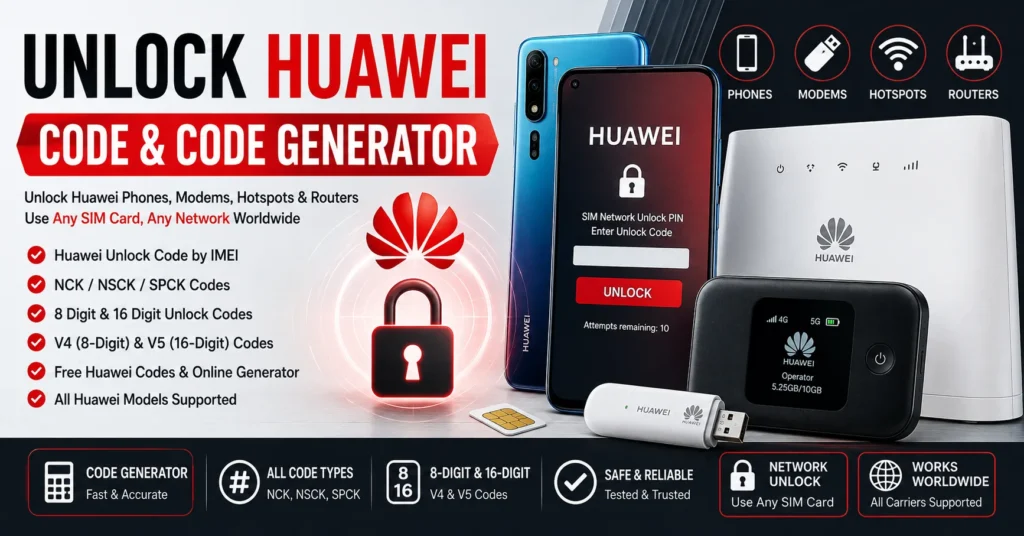
Older Huawei devices may use code-based unlocking systems associated with NCK, NSCK, SPCK, and other control codes. Huawei modems and routers can also use different algorithm versions, including systems commonly referred to as V1, V2, V3, V4, and V5. Some compatible devices use an 8-digit code, while newer systems can require a 16-digit alphanumeric code.
This means that finding the correct Huawei unlock code starts with identifying the exact model, IMEI, firmware, carrier, and type of network lock.
In this guide, you will learn how Huawei SIM locks work, how to find your IMEI, what Huawei unlock code generators actually do, what NCK, NSCK and SPCK mean, why some Huawei devices use 8-digit codes and others use 16-digit codes, how Huawei modem and router unlocking differs from phone unlocking, how free Huawei codes work, and what to do if an unlock code is rejected.
If your device displays SIM Network Unlock PIN, Network Unlock Code, or a similar message, you can also read our SIM Network Unlock PIN guide.
What Is a Huawei Unlock Code?
A Huawei unlock code is a code used by a compatible Huawei device to remove a carrier or SIM-network restriction.
A network-locked Huawei device may accept only the SIM cards associated with the original carrier. When a SIM card from another carrier is inserted, the device may display an unlock-code request.
The exact wording depends on the Huawei model and firmware.
A Huawei unlock code is not the same as:
- The SIM PIN.
- The SIM PUK.
- The phone screen PIN.
- The Wi-Fi password.
- The Huawei account password.
- The IMEI number.
- A bootloader unlock code.
| Code or Identifier | Purpose |
|---|---|
| IMEI | Identifies the cellular device. |
| NCK / Network Unlock Code | Used by some Huawei devices to remove a network-level SIM restriction. |
| NSCK | Associated with a network-subset restriction on supported devices. |
| SPCK | Associated with a service-provider restriction on supported devices. |
| SIM PIN | Protects the SIM card. |
| SIM PUK | Recovers a SIM after excessive incorrect PIN attempts. |
| Bootloader Unlock Code | Related to bootloader unlocking, not SIM/network unlocking. |
What Is an Unlock Huawei Code Generator?
An unlock Huawei code generator is software or an online service designed to calculate, retrieve, or provide a network unlock code for supported Huawei devices.
Historically, Huawei unlocking tools have used different algorithms for different generations of phones, modems, routers, and hotspots.
Some older devices can use an IMEI-based calculation. Other devices require a specific algorithm, database lookup, server-side calculation, or additional device information.
Therefore, the phrase Huawei unlock code generator does not describe one universal program.
A generator must support the particular Huawei device and its unlocking system.
Can You Really Unlock Huawei With a Code?
Yes.
Code-based SIM/network unlocking is a real method used by compatible Huawei devices.
Huawei’s own support documentation confirms that contract or customized Huawei phones can display a SIM-lock screen when a SIM from another network is inserted.
Historical Huawei modem unlocking records also show device-specific unlock codes being generated from IMEI and related information.
However, the correct code depends on the device and its lock system.
You should never assume that a random Huawei unlock code will work simply because it has the correct number of digits.
How Huawei SIM Lock Works
A SIM lock is a restriction applied by a carrier or through carrier-customized device software.
Huawei explains that SIM locking can prevent a contract or customized phone from working with a SIM card from a different mobile network provider.
When a different SIM is inserted, the Huawei device may detect the network restriction and request an unlock code.
Once the correct unlocking procedure is completed, a compatible device may accept SIM cards from other networks.
How to Check If Your Huawei Is Network Locked
The simplest test is to insert a working SIM card from another carrier.
If the device accepts the SIM and connects normally, it may already be unlocked.
If the Huawei displays a message requesting a network unlock code, it is likely subject to a SIM/network restriction.
Possible messages include:
- SIM Network Unlock PIN
- Network Unlock Code
- SIM Network Unlock Code
- Enter Network Unlock PIN
- Enter Unlock Code
- Network Locked
- SIM Lock
The exact message varies by model, firmware, carrier, and device type.
How to Find the IMEI on Huawei
The IMEI is commonly required when researching or requesting a Huawei unlock code.
Use *#06#
On many Huawei phones, open the phone dialer and enter:
*#06#
The device should display its IMEI information if the standard code is supported.
Important: the correct standard code is *#06#, not *#60#.
Find the IMEI in Huawei Settings
On many Huawei Android devices, open:
Settings → About phone
Look for the IMEI information.
The exact location can differ between Huawei models and software versions.
Find the IMEI on a Huawei Modem
Huawei USB modems, hotspots, and routers often have the IMEI printed on a label.
Depending on the device, the IMEI can also be displayed in the device administration interface.
For many Huawei HiLink devices, the administration interface can be accessed through the device’s local web interface.
Check the Original Packaging
The IMEI may also be printed on the original Huawei packaging or device documentation.
Always compare the IMEI with the actual device before requesting an unlock code.
Can Huawei Unlock Codes Be Generated From IMEI?
For some Huawei devices, yes.
IMEI-based code calculation has historically been used for compatible Huawei phones, modems, hotspots, and routers.
However, IMEI-based unlocking is not one universal algorithm.
Different Huawei products can use different code-generation systems.
This is why a calculator may successfully generate a code for one Huawei modem while producing an unusable result for another.
There is also an important technical detail: Huawei’s own support documentation states that different phones identified by different IMEIs can sometimes legitimately have the same unlock code because of the relevant algorithm.
So the statement that every IMEI must always have a completely unique unlock code is not technically correct for every Huawei unlocking system.
Huawei Unlock Code Types
Huawei unlocking terminology can be confusing because different generations and devices use different code names.
Huawei NCK Code
NCK is commonly associated with the Network Control Key or network unlock code.
On compatible Huawei devices, the NCK is generally the code associated with removing the primary network restriction.
If your device specifically asks for a network unlock PIN or network unlock code, the NCK is often the relevant code type on older supported systems.
Huawei NSCK Code
NSCK is commonly associated with a Network Subset Control Key.
It relates to a different level of SIM personalization than the primary network lock.
Not every Huawei device requires an NSCK.
Huawei SPCK Code
SPCK is commonly associated with a Service Provider Control Key.
Again, this does not mean that every Huawei phone or modem requires an SPCK.
The correct code depends on the device’s actual personalization level.
Huawei Reset or Unblock Codes
Some older technical unlocking systems also expose reset, unblock, or other control codes.
These are not automatically required for a normal network unlock.
Do not enter a reset or secondary code simply because it is available in a code list.
Huawei NCK vs NSCK vs SPCK
| Code | Meaning | Typical Purpose |
|---|---|---|
| NCK | Network Control Key | Primary network/SIM unlock on compatible devices. |
| NSCK | Network Subset Control Key | Network-subset restriction. |
| SPCK | Service Provider Control Key | Service-provider restriction. |
| Reset / Unblock | Reset-related control | Used by certain technical unlocking systems. |
The existence of several code types is one of the reasons a universal “Huawei unlock code” cannot be assumed to work on every device.
Huawei V1, V2, V3, V4 and V5 Unlock Codes
Huawei modem and router unlocking has historically used several algorithm generations.
Older technical tools and calculators commonly refer to these as V1, V2, V3, V4, and V5.
The exact terminology can vary between unlocking tools, but the important point is that different Huawei generations do not necessarily use the same calculation method.
| Huawei Code Version | General Characteristics |
|---|---|
| V1 | Older Huawei unlock-code generation used by compatible legacy devices. |
| V2 | Another legacy Huawei code-generation system. |
| V3 | Later-generation algorithm used by certain Huawei modems and devices. |
| V4 | Commonly associated with many 8-digit Huawei modem/router unlock codes. |
| V5 | Newer generation commonly associated with 16-digit alphanumeric codes on compatible Huawei devices. |
Do not select V4 or V5 solely because the device is made by Huawei. Identify the exact model and the unlock screen first.
Huawei 8 Digit Unlock Code
The phrase Huawei 8 digit unlock code is strongly associated with many Huawei modems and routers.
Many compatible devices use an 8-digit numeric network unlock code.
Historical and current Huawei unlocking services identify a large number of modem and router models that request 8-digit codes.
If your Huawei device specifically asks for an 8-digit code, use a code-generation method designed for that particular model and code version.
Huawei 16 Digit Unlock Code
The phrase Huawei 16 digit unlock code is especially important for newer modem, hotspot, and router searches.
Some Huawei V5 systems use a 16-character alphanumeric unlock code.
This means the code may contain both numbers and letters rather than exactly 16 numbers.
Current Huawei router unlocking information identifies V5-compatible devices that request 16-digit alphanumeric codes.
Do not take an 8-digit V4 code and attempt to convert it into a 16-digit code by adding zeros or other characters.
The V4 and V5 systems are different.
Huawei V4 vs V5 Unlock Code
| Feature | V4 | V5 |
|---|---|---|
| Common code format | 8-digit numeric | 16-character alphanumeric |
| Typical devices | Many older and mid-generation Huawei routers/modems | Many newer Huawei routers and 5G CPE devices |
| Calculation | Algorithm-specific | Newer algorithm-specific system |
| Can the codes be substituted? | No | No |
The exact model determines which code version applies.
Huawei Modem Unlock Code
Huawei USB modems are one of the most important categories for searches related to Huawei modem unlock code.
Older Huawei USB modem families include many E-series models, such as:
- Huawei E1550
- Huawei E1551
- Huawei E156
- Huawei E160
- Huawei E161
- Huawei E163
- Huawei E169
- Huawei E171
- Huawei E172
- Huawei E173
- Huawei E1750
- Huawei E1762
- Huawei E180
- Huawei E220
- Huawei E353
- Huawei E367
- Huawei E372
- Huawei E392
- Huawei E398
- Huawei E3272
- Huawei E3276
- Huawei E3372
- Huawei E5573
- Huawei E5577
- Huawei E5785
This list is not a universal compatibility list. Many models have multiple sub-variants and carrier-branded versions.
For a more specific modem procedure, see our Huawei Modem Unlocker guide.
Huawei Router Unlock Code
Huawei LTE and 5G routers can also be network locked.
Popular router families include models from the B-series, CPE-series, and other carrier-branded product lines.
Examples include:
- Huawei B310
- Huawei B315
- Huawei B525
- Huawei B535
- Huawei B612
- Huawei B618
- Huawei B818
- Huawei H112
- Huawei H122
- Huawei H312
- Huawei H138
- Huawei H155
- Huawei N5368X
Some newer Huawei 5G CPE devices use V5-style 16-character unlock codes.
Huawei Hotspot and MiFi Unlock Code
Huawei mobile hotspots and MiFi devices can also use network locks.
Models such as the E5573, E5577, E5785, E5885 and related devices can have different unlocking requirements depending on the exact variant and firmware.
Some Huawei hotspot models use an 8-digit code, while others use a newer 16-character code system.
Always identify the complete model number, not just the product family.
How to Unlock Huawei With a Code
The exact procedure varies, but many compatible Huawei devices follow a general process.
Step 1: Identify the Huawei Model
Find the complete model number printed on the device, packaging, or settings.
For a modem or router, look for the full model and hardware variant.
Step 2: Check the IMEI
Use *#06# on compatible phones or find the IMEI on the device label or administration interface.
Step 3: Insert a Different SIM
Insert a SIM card from another carrier.
If the Huawei requests a network unlock code, record the exact message.
Step 4: Identify the Required Code Type
Determine whether the device is asking for a network unlock code, NCK, 8-digit code, 16-character code, or another type of authentication.
Step 5: Obtain the Correct Code
Use the original carrier’s official unlocking process whenever available.
If using a compatible code service or generator, make sure it supports your exact Huawei model and code version.
Step 6: Enter the Code Carefully
Enter the code exactly as supplied.
Do not guess and do not alter the code format.
Step 7: Test the New SIM
After the device accepts the code, allow it to register on the new network.
Test calls, SMS, and mobile data on phones, or the internet connection on compatible modems and routers.
How to Unlock a Huawei Modem
Huawei modem unlocking is slightly different from unlocking an Android phone.
Depending on the model, the unlock prompt may appear in the modem’s dashboard or web interface.
Find the Modem IMEI
Check the label on the modem or the device information displayed by the Huawei software.
Insert a Different SIM
Insert a SIM from a carrier different from the original network.
Open the Huawei Interface
Depending on the model, the device may use Huawei Mobile Partner, HiLink software, or a browser-based management interface.
Enter the Correct Unlock Code
If the modem requests a network unlock code, enter the code intended for the exact device and code version.
For more information, visit our Huawei Modem Unlocker guide.
How to Unlock a Huawei Router
Huawei routers commonly expose device information and network settings through a web administration interface.
Many Huawei HiLink devices can be managed through a local address such as:
192.168.8.1
The exact address depends on the device.
Once connected, open the device information section and record the model and IMEI.
Then determine whether the router requires an 8-digit or 16-character unlock code.
Do not assume that all Huawei routers use the same algorithm.
How to Unlock Huawei 5G CPE Routers
Huawei 5G CPE devices are a particularly important part of the modern Huawei unlock-code search landscape.
Models such as the H112, H122, H138, H155, H312 and N5368X have been associated with V5-style unlocking systems using 16-character codes.
The general procedure is:
- Identify the exact model.
- Record the IMEI.
- Insert a SIM from another network.
- Check whether the router requests an unlock code.
- Determine the required code version.
- Obtain the compatible unlock code.
- Enter the code in the router interface.
- Restart or reconnect the device if required.
- Test the new SIM connection.
Free Huawei Codes: Can You Really Get Them?
Sometimes, depending on the device.
There are historical Huawei calculators and open-source projects that demonstrate that some Huawei security codes can be calculated locally for compatible devices.
For example, an archived open-source Huawei code calculator describes an IMEI-based algorithm and lists numerous older Huawei modem models as compatible.
However, this does not mean that every Huawei device can receive a free code from one universal generator.
Free Huawei codes are most realistic when:
- The device uses a known public algorithm.
- The exact model is supported.
- The required information is available.
- The code can be calculated locally.
- The device has not exhausted its unlock attempts.
Newer devices may require a server-based or manufacturer-specific unlocking process instead.
Free Huawei Unlock Code Generator vs Paid Code Service
| Method | Potential Advantage | Limitation |
|---|---|---|
| Free local calculator | No payment required when compatible. | Usually limited to supported algorithms and models. |
| Online generator | Simple to use. | May not support every device. |
| Carrier unlock | Official and usually safest. | Device must meet carrier requirements. |
| Professional unlock service | Can support devices outside simple calculators. | Usually costs money. |
Huawei Unlock Code Generator by IMEI
The search phrase Huawei unlock code by IMEI is common because the IMEI is one of the most important device identifiers used by Huawei unlocking systems.
However, an IMEI should not automatically be treated as a guarantee that a code can be generated.
The correct process is:
- Identify the Huawei model.
- Identify the carrier.
- Find the IMEI.
- Identify the unlock prompt.
- Determine the code generation system.
- Use a compatible calculator or service.
This approach is much more reliable than entering an IMEI into a website that claims to unlock every Huawei device.
Can Two Huawei Devices Have the Same Unlock Code?
Yes, this can happen.
Huawei’s own support documentation specifically states that different phones identified by different IMEIs can sometimes use the same unlock code because of the algorithm involved.
This is important because many older articles incorrectly claim that every Huawei IMEI must produce a completely unique NCK.
The correct statement is that the required unlock information depends on the algorithm and personalization system used by the device.
How Many Attempts Do You Get to Unlock Huawei?
Do not guess Huawei unlock codes.
Huawei’s support documentation states that there are generally a maximum of 10 unlock-code attempts, although the exact number can vary depending on the customized device version.
The device can notify you about the remaining attempts.
If the maximum number of attempts is reached, Huawei states that the phone can become locked and may no longer be unlockable through a normal unlock code.
This makes it especially important to verify the correct code before entering it.
What Happens If the Huawei Unlock Code Is Wrong?
If an unlock code is rejected:
- Stop entering additional random codes.
- Verify the exact model.
- Verify the IMEI.
- Verify the original carrier.
- Check the code length.
- Check whether the device requires NCK, NSCK, SPCK, V4, V5, or another code type.
- Check the remaining unlock attempts.
- Contact the original carrier if official unlocking is available.
Do not add digits, remove digits, or modify an unlock code to make it fit a particular length.
Huawei Unlock Code Not Working
There are several reasons a Huawei unlock code may fail.
Wrong Model
Two Huawei devices can look similar but use different unlocking algorithms.
Wrong IMEI
One incorrect digit can cause an invalid code result.
Wrong Code Version
A V4 code cannot simply be substituted for a V5 code.
Wrong Code Type
An NCK, NSCK, and SPCK are not interchangeable.
Unsupported Firmware
A calculator designed for an older firmware generation may not support a newer device.
Unlock Attempts Exhausted
Repeated incorrect codes can consume the device’s available attempts.
The Device Is Not Actually Network Locked
A different problem may be causing the SIM or network error.
Huawei Unlock Code vs SIM PIN
These codes solve different problems.
| Code | Purpose |
|---|---|
| Huawei Network Unlock Code | Removes a compatible carrier/network SIM restriction. |
| SIM PIN | Protects the SIM card. |
| SIM PUK | Recovers a blocked SIM card. |
| Phone Screen PIN | Unlocks the phone interface. |
| Wi-Fi Password | Allows devices to connect to a hotspot/router. |
If your Huawei asks for a PUK, contact the SIM carrier rather than searching for a Huawei unlock code.
Huawei Network Unlock vs Bootloader Unlock
These are completely different forms of unlocking.
Network unlocking allows a compatible device to use another carrier’s SIM.
Bootloader unlocking relates to software modification and the device’s boot process.
A bootloader code does not remove a SIM/network lock.
Our website also contains Huawei bootloader-related content, including the Huawei P40 Bootloader Unlock Codes guide.
Huawei Network Unlock vs IMEI Change
Unlocking a Huawei network restriction does not require changing the IMEI.
The IMEI identifies the device, while the network unlock process removes a carrier restriction.
These are separate concepts.
Do not confuse a legitimate network unlock with IMEI modification.
Huawei Network Unlock vs IMEI Repair
If the Huawei displays an invalid, null, missing, or unknown IMEI, the problem is different from a normal carrier lock.
An unlock code will not automatically repair a missing or corrupted IMEI.
If you are experiencing an IMEI problem rather than a SIM lock, read our IMEI Fix Tool guide.
Does Unlocking Huawei Make It Compatible With Every Carrier?
No.
Unlocking removes a SIM or network restriction. It does not add new cellular bands to the hardware.
After unlocking, the Huawei device still needs to support the frequencies and technologies used by the new carrier.
Other factors can also matter:
- LTE bands.
- 5G bands.
- Carrier aggregation.
- VoLTE support.
- APN configuration.
- Regional device variant.
- Carrier network compatibility.
How to Test Huawei After Unlocking
After the device accepts the unlock code:
- Insert the new carrier’s SIM.
- Restart the Huawei if necessary.
- Wait for network registration.
- Check signal strength.
- Test calls if supported.
- Test SMS if supported.
- Test mobile data.
- Check the APN if mobile data does not work.
If the SIM is accepted but the device has no service, the problem may be network compatibility rather than the SIM lock.
Popular Huawei Devices for Unlock-Code Searches
Huawei unlock-code searches cover a very large number of devices.
Huawei Phones
- Huawei P20
- Huawei P20 Lite
- Huawei P30
- Huawei P30 Lite
- Huawei P30 Pro
- Huawei P40
- Huawei P40 Lite
- Huawei Mate 20
- Huawei Mate 20 Pro
- Huawei Mate 30
- Huawei Nova series
- Huawei Y series
- Huawei Honor devices
Huawei USB Modems
- Huawei E1550
- Huawei E160
- Huawei E169
- Huawei E171
- Huawei E173
- Huawei E1750
- Huawei E1762
- Huawei E220
- Huawei E353
- Huawei E367
- Huawei E372
- Huawei E392
- Huawei E398
- Huawei E3272
- Huawei E3276
- Huawei E3372
Huawei Hotspots
- Huawei E5573
- Huawei E5577
- Huawei E5785
- Huawei E5885
- Huawei E5770
- Huawei E5786
Huawei LTE and 5G Routers
- Huawei B310
- Huawei B315
- Huawei B525
- Huawei B535
- Huawei B612
- Huawei B618
- Huawei B818
- Huawei H112
- Huawei H122
- Huawei H138
- Huawei H155
- Huawei H312
- Huawei N5368X
This is not a guarantee that every model listed uses the same unlock code or algorithm. Always check the exact model and variant.
Huawei Unlock Code for E3372
The Huawei E3372 is one of the best-known Huawei USB modem families and appears frequently in searches for Huawei modem unlock codes.
Different E3372 variants can have different firmware and carrier configurations.
For that reason, identify the complete model designation, such as the suffix and firmware version, before selecting a code-generation method.
Huawei Unlock Code for E5573
The Huawei E5573 mobile hotspot family also includes multiple variants.
Some versions are associated with 8-digit unlock systems, while the exact unlocking method depends on the model and firmware.
Do not assume that every E5573 variant accepts the same code.
Huawei Unlock Code for E5577
The Huawei E5577 family includes multiple carrier and regional versions.
When searching for an unlock Huawei E5577 code, record the exact model suffix and IMEI before choosing a calculator or service.
Huawei Unlock Code for B310, B315 and B525
Huawei LTE routers such as the B310, B315 and B525 are frequently used with carrier-specific SIM restrictions.
Some variants can use code-based unlocking, but the correct method depends on the exact model and firmware.
Do not assume that a code generated for one B-series router will work on another.
Huawei Unlock Code for 5G Routers
Newer Huawei 5G CPE devices represent a different generation of unlocking technology.
Models such as the H112, H122, H138, H155, H312 and N5368X can use V5-style 16-character unlock codes on compatible configurations.
This is one of the clearest examples of why old Huawei unlock-code generators cannot be described as universal.
Can Huawei Unlock Codes Be Free?
Yes, some Huawei unlock codes can be generated for free when the device uses a compatible public algorithm or a free calculator supports the exact model.
However, not every Huawei code can be generated for free.
Free code-generation possibilities are strongest with older devices for which the algorithm has been documented and implemented in calculators.
An archived open-source Huawei calculator, for example, documents an IMEI-based algorithm and lists many older Huawei products as compatible.
Newer devices may require a different system or a server-side unlock.
Why Some Free Huawei Code Generators Do Not Work
A free generator can fail for perfectly legitimate technical reasons.
- The model is unsupported.
- The firmware uses a different algorithm.
- The device uses V5 instead of an older code system.
- The calculator expects different device information.
- The code is server-generated.
- The device is not actually network locked.
- The unlock attempts have been exhausted.
- The generator is simply inaccurate or outdated.
This is why a website promising “100% of all Huawei models” should be treated with caution.
How to Choose a Huawei Unlock Code Generator
If you are searching for a Huawei unlock code generator, check the following before using it:
- Exact supported Huawei models.
- Supported firmware versions.
- Supported code versions.
- Expected code length.
- Whether the calculator uses the IMEI.
- Whether additional information is required.
- Whether the calculator is local or server-based.
- Whether the software is from a trustworthy source.
A generator that clearly identifies its supported models is much more useful than a tool that simply promises to unlock every Huawei device.
Be Careful With Fake Free Huawei Code Generators
Searches for free Huawei codes and Huawei unlock code generator can lead to websites that promise universal unlocking without explaining what algorithm they use.
Be especially cautious if a site:
- Claims to support every Huawei model.
- Promises a 100% success rate.
- Does not list supported models.
- Requests unrelated personal information.
- Requires unknown executable software.
- Claims every IMEI automatically produces a valid code.
- Requests that antivirus protection be disabled.
- Asks you to enter random codes repeatedly.
Official Huawei Support and Carrier Unlocking
Before using a third-party generator, check whether the original carrier provides an official unlocking process.
Carrier policies can be different from one country to another and can change over time.
If the device is eligible for official unlocking, that option can be preferable because the carrier can verify the device and its account status directly.
Huawei’s own support documentation confirms that SIM locking is used by network providers on certain contract or customized devices and provides guidance around unlock-code attempts.
Huawei Unlock Code and IMEI Privacy
An IMEI is a device identifier and should be treated as sensitive device information.
When using an online service, avoid publishing your IMEI publicly in forums, comments, or social-media posts unless you understand the privacy implications.
Use the exact IMEI only when necessary for a legitimate device-unlocking service.
Huawei Unlock Code vs IMEI Blacklist
A carrier lock and an IMEI blacklist are separate issues.
A Huawei can be network locked but have a clean IMEI.
A Huawei can also be unlocked from a carrier while still having a reported or restricted IMEI.
If you are unsure whether the device is blacklisted, use our IMEI Blacklist Checker guide.
Huawei Unlock Code vs IMEI Repair
If your Huawei displays an invalid, null, missing, or unknown IMEI, you have a different problem.
A network unlock code does not automatically repair an invalid IMEI.
For IMEI-related troubleshooting, read our IMEI Fix Tool guide.
Frequently Asked Questions About Huawei Unlock Codes
What is a Huawei unlock code?
A Huawei unlock code is a code used by compatible Huawei devices to remove a carrier or SIM-network restriction.
What is an unlock Huawei code generator?
An unlock Huawei code generator is software or an online service that calculates, retrieves, or provides an unlock code for supported Huawei devices.
Can I unlock Huawei with an IMEI?
Some Huawei devices support IMEI-based code generation, but IMEI alone is not a universal unlocking solution for every Huawei model.
Can I get free Huawei codes?
Some older Huawei devices can use free calculators when their unlock algorithm is known and supported. Newer or unsupported devices may require another method.
What is a Huawei NCK code?
NCK is commonly associated with the Network Control Key or primary network unlock code on compatible devices.
What is a Huawei NSCK code?
NSCK is commonly associated with a Network Subset Control Key and is used by certain Huawei personalization systems.
What is a Huawei SPCK code?
SPCK is commonly associated with a Service Provider Control Key and applies to certain devices and lock levels.
What is a Huawei V4 unlock code?
V4 is a commonly used name for a Huawei modem/router unlock-code generation system. Many compatible V4 devices use an 8-digit numeric code.
What is a Huawei V5 unlock code?
V5 is a newer Huawei unlock-code system commonly associated with 16-character alphanumeric codes on compatible routers, hotspots, and 5G CPE devices.
Is a Huawei V4 code the same as a V5 code?
No. V4 and V5 use different unlocking systems. A V4 code cannot simply be converted into a V5 code.
Why does my Huawei ask for an 8-digit code?
Your device may use an older or V4-style unlock system. Verify the exact model and code version before entering a code.
Why does my Huawei ask for a 16-digit code?
The device may use a newer V5-style system. Some compatible Huawei routers and 5G CPE devices use 16-character alphanumeric unlock codes.
Can two Huawei phones have the same unlock code?
Yes. Huawei’s own support documentation states that different phones identified by different IMEIs can sometimes legitimately use the same unlock code because of the algorithm involved.
How many times can I enter a Huawei unlock code?
Huawei states that generally up to 10 attempts are available, although the exact limit can vary by customized device version.
What happens if I use the wrong Huawei unlock code too many times?
The device can reach its maximum attempt limit and may become permanently locked against normal code unlocking. Do not guess codes.
Can I unlock a Huawei modem with a code?
Yes, compatible Huawei modems can use code-based unlocking. The exact code depends on the model, firmware, carrier, and algorithm.
Can I unlock a Huawei router with an IMEI?
Some Huawei routers use IMEI-related unlock-code systems, but the exact method varies by model and firmware.
Can I unlock a Huawei 5G router with a code?
Some Huawei 5G CPE routers use V5-style 16-character unlock codes. The exact model must be checked before selecting a method.
Does a Huawei unlock code change the IMEI?
No. Network unlocking and IMEI modification are separate processes.
Does unlocking Huawei remove an IMEI blacklist?
No. A network unlock does not remove blacklist status. Check the IMEI separately if you suspect the device is reported.
Does Huawei unlocking work with every carrier?
Not automatically. After unlocking, the device still needs to support the new carrier’s network bands and technologies.
Why does my Huawei accept the SIM but have no internet?
The device may be unlocked but have an APN, network-band, coverage, or carrier-compatibility problem.
What is the difference between Huawei network unlocking and bootloader unlocking?
Network unlocking removes a SIM/carrier restriction. Bootloader unlocking concerns the device’s software boot process. They are completely different operations.
What is the correct IMEI code to display the IMEI?
On compatible phones, use *#06#.
Final Thoughts
The search for an unlock Huawei code covers many different devices and technologies, from older Huawei phones and USB modems to modern LTE hotspots and 5G routers.
The most important thing to understand is that there is no single universal Huawei unlock code generator that works identically on every device.
Older Huawei products can use NCK, NSCK, SPCK and other personalization codes, while Huawei modem and router unlocking has evolved through multiple algorithm generations.
Many compatible older devices use 8-digit codes, while newer V5-compatible Huawei routers and 5G CPE devices can require 16-character alphanumeric codes.
Free Huawei codes are possible for some devices when a compatible algorithm and calculator are available, but newer or unsupported models may require a different unlocking method.
If you want to unlock a Huawei modem or router, visit our Huawei Modem Unlocker guide.
If you are specifically researching Huawei calculator-based unlocking, see our Huawei Unlock Calculator Codes guide.
If you need information about the general SIM network unlock process, read our SIM Network Unlock PIN guide.
If you are dealing with a blacklisted IMEI, use our IMEI Blacklist Checker.
If your Huawei has an invalid, null, missing, or unknown IMEI, read our IMEI Fix Tool guide.
For bootloader unlocking rather than SIM/network unlocking, see our Huawei P40 Bootloader Unlock Codes guide.
The safest approach is always the same: identify the exact Huawei model, find the correct IMEI, determine the type of network lock, identify the correct code system, and use the appropriate unlocking method rather than guessing.
Updated: August 30, 2026