

IMEI Changer Root: Rooted Android IMEI Changer Guide
Looking for an IMEI changer root app or information about using an IMEI changer on a rooted Android phone?
This guide explains what root access means in the context of IMEI-related Android tools, how older root-based IMEI applications worked, the difference between IMEI masking and legitimate IMEI repair, why compatibility varies between devices, and what you should know before installing an IMEI-related application on a rooted phone.
Important: an IMEI is a device identifier, and changing a device identifier can be restricted by law depending on the country and circumstances. This guide is therefore focused on understanding root-based IMEI tools, compatibility, troubleshooting and legitimate device repair rather than providing instructions for assigning an unrelated IMEI to a phone.
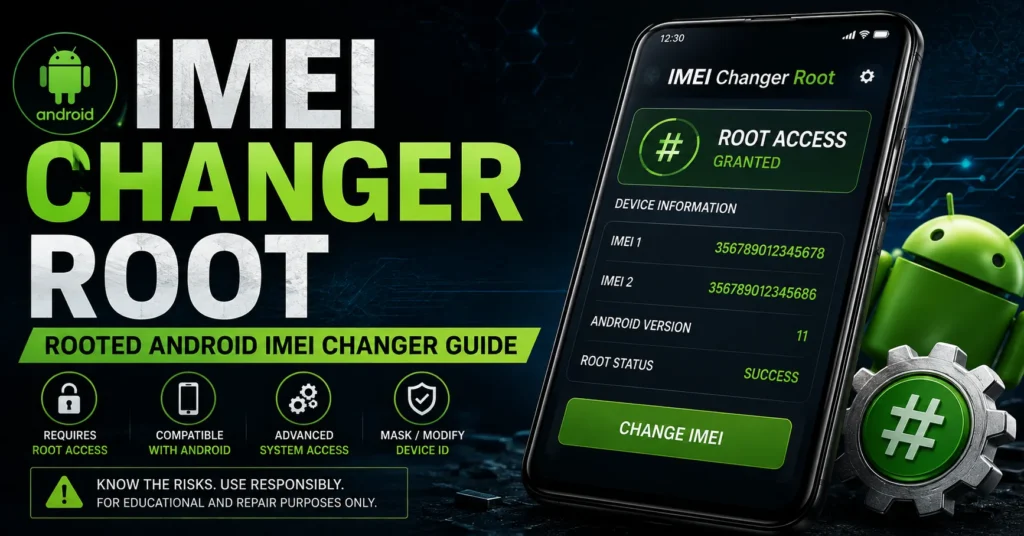
What Is an IMEI Changer Root?
IMEI Changer Root is a search term generally used for Android applications that require root access to interact with device information at a deeper system level.
Older Android applications using root or Xposed environments advertised features related to changing, masking or modifying device-identification information.
However, these applications should not all be treated as the same type of tool.
Some applications attempted to modify information presented to Android applications, while others were designed around specific device architectures or rooted environments.
This distinction is important because an application that changes information displayed to software is not necessarily changing the permanent device identity used by cellular hardware.
What Does Root Mean on Android?
Root access gives an Android user elevated privileges beyond those normally available to standard applications.
Root can allow applications to interact with parts of Android that are normally protected.
This is why older IMEI-related applications often advertised root as a requirement.
However, having root access does not automatically mean that an application can safely or permanently modify every part of a phone’s cellular configuration.
Does an IMEI Changer Require Root?
It depends on the application.
Some historical Android IMEI tools specifically required root access, while Xposed-based applications also required an appropriate Xposed environment.
For example, archived information for Device ID Changer [ROOT] states that root permission was required, while historical IMEI Changer [Xposed] software required an Xposed Framework environment.
Modern Android versions have substantially different security architecture, so the requirements of an old application should not be assumed to apply to current phones.
IMEI Changer Root Android
The search term IMEI changer root Android generally refers to Android applications that use elevated privileges to access device information.
Historically, root-based IMEI applications were more common on older Android versions.
Compatibility could depend on:
- Android version
- Phone manufacturer
- Exact model
- Chipset
- Firmware version
- Root method
- Xposed or other framework requirements
- Device security architecture
For this reason, there is no universal IMEI changer root application that can safely be expected to work on every Android phone.
Why Root Was Used by Older IMEI Applications
Standard Android applications operate inside security restrictions that prevent them from freely accessing protected system areas.
Root access historically allowed certain applications to interact with system-level information that ordinary applications could not access.
This made root attractive to developers of advanced Android customization tools.
However, root access does not eliminate the technical differences between Android devices.
IMEI Changer Root vs Xposed IMEI Changer
These terms are related but should not be treated as identical.
| Term | Main Meaning |
|---|---|
| IMEI Changer Root | General term for root-based Android IMEI applications. |
| Xposed IMEI Changer | An IMEI-related application/module designed around the Xposed environment. |
| IMEI Changer Pro | Specific applications using the IMEI Changer Pro name. |
| IMEI Repair | Troubleshooting or restoring legitimate device-identification information. |
We keep these topics separate on IMEIChanger.net so that each page can target a specific search intent.
For Xposed-specific information, see our Xposed IMEI Changer guide.
For Pro-related information, see our IMEI Changer Pro APK guide.
IMEI Changer Root APK
When people search for IMEI changer root APK, they are usually looking for an Android installation package that requires root access.
Older APK archives contain several different applications using similar names.
That means the filename alone is not enough to identify an application.
Before installing an archived APK, verify:
- Package name
- Developer
- Version
- Android requirements
- Root requirements
- Framework requirements
- Source
- File integrity
Historical applications demonstrate why this matters. For example, one archived root-based Device ID Changer was listed as requiring Android 4.0+, while another Xposed IMEI application was also designed for older Android environments.
Does an IMEI Changer Root APK Work on Every Android Phone?
No.
There is no reliable universal compatibility claim for old root-based IMEI applications.
Android phones can use different:
- Chipsets
- Modems
- Firmware packages
- Protected storage systems
- Android versions
- Manufacturer security systems
An application that worked on one older Android phone may fail completely on another device.
Even an application that installs successfully may not have access to the information it was designed to interact with.
IMEI Changer Root for Samsung
Samsung devices have changed substantially across different generations.
An older Galaxy phone running an older Android version can have a very different software and security environment from a modern Galaxy device.
If your Samsung phone has a genuine IMEI problem, do not assume that an old root APK is the correct solution.
Instead, identify the exact model, firmware and nature of the problem.
For Samsung-specific information, see our Samsung IMEI resource.
IMEI Changer Root for MediaTek Phones
Many historical Android device-modification tools were associated with MediaTek-based phones.
However, MediaTek is not a single device configuration.
Different generations and manufacturers can use substantially different firmware and modem configurations.
Therefore, an application described as working with “MTK” should not automatically be assumed to work on every MediaTek phone.
IMEI Changer Root for Qualcomm Phones
Qualcomm-based phones also use device-specific modem and configuration systems.
Root access alone does not guarantee that an application can interact correctly with those systems.
If a Qualcomm phone has a missing or invalid IMEI, the problem should be diagnosed rather than assuming an old root-based application will repair it.
IMEI Changer Root and Xposed Framework
Some historical IMEI applications used the Xposed Framework rather than relying solely on root access.
One archived IMEI Changer [Xposed] application described itself as an Xposed module and required the Xposed Framework.
Xposed-based tools can behave differently from ordinary root applications because they interact with Android through framework-level hooks.
That is why the Xposed environment should be considered a separate compatibility requirement.
Read our dedicated Xposed IMEI Changer guide for more information.
IMEI Masking vs Permanent IMEI Change
This is one of the most important distinctions when researching an IMEI changer root.
IMEI masking can mean that certain applications are shown a different value than the device’s underlying cellular identity.
Permanent device modification is a different technical situation involving device-specific cellular configuration.
Historical Xposed IMEI applications explicitly described their functionality around masking the IMEI.
Therefore, seeing a different value inside an application does not necessarily prove that the phone’s underlying network identity has been permanently changed.
How to Check Whether Your IMEI Is Still Present
If you are troubleshooting an Android phone, first determine whether the device still reports its original IMEI.
On many compatible phones, you can use:
*#06#
You can also check the device-information section in Android settings.
If the phone displays the expected IMEI, you may not have an IMEI-loss problem at all.
What If the IMEI Is Missing?
If your phone displays no IMEI, investigate the underlying problem before installing additional modification tools.
Possible causes can include:
- Firmware corruption
- Modem problems
- Device configuration problems
- Failed flashing
- Previous repair
- Hardware problems
If the phone originally had a legitimate IMEI, the appropriate objective is generally to restore the original device information rather than assign an unrelated identifier.
For this situation, see our IMEI Repair Tool guide.
What If the IMEI Is Invalid?
An Invalid IMEI can indicate that the phone cannot correctly retrieve or validate its expected device-identification information.
This is a troubleshooting problem rather than simply a reason to install another IMEI changer.
Check:
- Phone model
- Android version
- Firmware version
- Baseband status
- Repair history
- What happened immediately before the IMEI problem appeared
Then use an appropriate device-specific repair process.
What If the IMEI Is Null?
A Null IMEI can indicate that the phone is not correctly retrieving its expected device-identification information.
If this occurred after flashing firmware, rooting or another software modification, document the changes that were made.
Repeatedly installing unrelated root applications can make troubleshooting more difficult.
IMEI Changer Root and Baseband Problems
If the phone displays Baseband Unknown together with an IMEI problem, the underlying issue may involve the modem or firmware.
An IMEI-related application is not necessarily capable of repairing a baseband problem.
Baseband status should therefore be investigated separately.
Can Rooting Change an IMEI?
Rooting by itself does not automatically change an IMEI.
Root simply provides elevated access to the Android operating system.
An application or module would still need to interact with device-specific information, and compatibility depends on the phone.
Modern Android devices also have stronger security protections than many older phones on which historical root-based tools were developed.
Does IMEI Changer Root Work on Modern Android?
Do not assume that an old root-based IMEI application will work on Android 12, Android 13, Android 14, Android 15 or newer versions.
Many historical applications were created for much older Android environments.
For example, archived IMEI Changer [Xposed] information lists Android 4.0+ compatibility, while another root-based application was also designed around older Android versions.
Modern Android security and framework changes can make old applications incompatible.
Why Old IMEI Changer Root Apps May Fail
Android Version Changes
Android APIs and security architecture have changed significantly over time.
Root Method Changes
Modern rooting environments differ from the root systems used when many historical IMEI applications were created.
Xposed Compatibility
An old Xposed module may require an older Xposed environment that is not available or appropriate on a modern device.
Protected Device Configuration
Modern devices can use stronger protections around cellular and device-identification information.
Chipset Differences
An application designed around one device architecture may not work on another.
IMEI Changer Root and Magisk
Magisk is a modern Android rooting and system-modification environment that is sometimes mentioned alongside searches for root-based IMEI tools.
However, having Magisk installed does not automatically make an old IMEI changer compatible with a device.
Compatibility depends on the application, Android version, device architecture and the way the application interacts with the system.
Do not assume that a root application created for an older environment will work simply because the phone is rooted with a modern tool.
IMEI Changer Root and LSPosed
Some users researching older Xposed applications also encounter LSPosed and other modern framework alternatives.
These environments are not automatically compatible with every historical Xposed module.
An old module can fail because it expects APIs or framework behavior that no longer exists.
For Xposed-specific information, use our dedicated Xposed IMEI Changer page.
Is an IMEI Changer Root APK Safe?
Safety depends on the exact APK and its source.
This is especially important when dealing with old applications distributed outside official app stores.
Potential concerns include:
- Modified APK files
- Malware
- Unnecessary permissions
- Outdated software libraries
- Compatibility problems
- System instability
- Boot problems
Archived application listings also show that some historical device-ID applications received mixed user feedback, including reports that particular applications did not actually perform the advertised changes.
What to Check Before Installing a Root IMEI App
Check the Package Name
Two applications can have almost identical names while being completely different software.
Check the Developer
Verify who originally published the application.
Check the Version
Old versions may have different requirements and behavior.
Check Android Compatibility
Do not install an application designed for Android 4 simply because its name matches your search.
Check Root Requirements
Some applications specifically require root, while others require additional frameworks.
Check the Source
Be especially careful with modified or repackaged APK files.
IMEI Changer Root vs IMEI Repair
These are two different search intents.
| Search | Best Meaning |
|---|---|
| IMEI changer root | Information about root-based Android IMEI applications. |
| Xposed IMEI changer | Information about Xposed-based IMEI modules. |
| IMEI repair | Repairing or restoring legitimate IMEI information. |
| IMEI check | Investigating information associated with an IMEI. |
| IMEI blacklist | Checking reported or restricted device status. |
If your phone has an actual IMEI problem, use our IMEI Repair Tool resource.
IMEI Changer Root vs Main IMEI Changer
Your main IMEI Changer Tool page should remain the broad resource for the general IMEI changer topic.
This page has a narrower purpose: explaining what IMEI changer root means, how root-based applications historically worked, their requirements, compatibility issues and the distinction between masking and legitimate repair.
This separation prevents the root article from unnecessarily competing with the main IMEI changer page.
IMEI Changer Root vs Xposed IMEI Changer
Root and Xposed are closely related in the history of Android customization, but they are not identical.
An application can require root without being an Xposed module.
An Xposed module normally requires an appropriate Xposed environment in addition to the underlying device configuration needed by the module.
For that reason, the terms should not be used interchangeably.
IMEI Changer Root vs IMEI Changer Pro
IMEI Changer Pro is a separate search topic because multiple applications have used the Pro name.
Your dedicated IMEI Changer Pro APK guide should handle those searches.
This page should remain focused on the broader IMEI changer root intent.
Can an IMEI Changer Root Unlock a SIM?
An IMEI changer should not be presented as a SIM-unlocking method.
SIM or carrier unlocking and IMEI identification are separate concepts.
If your phone is carrier-locked, investigate the carrier’s official unlocking process.
For related information, see our SIM Unlock guide.
Can an IMEI Changer Root Remove a Blacklist?
An IMEI modification application should not be used as a method for bypassing a blacklist.
If a device has been reported lost, stolen or otherwise restricted, the appropriate resolution is through the carrier, seller, manufacturer or organization responsible for the status.
For legitimate blacklist checking, use our IMEI Blacklist Checker.
Can an IMEI Changer Root Remove iCloud Lock?
No.
iCloud Activation Lock is an Apple security system and is unrelated to Android root access.
An IMEI-related Android application should not be presented as an iCloud Activation Lock solution.
Can an IMEI Changer Root Fix a Missing IMEI?
Not necessarily.
A missing IMEI can result from firmware, modem, configuration or hardware problems.
If the phone originally had a legitimate IMEI, the objective should generally be restoration of that original device information.
See our IMEI Repair Tool guide for this search intent.
How to Find Your IMEI Before Troubleshooting
Before investigating an IMEI-related problem, record the information currently displayed by the phone.
On many devices, you can use:
*#06#
You can also check:
- Settings → About Phone
- Original packaging
- Device documentation
If the phone displays more than one IMEI because it supports multiple cellular connections, record each one separately.
What to Do If an IMEI Problem Appeared After Rooting
If your IMEI problem appeared after rooting, flashing or installing a system modification, avoid making additional changes until you understand what happened.
Record:
- Phone model
- Android version
- Firmware version
- Root method
- Modules installed
- Recent firmware changes
- Current IMEI status
- Current baseband status
This information can make troubleshooting significantly easier.
What to Do If an IMEI Problem Appeared After an Xposed Module
If the problem appeared after installing an Xposed module, identify the module and determine whether the problem disappears when the relevant modification is disabled.
Do not immediately install another IMEI modification application.
If the phone has a genuine Invalid, Null or missing IMEI, use a dedicated repair workflow instead.
Why You Should Preserve the Original IMEI
If you legitimately own a phone and its IMEI is available, keep a record of the original identifier and device documentation.
This can be useful for:
- Warranty service
- Carrier support
- Repair
- Ownership verification
- Device identification
- Used-phone transactions
Do not treat the IMEI as an ordinary customizable setting.
Frequently Asked Questions About IMEI Changer Root
What is IMEI Changer Root?
IMEI Changer Root is a search term used for Android applications that use root access or other elevated system privileges for IMEI-related functions.
Does IMEI Changer Root require root?
Applications specifically designed as root IMEI changers generally require root, although requirements vary between applications.
Does every IMEI changer require root?
No. Some applications have used other approaches, including Xposed-based frameworks or device-specific service environments.
Does root automatically change the IMEI?
No. Root provides elevated Android access but does not automatically change the device’s IMEI.
Does an IMEI changer root APK work on every Android phone?
No. Compatibility depends on the exact application, Android version, device model, chipset, firmware and security environment.
Does IMEI Changer Root work on Samsung?
Compatibility depends on the exact Samsung model and Android environment. An old application should not be assumed to work on a modern Galaxy phone.
Does IMEI Changer Root work on MediaTek?
Some historical tools targeted MediaTek environments, but compatibility varies by chipset, model and firmware.
Does IMEI Changer Root work on Qualcomm?
Compatibility varies by device and software environment. Qualcomm hardware alone does not guarantee compatibility.
Does IMEI Changer Root work without Xposed?
Some root applications do not require Xposed, while Xposed-based applications do. Always check the requirements of the specific application.
Does IMEI Changer Root work with Magisk?
Magisk provides a modern rooting environment, but installing Magisk does not automatically make an old IMEI application compatible.
Can IMEI Changer Root repair Invalid IMEI?
Do not assume it can. Invalid IMEI problems should be diagnosed according to the device, firmware and modem configuration. See our IMEI Repair Tool guide.
Can IMEI Changer Root fix Null IMEI?
A Null IMEI can indicate a deeper firmware, modem or configuration problem. A generic root application is not necessarily the correct repair solution.
Can IMEI Changer Root unlock a SIM?
IMEI management and SIM unlocking are separate functions. Use the appropriate carrier unlocking process.
Can IMEI Changer Root remove a blacklist?
It should not be used to bypass a blacklist. If the device status is incorrect, contact the organization responsible for the report.
Can IMEI Changer Root remove iCloud Lock?
No. iCloud Activation Lock is an Apple security feature and is unrelated to Android root.
Is IMEI Changer Root safe?
Safety depends on the exact application, source, permissions, Android version and device. Archived APKs should be treated cautiously, particularly when they require root access.
Why does my IMEI changer say it worked but the IMEI did not change?
Some historical applications have received user reports of advertised changes not actually taking effect. A displayed result inside an application should not automatically be interpreted as proof that the underlying cellular device identity has changed.
Related IMEI Resources
- IMEI Changer Tool — broad IMEI changer information.
- Xposed IMEI Changer — Xposed-specific information.
- IMEI Changer Pro APK — Pro application and APK information.
- How to Change IMEI Number — educational information about IMEI modification and repair.
- IMEI Repair Tool — Invalid, Null, Unknown and missing IMEI troubleshooting.
- IMEI Number Check Online — checking device information.
- IMEI Blacklist Checker — investigating reported or restricted device status.
- IMEI Rebuilder — additional IMEI troubleshooting information.
Final Thoughts on IMEI Changer Root
IMEI Changer Root is primarily a historical Android-tool search intent associated with root-based device customization.
Older applications did exist that required root or Xposed environments, but their compatibility was heavily dependent on Android versions, device architecture and framework requirements.
Modern Android devices are significantly different from the phones for which many of these applications were created.
For that reason, an old root-based APK should not be presented as a universal IMEI solution.
If your goal is to understand IMEI changer root applications, this page provides the relevant background, compatibility information and troubleshooting guidance.
If your phone has an actual Invalid IMEI, Null IMEI or missing IMEI problem, use our IMEI Repair Tool.
If you are specifically researching Xposed, visit our Xposed IMEI Changer guide.
If you are looking for IMEI Changer Pro, use our IMEI Changer Pro APK guide.
For the broad IMEI changer topic, visit our main IMEI Changer Tool resource.
This page is specifically focused on the IMEI changer root search intent, keeping it distinct from your main IMEI changer, Xposed, Pro, checking and repair pages.
Updated: August 30, 2026




Good
Kindly share the app link
35561839247589
changer imie number
Please I want to change IMEI number so I can switch my account to another country
Iphone 11 pro max
Imei change