Unlock Android Phone: Android Unlock Code & Code Generator Guide
Looking for a way to unlock Android, unlock an Android phone, find an Android unlock code, or use an Android unlock code generator? This complete guide explains the different types of Android phone locks and the legitimate ways to remove them.
The most important thing to understand is that there is no single universal Android unlock code that works on every Android phone. Android devices can have different types of locks, and the correct solution depends on whether your phone is carrier locked, SIM locked, screen locked, Google-account protected, or affected by another restriction.
A phone can also be unlocked from one type of restriction while remaining locked by another.
For example, a carrier-unlocked Samsung can still have a screen PIN. An Android phone with an unlocked network can still have a Google Factory Reset Protection (FRP) lock. A SIM card can be PUK-locked even though the phone itself is completely carrier-unlocked.
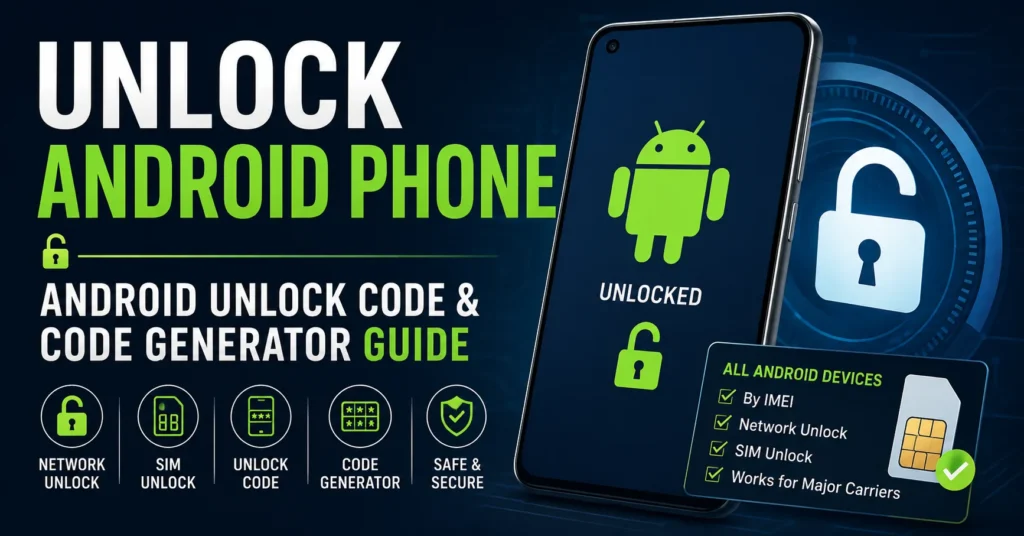
This guide covers unlock Android, unlock Android phone, Android unlock code, Android unlock code generator, Android network unlock, SIM unlock, carrier unlock, IMEI-based unlocking, NCK codes, network unlock PINs, SIM PINs, PUK codes, screen locks, FRP, and unlocking Android phones from major carriers.
What Does Unlock Android Phone Mean?
Unlock Android phone can mean several different things.
When someone searches for an Android unlock solution, they may actually be trying to solve one of these problems:
| Type of Lock | What It Prevents | Typical Solution |
|---|---|---|
| Carrier / network lock | Using another carrier’s SIM or eSIM | Original carrier unlock |
| SIM PIN | Access to the SIM card | Correct SIM PIN |
| PUK lock | SIM access after too many incorrect PIN attempts | Carrier-provided PUK |
| Screen PIN | Access to Android itself | Correct screen PIN or official recovery/reset |
| Pattern lock | Access to Android | Correct pattern or official recovery/reset |
| Google FRP | Device setup after certain resets | Previously associated Google account |
| IMEI blacklist | Network use of a restricted device | Original carrier/provider resolution |
These locks should never be treated as the same problem.
What Is an Android Unlock Code?
An Android unlock code can refer to different codes depending on the type of restriction.
For carrier unlocking, manufacturers and carriers may use terms such as:
- Network Unlock Code
- Network Unlock PIN
- NCK Code
- SIM Network Unlock PIN
- SIM Unlock Code
- Carrier Unlock Code
- Subsidy Unlock Code
The exact terminology depends on the manufacturer, carrier, model and software.
A carrier unlock code is completely different from your Android screen PIN or your SIM’s PUK code.
What Is an Android Unlock Code Generator?
An Android unlock code generator is a tool that claims to calculate or provide an unlock code for an Android phone.
Historically, some phones used code-based carrier unlocking systems. This is why searches for Android unlock code generator, Android code calculator, and Android unlock code by IMEI remain common.
Modern Android phones, however, do not all use the same unlocking system.
In many cases, the carrier controls the unlocking process through its own eligibility system or remote device-unlock mechanism. Google specifically explains that a SIM-locked Pixel must be unlocked by the seller or carrier.
Therefore, a website claiming that one universal calculator can generate a working unlock code for every Android phone should be treated cautiously.
Can You Unlock Every Android Phone With One Code?
No.
There is no legitimate universal code that unlocks every Android phone.
Android is an operating system used by many manufacturers and carriers, including:
- Samsung
- Google Pixel
- Motorola
- OnePlus
- Xiaomi
- Redmi
- POCO
- LG
- Nokia
- TCL
- Alcatel
- BLU
- ZTE
- Huawei
- Sony
- ASUS
- OPPO
- Realme
- HTC
Each manufacturer can use different hardware, firmware and carrier-lock mechanisms.
Even two Android phones from the same manufacturer can have different unlocking requirements because they were sold through different carriers.
How to Unlock Android Phone
The correct method begins by identifying the type of lock.
Step 1: Determine What Is Locked
Ask yourself what happens when you try to use the phone.
Does the phone:
- Reject another carrier’s SIM?
- Ask for a network unlock code?
- Ask for a SIM PIN?
- Ask for a PUK?
- Ask for a screen PIN or pattern?
- Ask for the previous Google account after a reset?
- Show an IMEI or network restriction?
The answer determines which unlocking method is relevant.
Step 2: Identify the Manufacturer and Model
Find the exact Android model.
The model is important because unlocking procedures can differ between Samsung, Motorola, Google Pixel, LG, ZTE, Huawei, Xiaomi and other manufacturers.
Step 3: Find the IMEI
Dial:
*#06#
On many Android phones, you can also find it under:
Settings → About phone → IMEI
An IMEI identifies the mobile device, but it does not automatically mean that an unlock code can be mathematically generated from it.
Step 4: Identify the Original Carrier
Carrier unlocking is controlled by the carrier or provider that placed the network restriction on the device.
This is one of the most important facts about Android unlocking.
Step 5: Check Unlock Eligibility
Carriers commonly consider factors such as payment status, account status, activation period, fraud status, lost/stolen status and device compatibility.
Step 6: Use the Correct Unlock Method
Depending on the phone, unlocking may be automatic, remote, performed through a device-unlock application, or completed with an official unlock code.
Android Network Unlock
Android network unlock means removing a carrier restriction so the phone can be used with another compatible carrier.
This is also called:
- Carrier unlock
- SIM unlock
- Network unlock
- SIM network unlock
- Device unlock
Google describes SIM unlocking as the process that allows a phone to be used with a mobile carrier other than the original seller’s network.
Android SIM Unlock
Android SIM unlock is one of the most common search terms for carrier unlocking.
A SIM-locked phone can be restricted to the carrier that originally sold or activated it.
When another SIM is inserted, the phone may display messages such as:
- SIM Not Supported
- SIM Not Allowed
- Network Locked
- Enter Network Unlock Code
- SIM Network Unlock PIN
- Network Unlock PIN
These messages can indicate a carrier restriction rather than a screen-lock problem.
Android Network Unlock Code
An Android network unlock code is a code used by some devices to remove a carrier restriction.
Depending on the manufacturer and carrier, the code may be called an NCK, Network Unlock PIN, SIM Network Unlock PIN or another name.
Not every modern Android phone uses a manually entered code.
Android NCK Code
NCK commonly refers to a Network Control Key or network unlock code used by certain mobile devices.
If an Android phone specifically asks for an NCK or network unlock code, identify the exact manufacturer, model and original carrier before attempting to enter anything.
There is no universal NCK code for all Android phones.
Android Network Unlock PIN
A Network Unlock PIN is another term that can appear when an Android device is carrier locked.
If the phone displays a Network Unlock PIN request after another carrier’s SIM is inserted, the phone may be asking for an official carrier unlock credential.
Do not confuse this with your SIM PIN.
SIM Network Unlock PIN
SIM Network Unlock PIN is commonly associated with carrier unlocking on Android devices.
Android’s own system software includes separate messages for network-locked devices and SIM-locked devices, demonstrating that these are distinct states.
Android SIM PIN
A SIM PIN protects the SIM card itself.
It is not the same as an Android network unlock code.
If the phone asks for a SIM PIN immediately after startup, the SIM card may have SIM PIN protection enabled.
Entering the wrong SIM PIN repeatedly can cause the SIM to become PUK locked.
Android PUK Code
A PUK code is used to recover a SIM card after too many incorrect SIM PIN attempts.
PUK codes are normally supplied by the mobile carrier or SIM provider.
Do not guess a PUK code. Too many incorrect PUK attempts can permanently disable the SIM card. Xiaomi’s official support documentation also warns about the limited number of PUK attempts.
Android Unlock Code vs SIM PIN vs PUK
| Code | What It Unlocks | Who Usually Provides It |
|---|---|---|
| Network Unlock Code | Carrier/network restriction | Original carrier or authorized unlocking system |
| NCK Code | Network/carrier restriction on supported devices | Carrier or applicable unlock system |
| SIM PIN | SIM card security | SIM owner/carrier |
| PUK | Locked SIM after incorrect PIN attempts | SIM carrier |
| Screen PIN | Android device access | Device owner |
| Google Account | FRP/device activation protection | Previously associated Google account |
Unlock Android Phone by IMEI
Unlock Android phone by IMEI is a very common search query.
The IMEI is a unique device identifier and can be useful when checking the device with a carrier.
For example, AT&T’s official device-unlock system asks users for the mobile number or IMEI when starting an unlock request.
However, the IMEI should not be thought of as a universal mathematical input that generates an unlock code for every Android device.
The carrier uses the IMEI to identify the device and determine whether it qualifies for unlocking.
Can an Android Unlock Code Be Generated From IMEI?
Sometimes a code-based unlocking system may use the device IMEI, but there is no universal Android IMEI unlock-code formula.
This distinction is extremely important.
Older phones and certain carrier systems may use code-based unlocking. Modern devices frequently use carrier-side eligibility checks and remote unlocking mechanisms instead.
T-Mobile, for example, documents remote unlocking methods for supported Android devices, including Samsung, Motorola, LG and OnePlus models.
Free Android Unlock Code
If you are searching for a free Android unlock code, the safest approach is to first determine whether the original carrier provides an official unlock at no charge.
Many carriers provide device unlocking when their eligibility requirements are satisfied.
For example, Verizon’s current policy provides automatic unlocking for qualifying devices under its current rules.
AT&T also provides an official device-unlock request process for eligible devices.
Free Android Unlock Code Generator
A free Android unlock code generator may sound attractive, but there is no universal generator that legitimately works with every Android phone.
A legitimate unlocking process depends on:
- Manufacturer
- Exact model
- Original carrier
- IMEI
- Country
- Firmware
- Device status
- Account status
- Payment status
- Carrier eligibility
That is why a generic calculator cannot reliably replace the carrier’s unlocking system.
Android Unlock Code Calculator
An Android unlock code calculator is generally intended to calculate a code from device information such as model, IMEI or other identifiers.
These calculators are mainly relevant to particular legacy devices or code-based unlocking systems.
Modern Android phones should not automatically be assumed to support an IMEI-to-unlock-code calculation.
Universal Android Unlock Code
There is no legitimate universal unlock code that can unlock every Android phone.
A code that works on one model, carrier or firmware can be completely useless on another.
Anyone claiming to have one secret code that unlocks every Android phone should be treated with caution.
Unlock Android Phone Without Code
Yes, many Android phones can be unlocked without manually entering a code.
This is increasingly common with modern carrier unlocking systems.
For example, T-Mobile documents automatic or remote unlocking for eligible devices, while Verizon’s current policy provides automatic unlocking for qualifying devices.
The phone may simply change from locked to unlocked after the carrier completes the process.
Unlock Android Without a Computer
Carrier unlocking often does not require a computer.
Depending on the manufacturer and carrier, the unlock can occur:
- Automatically
- Through Android Settings
- Through a carrier application
- Through a carrier account
- Remotely through the carrier
T-Mobile, for example, documents device-specific unlock procedures directly from Android settings for some Samsung, Motorola, LG and OnePlus devices.
How to Check If Android Phone Is Unlocked
Method 1: Insert Another SIM
Insert a SIM from another compatible carrier.
If the phone connects to the new network, it may already be unlocked.
Method 2: Check Android Settings
Some manufacturers expose a network-lock or device-unlock status in Settings.
The exact menu differs by manufacturer.
Method 3: Check With the Original Carrier
The original carrier can determine whether the IMEI is eligible and whether the network lock has been removed.
Android Phone Says Network Locked
If your Android phone displays Network Locked, it usually means the device has a carrier/network restriction.
This is different from a screen PIN or Google account lock.
The correct solution is normally to follow the original carrier’s device-unlock process.
Android Phone Says SIM Not Supported
SIM Not Supported can indicate that the phone is still SIM locked.
Google specifically notes that a SIM-locked Pixel can display a message such as “SIM card isn’t supported” when another carrier’s SIM is inserted.
Check the original carrier’s unlocking requirements before trying random codes.
Android Phone Says Enter Network Unlock Code
If your phone displays Enter Network Unlock Code, the device may be asking for a carrier-specific network unlock credential.
Do not confuse this with the screen PIN.
Identify:
- Phone manufacturer
- Exact model
- Original carrier
- Country
- IMEI
Then determine the correct carrier unlocking procedure.
Android Phone Says SIM Network Unlock PIN
If your Android phone requests a SIM Network Unlock PIN, it is generally referring to a network/carrier restriction.
This is different from a SIM PIN and PUK.
Entering random codes can create additional problems, so use the correct unlocking information for the device.
Android Screen Lock
A screen lock is completely different from a carrier unlock.
Android supports screen locks including:
- PIN
- Pattern
- Password
- Fingerprint on supported devices
Google states that Android screen locks protect access to the device and normally require the existing PIN, pattern or password to change or remove the lock.
Forgot Android PIN or Pattern
If you forgot the screen PIN or pattern, do not search for an “Android network unlock code.”
You are dealing with a device-access problem rather than a carrier lock.
Google’s current Android guidance states that if you cannot unlock the device, you may need to erase it and set it up again.
This process can erase data stored on the phone.
Android Factory Reset Protection (FRP)
Google Factory Reset Protection, commonly called FRP, is another completely different type of lock.
If a reset Android phone asks for the Google account previously associated with the device, this is not a carrier unlock problem.
A network unlock code does not remove Google account protection.
Android IMEI Blacklist
An IMEI blacklist is also different from a carrier SIM lock.
A phone can be:
- Carrier locked and IMEI clean.
- Carrier unlocked and IMEI restricted.
- Carrier locked and IMEI restricted.
- Unlocked and clean.
Unlocking the carrier restriction does not automatically remove an IMEI blacklist.
For more information, read our IMEI Blacklist Checker guide.
Android IMEI Check
If you need to identify your Android phone, the IMEI can be found by dialing:
*#06#
You can also find it in many Android phones under:
Settings → About phone
The IMEI is useful when communicating with a carrier or checking device information.
For more information, see our IMEI Search Software guide.
Android IMEI Fix vs Android Unlock
A missing, invalid or unknown IMEI is not the same as a network lock.
If your Android displays:
- Invalid IMEI
- Null IMEI
- Unknown IMEI
- IMEI missing
- No IMEI
an Android unlock code will not normally repair the underlying IMEI problem.
Read our IMEI Fix Tool guide for information about IMEI-related problems.
Samsung Android Unlock
Samsung devices can use different carrier-unlock mechanisms depending on the original provider and model.
Some Samsung phones expose network-lock information in Settings, while carrier eligibility is handled by the provider.
Samsung Network Unlock
On supported devices, Samsung may display network-lock information in its settings.
T-Mobile’s current instructions, for example, include Samsung-specific device-unlock procedures for eligible phones.
Google Pixel Unlock
Google Pixel phones can be sold SIM-locked or SIM-unlocked depending on where they were purchased.
Google states that Pixel phones purchased from the Google Store come unlocked, while carrier-sold devices may be SIM locked until the seller or carrier removes the restriction.
Motorola Android Unlock
Motorola phones can have carrier-specific unlocking requirements.
T-Mobile documents a Device Unlock option for supported Motorola devices through:
Settings → About Phone → Device Unlock
when the device is eligible.
LG Android Unlock
Some LG devices include a Network Unlock option in Android settings when supported by the carrier.
T-Mobile’s current instructions describe an LG process through:
Settings → Network & Internet → Mobile Networks → Network Unlock → Continue → Permanent Unlock.
Older LG phones can use different code-based unlocking systems.
OnePlus Android Unlock
Some OnePlus devices expose network unlocking through Android settings.
T-Mobile’s current documentation describes an eligible-device procedure involving Settings → Wi-Fi & Internet → SIM & network → Advanced or Network Unlock.
ZTE Android Unlock
ZTE phones can use different carrier and model-specific unlocking systems.
Older ZTE phones may be associated with code-based unlocking, which is why searches for ZTE unlock code and ZTE unlock code generator remain common.
For a dedicated ZTE guide, see our ZTE Unlock Code Generator guide.
Huawei Android Unlock
Huawei devices can also have different network-unlock systems depending on the model and carrier.
Older Huawei phones are frequently associated with network unlock codes and IMEI-based code services.
For detailed Huawei information, see our Huawei Unlock Code Generator guide.
BLU Android Unlock
BLU phones are another popular category for searches involving Android network unlock codes.
Depending on the exact model and carrier, users may encounter NCK, MCK, SPCK or other unlock terminology.
See our dedicated BLU Phone Unlock Code Generator guide.
Unlock Android Phone by Carrier
The original carrier is one of the most important factors in Android unlocking.
Unlock AT&T Android Phone
AT&T provides an official device-unlock request process that can use the device IMEI.
AT&T’s current requirements include conditions such as the device being paid in full, not reported lost or stolen, and the account being current where applicable.
Unlock T-Mobile Android Phone
T-Mobile provides device-specific unlocking procedures and eligibility checks.
Eligible devices that support remote unlocking can be unlocked through T-Mobile’s systems.
Unlock Verizon Android Phone
Verizon’s current unlocking policy depends on the device type, purchase date and plan.
Current Verizon policy states that qualifying postpaid devices purchased directly from Verizon unlock automatically when purchased at full retail price or when the financing balance is paid in full. Current prepaid devices purchased under the newer policy remain locked until the applicable 365-day requirement is satisfied.
Read our detailed Verizon Unlock Code Generator guide.
Unlock Android Phone for Another Carrier
After a carrier restriction has been removed, the phone can potentially be used with another compatible carrier.
However, unlocked does not always mean compatible.
Google notes that not every Pixel supports every 5G network, and Verizon similarly warns that an unlocked device may have limited functionality or may not work at all on another carrier because of differences in network technologies.
Android Unlock vs Network Compatibility
| Status | Meaning |
|---|---|
| Carrier locked | Phone is restricted to the original carrier. |
| Carrier unlocked | Carrier restriction has been removed. |
| Unlocked but incompatible | Phone may lack required bands or network technologies. |
| Unlocked and compatible | Phone can potentially operate on the new carrier. |
Why Android Unlock Code Generators Do Not Always Work
There are several reasons an online Android unlock code generator may fail.
- The phone does not use code-based unlocking.
- The carrier controls unlocking remotely.
- The IMEI is not eligible.
- The phone is still being financed.
- The account does not meet carrier requirements.
- The phone was reported lost or stolen.
- The generator does not support the exact model.
- The code format is wrong.
- The phone has a different firmware version.
- The phone is asking for a different type of code.
How to Tell Which Android Code You Need
| Message on Phone | Likely Issue |
|---|---|
| Enter Network Unlock Code | Carrier/network lock |
| Network Unlock PIN | Carrier/network lock |
| SIM Network Unlock PIN | Carrier/network lock |
| Enter SIM PIN | SIM security |
| Enter PUK | SIM is PUK locked |
| Enter PIN / Pattern | Android screen lock |
| Verify Google account | FRP / Google account protection |
Can a Carrier Unlock Android Phone Remotely?
Yes.
Modern carriers increasingly use remote unlocking instead of manually entered codes.
T-Mobile’s documentation provides remote unlock methods for supported Android devices, including Samsung, Motorola, LG and OnePlus.
This is one reason older “universal Android unlock code” instructions may not apply to newer phones.
Can Android Be Unlocked Without Losing Data?
A normal carrier unlock generally does not require deleting personal data.
However, a forgotten screen lock can require a factory reset.
Google warns that resetting a device to regain access can erase data stored on the phone.
Do not confuse carrier unlocking with screen-lock recovery.
Can You Unlock Android Without a SIM Card?
Some carrier unlock procedures can be performed through the phone or carrier account without another physical SIM.
However, testing the phone with a different SIM is one of the simplest ways to confirm whether a carrier restriction remains.
Can You Unlock Android Without the Original Carrier?
For a carrier-locked device, the original carrier or the provider controlling the lock is generally the appropriate party to unlock it.
Google explicitly directs users with SIM-locked Pixel phones to contact the seller or carrier for unlocking.
A third-party service cannot legitimately override every carrier’s eligibility system.
Can You Unlock Android Phone for Free?
In many situations, yes, if the device satisfies the original carrier’s unlocking requirements.
The exact policy varies by carrier.
AT&T, T-Mobile and Verizon all publish their own device-unlock procedures and eligibility requirements.
Therefore, check the original carrier before paying for an external service.
Android Unlock Code Troubleshooting
Wrong Unlock Code
If a code is rejected, stop entering random codes. Confirm the exact device model, carrier and type of requested code.
Too Many Incorrect Attempts
Some devices or SIM systems can impose restrictions after repeated incorrect codes.
Never guess a PUK code.
Phone Still Says Network Locked
Check whether the carrier has actually completed the unlock and restart the device if instructed.
New SIM Still Does Not Work
Check SIM activation, network compatibility, supported bands and carrier configuration.
Phone Is Unlocked but Has No Service
Unlocking does not guarantee compatibility with another carrier.
Android Unlock Code Security
Be careful with websites offering downloadable “universal unlock generators.”
Avoid software that:
- Requests unnecessary passwords.
- Requires disabling antivirus protection.
- Claims to unlock every Android model.
- Promises to remove stolen-device restrictions.
- Claims to remove IMEI blacklists.
- Requires suspicious executable files.
- Requests remote access to your computer without a legitimate reason.
Use official carrier tools whenever they provide a supported unlock method.
Android Unlock Code Generator vs Official Carrier Unlock
| Method | Best For | Important Consideration |
|---|---|---|
| Official carrier unlock | Modern carrier-locked phones | Uses the carrier’s eligibility system. |
| Automatic unlock | Eligible modern devices | No code may be required. |
| Official unlock app | Supported carrier devices | Availability depends on carrier and model. |
| Unlock code | Supported code-based devices | Must match the exact phone/carrier. |
| Universal generator | Not a universal solution | Should not be assumed to work on every Android phone. |
Android Unlock by Manufacturer
Android unlocking is highly model-dependent.
For dedicated guides, IMEIChanger also covers:
- Unlock ZTE Code Generator
- Unlock Huawei Code Generator
- Unlock BLU Phone Code Generator
- Unlock Verizon Phone Code Generator
Android Unlock Frequently Asked Questions
What is an Android unlock code?
An Android unlock code can refer to a network or carrier unlock credential used by certain devices. It is different from a screen PIN, SIM PIN or PUK code.
What is an Android unlock code generator?
An Android unlock code generator is a tool that claims to calculate an unlock code. There is no universal generator that legitimately works on every Android phone.
Can I unlock any Android phone?
Many Android phones can be carrier unlocked if they meet the original provider’s eligibility requirements. The exact process depends on the device and carrier.
Can I unlock Android phone by IMEI?
The IMEI can identify the device and is often used by carriers when checking unlock eligibility. It does not automatically generate a universal unlock code.
Is there a universal Android unlock code?
No. Different manufacturers, models, firmware versions and carriers use different unlocking systems.
Can I get a free Android unlock code?
Eligible phones can often be unlocked through the original carrier without purchasing a third-party code.
What is an Android Network Unlock PIN?
It is a carrier/network unlocking credential requested by some Android phones when a different SIM is inserted.
What is an NCK code?
NCK is a term used for certain network unlock codes. The exact meaning and applicability depend on the device and carrier.
What is a SIM Network Unlock PIN?
It generally refers to a code required to remove a carrier/network restriction from a compatible phone.
Is SIM PIN the same as Android unlock code?
No. A SIM PIN protects the SIM card, while a network unlock code removes a carrier restriction.
Is PUK the same as a network unlock code?
No. A PUK recovers a SIM after too many incorrect PIN attempts.
Can I unlock Android without a code?
Yes. Many modern carriers use automatic or remote unlocking systems, so no manually entered code may be necessary.
Can I unlock Android without a computer?
Often yes. Depending on the carrier and model, unlocking may be performed through Android settings, an app, a carrier account or remotely.
Why does my Android say Network Locked?
The device may still be restricted to its original carrier.
Why does my Android say SIM Not Supported?
The phone may still be SIM locked, although compatibility or activation problems can also produce similar symptoms.
Why does my Android ask for a PUK?
The SIM has usually been locked after too many incorrect SIM PIN attempts. Contact the SIM carrier for the correct PUK.
Can an Android unlock code remove FRP?
No. Carrier unlocking and Google Factory Reset Protection are separate security systems.
Can an Android unlock code remove an IMEI blacklist?
No. Network unlocking does not automatically remove an IMEI blacklist.
Can I unlock a financed Android phone?
It depends on the carrier’s policy. Some carriers require the device to be paid in full before unlocking.
Can I unlock an Android phone reported stolen?
Legitimate carrier unlocking policies generally do not provide a method to bypass lost/stolen or fraud restrictions.
Will unlocking Android make it work on every carrier?
No. The device must also support the new carrier’s network technologies and frequency bands.
Will Android unlocking erase my data?
A normal carrier unlock generally does not require a data wipe. Forgotten screen locks are different and may require a reset that erases data.
Can I use one Android unlock code on different phones?
No. Unlock credentials, where used, are normally specific to the device, carrier or unlocking system.
Why doesn’t my Android unlock code generator work?
The phone may not use a code-based unlocking system, the carrier may require remote unlocking, or the device may not meet the carrier’s eligibility requirements.
Final Thoughts
The search for unlock Android, unlock Android phone, Android unlock code and Android unlock code generator covers several completely different problems.
The first step is always to identify what is actually locked.
If another carrier’s SIM is rejected, you are probably dealing with a carrier or network lock.
If the phone asks for a SIM PIN or PUK, the problem involves the SIM card.
If the phone asks for a PIN, pattern or password when starting Android, you are dealing with a screen lock.
If the phone asks for the previously associated Google account after a reset, that is Factory Reset Protection.
And if the device has an IMEI restriction, that is a separate issue again.
Modern Android unlocking is also increasingly carrier-controlled. Google explains that SIM-locked Pixel phones must be unlocked by the seller or carrier, while carriers such as AT&T, T-Mobile and Verizon publish their own unlocking systems and eligibility requirements.
So while searches for an Android unlock code generator remain popular, there is no legitimate universal calculator that can unlock every Android phone.
The safest approach is to identify the exact Android model, determine the type of lock, find the original carrier, check the IMEI and use the appropriate official unlocking method whenever available.
Updated: August 30, 2026