iCloud Remover: iCloud Remover Tool & iCloud Remove Guide
Looking for an iCloud remover, an iCloud remover tool, or information about how to iCloud remove an Apple device from an account? This guide explains what iCloud removal actually means, how Activation Lock works, how to remove a device from your own Apple Account, and what to do if you purchased a used iPhone that is still linked to someone else’s account.
The term iCloud remover is often used online to describe software that claims to remove an iCloud or Activation Lock. However, there is an important difference between legitimately removing your own device from iCloud and attempting to bypass Apple’s Activation Lock security.
Apple’s current support guidance explains that Activation Lock can be removed by entering the Apple Account credentials associated with the device, using the device passcode where supported, removing the device through Find My, or starting an Activation Lock support request when you have proof of purchase.
This guide focuses on legitimate iCloud remove methods for device owners, sellers, buyers and authorized users.
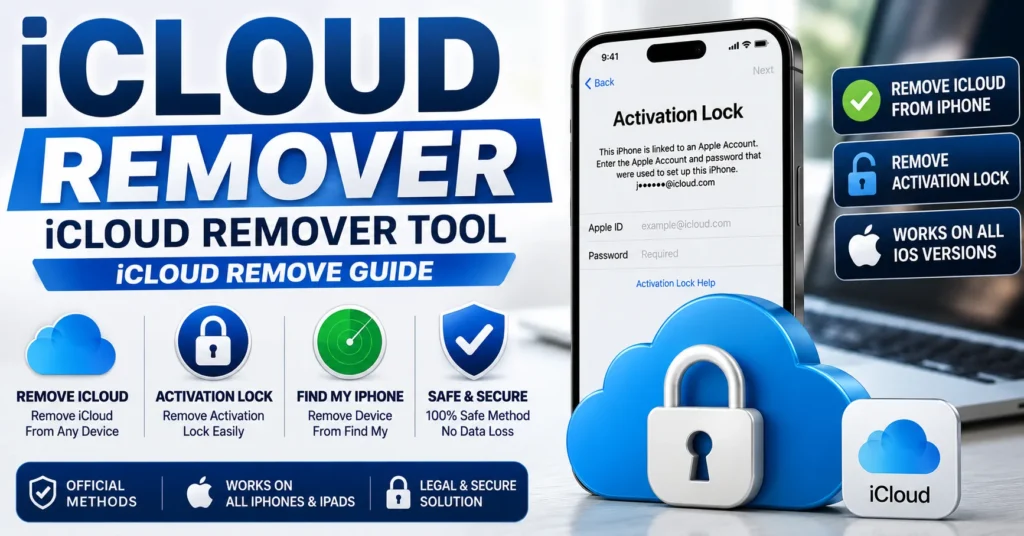
What Is an iCloud Remover?
An iCloud remover is a general term used for a tool, service or procedure that claims to remove an Apple device from an iCloud account or remove an Activation Lock.
There are two very different situations:
- Account removal: The legitimate owner removes their own device from their Apple Account or Find My.
- Activation Lock bypass: Someone attempts to circumvent Apple’s security without the credentials or authorization associated with the device.
These should not be treated as the same process.
Apple designed Activation Lock to prevent someone else from activating and using a device that remains associated with another person’s Apple Account.
What Does iCloud Remove Mean?
iCloud remove generally means removing an Apple device from the owner’s Apple Account and Find My so that the device is no longer associated with that account.
This is particularly important when:
- Selling an iPhone.
- Giving an iPhone to another person.
- Trading in an Apple device.
- Sending a device for service.
- Preparing a used iPhone for a new owner.
- Removing an old device from your personal account.
When Activation Lock is removed correctly, another person can activate the device with their own Apple Account. Apple’s iCloud documentation confirms that removing Activation Lock allows another person to activate the device and connect it to their Apple Account.
What Is an iCloud Remover Tool?
An iCloud remover tool is software or an online service advertised as a way to remove iCloud or Activation Lock.
Some older websites used this phrase to describe tools that claimed to bypass Activation Lock on older iPhone models.
However, a legitimate iCloud removal process should not require bypassing Apple’s security mechanisms.
If the device belongs to you, the correct approach is to remove it using your Apple Account, Find My, the device’s passcode where supported, or Apple’s official support process.
iCloud Remove vs Activation Lock
It is important to understand the difference between removing a device from iCloud and bypassing Activation Lock.
| Situation | Meaning | Legitimate Solution |
|---|---|---|
| Remove your own device | Device is associated with your Apple Account | Remove it through Find My or the device |
| Forgot Apple Account password | You own the account but cannot authenticate | Recover the Apple Account |
| Used iPhone linked to previous owner | Activation Lock remains active | Previous owner removes the device |
| Proof of purchase available | You may be able to request Apple’s assistance | Activation Lock support request |
| Unknown owner / no proof | Ownership cannot be established | Contact seller or previous owner |
What Is Activation Lock?
Activation Lock is an Apple security feature associated with Find My.
It is designed to prevent another person from using an iPhone, iPad, Mac or Apple Watch if the device is lost or stolen.
When Activation Lock is active, the Apple Account credentials associated with the device are required before the device can be properly reactivated.
Apple states that Activation Lock remains enabled while Find My is turned on and that the Apple Account password or device passcode is required for important actions such as turning off Find My, erasing the device or reactivating it.
How to Remove iCloud From Your Own iPhone
If the iPhone belongs to you and you can access the Apple Account associated with it, the process is straightforward.
Method 1: Remove the Account From the iPhone
If you still have the iPhone, use the device’s Apple Account settings to sign out and turn off Find My when prompted.
Apple requires authentication when disabling Activation Lock-related protections.
Method 2: Remove the Device Through Find My
If you no longer have the device, you can use Apple’s Find My service on the web.
Apple’s current instructions allow the owner to sign in to Find Devices, select the device, erase it when appropriate, and then select Remove This Device.
Method 3: Request Apple’s Help
If you own the device but cannot remove Activation Lock yourself, Apple provides an Activation Lock support request when you have proof of purchase documentation.
How to iCloud Remove a Device From Find My
If you sold or gave away your iPhone but forgot to remove it from your Apple Account, you can still remove the device remotely.
Apple’s current iCloud instructions are:
- Sign in to Find Devices on iCloud.com.
- Select the device.
- Erase the device if necessary.
- After the device has been erased, select Remove This Device.
When the process is completed correctly, Activation Lock is removed and another person can activate the device.
How to Remove iCloud From an iPhone Before Selling It
Before selling, giving away or trading in an iPhone, remove your Apple Account and Find My association.
This prevents the next owner from encountering an Activation Lock screen.
Apple specifically recommends removing Activation Lock before selling, giving away or trading in an Apple device.
Before You Sell
- Back up your personal data.
- Transfer your information to your new device if necessary.
- Sign out of your Apple Account.
- Turn off Find My.
- Erase the device.
- Confirm that the setup screen no longer asks for your Apple Account.
How to Remove iCloud From a Used iPhone
If you purchased a used iPhone and it displays an Activation Lock screen associated with another person’s Apple Account, the correct solution is to contact the previous owner.
The previous owner can remove the device from their Find My account remotely.
Apple’s guidance specifically explains that a device linked to someone else’s Apple Account must be removed by the associated owner.
Ask the Seller to Remove the Device
The previous owner should sign in to their Apple Account and remove the device from Find My.
Once the device has been properly removed, you can attempt activation with your own Apple Account.
If the Seller Cannot Remove It
If the seller refuses or cannot remove the device, contact the seller or marketplace where the device was purchased.
A legitimate seller should be able to provide a device that is no longer associated with their Apple Account.
iCloud Remover for iPhone
The phrase iCloud remover for iPhone is often searched by users who see an Activation Lock screen.
There is no legitimate universal tool that should be presented as a way to bypass Apple’s Activation Lock without authorization.
For an iPhone you own, use the Apple Account associated with the device, the device passcode where supported, Find My, or Apple’s Activation Lock support process.
iCloud Remover for iPhone 4
Older iPhone models are frequently mentioned in historical iCloud-removal articles.
However, the age of an iPhone does not turn Activation Lock into a security feature that can simply be bypassed with a universal tool.
If an old iPhone is yours, use the account-recovery and official ownership options available for the device.
iCloud Remover for iPhone 5
The iPhone 5 is another model commonly associated with old iCloud-removal searches.
Historical tools may claim to remove iCloud from these devices, but users should not assume that old software is legitimate, safe or capable of removing Apple’s current Activation Lock protection.
iCloud Remover for iPhone 6
The iPhone 6 appears frequently in older iCloud-bypass discussions.
If the device belongs to you, the appropriate solution remains Apple Account recovery or removal by the account owner rather than attempting to bypass Activation Lock.
iCloud Remover for iPhone 7
If an iPhone 7 is Activation Locked, identify the Apple Account associated with the device and use Apple’s official removal process.
A third-party “universal iCloud remover” should not be treated as a replacement for proof of ownership or Apple’s support process.
Can an iCloud Remover Tool Remove Activation Lock?
Users should be extremely cautious with claims that a downloadable tool can universally remove Activation Lock.
Activation Lock is specifically designed to prevent unauthorized reactivation of protected Apple devices.
Apple’s current support process requires the associated Apple Account credentials, device passcode where supported, removal through Find My, or an Activation Lock support request with proof of purchase.
Therefore, we do not recommend treating an unknown third-party tool as a universal solution.
Can You Remove iCloud Without the Apple Account?
If you are the legitimate owner but have forgotten your Apple Account information, the correct path is account recovery.
If the device belongs to somebody else, the previous owner needs to remove it from their account.
If you have proof of purchase, Apple provides an Activation Lock support request that may allow Apple to assist with the device.
Can You Remove iCloud With the IMEI?
The IMEI identifies the physical device, but it is not a universal key for removing Activation Lock.
Entering an IMEI into an online “iCloud remover” does not establish ownership of the Apple Account associated with the device.
For this reason, an IMEI should not be presented as a method for bypassing Activation Lock.
iCloud Remove by IMEI
iCloud remove by IMEI is a popular search phrase, particularly on websites offering older iCloud-removal services.
The important distinction is that an IMEI can identify an iPhone, while Activation Lock is tied to Apple’s account and Find My security system.
Apple’s official removal process is based on the Apple Account associated with the device, the device passcode where supported, or proof of purchase for a support request.
iCloud Remove Without Computer
If you own the device, you may be able to remove it directly from the iPhone or through Find My on another Apple device or the web.
A computer is not necessarily required for legitimate iCloud removal.
Apple’s Find My system provides web-based device management through iCloud.com.
iCloud Remove Without Password
If you mean removing your own device after forgetting the Apple Account password, use Apple’s account-recovery process.
If you mean bypassing Activation Lock without the associated credentials, there is no legitimate universal method that should be promoted as an “iCloud remover.”
If you have proof of purchase, Apple provides an Activation Lock support request as an additional official route.
Forgot Apple Account Password
If the iPhone belongs to you but you cannot remember your Apple Account password, recover the account rather than searching for an Activation Lock bypass.
Apple’s current Activation Lock guidance directs users who have forgotten their Apple Account information toward account recovery.
iPhone Activation Lock Screen
The Activation Lock screen indicates that the device is associated with an Apple Account through Find My.
If the device belongs to you, enter the Apple Account information used to set it up or the device passcode when supported.
If you purchased the device second-hand, ask the previous owner to remove it from their account.
How to Check an iPhone Before Buying Used
Checking Activation Lock status is extremely important when buying a used iPhone.
Ask the Seller to Erase the Device
The seller should properly erase the iPhone and remove it from their Apple Account.
Check the Activation Screen
The phone should be ready for you to activate with your own Apple Account.
Do Not Buy a Device Linked to Another Account
If the setup process asks for another person’s Apple Account credentials, do not assume that a software tool will legitimately solve the problem.
Ask the seller to remove the device before completing the purchase.
What If You Bought an iPhone With Activation Lock?
If you purchased a second-hand iPhone that remains linked to another person’s Apple Account, contact the seller immediately.
Ask them to remove the device from Find My.
If the seller cannot or will not remove it, request a refund through the marketplace or seller.
Apple’s support documentation states that if a previously used device is linked to someone else’s Apple Account, the owner should remove Activation Lock from the account.
Can Apple Remove Activation Lock?
Apple can provide an Activation Lock support process when the legitimate owner has proof of purchase documentation.
Apple’s current support page explicitly provides a way to start an Activation Lock support request when proof of purchase is available.
This is the most important official option for owners who cannot complete the normal removal process.
iCloud Remove for Business Devices
If the device belongs to a company or educational institution, the organization’s IT department or administrator may need to handle Activation Lock.
Apple specifically recommends contacting the organization’s IT department or manager for devices owned by businesses or educational institutions.
iCloud Remove for Mac
Activation Lock also applies to supported Mac computers.
Apple explains that Activation Lock helps prevent unauthorized use of a Mac if it is lost or stolen.
For your own Mac, Activation Lock can be disabled by turning off Find My and authenticating with the Apple Account credentials. Apple also provides a web-based removal method for an offline Mac.
iCloud Remove for Apple Watch
Apple Watch can also be protected by Activation Lock through Find My.
If you sell or give away an Apple Watch, remove Activation Lock before transferring ownership.
Apple provides instructions for removing an Apple Watch from Find My and disabling Activation Lock.
iCloud Remove vs iPhone Unlock
Removing an iCloud/Activation Lock is different from carrier unlocking.
| Problem | What It Means |
|---|---|
| iCloud / Activation Lock | Device remains associated with an Apple Account through Find My. |
| Carrier lock | Phone is restricted to a particular mobile network. |
| SIM PIN | SIM card security. |
| PUK | SIM recovery after too many incorrect PIN attempts. |
| Screen passcode | Protects access to the device. |
An iPhone can be carrier unlocked and still have Activation Lock enabled.
iCloud Remover Tool Safety
Be careful with software advertised as a universal iCloud remover tool.
Do not install unknown programs simply because they promise to remove Activation Lock.
Be particularly cautious when a tool:
- Promises to unlock every iPhone.
- Claims to remove Activation Lock without authentication.
- Requests your Apple Account password.
- Requests remote access to your computer.
- Requires disabling security software.
- Claims that an IMEI alone can remove Activation Lock.
- Promises permanent iCloud removal without proof of ownership.
For your own device, use Apple’s official account and Find My tools whenever possible.
Why Old iCloud Remover Tools May Not Work
Many websites still publish articles about old iCloud removal utilities that were created years ago.
Those articles may refer to specific iPhone generations, old iOS versions, temporary vulnerabilities, or services that are no longer available.
A tool that appeared to work for an old iPhone model does not automatically provide a valid solution for current Apple devices.
Is There a Free iCloud Remover?
If you own the device, you do not need to purchase a third-party “iCloud remover” simply to remove your own device from your Apple Account.
Apple provides official ways to remove your device through the device itself or Find My.
If you have proof of purchase but cannot complete the process, Apple also provides an Activation Lock support request.
Is There a Free iCloud Remove Tool?
For legitimate account removal, Apple’s own Find My service is the appropriate starting point.
There is no need to rely on an unknown third-party application simply to remove your own device from your Apple Account.
What an iCloud Remover Cannot Legitimately Do
A legitimate iCloud-removal guide should not promise that software can:
- Remove Activation Lock from an unknown owner’s device.
- Turn a stolen device into an unrestricted device.
- Generate a universal Apple Account password.
- Remove another person’s Apple Account without authorization.
- Use an IMEI as a universal Activation Lock bypass.
Activation Lock exists specifically to protect devices against unauthorized use.
Common iCloud Remove Problems
I Forgot My Apple Account
Use Apple’s account-recovery options to identify or recover the account associated with the device.
I Forgot My Apple Account Password
Recover the password through Apple’s official account-recovery process.
I Sold My iPhone but Forgot to Remove It
Use Find My on iCloud.com to erase and remove the device from your account.
I Bought a Used iPhone With Activation Lock
Contact the previous owner and ask them to remove the device from their Apple Account.
The Previous Owner Is Unavailable
If you have proof of purchase, start an Activation Lock support request with Apple.
The iPhone Was Stolen
Do not attempt to remove or bypass the security protection. Contact the appropriate authorities, carrier or seller as applicable.
Frequently Asked Questions About iCloud Remover
What is an iCloud remover?
An iCloud remover is a general term for a tool or process intended to remove an Apple device from an iCloud/Apple Account or deal with Activation Lock. For legitimate removal, use Apple’s official account and Find My procedures.
What is an iCloud remover tool?
An iCloud remover tool is software or an online service advertised for iCloud removal. Unknown third-party tools should not be treated as universal Activation Lock solutions.
What does iCloud remove mean?
It normally means removing an Apple device from an Apple Account and Find My so another person can activate it.
Can I remove iCloud from my own iPhone?
Yes. You can remove your own device through the device, Find My, or Apple’s support process when appropriate.
Can I remove iCloud from a used iPhone?
If the device is linked to another person’s Apple Account, the previous owner should remove it from their account.
Can I remove Activation Lock with an iCloud remover?
Do not rely on an unknown third-party tool to bypass Activation Lock. Apple’s supported methods require the associated account credentials, device passcode where supported, removal through Find My, or an ownership-based support request.
Can I remove iCloud with an IMEI?
The IMEI identifies the device, but it is not a universal key for removing Activation Lock.
Can I remove iCloud without the password?
If you own the device but forgot the password, use Apple’s account-recovery process. If you have proof of purchase and cannot remove Activation Lock yourself, Apple provides a support-request option.
Is there a free iCloud remover?
For your own device, Apple’s built-in and Find My removal methods are the appropriate free options. Be cautious with third-party software promising universal Activation Lock removal.
Can I remove iCloud from an iPhone 6?
If the iPhone belongs to you, use the Apple Account and official removal process. The age of the device does not change the ownership requirement for Activation Lock.
Can I remove iCloud from an iPhone 7?
Yes, if you are the legitimate owner and can complete Apple’s supported Activation Lock removal process. If it belongs to someone else, the previous owner must remove it.
Can Apple remove Activation Lock?
Apple provides an Activation Lock support request for eligible cases where the owner has proof of purchase documentation.
What if the previous owner forgot to remove the iPhone from iCloud?
Ask the previous owner to sign in to Find My and remove the device from their account.
What if I cannot contact the previous owner?
Contact the seller or marketplace and request a refund or resolution. If you have valid proof of purchase, you can also investigate Apple’s Activation Lock support process.
Does erasing an iPhone remove Activation Lock?
Not by itself. Activation Lock can remain enabled after a remote erase. Apple explains that the device must also be removed from the owner’s Find My account.
Does factory resetting an iPhone remove iCloud?
A reset does not necessarily remove Activation Lock. The device must be properly removed from the associated Apple Account and Find My.
Can an iCloud remover unlock a stolen iPhone?
No legitimate guide should recommend bypassing Activation Lock on a device without authorization or proof of ownership.
Final Thoughts on iCloud Remover and iCloud Remove
The terms iCloud remover, iCloud remover tool, iCloud remove, and remove iCloud are widely searched, but they can describe very different situations.
If you own the iPhone, the safest solution is to remove it from your Apple Account and Find My using Apple’s supported procedures.
If you forgot your Apple Account information, recover the account.
If you purchased a used iPhone that is still connected to someone else’s account, ask the previous owner to remove it.
If you have proof of purchase and cannot complete the normal process, Apple provides an Activation Lock support request.
Apple’s current documentation also confirms that a device can be removed from Find My through iCloud.com, and that removing Activation Lock allows another person to activate the device with their own Apple Account.
The key point is that an iCloud remover tool should not be presented as a universal way to bypass Activation Lock. A legitimate iCloud remove process is based on account ownership, device authorization or documented proof of purchase.
For IMEI-related information, see our IMEI Blacklist Checker guide.
For iPhone-related IMEI information, see our iPhone IMEI Check Service guide.
Updated: August 30, 2026