Unlock BLU Phone: BLU Unlock Code Generator, Calculator & Free Codes
If you are searching for an unlock BLU phone solution, a BLU unlock code, an unlock BLU code generator, a BLU unlock code calculator, or free unlock BLU codes, this guide explains the real ways BLU phones can be unlocked and how to determine which method applies to your device.
BLU phones are especially popular in the United States and other markets because they offer affordable Android smartphones and feature phones. However, a BLU phone can be affected by several completely different types of locks. A carrier or network lock is not the same thing as a forgotten screen PIN, SIM PIN, PUK, Google Factory Reset Protection (FRP), or an IMEI blacklist.
This distinction is extremely important.
If your BLU phone displays SIM Network Unlock PIN, Network Unlock Code, SIM Network Unlock Code, or a similar message after inserting another carrier’s SIM card, you are probably dealing with a network/SIM lock. That is the type of problem an unlock BLU code or network unlock service is designed to address.
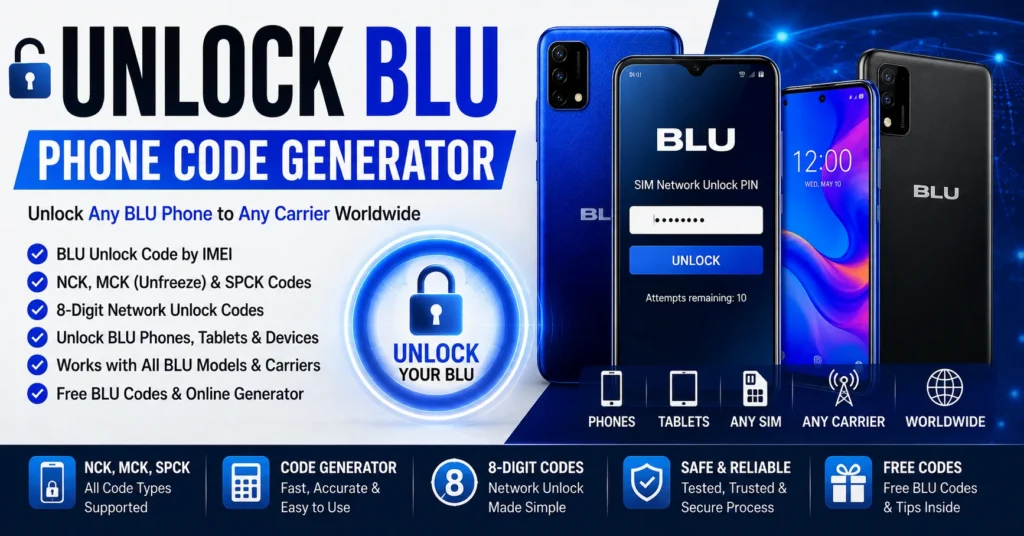
BLU unlocking can involve different code types depending on the model and network-lock system. Historical and current BLU unlocking services commonly refer to NCK as the primary network unlock code, while MCK/Unfreeze can be associated with a frozen device after repeated incorrect codes and SPCK with a service-provider restriction.
This guide covers unlock BLU, BLU unlock codes by IMEI, BLU code generators, BLU code calculators, free BLU unlock codes, NCK, MCK, SPCK, network unlock PINs, carrier unlocking in the USA, BLU models, troubleshooting, blacklist issues, and the difference between network unlocking and other types of phone locks.
What Does Unlock BLU Phone Mean?
Unlock BLU phone normally means removing a carrier or network restriction so the phone can accept a compatible SIM card from another mobile network.
For example, a BLU phone purchased or activated through one carrier may reject a SIM card from another carrier until the network restriction has been removed.
After a successful network unlock, the phone may be able to register on another compatible carrier.
However, unlocking does not automatically make every BLU phone compatible with every network. The phone must still support the carrier’s cellular bands, technologies, VoLTE requirements, and other network characteristics.
What Is a BLU Unlock Code?
A BLU unlock code is a code used by a compatible BLU phone to remove a network or SIM restriction.
The exact code and unlocking procedure depend on the phone, carrier, firmware, and lock system.
Some BLU unlocking services identify the primary network unlock code as an NCK. Other code types can include MCK/Unfreeze and SPCK.
| Term | Meaning / Purpose |
|---|---|
| BLU Unlock Code | General term for a code used to remove a compatible network/SIM restriction. |
| NCK | Network Control Key / network unlock code on supported devices. |
| MCK / Unfreeze | Code associated with recovering a device that has entered a freeze state after incorrect unlock attempts on supported systems. |
| SPCK | Service Provider Control Key used for certain secondary/service-provider restrictions. |
| IMEI | Unique cellular-device identifier used by carriers and unlocking services. |
| SIM PIN | Security code belonging to the SIM card. |
| PUK | Code supplied by the carrier to recover a SIM after too many incorrect PIN attempts. |
What Is an Unlock BLU Code Generator?
An unlock BLU code generator is software or an online service intended to calculate, retrieve, or provide a network unlock code for a supported BLU phone.
The important word is supported.
There is no reason to assume that one BLU code generator can calculate a valid code for every BLU model, carrier, firmware version, and lock system.
Some unlocking services work from the phone’s IMEI and carrier information, while others may use a server or database to identify the correct unlock information. Current BLU unlocking services continue to offer IMEI-based network unlocking for supported BLU models.
Therefore, a good BLU unlock code generator should be evaluated according to the devices it actually supports rather than simply claiming that it can unlock every BLU phone.
What Is a BLU Unlock Code Calculator?
A BLU unlock code calculator is generally a tool designed to calculate an unlock code from information associated with a compatible BLU device.
In older phone-unlocking systems, code calculators could use the IMEI and other device information to derive a network unlock value.
Modern unlocking can also involve carrier systems, remote databases, or server-side processing.
That means the terms BLU unlock code calculator and BLU unlock code generator are often used interchangeably, even though the technology behind a particular service may be different.
Can You Really Unlock BLU With a Code?
Yes, compatible BLU phones can be unlocked using a network unlock code.
Current BLU unlocking services provide IMEI-based network unlock services for supported BLU devices, while technical unlocking references identify NCK, MCK/Unfreeze and SPCK code types for BLU phones.
However, a valid code must correspond to the phone and its network-lock system.
Do not assume that a random eight-digit number is a BLU unlock code simply because the phone asks for a numeric code.
How to Tell If Your BLU Phone Is Network Locked
The easiest test is to insert a SIM card from another carrier.
If the BLU phone accepts the SIM and connects normally, it may already be unlocked.
If the phone displays a network-unlock request, it may be carrier locked.
Common messages can include:
- SIM Network Unlock PIN
- Network Unlock Code
- SIM Network Unlock Code
- Enter Network Unlock PIN
- Enter Unlock Code
- Network Locked
- SIM Not Supported
- Invalid SIM
The exact message varies by BLU model, Android version, firmware, and original carrier.
If you see a message such as SIM Network Unlock PIN, read our detailed SIM Network Unlock PIN guide.
Network Unlock vs Screen Unlock on a BLU Phone
This is one of the most important distinctions in this entire guide.
| Problem | What It Means | Typical Solution |
|---|---|---|
| Network/SIM lock | Phone is restricted to a carrier. | Carrier unlock or compatible network unlock code. |
| Screen PIN forgotten | You cannot access Android. | Account-supported recovery or manufacturer-supported reset/recovery. |
| SIM PIN locked | SIM card is protected by a PIN. | Correct SIM PIN or carrier-issued PUK. |
| FRP locked | Google Factory Reset Protection is active. | Use the Google account previously associated with the device or legitimate recovery process. |
| IMEI blacklisted | Device has a reported/restricted network status. | Contact the carrier/original owner; unlocking does not remove blacklist status. |
A BLU unlock code is intended for the first problem: a carrier/network restriction.
How to Find the IMEI on a BLU Phone
The IMEI is commonly required when requesting a BLU network unlock.
Use *#06#
Open the phone dialer and enter:
*#06#
On compatible BLU phones, the IMEI should appear.
Use Android Settings
Open:
Settings → About phone
Depending on the BLU model and Android version, the IMEI may appear under device status or phone information.
Check the SIM Tray or Device Label
Some BLU models have the IMEI printed on a label, SIM tray, or other part of the device.
Check the Original Box
The IMEI may also be printed on the original packaging.
Whenever possible, verify the IMEI directly on the phone rather than relying only on a box or label.
Can You Unlock BLU Phone by IMEI?
Yes, IMEI-based BLU unlocking is a real method used by current unlocking services.
Services offering BLU network unlocking commonly ask for the phone’s 15-digit IMEI and the carrier to which the phone is locked.
The IMEI identifies the specific cellular device, while the carrier information helps determine which network restriction applies.
However, entering an IMEI into a website does not automatically guarantee that a valid code can be calculated for every BLU model.
The service must support the specific device and carrier combination.
How to Get a BLU Unlock Code by IMEI
The general process is straightforward.
- Find the BLU phone’s 15-digit IMEI.
- Identify the carrier that currently has the phone locked.
- Identify the exact BLU model if available.
- Check whether the carrier offers an official unlock.
- If using an IMEI-based unlocking service, verify that it supports your BLU model and carrier.
- Receive the appropriate network unlock information.
- Insert a SIM from another compatible carrier.
- Enter the supplied code if the phone requests one.
- Test the phone on the new network.
How to Unlock BLU Phone With an Unlock Code
Step 1: Identify the Current Carrier
Find out which carrier the BLU phone is locked to.
This is especially important in the United States because BLU phones can be sold through different carriers, prepaid brands, retailers, and MVNOs.
Step 2: Find the IMEI
Dial *#06# or check Settings → About phone.
Step 3: Insert a Different SIM
Power off the phone and insert a SIM card from another carrier.
Step 4: Turn the Phone On
If the phone is network locked and supports code-based unlocking, it may display an unlock-code prompt.
Step 5: Enter the Correct Code
Enter the network unlock code exactly as supplied.
Do not guess.
Step 6: Confirm the Unlock
The phone may display a confirmation message after accepting the correct code.
Step 7: Test the New SIM
Check signal, calls, SMS, and mobile data.
If the SIM is accepted but mobile data does not work, investigate APN and network compatibility rather than assuming the unlock failed.
What Is the BLU NCK Code?
NCK is commonly used to describe the primary network unlock code for supported BLU phones.
Current third-party BLU unlocking references explicitly identify NCK as the network unlock code used to remove a SIM/network restriction.
If your BLU phone displays a network unlock prompt, the NCK is often the relevant code type when the device’s unlocking system uses NCK terminology.
Do not confuse NCK with your SIM PIN or PUK.
What Is the BLU MCK or Unfreeze Code?
MCK, sometimes called an Unfreeze code, can be associated with recovering a BLU phone after repeated incorrect network-unlock attempts.
Some BLU unlocking services provide an Unfreeze/MCK code separately from the NCK.
This is why repeatedly entering random BLU unlock codes is a bad idea.
If the device enters a freeze state, you may need a different code or professional unlocking procedure.
What Is the BLU SPCK Code?
SPCK stands for Service Provider Control Key in systems that use this terminology.
It is associated with a service-provider or secondary lock rather than the primary network lock.
Some BLU unlocking services list SPCK as a secondary code type.
Most users should not enter an SPCK unless the phone specifically requires it.
NCK vs MCK vs SPCK on BLU Phones
| Code | Purpose | When It May Be Needed |
|---|---|---|
| NCK | Primary network unlock code. | When the phone is asking for a network/SIM unlock code. |
| MCK / Unfreeze | Recovers certain freeze states caused by incorrect attempts. | When the device has entered a supported freeze state. |
| SPCK | Service-provider restriction code. | Only when the device’s specific lock system requires it. |
Free Unlock BLU Codes: Can You Really Get Them?
The phrase free unlock BLU codes is heavily searched, but it needs an accurate explanation.
Some older BLU devices and unlocking systems have been supported by free or publicly available code-generation tools and services.
However, that does not mean that every modern BLU phone has a universally available free unlock code calculator.
Current BLU unlocking providers still use IMEI-based services for supported devices, and some charge for obtaining the network unlock information.
A realistic free-unlock scenario is more likely when:
- The phone is eligible for an official carrier unlock.
- The carrier provides the unlock without charging a fee.
- The device uses an older, documented code system.
- A compatible free calculator exists for the exact model.
- The required unlock information is already available through the carrier.
Free BLU Unlock Code Generator
A free BLU unlock code generator can refer to several different things:
- A local calculator that derives a code from the IMEI.
- An online generator that processes the IMEI remotely.
- A carrier-provided unlock mechanism.
- An old software tool designed for specific BLU models.
These are not equivalent.
Before trusting a generator, check exactly which BLU models and carriers it supports.
The original version of this IMEIChanger article claimed that its BLU generator could work with essentially any BLU device and that the IMEI was sufficient for generating the code.
That wording is too broad for a modern guide.
The better approach is to explain the actual compatibility requirements and avoid promising a universal result where the underlying unlocking system may differ.
BLU Unlock Code Calculator
The search term BLU unlock code calculator usually refers to a tool that attempts to calculate a network unlock code from the device’s identifying information.
For older devices, an IMEI-based calculator may be sufficient if the correct algorithm is known.
For newer carrier-specific devices, the unlock may depend on carrier authorization or a remote database.
That is why an online BLU calculator can produce different results from a professional IMEI-based service.
Does a BLU Unlock Code Calculator Work With Every BLU Phone?
No.
BLU has released many generations of phones with different hardware, software, carriers, and regional variants.
There is no technical reason to assume that one calculator supports every BLU model.
A calculator should ideally identify:
- Supported BLU models.
- Supported carriers.
- Supported firmware.
- Supported code types.
- Whether IMEI alone is sufficient.
- Whether the service uses a remote database.
Can a BLU Unlock Code Be Calculated From IMEI Alone?
Not universally.
The IMEI is extremely important because it identifies the device, and current BLU unlocking services commonly use it as the primary input.
But an IMEI does not automatically reveal a universal unlock code for every BLU device.
Depending on the phone and carrier, the unlock may require:
- IMEI.
- Exact model.
- Current carrier.
- Country.
- Carrier database lookup.
- Device eligibility.
- Server-side processing.
Why BLU Unlock Code Generators Fail
Wrong IMEI
A single incorrect digit can cause the wrong unlock result.
Wrong Carrier
The phone may be locked to a different carrier than you think.
Unsupported BLU Model
A calculator may support one BLU model but not another.
Wrong Code Type
The phone may require NCK while a service provides another code type.
Phone Is Already Unlocked
If the device accepts another carrier’s SIM, there may be no network lock to remove.
Device Is Blacklisted
A blacklist restriction is different from a carrier SIM lock.
Unlock Attempts Have Been Exhausted
Repeated incorrect entries can create a freeze condition on some BLU devices and unlocking systems.
Carrier Eligibility Is the Problem
A carrier may refuse to unlock a device because it does not meet its current eligibility requirements.
Do Not Guess BLU Unlock Codes
This deserves its own section because it can save you from making the problem worse.
Do not try:
- Random eight-digit numbers.
- Random NCK codes found on forums.
- Another phone’s unlock code.
- The IMEI as the unlock code.
- Repeated codes from different generators.
- Random MCK or SPCK codes.
If your BLU phone has an attempt limit or freeze mechanism, incorrect codes can make the unlocking process more complicated.
Use the code generated or supplied for the exact device whenever possible.
What Happens If a BLU Phone Goes Into Freeze Mode?
Some BLU unlocking systems can enter a freeze state after repeated incorrect unlock attempts.
Current unlocking references describe an Unfreeze/MCK code for this type of situation.
If your BLU displays a freeze or similar security message, stop trying random network codes.
Identify the exact message and determine whether the device requires an Unfreeze/MCK procedure before another NCK attempt.
How to Unlock BLU Phone From a Carrier in the USA
For a U.S. BLU phone, the first thing to determine is which carrier originally locked the device.
The correct unlocking route can be different for AT&T, T-Mobile, Verizon, Metro, prepaid brands, and other MVNOs.
Carrier unlocking policies can also change over time.
AT&T and BLU Phones
BLU currently maintains a dedicated AT&T support page because some older BLU devices stopped working on AT&T after the carrier’s 3G shutdown.
BLU lists the following models as AT&T-compatible on its current support information:
- C5L Max
- G33
- G34
- G35
- G53
- G54
- G64
- G84
- G40
- G91
- G91s
- G91 Pro
- Tank Flip
- S91
- S91 Pro
- V91
BLU also states that legacy BLU devices may no longer be compatible with AT&T and that its devices remain compatible with T-Mobile, Metro PCS and several MVNOs.
This is important because unlocking a BLU phone does not fix an incompatible network technology or missing carrier support.
T-Mobile and BLU Phones
T-Mobile and its related brands are an important part of the U.S. BLU ecosystem.
However, whether a particular BLU phone works on T-Mobile depends on the exact model, supported bands, carrier configuration, and device status.
Do not confuse being unlocked with being network compatible.
Metro by T-Mobile and BLU
BLU’s own support information states that its devices remain compatible with Metro PCS and several other MVNOs.
Again, compatibility depends on the particular BLU model.
Verizon and BLU Phones
Verizon’s device-locking policy changed significantly in 2026.
For devices purchased from Verizon on or after January 27, 2026, Verizon says standard monthly devices remain locked until the device is paid in full, while its current prepaid policy requires the device to remain locked for 365 days and 12 months of paid service before unlocking eligibility.
That means a BLU phone that happens to be used with Verizon must be evaluated according to the Verizon policy that applies to the device and purchase date.
AT&T BLU Unlock Requirements
AT&T’s current unlock requirements include conditions such as the device being paid in full, not being reported lost or stolen, and the account being current. AT&T also states that eligible prepaid devices have additional service requirements.
Therefore, if your BLU phone is locked to AT&T, check the current AT&T eligibility rules before looking for a third-party BLU unlock code.
T-Mobile Device Unlocking
T-Mobile’s published consumer code states that carriers should unlock eligible devices for customers and former customers in good standing after applicable service-contract or financing requirements are satisfied, and that prepaid devices should be unlocked no later than one year after initial activation subject to applicable requirements.
Always verify the current carrier policy for your exact BLU device.
Verizon BLU Unlocking
Verizon defines unlocking as disabling software that prevents a device designed for one carrier from being activated on another carrier.
Its current 2026 policy states that qualifying postpaid devices purchased from Verizon are automatically unlocked when paid in full, while prepaid devices purchased from Verizon are unlocked after the applicable 365-day/12-month requirement. Devices reported lost or stolen or flagged for fraud are not unlocked.
Why Carrier Unlocking Should Be Checked First
If your BLU phone is eligible for an official carrier unlock, that can be the cleanest route.
You may not need a third-party BLU code calculator at all.
Official carrier unlocking also helps distinguish a genuine network lock from other problems such as blacklist status, account restrictions, or network incompatibility.
BLU Unlock vs IMEI Blacklist
A carrier lock and an IMEI blacklist are two different things.
A BLU phone can be:
- Network locked but not blacklisted.
- Unlocked but blacklisted.
- Unlocked and clean.
- Locked and blacklisted.
Unlocking does not remove a blacklist.
If you purchased a used BLU phone, it is worth checking the device status before spending money on an unlock service.
Read our IMEI Blacklist Checker guide for more information.
BLU Unlock vs IMEI Repair
If your BLU phone shows:
- Invalid IMEI
- Null IMEI
- Unknown IMEI
- No IMEI
- Missing IMEI
you are probably not dealing with an ordinary SIM/network lock.
An unlock BLU code will not automatically repair an invalid or missing IMEI.
For that problem, see our IMEI Fix Tool guide.
BLU Unlock vs SIM PIN and PUK
The SIM PIN and PUK belong to the SIM card, not the carrier lock on the phone.
| Message / Problem | What You Need |
|---|---|
| SIM Network Unlock PIN | Network unlock procedure/code. |
| Network Unlock Code | Carrier/network unlock code. |
| Enter SIM PIN | SIM card PIN. |
| Enter PUK | PUK supplied by the SIM carrier. |
| Forgotten screen PIN | Android/device recovery procedure. |
BLU manuals also distinguish phone-lock codes, SIM PINs and PUK codes. For example, the BLU Z3 manual identifies the SIM PIN as a SIM security feature and says the PUK must be obtained from the network operator.
BLU Unlock vs Google FRP
Google Factory Reset Protection is another completely different security system.
If you reset a BLU Android phone and it asks for the Google account previously associated with the device, you are dealing with FRP, not a SIM/network lock.
A BLU network unlock code does not remove Google FRP.
Use legitimate Google account recovery or manufacturer-supported procedures for FRP-related problems.
Does Unlocking BLU Make the Phone Work With Any Carrier?
No.
Unlocking removes a carrier restriction. It does not change the radio hardware.
A BLU phone still needs to support the new carrier’s network bands and technologies.
This is particularly important in the United States because carrier networks have changed significantly as older technologies have been retired.
BLU specifically warns that some legacy models are no longer compatible with AT&T following the 3G shutdown.
BLU Phone Unlocked but No Service
If your BLU accepts the new SIM but does not connect to the network, check:
- Network-band compatibility.
- VoLTE compatibility.
- Carrier support for the exact model.
- APN settings.
- SIM activation.
- Coverage.
- IMEI/device status.
An accepted SIM is evidence that the SIM lock may have been removed, but it does not guarantee that the device is technically compatible with the new carrier.
How to Test a BLU Phone After Unlocking
- Power off the phone.
- Insert the new carrier’s SIM.
- Power the BLU phone back on.
- Wait for network registration.
- Check the signal indicator.
- Make a test call.
- Send a test SMS.
- Test mobile data.
- Check APN settings if necessary.
If all services work normally, the BLU phone is ready for the new compatible network.
Popular BLU Phones Associated With Unlock Searches
BLU has produced a large number of phones, and unlocking searches can target both older and newer models.
BLU G Series
- BLU G50
- BLU G50 Plus
- BLU G51
- BLU G51 Plus
- BLU G53
- BLU G54
- BLU G64
- BLU G84
- BLU G90
- BLU G90 Pro
- BLU G91
- BLU G91s
- BLU G91 Pro
- BLU G91 Max
BLU C Series
- BLU C5
- BLU C5L
- BLU C5L Max
- BLU C6
- BLU C7
- BLU C8
BLU View Series
- BLU View
- BLU View 2
- BLU View 3
- BLU View 4
- BLU View 5
BLU Bold Series
- BLU Bold N1
- BLU Bold N2
- BLU Bold N1 Pro
BLU J Series
- BLU J7
- BLU J7L
- BLU J8
- BLU J9
BLU Tank and Feature Phones
- BLU Tank
- BLU Tank Flip
- BLU Tank II
- BLU Tank Mini
BLU’s official manuals library contains device-specific documentation across Bold, C, Dash, Energy, F, G, Grand, J, M, R, S, Studio, Tank, View, Vivo and other series.
Unlock BLU G50
The BLU G50 is one of the models associated with historical BLU network-unlock searches.
If a G50 displays a SIM/network unlock request, first identify the original carrier and verify the IMEI.
Do not use a generic BLU code simply because it was generated for another G50.
Current unlocking references show model-specific BLU code services, including G50-related services, which reinforces the importance of matching the exact model and carrier.
Unlock BLU G50 Plus
The BLU G50 Plus can also be found in BLU unlock-code searches.
The basic procedure remains the same:
- Find the IMEI.
- Identify the current carrier.
- Insert another carrier’s SIM.
- Check the exact unlock prompt.
- Use a compatible code or official carrier unlock.
- Test the new SIM.
Unlock BLU View 2
BLU View 2 is another model that appears in network-unlock services.
Some third-party unlocking documentation identifies NCK, MCK/Unfreeze and SPCK as code types for BLU View 2 and describes the network-unlock prompt that can appear after inserting a different SIM.
Because carrier variants can differ, always use the exact model and original network when requesting an unlock.
Unlock BLU C5L Max
The BLU C5L Max is particularly relevant to U.S. searches because BLU currently lists it among the models it has certified as AT&T compatible.
Current BLU C5L Max unlocking services also identify AT&T, Cricket, T-Mobile, Metro, Mint, Verizon, Visible, Total Wireless and other carriers as possible network contexts for supported devices.
That makes the exact carrier an especially important part of the unlocking request.
Unlock BLU Bold N2
The BLU Bold N2 is another model for which third-party network-unlock services list NCK, MCK/Unfreeze and SPCK code types.
As with other BLU phones, the correct unlock method depends on the actual network restriction.
BLU J7L Unlock Code
BLU J7L network unlock codes are also available through specialist IMEI-based services.
The existence of model-specific services is another reason not to assume that a single free calculator will generate valid codes for every BLU phone.
Unlock BLU Phone With a Different SIM Card
A different SIM is often the easiest way to determine whether a BLU phone is network locked.
Insert a working SIM from another carrier.
If the phone requests a network unlock code, record the exact message before doing anything else.
If the phone simply says the SIM is unsupported or there is no service, investigate both the network lock and carrier compatibility.
Can I Unlock a BLU Phone Without a Computer?
Often, yes.
When the network unlock method is code-based, you generally do not need to install software on the phone. Current IMEI-based BLU unlocking services describe a remote process where the user provides the IMEI and receives the unlock information without sending the phone away.
However, older repair-oriented methods can involve software, USB cables, or specialized service tools.
Can I Unlock BLU Phone Without Root?
A legitimate network unlock code does not normally require root access.
The purpose of a network unlock code is to authorize the device to accept another carrier’s SIM, rather than modifying Android system files.
If a website tells you that you must root a BLU phone just to enter a network unlock code, verify that you are dealing with the correct type of lock.
Can I Unlock BLU Phone Without Losing Data?
A normal network unlock-code procedure does not normally require a factory reset.
The code is entered into the network-unlock mechanism rather than wiping the phone.
However, other types of unlocking—such as forgotten screen-lock recovery or some troubleshooting procedures—can have completely different consequences.
Always identify the lock type before performing a reset.
Does BLU Unlocking Void the Warranty?
A code-based network unlock does not normally involve replacing hardware or modifying the phone’s firmware.
However, warranty terms can depend on the device, seller, carrier, country, and procedure used.
BLU provides official support, manuals and warranty information through its support resources.
Does Unlocking BLU Remove the Carrier?
It removes the network restriction, not the carrier’s hardware or software identity.
The phone may still display carrier-specific applications or firmware depending on how it was sold.
Network unlocking and removing carrier software are separate subjects.
Does Unlocking BLU Remove an IMEI Blacklist?
No.
A blacklist is a separate device-status restriction.
If the phone has been reported lost, stolen, or otherwise restricted, a network unlock code does not automatically clear that status.
Check the IMEI separately if you purchased the phone used.
Can a Blacklisted BLU Phone Be Unlocked?
A blacklist and network lock are separate issues.
Even if a network unlock code exists, the device may still be prevented from normal network use if its IMEI has been reported or restricted.
The appropriate solution is to resolve the blacklist issue with the original carrier or legitimate owner—not to attempt to bypass the device status.
Why Is My BLU Phone Unlocked but Still Not Working?
Several problems can remain after a successful unlock:
| Symptom | Possible Cause |
|---|---|
| SIM accepted but no signal | Carrier compatibility, band support, coverage, or device status. |
| Calls work but data does not | APN or mobile-data configuration. |
| 4G/5G unavailable | Band or technology incompatibility. |
| SIM rejected | Device may still be network locked. |
| Network blocked | Possible blacklist or carrier restriction. |
BLU’s current AT&T support information is a good example of why unlocking and compatibility must be considered separately: some older BLU devices are no longer compatible with AT&T even though newer BLU models are certified for the network.
Popular Searches for Unlock BLU
The following search phrases represent closely related BLU unlocking intent:
- Unlock BLU phone
- Unlock BLU
- Unlock BLU phone code
- BLU unlock code
- BLU unlock code generator
- Unlock BLU code generator
- BLU unlock code calculator
- Unlock BLU code calculator
- Free unlock BLU codes
- Free BLU unlock code
- BLU unlock code free
- BLU unlock code by IMEI
- Unlock BLU by IMEI
- BLU network unlock code
- BLU SIM unlock code
- BLU network unlock PIN
- BLU NCK code
- BLU MCK code
- BLU Unfreeze code
- BLU SPCK code
- BLU phone unlock code calculator
- BLU phone unlock generator
- BLU IMEI unlock
- BLU carrier unlock
- BLU SIM network unlock
- BLU phone network unlock
- BLU phone unlock online
- BLU unlock code USA
- BLU unlock code AT&T
- BLU unlock code T-Mobile
- BLU unlock code Metro
- BLU unlock code Verizon
- BLU unlock code Cricket
How to Choose a BLU Unlock Code Generator
If you are searching for a BLU unlock code generator, look for a service that clearly explains what it supports.
Check:
- Exact BLU model.
- Original carrier.
- Country.
- IMEI requirements.
- Supported code types.
- Whether NCK is supported.
- Whether MCK/Unfreeze is available if required.
- Whether SPCK is supported when necessary.
- Whether the service is code-based or server-based.
A generator that simply says “unlock every BLU phone” without identifying its supported systems should be treated cautiously.
How to Avoid Fake Free BLU Unlock Generators
Searches for free unlock BLU codes can lead to outdated software, unsupported calculators, misleading download pages, or services that collect information without actually supporting the requested model.
Be cautious if a website:
- Claims 100% compatibility with every BLU model.
- Promises that every IMEI can generate an unlock code.
- Does not identify supported carriers.
- Provides random codes without identifying the device.
- Requires suspicious software downloads.
- Asks you to disable antivirus protection.
- Requests unrelated passwords or account information.
- Promises to remove a blacklist by changing the IMEI.
BLU itself warns users that BLU Smartphones will not ask for sensitive information such as passwords or credit-card details through unsolicited email.
BLU Unlock Code Generator vs Official Carrier Unlock
| Method | Best For | Main Consideration |
|---|---|---|
| Official carrier unlock | Eligible carrier-locked phones. | Must meet the carrier’s current requirements. |
| BLU unlock code generator | Supported devices with compatible code systems. | Must support the exact model/carrier. |
| BLU unlock code calculator | Older devices with known calculation methods. | May not support newer devices. |
| Professional IMEI unlock | Devices requiring remote database/server processing. | Usually paid. |
What Information Do You Need to Unlock BLU?
For most IMEI-based BLU unlocking requests, prepare:
- 15-digit IMEI.
- BLU model.
- Current carrier.
- Country.
- Exact unlock message if displayed.
Some services may also ask for an email address so the result and instructions can be delivered to you. Current BLU unlocking services commonly request the IMEI and original carrier.
Is BLU Unlocking Legal in the USA?
For an ordinary device owner, legitimate carrier unlocking is different from bypassing a stolen-device restriction or modifying the device identifier.
U.S. carrier policies establish procedures and eligibility requirements for unlocking eligible devices.
For example, AT&T publishes eligibility requirements for its devices, while T-Mobile’s consumer policy describes unlocking eligible devices after applicable requirements are met. Verizon also publishes its current device-unlocking rules.
Do not confuse legitimate network unlocking with changing an IMEI to conceal a device’s identity or bypass a blacklist.
BLU Unlock Code and IMEI Privacy
Your IMEI is a unique device identifier.
Do not publish it unnecessarily in public forums, comments, social-media posts, or screenshots.
Only provide the IMEI when it is necessary for a legitimate carrier, manufacturer, or unlocking service.
BLU Phone Unlock Troubleshooting Checklist
If your BLU will not unlock, work through this checklist:
- Check the exact model.
- Verify the IMEI using *#06#.
- Identify the original carrier.
- Insert another SIM.
- Record the exact message displayed.
- Check whether the phone is already unlocked.
- Check carrier eligibility.
- Check whether the IMEI is blacklisted.
- Determine whether the device is requesting NCK, MCK/Unfreeze, SPCK, or another code.
- Do not enter random codes.
- Check network compatibility after unlocking.
Frequently Asked Questions About BLU Unlock
What is a BLU unlock code?
A BLU unlock code is a code used by compatible BLU phones to remove a carrier or network SIM restriction.
What is an unlock BLU phone code generator?
An unlock BLU phone code generator is software or an online service intended to calculate, retrieve, or provide a network unlock code for supported BLU devices.
Can I unlock my BLU phone with an IMEI?
Yes, IMEI-based BLU unlocking is available for supported devices. The IMEI identifies the phone and is commonly used by unlocking services.
Can I get a free BLU unlock code?
Sometimes. An official carrier unlock may be free when the device meets the carrier’s requirements, and some older BLU devices may work with free calculators. There is no universal free code for every BLU model.
What is the BLU NCK code?
NCK is commonly used for the primary network unlock code on supported BLU devices.
What is the BLU MCK code?
MCK or Unfreeze is associated with recovering certain BLU devices that have entered a freeze state after incorrect unlock attempts.
What is the BLU SPCK code?
SPCK is a Service Provider Control Key associated with certain secondary/service-provider restrictions.
Is the BLU NCK the same as the SIM PIN?
No. NCK is associated with network unlocking, while the SIM PIN protects the SIM card.
Is the BLU unlock code the same as the PUK?
No. The PUK is supplied by the SIM carrier to recover a SIM after too many incorrect PIN attempts.
Can a BLU phone be unlocked without a computer?
Many code-based unlock procedures can be completed directly on the phone after receiving the correct network unlock information.
Do I need root to unlock BLU?
A normal network unlock code does not normally require root access.
Will unlocking BLU erase my data?
A normal network unlock-code procedure does not normally require a factory reset, although other types of phone unlocking can have different consequences.
Why does my BLU say SIM Network Unlock PIN?
This usually indicates that the device is asking for a network/SIM unlock code because the inserted SIM is associated with a different carrier.
Why is my BLU unlock code not working?
Check the IMEI, exact model, original carrier, code type, and device status. Do not continue entering random codes because some unlocking systems can enter a freeze state after incorrect attempts.
Can a BLU phone be unlocked if it is blacklisted?
A network unlock and blacklist status are separate. Unlocking does not remove an IMEI blacklist.
Will an unlocked BLU work on every carrier?
No. The phone must support the new carrier’s network bands and technologies.
Why does my unlocked BLU have no service?
The phone may be incompatible with the carrier’s bands, lack required VoLTE support, have incorrect APN settings, have an inactive SIM, or have a restricted IMEI.
Can I unlock a BLU phone from AT&T?
If the device is eligible under AT&T’s current unlocking requirements, use the official AT&T unlock process. AT&T lists requirements concerning device age, payment status, account status and lost/stolen/fraud status.
Can I unlock a BLU phone from T-Mobile?
Check T-Mobile’s current device-unlocking eligibility for the specific phone and account. T-Mobile’s published consumer policy provides for unlocking eligible devices after applicable requirements are fulfilled.
Can I unlock a BLU phone from Verizon?
Verizon’s current 2026 policy depends on when and how the device was purchased. New Verizon-purchased devices are subject to the current locking policy, with paid-in-full and prepaid service requirements applying depending on the device and plan.
Does BLU support AT&T?
BLU currently lists several models as AT&T compatible, including C5L Max, G33, G34, G35, G53, G54, G64, G84, G40, G91, G91s, G91 Pro, Tank Flip, S91, S91 Pro and V91. BLU also states that some legacy models are no longer compatible with AT&T.
Does unlocking BLU change the IMEI?
No. Network unlocking and IMEI modification are separate operations.
Can a BLU unlock code calculator unlock every model?
No. A calculator must support the exact device and unlocking system. Do not assume that a calculator designed for one BLU model will work on another.
Can I use another BLU phone’s unlock code?
No. Do not assume that a code from another device will work on yours.
How do I find my BLU IMEI?
Dial *#06# or open Settings → About phone on compatible models.
What should I do if my BLU phone is frozen after wrong codes?
Stop entering codes and identify the exact message. Some BLU unlocking systems use an MCK or Unfreeze code to recover from a freeze state.
Final Thoughts: The Best Way to Unlock BLU
The search for unlock BLU phone, unlock BLU, BLU unlock code generator, BLU unlock code calculator, and free unlock BLU codes covers a much wider subject than a simple code-generation page.
The most important step is to identify exactly what kind of lock your BLU phone has.
If the phone is asking for a SIM Network Unlock PIN or Network Unlock Code, you are dealing with a carrier/network lock. A compatible NCK or other appropriate unlock method may be required.
If the phone is asking for a SIM PIN or PUK, you need the SIM carrier’s security information instead.
If the phone is asking for a Google account after a reset, you are dealing with FRP rather than a network lock.
If the IMEI is invalid, missing, null, or unknown, you have an IMEI-related problem rather than a normal SIM unlock.
If the IMEI is blacklisted, unlocking the carrier restriction will not remove the blacklist.
For a genuine network lock, start by identifying the BLU model, IMEI, original carrier and exact unlock message.
Then check whether the carrier offers an official unlock. If an IMEI-based BLU unlock service or code generator is necessary, make sure it specifically supports your device and carrier rather than trusting a universal claim.
For general network unlock information, see our SIM Network Unlock PIN guide.
For IMEI blacklist information, visit our IMEI Blacklist Checker guide.
For invalid, missing or null IMEI problems, read our IMEI Fix Tool guide.
For broader IMEI information, visit our IMEI Changer Tool guide.
The key to a successful BLU unlock is not finding the biggest “free code generator.” It is identifying the exact lock, matching the exact BLU device and carrier, and using the correct legitimate unlocking method.
Updated: August 30, 2026