Unlock ZTE Code: ZTE Unlock Code Generator and How to Unlock ZTE
If you are looking for an unlock ZTE code, an unlock ZTE code generator, or a way to unlock ZTE so you can use another carrier’s SIM card, the most important thing to understand is that ZTE unlocking is not identical on every device.
ZTE has produced a very large range of phones, USB modems, mobile hotspots, MiFi devices, routers, and carrier-branded models. Because of that, the correct unlock code, code length, unlocking screen, and unlocking method can vary considerably between models, firmware versions, carriers, and device types.
Older ZTE devices and modems are known to use network unlock codes such as NCK/NP and, on some models, SPCK/SP. Some devices can accept a code directly after a SIM from another network is inserted, while others use a carrier-specific or manufacturer-specific unlocking process.
That means there is no honest universal unlock ZTE code generator that can calculate a valid code for every ZTE phone, modem, hotspot, and router from the IMEI alone.
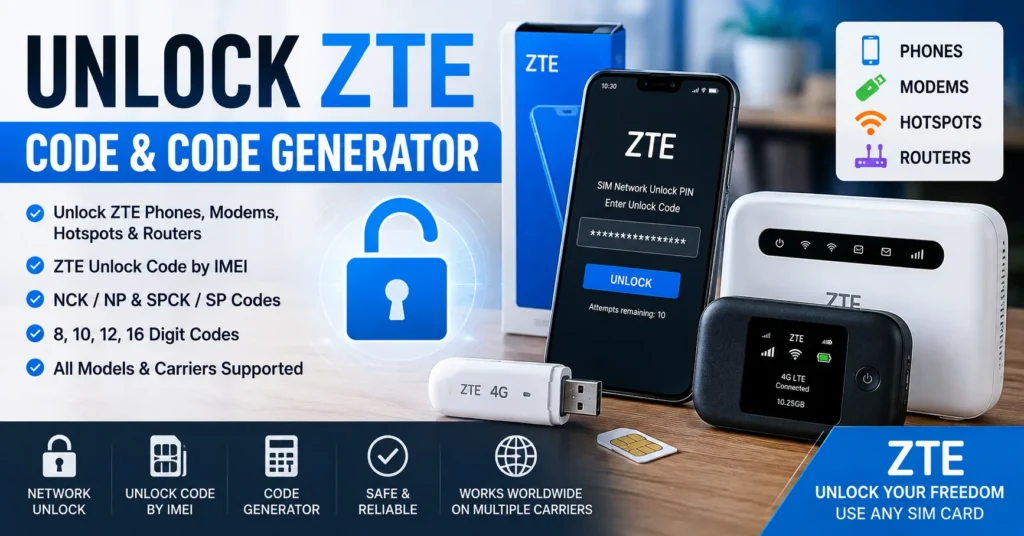
This guide explains what a ZTE unlock code is, how ZTE network locking works, what an unlock ZTE code generator actually does, how codes can be obtained, why some ZTE codes are 8, 10, 12, 16, or another number of digits, how ZTE modem unlocking differs from phone unlocking, what NCK and SPCK mean, how to enter a ZTE unlock code, and what to do when the code does not work.
If your ZTE displays a message such as SIM Network Unlock PIN, Network Unlock Code, or SIM Network Unlock Code, also read our SIM Network Unlock PIN guide.
What Is a ZTE Unlock Code?
A ZTE unlock code is a code used by certain ZTE devices to remove a carrier or SIM-network restriction.
When a ZTE device is network locked, it may refuse to accept a SIM card from another carrier. Depending on the model, the device may display a request for a network unlock code when an unsupported SIM is inserted.
The unlock code is associated with the device and its network-lock system. It is not the same thing as:
- The SIM PIN.
- The SIM PUK code.
- The phone screen password.
- The Google account password.
- The device IMEI.
- The Wi-Fi password.
- The carrier account password.
| Code or Identifier | Purpose |
|---|---|
| IMEI | Identifies the cellular device. |
| SIM PIN | Protects access to the SIM card. |
| SIM PUK | Used to recover a SIM after too many incorrect SIM PIN attempts. |
| NCK / NP | Network-related unlock code used by some ZTE devices. |
| SPCK / SP | A service-provider-related control code found on some older ZTE devices and unlocking systems. |
| Screen PIN | Protects access to the device itself. |
Using the wrong type of code can fail to unlock the device and, on some devices, repeated incorrect attempts can consume the available unlock attempts.
What Is an Unlock ZTE Code Generator?
An unlock ZTE code generator is a software tool or online service intended to calculate or obtain a network unlock code for a compatible ZTE device.
Historically, various ZTE unlocking tools were capable of calculating codes for particular generations of ZTE phones and modems. Older technical tools also supported specific ZTE modem families and direct unlocking operations.
However, the important word is compatible.
A code generator is not automatically compatible with every ZTE device.
The required information can depend on:
- ZTE model.
- Device type.
- IMEI.
- Carrier.
- Country or market.
- Firmware version.
- Lock type.
- Code algorithm.
- Modem chipset.
- Whether the code is calculated locally or retrieved from a server.
This is why a generator that works with one ZTE modem can produce an invalid result for another model.
Can You Really Unlock ZTE With a Code?
Yes, on compatible carrier-locked ZTE devices, a valid network unlock code can unlock the device.
Code-based unlocking is a real method. Historical ZTE unlocking records show devices receiving NCK/NP and SPCK/SP codes, while ZTE modems and hotspots have also been unlocked through model-specific tools and services.
However, the code must match the device’s unlocking system.
You cannot safely assume that any random 12-digit or 16-digit number will unlock a ZTE device.
Why Is My ZTE Phone or Modem Locked?
Carriers may sell or distribute devices configured to accept their network’s SIM cards. A network lock can make a subsidized, prepaid, financed, or carrier-branded device less attractive for immediate use with another provider.
Modern carrier policies vary considerably.
Some carriers automatically unlock eligible devices after certain requirements are met, while others require an unlock request or provide an unlock code for eligible devices.
For example, AT&T lists requirements including device age, payment status, account status, and whether the device has been reported lost, stolen, or involved in fraud. Verizon’s current policies similarly distinguish between different device and plan types.
Therefore, before searching for a third-party unlock ZTE code generator, check whether the original carrier can unlock your ZTE directly.
What Information Do You Need to Unlock ZTE?
The exact requirements depend on the unlocking method, but the following information is commonly useful.
| Information | Why It Matters |
|---|---|
| ZTE model | Different models can use different unlock systems. |
| IMEI | Identifies the individual cellular device and may be required for a code request. |
| Original carrier | Helps identify the network lock and eligibility rules. |
| Country | Carrier policies and device variants can differ by market. |
| Firmware version | Some unlocking tools are firmware-specific. |
| Device type | Phones, modems, hotspots, and routers may use different procedures. |
How to Find the IMEI on a ZTE Device
The IMEI is often required when requesting or researching a ZTE unlock code.
Use *#06#
On many ZTE phones, open the phone dialer and enter:
*#06#
The IMEI should appear if the device supports this standard code.
Check ZTE Settings
On many Android-based ZTE phones, look under:
Settings → About Phone → Status → IMEI
The exact menu can differ according to the ZTE model and Android version.
Check the Device Label
Some ZTE devices have the IMEI printed on a label, SIM tray, battery compartment, or original packaging.
Check a ZTE Modem or Hotspot
For ZTE USB modems, mobile hotspots, and routers, the IMEI may be printed on the device label or packaging and may also be available through the device’s administration interface.
Always verify that the IMEI belongs to the device you are trying to unlock.
How to Unlock ZTE With an Unlock Code
The exact procedure depends on the model, but many ZTE devices follow a similar general process.
Step 1: Confirm That the Device Is Network Locked
Insert a SIM card from a different carrier.
If the ZTE displays a message such as:
- SIM Network Unlock PIN
- Network Unlock Code
- SIM Network Unlock Code
- Enter Network Unlock PIN
- Network Locked
the device may have a carrier or SIM-network lock.
These messages can vary by model and carrier.
Step 2: Find the Exact ZTE Model
Do not identify the phone only by the general name “ZTE.”
For example, Blade, Axon, Maven, Zmax, MF, and other ZTE product families contain many different models.
Step 3: Record the IMEI
Write down the correct IMEI and verify every digit.
Step 4: Check the Original Carrier
Before using a third-party code service, check whether the carrier can provide the unlock directly.
Step 5: Obtain the Correct Unlock Code
If the device and carrier support code-based unlocking, obtain the code from the appropriate carrier or a compatible professional service.
Step 6: Insert the Unsupported SIM
Turn off the ZTE if necessary and insert a SIM card from another carrier.
Step 7: Enter the Unlock Code
If the device presents the network-unlock screen, enter the correct code carefully.
Do not guess.
Step 8: Test the New Network
After the device accepts the code, allow it to connect to the new network and test calls, SMS, and mobile data where applicable.
What Is the ZTE NCK or NP Unlock Code?
NCK and NP are terms commonly encountered in older ZTE unlocking systems and technical discussions involving network unlock codes.
When a ZTE device requests a network unlock code, the required value may be referred to as an NCK, NP, network unlock code, or another model-specific name.
The exact terminology depends on the device and unlocking system.
Historical ZTE unlocking records show NCK/NP codes being supplied for phones, USB modems, mobile hotspots, and routers.
This is why searching for ZTE NCK code or ZTE NP code can lead to information that looks different from a normal “unlock code” guide even though the underlying goal is network unlocking.
What Is the ZTE SPCK or SP Code?
SPCK and SP are additional code names that appear in some ZTE unlocking systems.
On certain older devices, a service-provider-related code may be available alongside the network unlock code.
Not every ZTE device requires an SPCK/SP code.
Do not enter an SPCK when the device is asking for an NCK or network unlock code unless the device’s specific instructions require it.
ZTE Unlock Code vs SIM PIN vs PUK
One of the most common mistakes is confusing a network unlock code with a SIM security code.
| Code | What It Unlocks |
|---|---|
| ZTE Network Unlock Code | Removes a compatible carrier or SIM-network restriction from the device. |
| NCK / NP | Network-related unlock code used by certain ZTE devices. |
| SPCK / SP | Service-provider-related code used by some older ZTE unlocking systems. |
| SIM PIN | Protects the SIM card. |
| SIM PUK | Recovers a SIM after too many incorrect PIN attempts. |
| Screen PIN | Unlocks access to the phone’s user interface. |
If your ZTE is asking for a PUK, you do not need a ZTE network unlock code. Contact the SIM carrier for the correct PUK.
Why Do Some ZTE Unlock Codes Have 16 Digits?
The phrase ZTE 16 digit unlock code appears frequently in searches because different ZTE models and carrier variants can use different code formats.
There is no universal ZTE rule saying that every unlock code must contain exactly 16 digits.
Some devices and services use longer codes, while other ZTE devices use shorter NCK or network unlock codes.
This is one reason an old ZTE unlock code calculator may work for one model but fail for another.
Our separate ZTE Unlock Code Calculator 16 Digit guide discusses this specific problem in more detail.
Why Does My ZTE Ask for a 16 Digit Code?
If your ZTE specifically requests a 16-digit network unlock code, do not replace the requested code with a shorter code from a different generator.
The requested code length can be part of the device’s particular unlock mechanism.
Possible reasons include:
- Different ZTE hardware.
- Different carrier customization.
- Different firmware.
- Different unlock-code algorithm.
- A modem/router-specific security system.
- A code generated by a carrier or server rather than a local calculator.
If a 12-digit code is rejected because the device requires 16 digits, the correct response is to identify the exact model and unlocking system rather than randomly adding or removing digits.
Can You Calculate a ZTE Unlock Code From the IMEI?
Sometimes, but not universally.
Older ZTE models had code-generation methods that could calculate certain unlock values using the IMEI and other device information.
Historical technical tools documented ZTE modem support for IMEI-based unlock-code calculation on specific models.
However, modern and less common ZTE devices may use different systems.
In some cases, technical unlocking services have reported that an IMEI alone is insufficient and that additional modem information or a device-specific hash is needed to calculate the correct code.
Therefore:
| Situation | Can IMEI Alone Be Enough? |
|---|---|
| Some older ZTE phones | Possibly, depending on the exact model and algorithm. |
| Some older ZTE modems | Possibly, with a compatible calculator or service. |
| Newer ZTE phones | Not necessarily. |
| Newer ZTE routers/hotspots | Not necessarily. |
| Carrier-controlled unlocking | Usually handled through the carrier’s eligibility and unlock process. |
Why a ZTE Unlock Code Generator May Fail
A failed generator does not automatically mean that the ZTE cannot be unlocked.
The generator may simply not support the particular device.
Wrong ZTE Model
Two devices can look similar but use completely different unlocking systems.
Wrong IMEI
A single incorrect digit can produce an invalid code.
Unsupported Carrier
Carrier-specific firmware can change the way the device handles network locking.
Unsupported Firmware
An older generator may have been designed for an earlier firmware version.
Wrong Code Type
The device may require an NCK/NP while the code supplied is an SPCK/SP, or vice versa.
Wrong Code Length
The device may require a code with a different number of digits than the one supplied by the generator.
Server-Based Unlocking
Some unlocking systems depend on a remote service rather than a local mathematical calculator.
Attempt Limit Reached
Repeatedly entering incorrect codes can cause the device to reject further attempts or create an additional lock state.
Do Not Guess the ZTE Unlock Code
This is extremely important.
If your ZTE gives you a limited number of attempts, entering random codes is not a safe troubleshooting method.
Do not:
- Try random 8-digit numbers.
- Try random 12-digit numbers.
- Add zeros to a shorter code.
- Remove digits from a longer code.
- Use another phone’s unlock code.
- Generate codes repeatedly with incompatible calculators.
- Assume the IMEI itself is the unlock code.
Use the exact code intended for your exact device and lock type.
How to Know If a ZTE Is Already Unlocked
The simplest practical test is to insert a working SIM card from a different carrier.
If the ZTE accepts the SIM and connects normally, it may already be unlocked.
Depending on the model, you may also find network-lock information in the device settings.
Remember that a device can be technically unlocked and still fail to work correctly on another carrier because of network-band, technology, or compatibility differences.
Does Unlocking ZTE Make It Compatible With Every Carrier?
No.
Unlocking removes a carrier restriction. It does not change the hardware capabilities of the device.
A ZTE phone, modem, or router may support only certain LTE, 5G, 3G, or other network bands.
Therefore, after unlocking, check whether the device supports the frequencies and technologies used by your new carrier.
| Problem | Possible Explanation |
|---|---|
| SIM rejected immediately | Device may still be network locked. |
| SIM accepted but no service | Network compatibility, coverage, configuration, or account issue. |
| Calls work but data does not | APN or network configuration may be incorrect. |
| 4G/5G unavailable | Device may not support the carrier’s required bands or technology. |
Unlock ZTE Phone vs Unlock ZTE Modem or Router
ZTE produces several different categories of cellular devices, and the unlocking process can be very different between them.
| ZTE Device | Typical Unlock Considerations |
|---|---|
| ZTE Android Phone | May display a network unlock screen after another SIM is inserted. |
| ZTE USB Modem | May use a modem dashboard, unlock code, or model-specific software. |
| ZTE MiFi / Hotspot | May use a web administration interface or network unlock mechanism. |
| ZTE LTE Router | May require a device-specific unlock process and can have firmware restrictions. |
| ZTE 5G Router | Compatibility and carrier firmware can be particularly important. |
Do not use a phone-specific ZTE unlock guide on a modem simply because both devices display the ZTE logo.
How to Unlock a ZTE Modem
ZTE USB modems and mobile broadband devices have historically been among the most common devices associated with ZTE unlock codes.
Older ZTE modem families were supported by specialized unlocking tools, including model-specific operations for devices such as MF100, MF112, MF190, MF626, MF627, MF628, MF630, MF633, MF635, MF636, and other older modem families.
The general process can involve:
- Identify the exact ZTE modem model.
- Record the IMEI.
- Determine the original carrier.
- Check whether the modem is SIM/network locked.
- Determine whether the model accepts an unlock code.
- Obtain the correct code or carrier unlock.
- Insert a SIM from another carrier.
- Enter the required code or follow the model-specific procedure.
- Test the new SIM and mobile-data connection.
For older modem models, a model-specific calculator may be useful. For newer devices, carrier or professional unlocking may be required.
How to Unlock a ZTE Router or Hotspot
ZTE mobile routers and hotspots can use a different unlocking interface from ZTE phones.
Some models expose SIM and network settings through a web administration panel.
Others may display a network-unlock request after an unsupported SIM is inserted.
Before using a calculator, identify:
- Exact model number.
- IMEI.
- Original carrier.
- Firmware version.
- Current SIM-lock message.
Forcing an incompatible phone unlock procedure onto a router can cause unnecessary problems.
ZTE Unlock Code for Blade Phones
The ZTE Blade family contains many different models, and unlock-code compatibility should always be checked by the exact model.
Older ZTE Blade models are frequently associated with searches for:
- ZTE Blade unlock code
- ZTE Blade NCK code
- ZTE Blade network unlock code
- ZTE Blade SIM unlock
- ZTE Blade unlock code generator
Our site also contains older model-specific ZTE unlocking guides. For example, see our ZTE Blade V8 Pro unlock code guide.
Do not assume that a calculator designed for one Blade model will work on another.
ZTE Unlock Code for Axon Phones
The ZTE Axon family also includes multiple carrier and regional variants.
When searching for an unlock ZTE Axon code, identify the exact model number and original carrier before selecting a method.
A carrier-branded Axon can have different network restrictions from an unlocked retail model even when the hardware appears similar.
ZTE Unlock Code for Maven, Zmax and Other Models
Older ZTE models such as Maven, Zmax, Avid, Sonata, Grand, Imperial, Zinger, and other carrier-branded devices are frequently associated with historical unlock-code searches.
These model names should not be treated as a single unlocking family.
The correct code depends on the exact device and its network-lock implementation.
Our ZTE category contains additional historical ZTE unlock articles that can be useful when researching an older model.
ZTE Unlock Code for MF-Series Modems
ZTE MF-series modems are particularly important for searches involving ZTE modem unlock code and ZTE unlock code generator.
Models in the MF family can use different firmware, dashboards, carriers, and code systems.
Historical unlocking records show requests for models such as MF90, MF190, MF195, MF920, MF920U, MF927U, MF293N, MF833T, MF710M, and other ZTE modem and hotspot models.
This demonstrates why the exact model is essential when searching for an unlock code.
What Is a ZTE Unlock Code Calculator?
A ZTE unlock code calculator is generally a program that attempts to calculate an unlock value from information associated with a compatible ZTE device.
Older calculators may have been designed around specific algorithms and model families.
A calculator can therefore be extremely useful when it supports the exact device — but useless when the device is outside its supported range.
Our dedicated ZTE Unlock Code Calculator 16 Digit guide covers the specific 16-digit issue.
Online ZTE Unlock Code Generator vs Software Calculator
These terms are often used interchangeably, but they can describe different technologies.
| Method | How It May Work |
|---|---|
| Online ZTE Code Generator | May submit device information to a remote service. |
| Local Calculator | Calculates a code directly on a computer when the algorithm is known. |
| Server-Based Unlock | Remote service calculates or retrieves device-specific information. |
| Carrier Unlock | Original carrier authorizes or performs the unlock. |
| Professional Service | Uses specialized hardware, software, or server access for supported models. |
There is no reason to assume that an online generator and a local calculator use the same algorithm.
Is There a Universal Free ZTE Unlock Code Generator?
No universal generator should be assumed to work with every ZTE device.
This is one of the most important corrections to the old version of this article.
The original page claimed compatibility with essentially every ZTE model and every operating system. That claim is too broad and is not supported by the variety of ZTE code systems documented over the years.
A better way to think about ZTE code generation is:
Exact model + exact carrier + exact lock type + correct algorithm = potentially valid unlock code.
If one of those variables is wrong, the generated code may fail.
Can a ZTE Unlock Code Be Generated From IMEI Alone?
Sometimes, but not always.
For certain older ZTE devices, IMEI-based calculation was possible and specialized tools advertised support for particular models.
For other devices, additional information can be required.
Technical unlocking discussions have specifically documented cases where the device’s internal data or hash was needed rather than simply calculating a code from the IMEI.
Therefore, be skeptical of websites promising that every ZTE unlock code can be calculated from any 15-digit IMEI.
What If the ZTE Unlock Code Does Not Work?
If the code is rejected, stop entering random codes.
Check the following in order:
- Verify the exact ZTE model.
- Verify the IMEI.
- Verify the original carrier.
- Check the exact unlock message.
- Check the expected code length.
- Determine whether the device requires NCK/NP or another code type.
- Check whether the generator supports the firmware.
- Check whether the device has remaining unlock attempts.
- Contact the original carrier if the device is eligible for official unlocking.
ZTE Unlock Code Not Working After Several Attempts
Do not continue guessing.
Some devices protect their network-unlock mechanism against repeated incorrect codes.
If you have already entered several incorrect codes, the device may require a different procedure or professional service.
At this stage, obtaining another random calculator is usually not the best approach.
What If My ZTE Is Blacklisted?
A network lock and an IMEI blacklist are different problems.
A carrier-locked ZTE can normally be unlocked when it meets the relevant requirements.
A blacklisted device may have been reported lost, stolen, or otherwise restricted.
Changing the carrier lock does not automatically remove an IMEI blacklist.
If you are unsure whether the problem is a blacklist rather than a network lock, read our IMEI Blacklist Checker guide.
ZTE Unlock vs IMEI Change
Unlocking a ZTE and changing its IMEI are completely different operations.
Network unlocking removes a carrier restriction so that an eligible device can use another network.
IMEI modification changes the device identifier and is legally restricted or prohibited in some jurisdictions.
You do not need to change the IMEI simply to perform a legitimate carrier unlock.
For an ordinary network-unlock problem, use the correct carrier or unlock-code procedure instead.
ZTE Unlock vs IMEI Repair
IMEI repair is also different from network unlocking.
If your ZTE displays an invalid, null, missing, or unknown IMEI, the device may have a software, firmware, hardware, or repair-related problem.
An unlock code will not necessarily repair a missing IMEI.
If your problem is an invalid or missing IMEI rather than a carrier lock, see our IMEI Fix Tool guide.
How to Tell Which ZTE Problem You Have
| What You See | Likely Area to Investigate |
|---|---|
| SIM Network Unlock PIN | Carrier/SIM network lock. |
| Network Unlock Code | Carrier/SIM network lock. |
| PUK required | SIM card security issue. |
| Invalid IMEI | IMEI/device software or hardware issue. |
| No IMEI | IMEI/device troubleshooting. |
| No service with clean IMEI | Carrier compatibility, coverage, configuration, or hardware. |
| Blacklisted IMEI | Reported/restricted device status. |
How to Unlock ZTE Through the Original Carrier
For many users, the safest unlocking method is the official carrier process.
Start by identifying the carrier that originally sold or activated the ZTE.
Then check its current unlocking requirements.
Depending on the carrier, requirements can include:
- The device being paid in full.
- The account being in good standing.
- A minimum period of active service.
- The device not being reported lost or stolen.
- The device not being associated with fraud.
- The device meeting carrier-specific eligibility requirements.
Carrier policies change, so always use the carrier’s current rules rather than relying on an old ZTE unlock article.
Why Official Carrier Unlocking Is Often Better
When a carrier offers an official unlock, it can be preferable because the carrier can verify the device and account directly.
You also avoid guessing which third-party calculator supports your particular ZTE model.
For example, current carrier policies can include automatic unlocking once eligibility conditions are met, while other devices may require an unlock request or code.
Can an Unlocked ZTE Work Internationally?
An unlocked ZTE can potentially be used with another carrier’s SIM card, including while traveling internationally.
However, unlocking does not guarantee international compatibility.
You should also check:
- LTE bands.
- 5G bands where applicable.
- 3G compatibility where still relevant.
- Carrier technology.
- VoLTE requirements.
- Regional device variants.
- APN configuration.
A ZTE can be unlocked and still lack support for the frequencies used by a foreign network.
How to Check a ZTE After Unlocking
After the unlock is complete:
- Turn the device off.
- Insert a SIM from the new carrier.
- Turn the ZTE back on.
- Wait for network registration.
- Check signal strength.
- Test a phone call if supported.
- Send an SMS if supported.
- Test mobile data.
- Verify the correct APN if necessary.
If the SIM is accepted but mobile data does not work, the problem may be APN or network compatibility rather than the unlock itself.
Popular ZTE Unlock Code Searches
The following searches are all closely related to the same underlying intent:
- Unlock ZTE code
- Unlock ZTE code generator
- Unlock ZTE
- ZTE unlock code
- ZTE unlock code generator
- ZTE unlock code by IMEI
- ZTE network unlock code
- ZTE NCK code
- ZTE NP code
- ZTE SPCK code
- ZTE SIM unlock code
- ZTE modem unlock code
- ZTE router unlock code
- ZTE hotspot unlock code
- ZTE 16 digit unlock code
- ZTE unlock code calculator
- ZTE unlock code calculator 16 digit
- ZTE modem unlock code by IMEI
- ZTE USB modem unlock
- ZTE network unlock PIN
These phrases should not be treated as completely separate subjects. They represent different ways users search for the same general ZTE network-unlocking problem.
Popular ZTE Models Associated With Unlock Code Searches
Over the years, ZTE unlock searches have covered a large number of phones, modems, routers, and hotspots.
Examples include:
- ZTE Blade
- ZTE Blade V8 Pro
- ZTE Blade V9
- ZTE Blade X Max
- ZTE Blade Spark
- ZTE Maven
- ZTE Maven 3
- ZTE Axon
- ZTE Axon M
- ZTE Zmax
- ZTE Zmax Pro
- ZTE MF90
- ZTE MF190
- ZTE MF195
- ZTE MF920
- ZTE MF920U
- ZTE MF927U
- ZTE MF293N
- ZTE MF833T
- ZTE WD670
- ZTE mobile hotspots
- ZTE LTE routers
These models should not be assumed to share one universal unlock algorithm.
Our ZTE category contains additional model-specific articles that can be useful when a general ZTE unlock method is not enough.
How to Choose a ZTE Unlock Code Generator
If you are researching an unlock ZTE code generator, do not judge it only by the word “free.”
Look for information about:
- Supported ZTE models.
- Supported carriers.
- Supported firmware versions.
- Supported code types.
- Required code length.
- Whether the method is IMEI-based.
- Whether additional device information is required.
- Whether the tool is local or server-based.
- Whether the software comes from a trustworthy source.
A tool that clearly lists supported models is much more useful than one that simply claims to unlock every ZTE device.
Be Careful With Fake ZTE Unlock Generators
Search results for “free ZTE unlock code generator” can contain websites that promise universal unlocking without explaining how their service works.
Be cautious if a website:
- Claims to unlock every ZTE model.
- Promises a 100% success rate.
- Does not identify supported devices.
- Requests unnecessary personal information.
- Requires unknown executable software.
- Claims that every IMEI can generate a valid code.
- Asks you to disable antivirus protection.
- Promises that any ZTE can work on every network after unlocking.
The old version of this page made several universal claims that are no longer appropriate. The purpose of this rebuild is to give you a much more accurate explanation of what ZTE code generation can actually do.
Frequently Asked Questions About ZTE Unlock Codes
What is a ZTE unlock code?
A ZTE unlock code is a code used by compatible ZTE devices to remove a carrier or SIM-network restriction.
What is an unlock ZTE code generator?
An unlock ZTE code generator is software or an online service designed to calculate or obtain a network unlock code for supported ZTE devices.
Can I unlock ZTE with an IMEI?
Some older ZTE devices support IMEI-based code calculation, but an IMEI alone does not guarantee that a valid code can be generated for every ZTE model.
What is the ZTE NCK code?
NCK or NP is a network-related unlock code used by some ZTE devices and older unlocking systems.
What is the ZTE SPCK code?
SPCK or SP is a service-provider-related code that appears in some ZTE unlocking systems. Not every device requires it.
Why does my ZTE require a 16 digit unlock code?
Different ZTE models and carrier variants can use different code formats. A 16-digit requirement is specific to the device’s unlocking system and should not be replaced with a randomly generated shorter code.
Is there a universal ZTE unlock code generator?
No universal generator should be assumed to work with every ZTE phone, modem, hotspot, or router. Compatibility depends on the exact device and unlocking system.
Can a ZTE unlock code generator work for every carrier?
No. Carrier-specific firmware, lock systems, eligibility requirements, and device variants can affect whether a code works.
Can I unlock a ZTE modem with a code?
Some ZTE modems support code-based unlocking. The exact method depends on the modem model, firmware, carrier, and unlock system.
Can I unlock a ZTE router with an IMEI?
Some ZTE routers or hotspots may use IMEI-related unlocking services, but many newer devices require model-specific or carrier-specific procedures. IMEI alone is not a universal solution.
What if my ZTE unlock code does not work?
Verify the exact model, IMEI, carrier, code type, code length, and firmware compatibility. Do not repeatedly enter random codes because some devices limit the number of attempts.
Does unlocking ZTE remove an IMEI blacklist?
No. Network unlocking and IMEI blacklist status are separate issues. If the IMEI is reported or restricted, read our IMEI Blacklist Checker guide.
Does unlocking ZTE change the IMEI?
No. A legitimate network unlock removes a carrier restriction. It does not require changing the device’s IMEI.
Can I use any SIM after unlocking ZTE?
You may be able to use SIM cards from other compatible carriers, but the device still needs to support the carrier’s network bands and technologies.
Why does my ZTE accept the SIM but have no service?
The device may be unlocked but incompatible with the new carrier’s network bands, technology, APN configuration, or coverage.
Is the SIM PIN the same as the ZTE unlock code?
No. The SIM PIN protects the SIM card, while a network unlock code removes a compatible carrier restriction from the device.
Is the PUK the same as a ZTE unlock code?
No. The PUK is supplied by the SIM carrier to recover a SIM after too many incorrect PIN attempts.
Can the carrier unlock my ZTE for free?
It depends on the carrier and whether the device meets its current eligibility requirements. Some carriers automatically unlock eligible devices, while others require a request or provide an unlock code.
Should I use a third-party ZTE unlock code generator?
First check the original carrier’s official unlocking process. If you use a third-party service, verify that it specifically supports your exact ZTE model and lock type.
Final Thoughts
The search for an unlock ZTE code can lead to many different tools, calculators, and unlocking services, but there is no single code-generation method that works for every ZTE device.
The most important information is the exact ZTE model, IMEI, original carrier, firmware, device type, and lock type.
Older ZTE phones and modems can use code-based unlocking systems involving NCK/NP and, on some models, SPCK/SP. Some older devices can use IMEI-based calculations, while other devices require additional device information or server-based services.
If your ZTE is eligible for official carrier unlocking, that is generally the first method worth checking.
If you are specifically researching a ZTE code calculator, our ZTE Unlock Code Calculator 16 Digit guide covers the 16-digit problem in more detail.
If your device displays a SIM Network Unlock PIN or Network Unlock Code, read our SIM Network Unlock PIN guide.
If you are researching a specific ZTE Blade model, our ZTE Blade V8 Pro unlock guide provides model-specific information.
For other ZTE models, visit our ZTE category.
If the problem is actually a reported or blacklisted IMEI, use our IMEI Blacklist Checker guide instead.
And if your ZTE has an invalid, missing, null, or unknown IMEI rather than a network lock, see our IMEI Fix Tool guide.
The key to unlocking ZTE successfully is not finding the biggest or most promising “universal” generator. It is identifying the exact device and using the correct unlock method for that device and carrier.
Updated: August 30, 2026