IMEI Fix Tool: How to Fix Invalid, Null or Missing IMEI
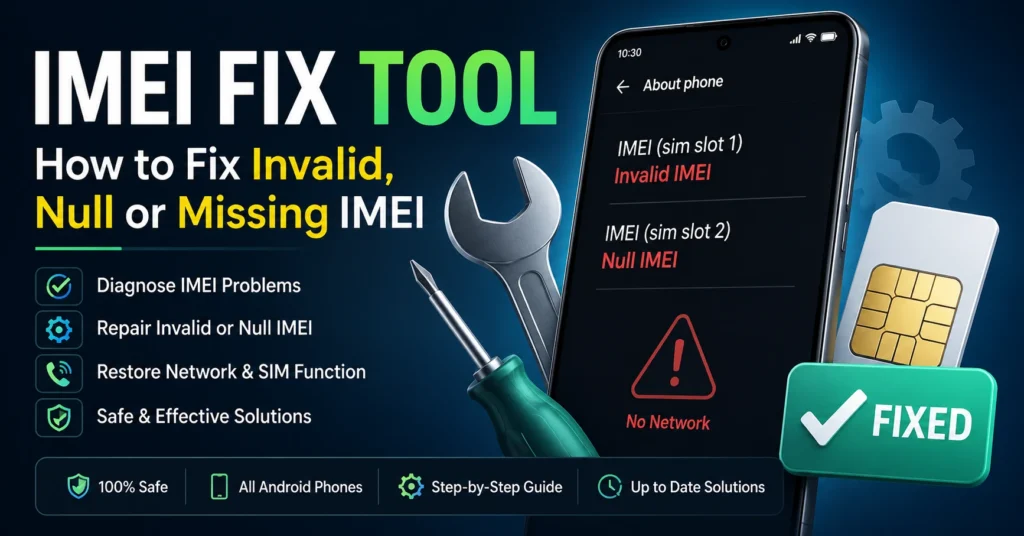
If your phone suddenly shows Invalid IMEI, Null IMEI, Unknown IMEI, or no IMEI number at all, the problem can prevent the device from connecting properly to a mobile network. An IMEI Fix Tool may help diagnose or repair certain IMEI-related software and firmware problems, but the correct solution depends on the phone model, chipset, firmware, and cause of the failure.
An IMEI is a unique identifier associated with a mobile device. When that identifier becomes unavailable or corrupted after a firmware update, unsuccessful flashing process, factory software repair, or hardware service, the phone may experience problems such as no mobile network, SIM detection issues, or an “invalid IMEI” message.
This guide explains what an IMEI fix tool is, why IMEI problems happen, how to identify the problem, and which repair approach is appropriate for your device.
If you are trying to check an IMEI rather than repair one, start with our IMEI Number Check Online Tool.
What Is an IMEI Fix Tool?
An IMEI fix tool is software or professional repair equipment designed to diagnose or restore certain device-identification problems involving a phone’s IMEI and related modem or radio configuration.
The exact capabilities of an IMEI repair utility vary considerably. Some tools are designed for specific manufacturers, chipsets, firmware versions, or professional repair environments.
An IMEI fix tool should not be treated as a universal application that can repair every phone.
A successful repair depends on several factors:
| Factor | Why It Matters |
|---|---|
| Phone manufacturer | Samsung, Xiaomi, Huawei, Motorola and other brands use different systems |
| Exact model | Different variants can use different hardware and firmware |
| Chipset | Qualcomm, MediaTek, Exynos and other platforms require different repair procedures |
| Firmware | The installed software can determine which repair methods are available |
| Cause of the problem | A software error and physical modem failure require different solutions |
| Repair history | Previous flashing or board repair can affect the device |
| Original device information | Legitimate IMEI restoration should use the device’s original identifier |
The safest approach is therefore to diagnose the problem before attempting an advanced repair.
What Does an IMEI Fix Tool Actually Fix?
An IMEI fix tool can sometimes help with problems where the phone’s original device-identification information is no longer being read correctly by the operating system or modem subsystem.
Typical symptoms include:
- Invalid IMEI
- Null IMEI
- Unknown IMEI
- IMEI not showing
- IMEI displayed as zeroes
- No network after firmware flashing
- Baseband-related errors
- SIM card detected but no cellular service
- Device identification information missing after repair
However, these symptoms do not always mean that the IMEI itself is the root cause.
For example, a missing IMEI can sometimes be connected to firmware, modem, baseband, partition, configuration, or hardware problems.
That is why simply installing another IMEI application is not always the correct solution.
Why Does an IMEI Become Invalid or Missing?
There are several possible reasons why a phone can stop displaying its IMEI correctly.
Failed Firmware Update
A failed or interrupted firmware installation can cause software components responsible for cellular communication to stop working correctly.
If the problem appeared immediately after an update, downgrade, or firmware installation, the software history is an important clue.
Incorrect Flashing
Installing firmware intended for another device variant can create serious compatibility problems.
This is particularly important with Android phones because apparently similar models can use different regional versions, chipsets, modem firmware, or partition layouts.
Always identify the exact model and variant before attempting a firmware repair.
Software or System Corruption
A corrupted operating system or damaged device configuration can sometimes result in the phone failing to display its normal IMEI information.
In these situations, the IMEI problem may be a symptom of a broader software issue rather than an isolated IMEI failure.
Previous Professional Repair
A motherboard replacement, modem-related repair, firmware service, or other hardware intervention can sometimes affect device identification information.
If the IMEI disappeared after a repair, contact the technician or service center that performed the work before attempting additional software modifications.
Hardware Failure
If software troubleshooting does not resolve the problem, the cause may involve hardware.
A damaged modem, baseband component, motherboard, storage component, or other hardware fault may require professional diagnosis.
How to Check If Your IMEI Is Missing
Before looking for an IMEI fix tool, first confirm that the IMEI is actually missing.
The simplest method is to open the phone’s dialer and enter:
*#06#
On supported phones, this normally displays the device’s IMEI information.
You can also check the phone’s settings.
| Phone type | Common location |
|---|---|
| Android | Settings → About Phone |
| Samsung Galaxy | Settings → About Phone |
| Other Android phones | Settings → About Device / Device Information |
| iPhone | Settings → General → About |
The exact menu can differ depending on the manufacturer and software version.
If the IMEI does not appear, record the exact message displayed by the phone. “Invalid,” “Unknown,” “Null,” and a completely blank field can point to different underlying problems.
Invalid IMEI vs Null IMEI vs Missing IMEI
These terms are often used interchangeably online, but they can describe different symptoms.
| Message or symptom | Possible meaning |
|---|---|
| Invalid IMEI | The phone does not recognize the identifier as valid |
| Null IMEI | The IMEI information may not be available to the operating system |
| Unknown IMEI | The system cannot retrieve the expected device information |
| IMEI missing | No IMEI is displayed |
| IMEI 000000… | The device may be displaying an invalid or corrupted identifier |
| IMEI visible but no network | The problem may be related to network, SIM, carrier, firmware, or hardware issues |
These symptoms alone do not prove that an IMEI repair tool is required.
What To Do Before Using an IMEI Fix Tool
Do not immediately install random IMEI repair software.
Start with these basic checks.
1. Restart the Phone
A simple restart can eliminate temporary software or modem communication problems.
2. Check Airplane Mode
Make sure Airplane Mode is disabled.
3. Check the SIM Card
Remove and reinstall the SIM card and confirm whether the phone detects it.
If possible, test the SIM in another compatible phone.
4. Check the IMEI Again
Use *#06# and compare the result with the IMEI information shown in the phone settings.
5. Check the Device Model
Record the exact model number, regional variant, and chipset where available.
This information becomes extremely important if professional repair software is required.
6. Think About What Changed
Ask yourself when the problem started.
Did it happen after:
- A firmware update?
- A factory reset?
- Flashing firmware?
- Rooting?
- A software repair?
- A motherboard repair?
- A failed update?
- A previous service procedure?
Knowing what happened immediately before the problem can make diagnosis much easier.
Can an IMEI Fix Tool Repair Every Phone?
No.
There is no single IMEI fix tool that should be considered universally compatible with every Android phone, iPhone, chipset, firmware version, and security configuration.
Professional repair tools usually have defined compatibility.
For example, the repair process may differ between:
- Qualcomm devices
- MediaTek devices
- Samsung Exynos devices
- Unisoc devices
- Different Android versions
- Different manufacturers
- Different regional variants
A tool that works with one phone can be completely unsuitable for another.
IMEI Repair on Android Phones
Android phones are particularly varied because hundreds of manufacturers use the operating system across many different hardware platforms.
If your Android phone shows an invalid or missing IMEI, identify the exact device first.
Samsung
Samsung Galaxy devices can have different repair requirements depending on the model, chipset, firmware, and security configuration.
If you have a Samsung phone, start with the Samsung-specific resources on IMEIChanger.net rather than applying a generic repair procedure.
MediaTek Phones
MediaTek devices can have IMEI-related problems after firmware flashing or software repair.
However, the correct procedure depends on the exact model and firmware.
Do not use an IMEI from another phone.
The objective of legitimate repair should be to restore the device’s original identification information, not to create an arbitrary identity.
Qualcomm Phones
Qualcomm-based devices can also experience modem, baseband, or device-identification problems following firmware or repair procedures.
The correct diagnostic method depends on the exact manufacturer and model.
If the phone requires professional service equipment, use a repair technician who understands the specific device platform.
Can You Fix an IMEI Without a Computer?
Sometimes basic troubleshooting can be performed directly from the phone, but a complete IMEI-related repair is not necessarily possible without specialized equipment.
Whether a computer is required depends on:
- Phone manufacturer
- Exact model
- Android version
- Chipset
- Firmware condition
- Cause of the problem
- Available manufacturer tools
- Professional repair equipment
If the IMEI disappeared after flashing firmware, trying unrelated phone applications may make the situation worse.
What If the IMEI Is Missing After Flashing?
This is one of the most common situations in which people begin searching for an IMEI fix tool.
If your IMEI disappeared immediately after flashing firmware, first verify that the firmware matches the exact device model and regional variant.
Then check:
- Whether the baseband information is present.
- Whether the SIM card is detected.
- Whether the phone displays an IMEI with
*#06#. - Whether the phone recognizes the correct model.
- Whether the firmware installation completed successfully.
- Whether the problem existed before flashing.
If the phone has a legitimate repairable software problem, the safest solution is normally to restore the appropriate original firmware and use a manufacturer-supported or professional repair process.
What If the Phone Shows No Service?
No Service does not automatically mean that the IMEI is damaged.
Several other problems can cause a phone to show No Service.
| Possible cause | What to check |
|---|---|
| SIM problem | Test another compatible SIM |
| Carrier restriction | Contact the carrier |
| Poor coverage | Test in another location |
| Airplane Mode | Confirm it is disabled |
| Network settings | Check network configuration |
| Firmware problem | Review recent updates or flashing |
| Baseband problem | Check device information |
| IMEI problem | Check IMEI with *#06# |
| Hardware fault | Professional diagnosis may be required |
If the IMEI is present and valid, focus on diagnosing the network problem instead of automatically attempting an IMEI repair.
IMEI Fix Tool vs IMEI Checker
These tools serve different purposes.
| Tool | Main purpose |
|---|---|
| IMEI Fix Tool | Diagnose or repair certain IMEI-related device problems |
| IMEI Checker | Investigate information associated with an IMEI |
| IMEI Blacklist Checker | Investigate whether a device identifier has a reported or restricted status |
| IMEI Lookup | Retrieve available information associated with a device identifier |
If you simply want to investigate a phone before buying it, you probably need an IMEI checker, not an IMEI repair tool.
You can use our IMEI Number Check Online Tool to learn more about checking an IMEI.
How to Check an IMEI Before Buying a Used Phone
An IMEI check is especially useful when purchasing a second-hand smartphone.
Before paying for a used phone, check:
| Check | Why it matters |
|---|---|
| IMEI | Helps identify the device |
| Blacklist status | Can reveal reported or restricted status |
| Model number | Confirms what device you are actually buying |
| Serial number | Provides another device identifier |
| Activation status | Important for certain devices |
| Carrier compatibility | Determines whether the phone can work with your network |
| Physical condition | Identifies hardware problems |
| SIM functionality | Confirms cellular operation |
| Battery condition | Helps assess the real condition of the phone |
You can also read our IMEI Blacklist Checker guide before buying a used phone.
Can an IMEI Fix Tool Remove a Blacklist?
An IMEI repair tool should not be used to bypass a blacklist or disguise the identity of a reported device.
A blacklist can be associated with a lost or stolen phone, unpaid service, carrier restrictions, or other circumstances.
If you purchased a phone that is blacklisted, the appropriate solution is to contact the seller, carrier, or relevant service provider and resolve the underlying issue.
Changing or attempting to disguise a device identifier does not establish legitimate ownership and can create additional legal or technical problems.
Can You Change an IMEI Number?
IMEI modification is different from legitimate IMEI repair.
If a phone has lost its original IMEI because of a legitimate software or hardware repair, the objective should be to restore the device’s original identifier through an appropriate repair process.
Attempting to replace an IMEI to bypass a blacklist, carrier restriction, security mechanism, or ownership issue is a different matter and may be illegal depending on your country and circumstances.
For this reason, this guide focuses on repairing legitimate IMEI problems rather than changing device identities.
Is an IMEI Fix Tool Safe?
That depends entirely on the software and where it came from.
Be careful with websites offering unknown “100% working” IMEI tools, modified APK files, cracked repair software, or applications that request unnecessary permissions.
Before installing any repair software:
- Verify the source.
- Check whether it supports your exact model.
- Scan downloaded files for malware.
- Avoid modified or cracked applications.
- Back up important data.
- Read the tool’s documentation.
- Understand what the software is going to change.
- Use professional equipment when the repair requires it.
A tool claiming to support “all Android phones” should be treated with caution.
What Is the Best IMEI Repair Solution?
There is no single best solution for every phone.
The best solution is the one that matches the actual cause of the problem.
For example:
| Situation | Recommended direction |
|---|---|
| IMEI temporarily unavailable | Basic troubleshooting |
| Problem started after firmware update | Review firmware/software |
| Problem started after flashing | Verify correct firmware and repair process |
| IMEI missing but software is otherwise normal | Device-specific diagnosis |
| IMEI present but no network | Investigate network/baseband/SIM causes |
| Hardware damage suspected | Professional repair |
| Used phone is blacklisted | Contact seller/carrier |
| Unknown repair history | Professional diagnosis |
The key is diagnosis first, repair second.
IMEI Fix Tool Frequently Asked Questions
What is an IMEI fix tool?
An IMEI fix tool is software or professional repair equipment used to diagnose or restore certain IMEI-related problems on compatible mobile devices.
How do I know if my IMEI is invalid?
Enter *#06# in the phone dialer and check the displayed IMEI. You can also check the device’s About Phone or device-information section.
Why does my phone show Null IMEI?
A Null IMEI can occur for several reasons, including software, firmware, configuration, modem, or hardware problems. The exact cause must be diagnosed for the specific device.
Can I fix an invalid IMEI without a PC?
Some basic troubleshooting can be performed directly on the phone, but more advanced repairs may require a computer, manufacturer software, or professional repair equipment.
Can I use the same IMEI repair tool on every Android phone?
No. IMEI repair tools can have specific compatibility requirements based on the manufacturer, model, chipset, firmware, and security configuration.
What should I do if my IMEI disappeared after flashing?
Verify the exact phone model and firmware, review what was flashed, and determine whether the problem is software or hardware related. If necessary, use an appropriate professional repair procedure.
Does a missing IMEI always mean the phone is broken?
No. A missing IMEI can result from software or firmware problems, although hardware failure is also possible.
Can an IMEI checker repair my phone?
No. An IMEI checker and an IMEI repair tool have different purposes. A checker investigates information associated with an IMEI; a repair tool is intended for certain device-repair situations.
Can an IMEI fix tool remove a blacklist?
A legitimate repair tool should not be used to bypass a blacklist. If a device is legitimately owned but incorrectly reported, contact the carrier or relevant service provider to resolve the status.
Is IMEI repair legal?
Legitimate restoration of a device’s original IMEI after a software or hardware problem is different from modifying an IMEI to conceal a device’s identity or bypass restrictions. Laws vary by country, so use manufacturer-supported or authorized repair procedures where possible.
Final Thoughts on IMEI Fix Tools
An IMEI Fix Tool can be useful when a compatible phone has developed an IMEI-related problem, but there is no universal repair application that works for every device.
If your phone displays Invalid IMEI, Null IMEI, Unknown IMEI, or no IMEI at all, begin by identifying the exact model and determining what happened before the problem appeared.
Do not confuse IMEI repair with IMEI checking, blacklist checking, SIM unlocking, or changing a device’s identity. Each problem requires a different approach.
For IMEI checking, use our IMEI Number Check Online Tool.
If you are investigating a used phone, read our IMEI Blacklist Checker resource.
If your Android phone is not displaying its IMEI, follow the appropriate device-specific troubleshooting guidance before attempting advanced repair software.
The safest repair strategy is always to identify the cause first and restore the phone using the correct manufacturer, carrier, or professional repair method.
Updated: August 28, 2026